






Microsoft Retires Semi-Annual Enterprise Channel for Word Excel PowerPoint Outlook and More
Let’s discuss how Microsoft Retires Semi-Annual Enterprise Channel for Word Excel PowerPoint Outlook and More. Microsoft has announced significant changes to its update strategy for Microsoft 365 apps (Office 365 Apps) on Windows desktop devices. This change impacts popular Office applications such as Word, Excel, PowerPoint, Outlook, and others.
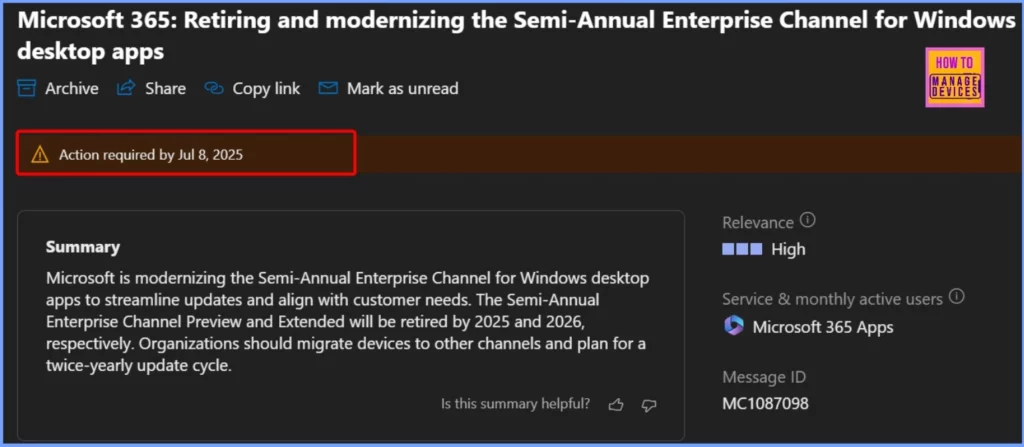
As part of its efforts to simplify update management and better serve customer needs, the company is retiring the Semi-Annual Enterprise Channel (Preview) in 2025, followed by the Semi-Annual Enterprise Channel (Extended) in 2026.
This change is part of Microsoft’s plan to improve how updates are delivered to organisations. Microsoft recommends that customers start moving their devices to other supported update channels, like the Monthly Enterprise Channel or the Current Channel. Both of these channels now let you see feature previews too.
In this post, you will find everything you need to know about Microsoft’s decision to retire the Semi-Annual Enterprise Channel for Windows apps. We will explain what’s changing, when the support will end, and what steps organizations should take to stay up to date with Microsoft 365 updates.

Table of Contents
Microsoft Retires Semi-Annual Enterprise Channel for Word Excel PowerPoint Outlook and More
Microsoft is changing how Office apps are updated to better support your organization’s needs. The Semi-Annual Enterprise Channel is being updated to simplify choices and make it easier to stay current. These changes are designed to reduce complexity, improve security, and ensure users get the latest features more quickly through a more efficient update schedule.
Action required by Jul 8, 2025
| Channel Name | Action | End Date | Message ID |
|---|---|---|---|
| Semi-Annual Enterprise Channel (Preview) | Retiring | July 8, 2025 | MC1087098 |
| Semi-Annual Enterprise Channel (Extended) | Retiring | March 10, 2026 | MC1087098 |
- Windows 11 LTSC 2024 Long Term Servicing Channel is Now Available
- Windows 11 Checkpoint Cumulative Updates
- Best Way to Set Windows 11 24H2 as Optional Update with Intune
Important Changes to Office Update Channels
Microsoft is ending support for both the Semi-Annual Enterprise Channel (Preview) and the Extended version. Devices on the Preview channel will stop getting updates after July 8, 2025, and support for the Extended channel will end on March 10, 2026. To keep getting updates and new features, organizations should move to the Current Channel or the Monthly Enterprise Channel.
Simplified Support Model for Semi-Annual Enterprise Channel Begins July 2025
Beginning July 8, 2025, the Semi-Annual Enterprise Channel will follow a new update cycle that 6 months of feature updates, followed by 2 months of rollback support. This simplified lifecycle is designed specifically for specialised, unattended devices where regular updates aren’t feasible. For most other scenarios, Microsoft recommends switching to more frequently updated channels.
More Flexibility Coming to Monthly Enterprise Channel Updates
From June 1, 2025, the Monthly Enterprise Channel will support the latest build (N), as well as the two previous builds (N-1 and N-2). This gives IT admins more flexibility to test and validate deployments before pushing updates widely. The security updates will continue to roll out across all channels on Patch Tuesday, ensuring devices stay protected.
| Steps to Keep Your Devices Updated |
|---|
| Move all devices off the Semi-Annual Enterprise Channel (Preview) to continue getting security updates. |
| For devices used by people, switch to the Monthly Enterprise Channel for a better and more reliable update experience. |
| If you still use the Semi-Annual Enterprise Channel, plan to update those devices twice a year, in January and July. |
Need Further Assistance or Have Technical Questions?
Join the LinkedIn Page and Telegram group to get the latest step-by-step guides and news updates. Join our Meetup Page to participate in User group meetings. Also, join the WhatsApp Community to get the latest news on Microsoft Technologies. We are there on Reddit as well.
Author
Anoop C Nair has been Microsoft MVP for 10 consecutive years from 2015 onwards. He is a Workplace Solution Architect with more than 22+ years of experience in Workplace technologies. He is a Blogger, Speaker, and Local User Group Community leader. His primary focus is on Device Management technologies like SCCM and Intune. He writes about technologies like Intune, SCCM, Windows, Cloud PC, Windows, Entra, Microsoft Security, Career, etc.




Discussion