






How to Fix Error 0x87D13B9D on Intune iOS App Latest Version Updating
Let’s discuss How to Fix Error 0x87D13B9D on Intune iOS App Latest Version Updating. Microsoft Intune users faced an issue while installing an App. The app was installed on an Intune iOS device, and users got an error message on the Installation process.
In this case, error occurred due to the latest version of the app failed to update from an earlier version. When a device has received a command to update an app but the new version has not yet been installed and reported back.
Due to this issue, correct version is not getting. Devices may continue running an older version. Users face inconviences due to this issue. iOS devices face many similar issue like this. We have alredy post which discussed about Errors occured in iOS devices.
This issue makes confusions on users side. By running on older version, critical features or security patches will miss. In this blog post I will help you to give a detailsed overview of this issue. Also I will share reasons, impact and resolution steps of this issue.


Table of Contents
How to Fix Error 0x87D13B9D on Intune iOS App Latest Version Updating
With this issue, the device received a command to update the app, but hasn’t completed the update or failed silently. By occurring this issue, Intune expects the device to report the new app version post-update, but the older version is still installed or reported.
| Error Code (Hex) | Error code (Dec) |
|---|---|
| 0x87D12906 | -2016335610 |
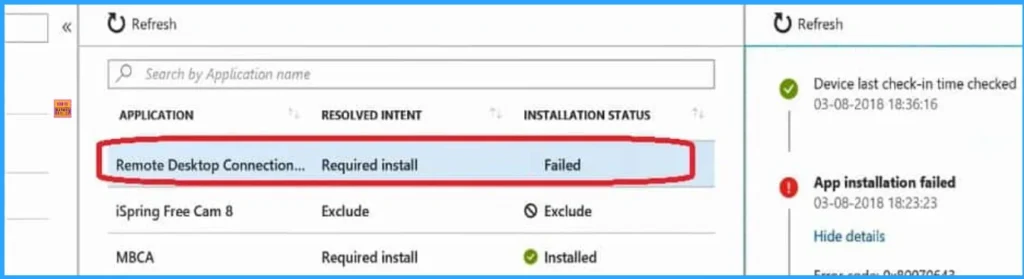
- How to Fix Intune iOS App Installation Error 0x87D1313D
- Fix iOS App Installation Error 0x87D1313C in Intune
- Troubleshoot and Fix Intune iOS App Installation Error 0x87D12906
Reason of the Error Code 0x87D13B9D
There are many reasons behind this issue. The update may have failed on the device without triggering a more descriptive error. This error will be reported for the first check-in of a device after the upgrade has been deployed, and will occur until the device reports that the new version is installed, or fails due to a different error.
Best Practices to Avoid the Error
If an error is encountered during the app installation, it will affect your organization. You can follow some steps to avoid the error and it will helps to avoid same error on your tenant. The followinga are the best practices.
- You must ensure that, detection logic accurately reflects the updated app version. Use file version, registry keys, or MSI product codes to confirm installation success.
- To avoid version conflict, you have to ensure that you uninstall the older version of the app before deploying the new version
- Don’t deploy multiple versions of the same app simultaneously. This can confuse detection logic and cause update failures.
Troubleshooting Steps
You can try some troubleshooting steps to resolve this issue. Each of the steps will beneficial for you. The followinga re the steps.
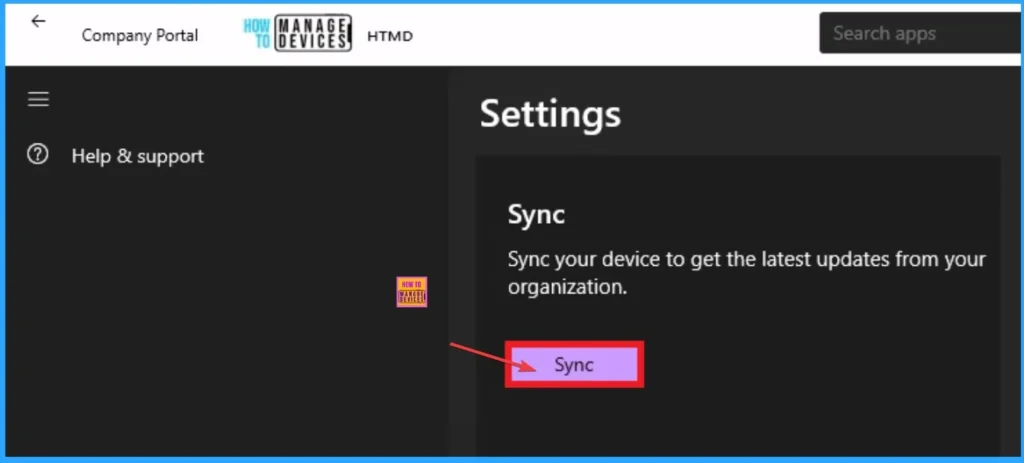
- You can force a device sync to prompt Intune to retry the update.
- Check app versioning – Ensure the deployed version matches the one expected by Intune.
- If the app was wrapped as a LOB (Line-of-Business) app, consider re-packaging it as a Win32 app for better reliability.
- Uninstall and reinstall – If the update consistently fails, uninstall the app and deploy the new version cleanly.
Need Further Assistance or Have Technical Questions?
Join the LinkedIn Page and Telegram group to get the latest step-by-step guides and news updates. Join our Meetup Page to participate in User group meetings. Also, Join the WhatsApp Community to get the latest news on Microsoft Technologies. We are there on Reddit as well.
Author
Anoop C Nair has been Microsoft MVP for 10 consecutive years from 2015 onwards. He is a Workplace Solution Architect with more than 22+ years of experience in Workplace technologies. He is a Blogger, Speaker, and Local User Group Community leader. His primary focus is on Device Management technologies like SCCM and Intune. He writes about technologies like Intune, SCCM, Windows, Cloud PC, Windows, Entra, Microsoft Security, Career, etc.


Discussion