






How to Perform ConfigMgr Site Reset | Fix Weird Issues | SCCM
Let’s learn more details about Site Reset options in Configuration Manager. This is a step-by-step guide to Performing a ConfigMgr Site Reset. I have seen many scenarios where the reset operation helped to fix some “weird issues” with SCCM infrastructure.
You can initiate ConfigMgr site reset from the Primary or CAS server. We cannot initiate an SCCM site reset from the secondary server. Let’s check the actions performed on the server side as part of the Site Reset:
- Reapplies the default ConfigMgr file and registry permissions
- Restores the following objects
- The SMS or NAL registry keys and any default subkeys under these keys.
- The ConfigMgr file directory tree and any default files or subdirectories in this file directory tree.
- Restores the following objects
- Reinstalls all site components and all site system roles at the site
NOTE! – A site reset does not reset access permissions to non-ConfigMgr objects. I don’t see any major impact performing the site reset. The site reset is mainly a straightforward process.
Permission Requirements for Site Reset?
My recommendation is to use the account you used to install the primary or CAS server to perform the site reset. You can use similar accounts with the same level of access rights. For more details, see User & Computer Access Rights Requirements.

- Full Administrator role with SCCM console
- Local Admin access on all the related servers
- SQL admin access just in case, etc…
NOTE! – Beginning with SCCM 1602, a site reset cannot be performed to change the Server or Client language packs that are installed at sites. If the hierarchy is configured to support testing client upgrades in a pre-production collection.
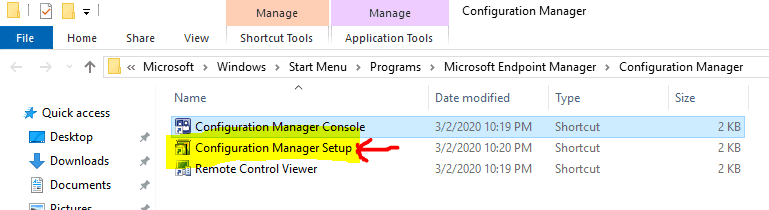
Launch ConfigMgr Setup option
- Launch Configuration Manager Setup shortcut from “C:\ProgramData\Microsoft\ Windows\Start Menu\Programs\Microsoft Endpoint Manager\Configuration Manager”
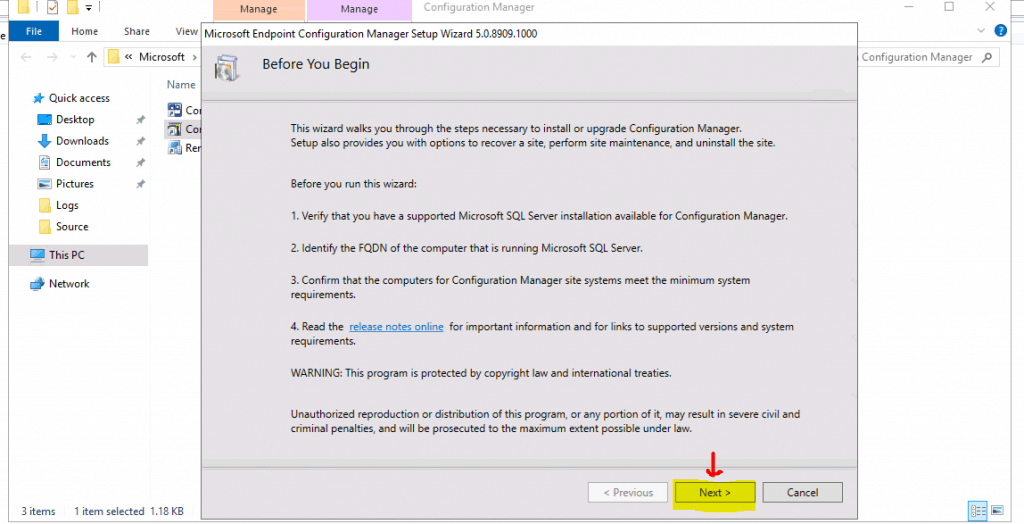
- Click on NEXT
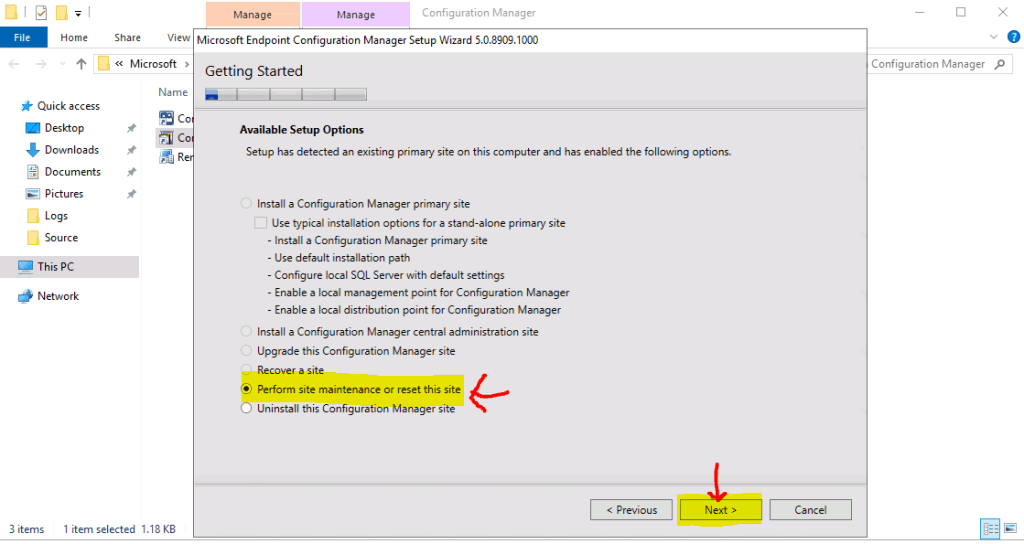
Perform Site Maintenance or Reset this site
- Select Perform Site Maintenance or Reset this site
- Click NEXT to continue
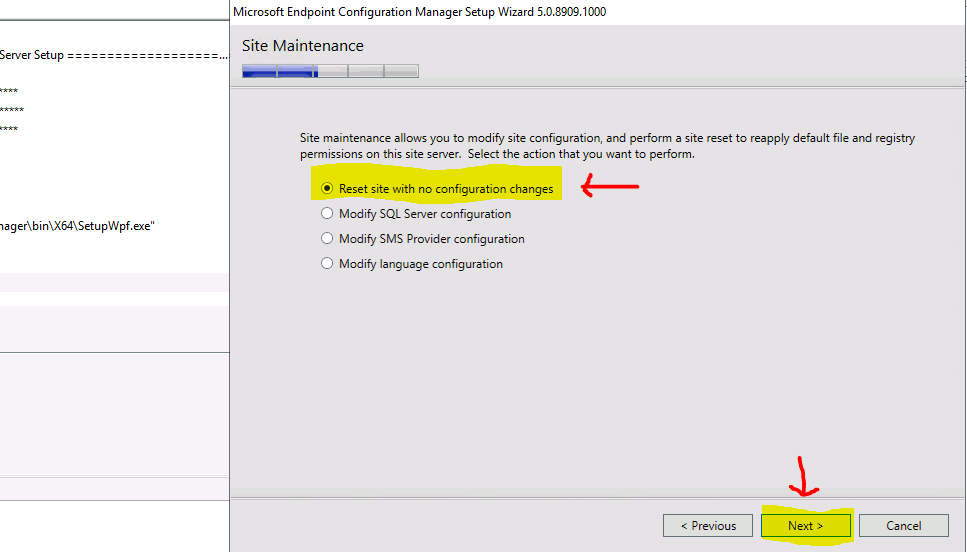
Reset site with no Configuration Changes
- Select the action that you want to perform
- Reset site with no Configuration Changes (This is the process I’m going to explain in this post)
- Modify SQL Server Configuration
- Modify SMS Provider configuration
- Modify Language configuration
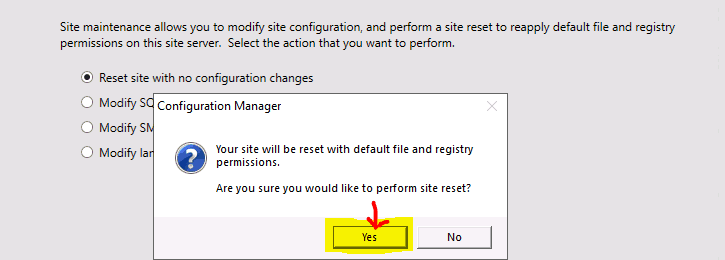
- Click on YES to continue with SCCM Site Reset option. This is a kind of warning message that your site will be reset with default file and registry permissions.
- Progressed with ConfigMgr Site Reset with a Progress bar and ConfigMgrSetup.log
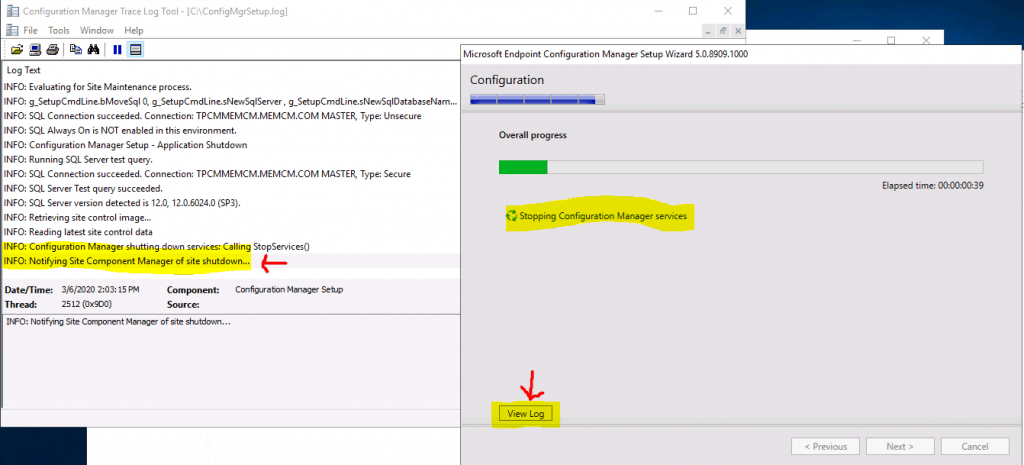
NOTE! – It’s recommended to restart the SCCM server to complete the Reset process.
Background Process?
Let’s review the log file ConfigMgrSetup.log in C: of the SCCM server where you initiated the site reset option. You can refer to SCCM logs.
INFO: Service shut down is completed. INFO: Successfully created local user group SMS Admins on the local machine with MEMCM\anoop as the member. INFO: Added site server machine account to security group SMS Admins on TPCMMEMCM.memcm.com.
INFO: F:\Program Files\Microsoft Configuration Manager permission set successfully.
INFO: Applying database security settings.
INFO: Adding Permission: IF OBJECT_ID('spGetAIProxySettings') IS NOT NULL GRANT EXECUTE ON [spGetAIProxySettings] TO [smsdbrole_AIUS]
INFO: Adding smsdbrole_siteprovider to db_owner: EXEC sp_addrolemember 'db_owner', 'smsdbrole_siteprovider'
INFO: Adding a login for ConfigMgr Site Server: IF NOT EXISTS (select * from master.sys.server_principals where name=N'NT AUTHORITY\SYSTEM') CREATE LOGIN [NT AUTHORITY\SYSTEM] FROM WINDOWS
INFO: reset directory permission: F:\Program Files\Microsoft Configuration Manager\inboxes\statmgr.box
Inbox def already exists, key 0, Site Control Manager (Master Site Control File)
Deleted inbox def 38, Orchestration Group Process Inbox
Created inbox def 74, Orchestration Group Process Inbox
ConfigMgr providers have successfully been unloaded on this server.
INFO: UpdateRegistry, pSetupInf->SqlServer: TPCMMEMCM.memcm.com, pSetupInf->SqlDatabaseName: CM_TP1, pSetupInf->SqlMasterDB: master.
INFO: Installing Configuration Manager Update Service…
INFO: Site Component Manager installation completed.
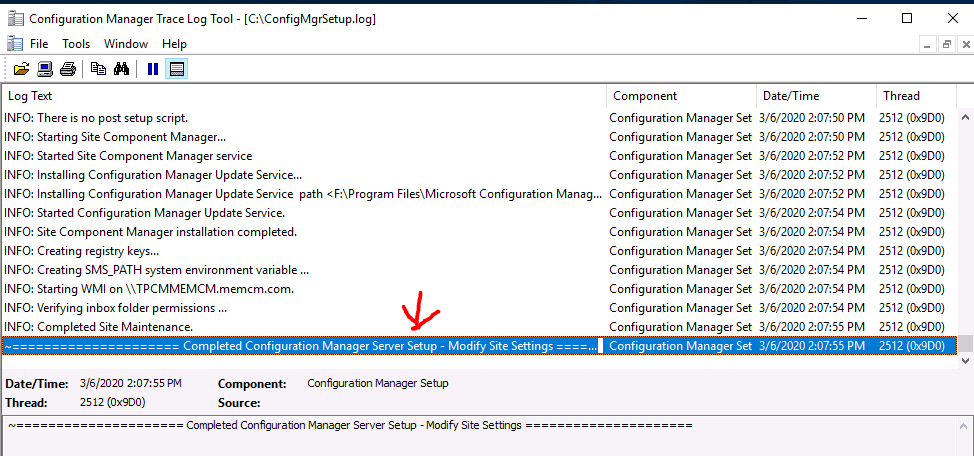
INFO: Completed Site Maintenance.
~===================== Completed Configuration Manager Server Setup - Modify Site Settings =====================
Results – How to Perform ConfigMgr Site Reset
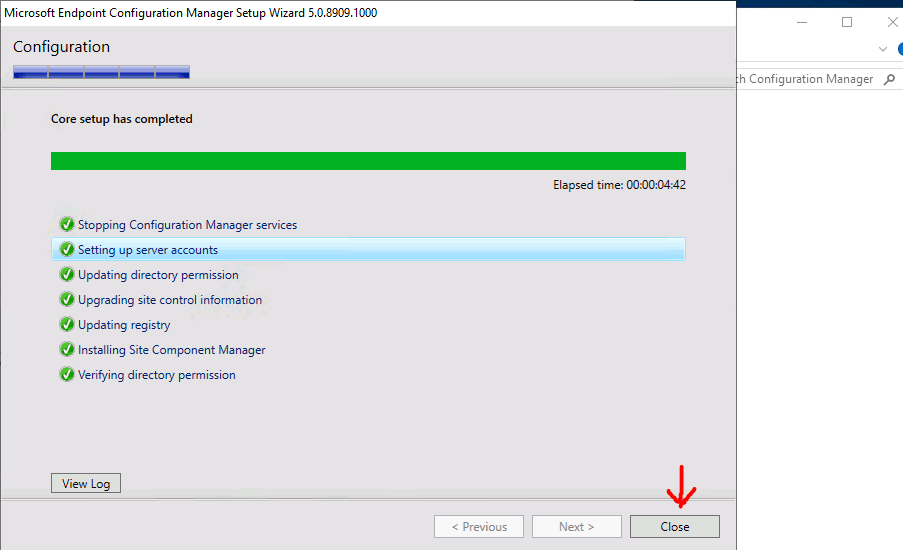
I have successfully completed the SCCM Site Reset. ConfigMgr Site reset option is used in many scenarios to fix weird SCCM issues.
NOTE! – I’ve seen many issues get resolved after a site reset and you can view much similar feedback in various community forums.
Resources
- New ConfigMgr Primary Server Installation Step by Step Guide | SCCM
- Let’s reset – https://docs.microsoft.com/en-us/configmgr/core/servers/manage/modify-your-infrastructure#bkmk_reset
We are on WhatsApp. To get the latest step-by-step guides and news updates, Join our Channel. Click here –HTMD WhatsApp.
Author
Anoop C Nair is Microsoft MVP! He is a Device Management Admin with more than 20 years of experience (calculation done in 2021) in IT. He is a Blogger, Speaker, and Local User Group HTMD Community leader. His main focus is on Device Management technologies like SCCM 2012, Current Branch, and Intune. He writes about ConfigMgr, Windows 11, Windows 10, Azure AD, Microsoft Intune, Windows 365, AVD, etc.




Discussion