






Enforce Bing SafeSearch for MS Edge Browser to Filter Adult Text Image and Videos using Intune
Let’s discuss Enforce Bing SafeSearch for MS Edge Browser to Filter Adult Text Image and Videos using Intune. Bing Safesearch is a one of the best feature of Microsoft Edge Browser. With Intune settings catalog policy, you can configure this policy to Filter Adult Text Image and Videos.
Tis policy ensure that queries in Bing web search are done with SafeSearch set to the value specified. Users can’t change this setting. If you configure this policy to “Off“, SafeSearch in Bing search falls back to the bing.com value. You can Enable this policy in Moderate or Strict values.
Most of the organizations prohibit access to adult content to maintain a respectful and professional work environment. Bing safeserach policy is suitable to maintain this standard in your organization. If the admin enable this policy, using Intune, sending a specific signal from the Microsoft Edge browser to the Bing search engine to filter result.
Tis policy is really helps full for users to protected from explicit, violent, or otherwise inappropriate content. By restricting access to adult content, the policy helps uphold a professional and respectful workplace culture.

Table of Contents
Enforce Bing SafeSearch for MS Edge Browser to Filter Adult Text Image and Videos using Intune
With this policy, users can enhance the productivity by avoiding non-work-related browsing. This policy is applicable for different type of organizations. For example, if you are an IT Admin on a financial organization and using Microsoft Edge as the default browser.
Before implementing this policy filters out explicit images and videos but still allows explicit text to appear in search results. The user can also easily change this setting. After enabling this policy filters adult text, images, and videos.
- Enable AI Enhanced Search in History Policy in Microsoft Edge to Controls Data Privacy using Intune
- Configure Visual Search for Edge Default Search Provider using Intune Policy
- Configuring Default Search Provider Suggestion URL in Microsoft Edge with Intune Policy
How to Start Policy Configuration
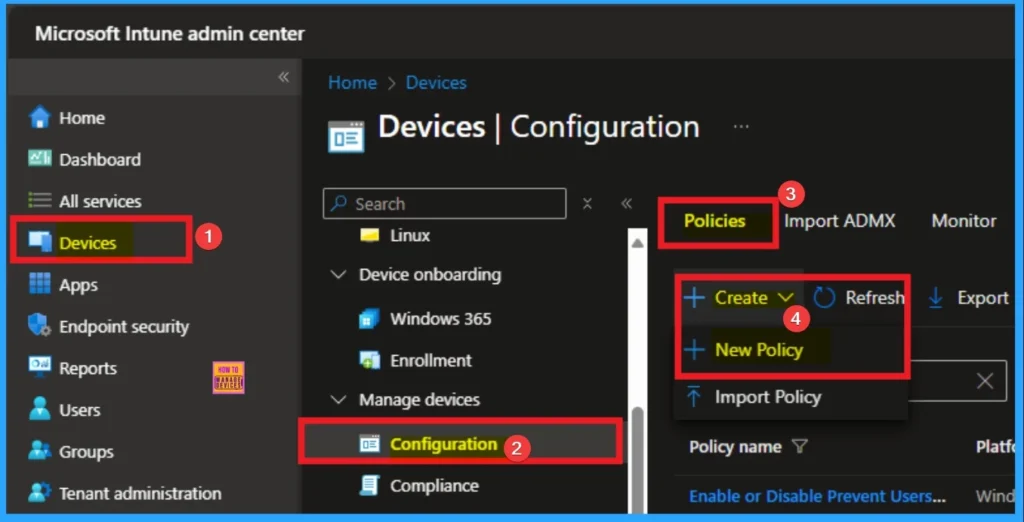
As an admin, you can easily configure this policy with Microsoft Intune Settings Catalog. To start the Policy Creation, open the Microsoft Intune Admin center. Then go to Devices > Configuration >+ Create > +New Policy.
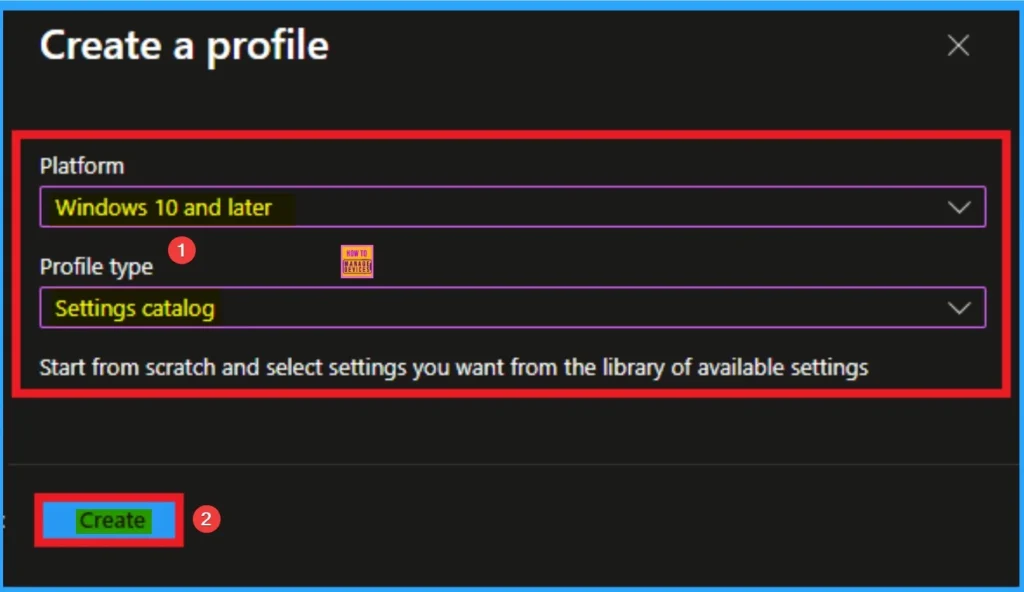
Profile Selecting for Policy
After that you can create the profile for the policy by selecting platform and profile. It is very necessary step and you cannot skip this. Here I would like to configure the policy to Windows 10 and later platform and settings catalog profile. Then click on the Create button.
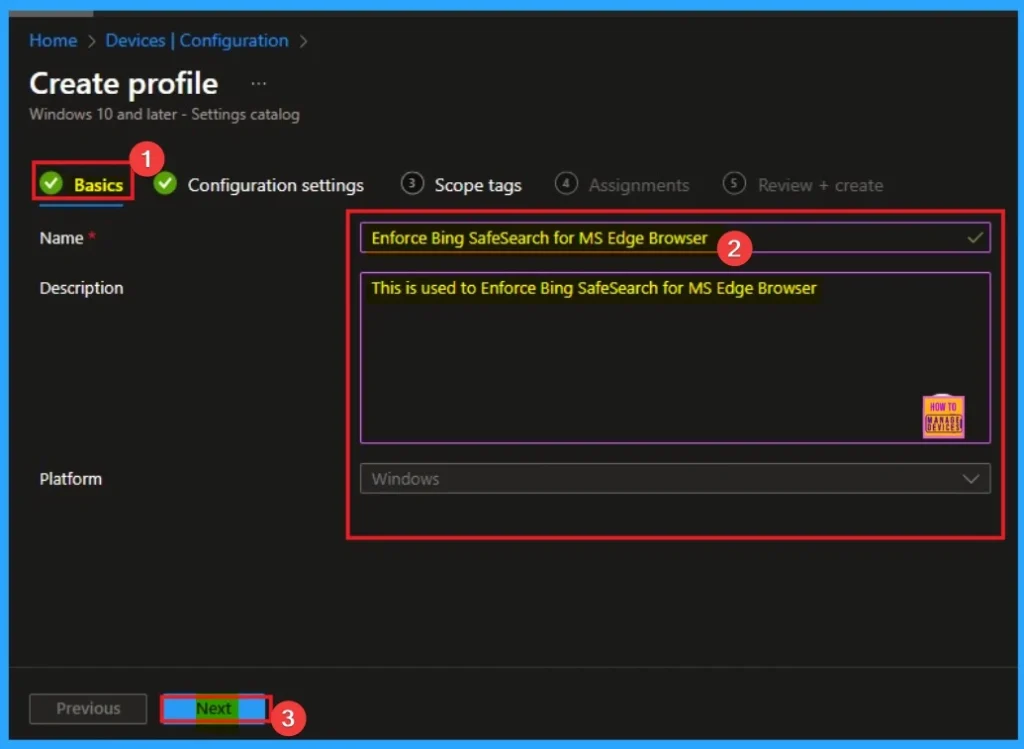
Basic Tab for Naming Policy
Basic tab helps you to give an identify for the settings you have to select for policy creation. You should add appropriate name and description for policy. Here is Name is mandatory and description is optional. After adding this click on the Next button.
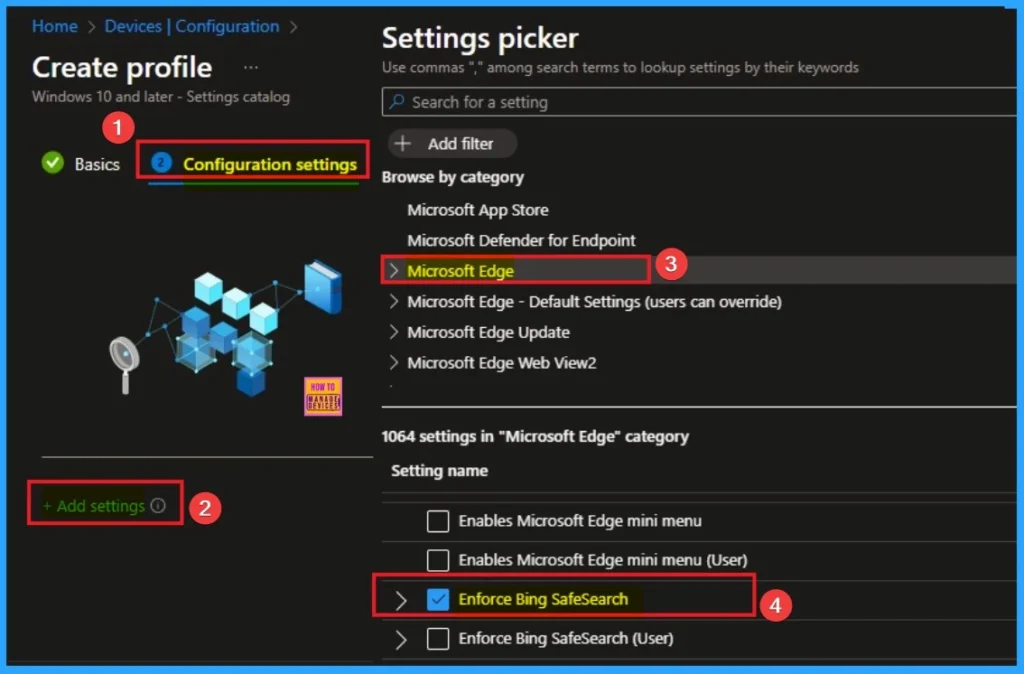
Configure Bing SafeSearch for MS Edge Browser
On the Configuration Tab, you can see the +Add settings hyperlink to access specific settings. When you click on this hyperlink, you will get Settings Picker. Here, I would like to select the settings by browsing by Category. I choose Microsoft Edge. Then, I choose Enforce Bing SafeSearch settings.
Disable Bing SafeSearch Settings
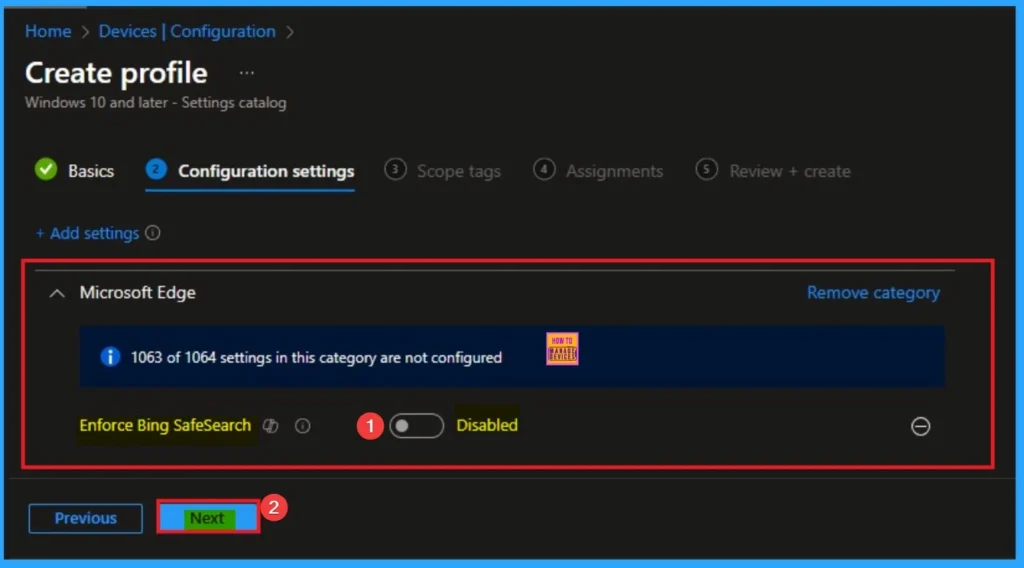
If you disable this policy or don’t configure it, SafeSearch in Bing search isn’t enforced, and users can set the value they want on bing.com. Disable is the Default value of this policy. If you want to go with this value, click on the Next button.
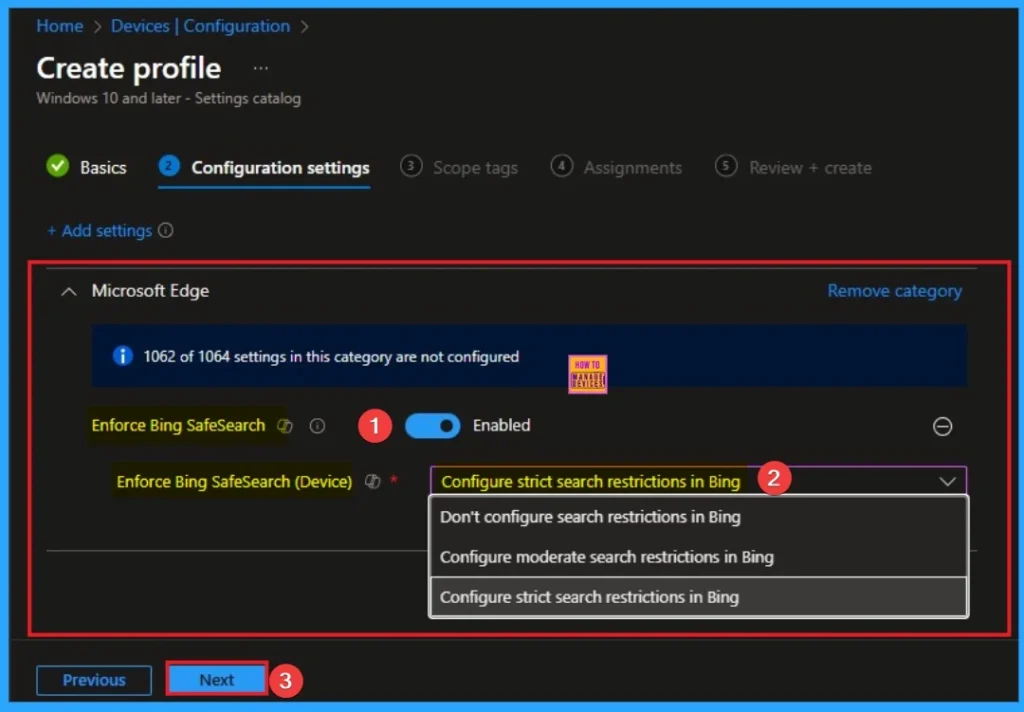
Enable Bing SafeSearch Settings
There are 2 sub values available on Enable value, in this policy. Te sub values are Don’t configure search restrictions in Bing, Configure moderate search restrictions in Bing and Configure strict search restrictions in Bing. You can choose any of this value according to the preferences. After that click on the Next button.
| Values | Details |
|---|---|
| Don’t configure search restrictions in Bing | If you configure this policy to “Off“, SafeSearch in Bing search falls back to the bing.com value. |
| Configure moderate search restrictions in Bing | If you configure this policy to “Moderate”, the moderate setting is used in SafeSearch. The moderate setting filters adult videos and images but not text from search results. |
| Configure strict search restrictions in Bing | If you configure this policy to “Strict“, the strict setting in SafeSearch is used. The strict setting filters adult text, images, and videos. |
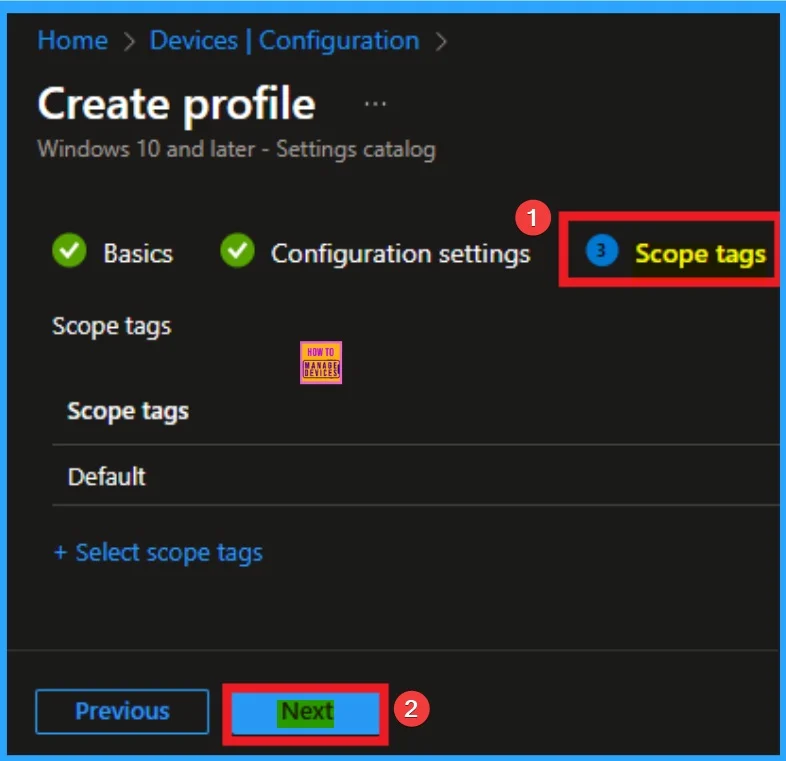
Selecting Scope Tags
Scope Tags sections helps you to add restriction to the visibility of the Policy. But it is not a mandatory step, so you can skip this step. Here I don’t add scope tags for Bing SafeSearch Policy. Click on the Next button.
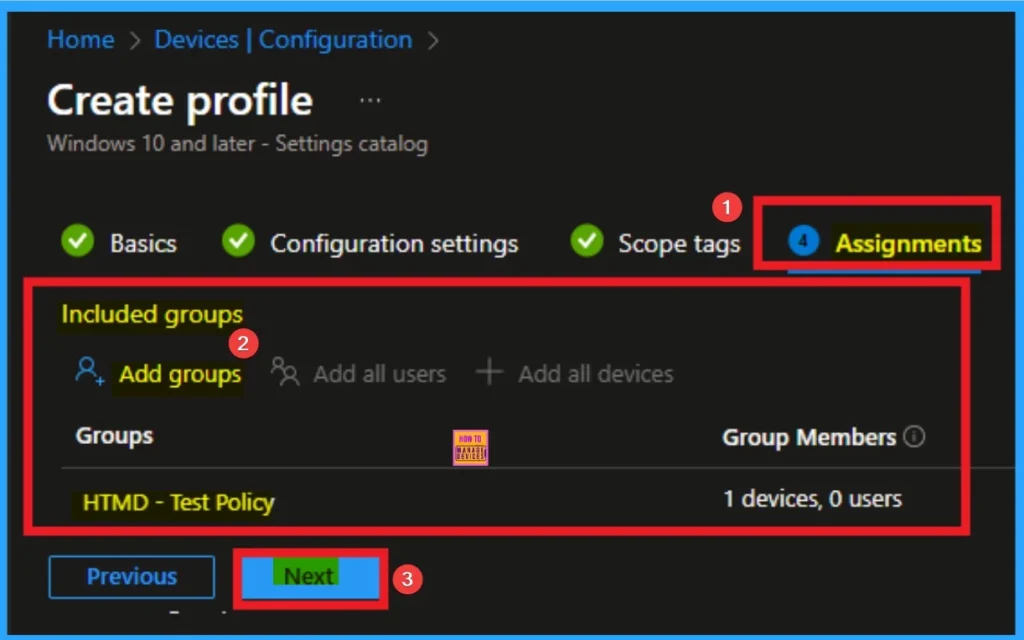
Selecting Group from Assignment Tab
To assign the policy to specific groups, you can use the Assignment Tab. Here I click, +Add groups option under Included groups. I choose a group from the list of groups and click on the Select button. Again, I click on the Select button to continue.
Review + Create Tab
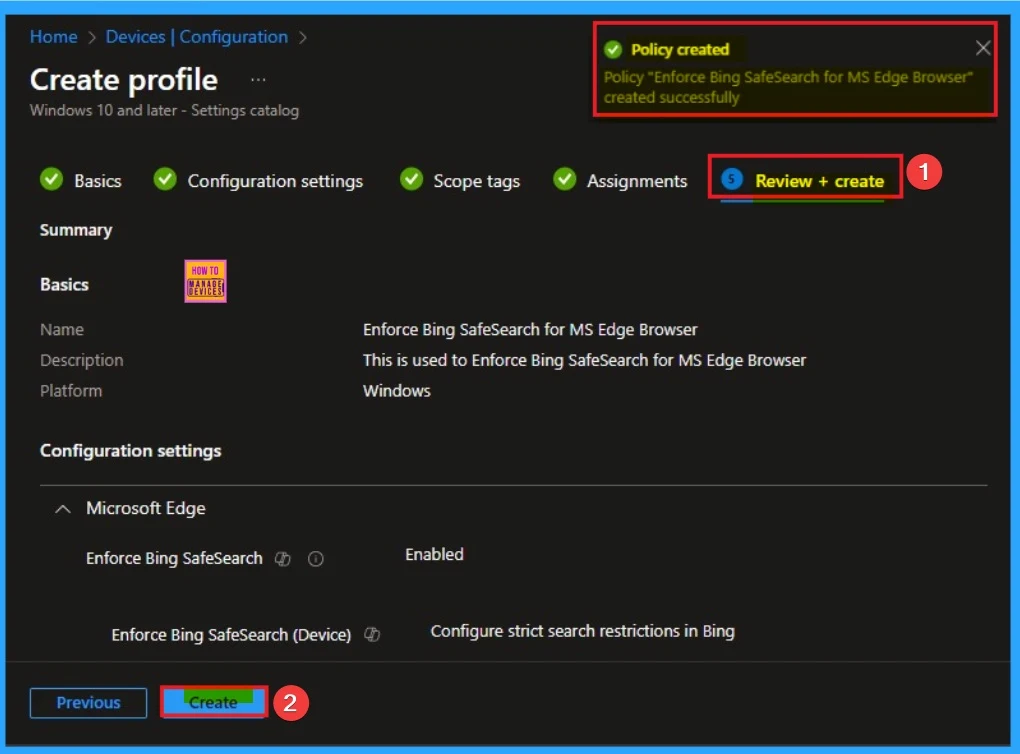
Before completing the policy creation, you can review each tab to avoid misconfiguration or policy failure. After verifying all the details, click on the Create Button. After creating the policy, you will get a success message.
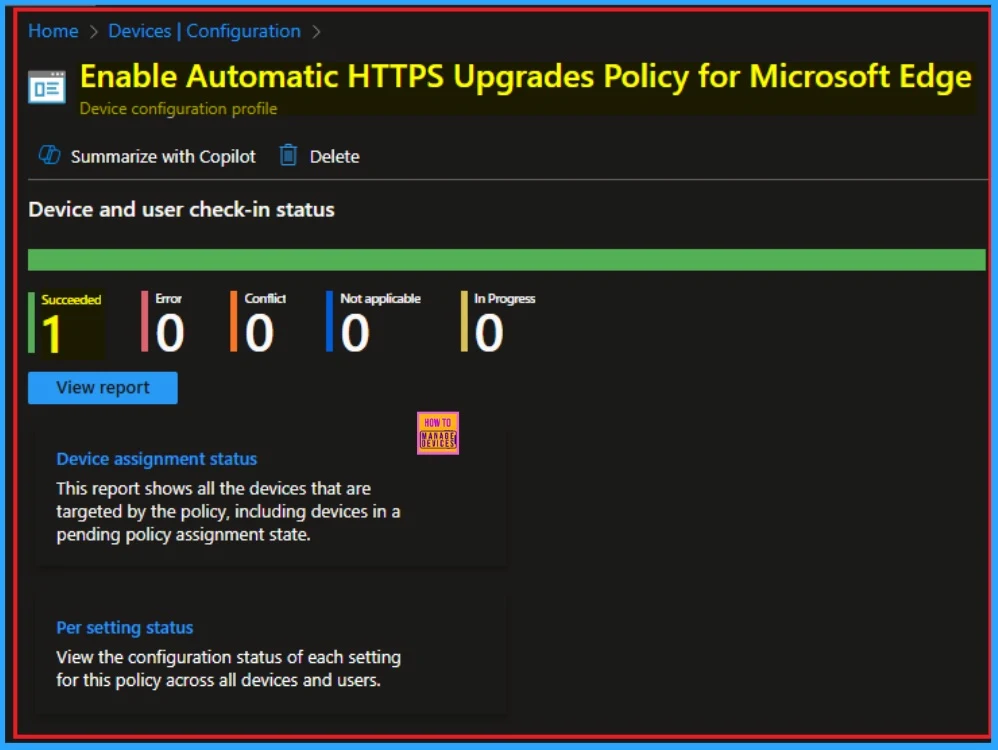
Device Check-in Status
The Monitoring Status page shows whether the policy has succeeded or not. To quickly configure the policy and take advantage of the policy sync the assigned device on Company Portal. Open the Intune Portal. Go to Devices > Configuration > Search for the Policy. Here, the policy shows as successful.
Event Viewer
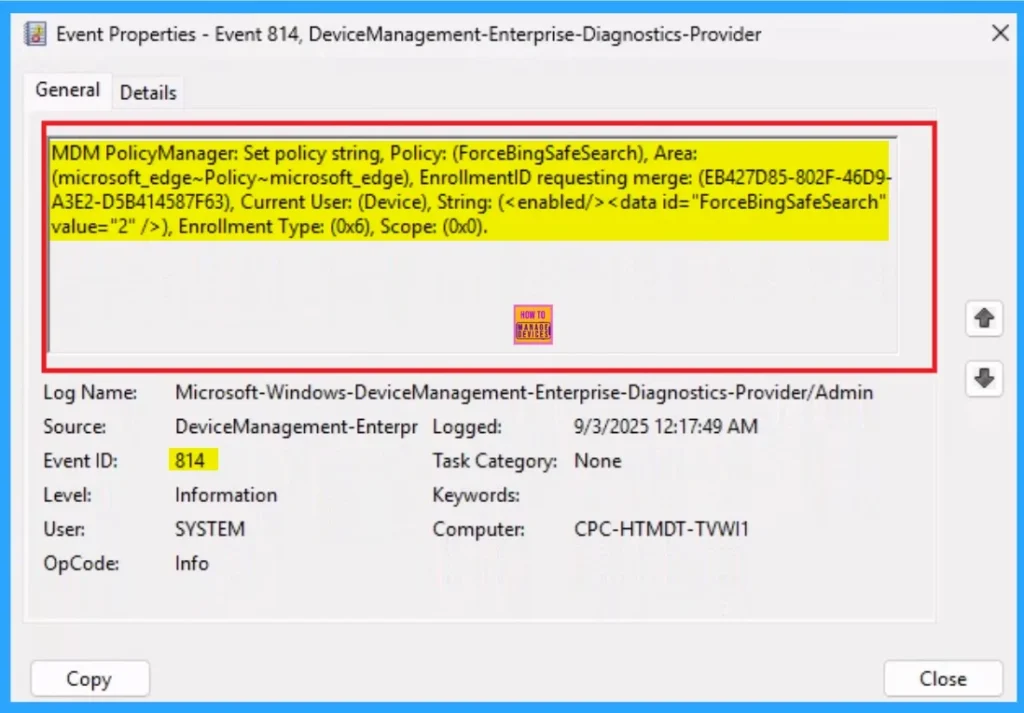
It helps you check the client side and verify the policy status. Open the Client device and open the Event Viewer. Go to Start > Event Viewer. Navigate to Logs: In the left pane, go to Application and Services Logs > Microsoft > Windows > DeviceManagement-Enterprise-Diagnostics-Provider > Admin.
- Filter for Event ID 814: This will help you quickly find the relevant logs.
MDM PolicyManager: Set policy string, Policy: (ForceBingSafeSearch), Area:
(microsoft_edge~Policy~microsoft_edge), EnrollmentlD requesting merge: (EB427D85-802F-46D9-
A3E2-D5B414587F63), Current User: (Device), String: (), Enrollment Type: (0x6), Scope: (0x0)
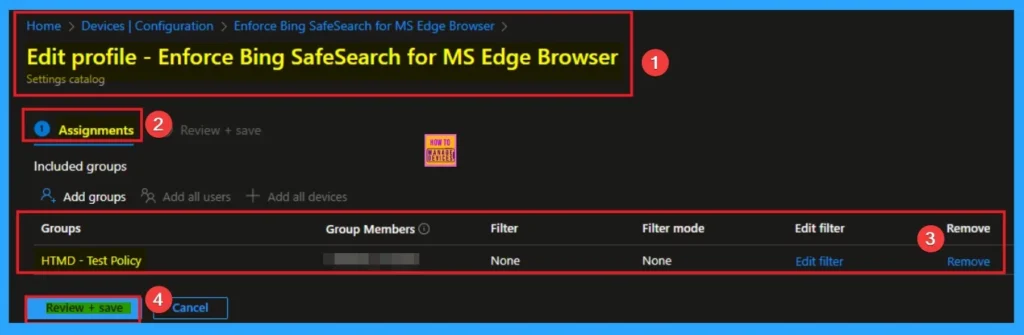
Removing the Assigned Group from these Settings
If you want to remove the Assigned group from the policy, it is possible from the Intune Portal. To do this, open the Policy on Intune Portal and edit the Assignments tab and the Remove Policy.
To get more detailed information, you can refer to our previous post – Learn How to Delete or Remove App Assignment from Intune using by Step-by-Step Guide.
How to Delete Read Aloud feature in Microsoft Edge
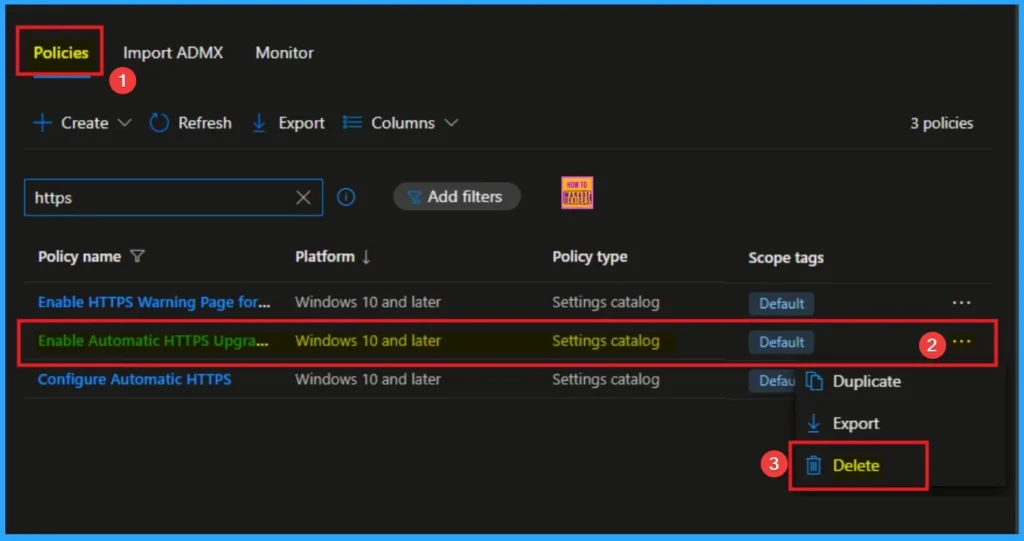
You can easily delete the Policy from the Intune Portal. From the Configuration section, you can delete the policy. It will completely remove it from the client devices.
For detailed information, you can refer to our previous post – How to Delete Allow Clipboard History Policy in Intune Step by Step Guide.
Need Further Assistance or Have Technical Questions?
Join the LinkedIn Page and Telegram group to get the step-by-step guides and news updates. Join our Meetup Page to participate in User group meetings. Also, Join the WhatsApp Community to get the latest news on Microsoft Technologies. We are there on Reddit as well.
Author
Anoop C Nair has been Microsoft MVP for 10 consecutive years from 2015 onwards. He is a Workplace Solution Architect with more than 22+ years of experience in Workplace technologies. He is a Blogger, Speaker, and Local User Group Community leader. His primary focus is on Device Management technologies like SCCM and Intune. He writes about technologies like Intune, SCCM, Windows, Cloud PC, Windows, Entra, Microsoft Security, Career, etc.


Discussion