






2025 September KB5065429 Windows 10 Patch | 2 Zero Day Vulnerabilities and 81 Flaws
Let’s discuss 2025 September KB5065429 Windows 10 Patch | 2 Zero Day Vulnerability and 81 Flaws. Microsoft addressed various security fixes and improvements on September 2025 Patch Tuesday of Windows 10 KB5065429.
There are many security benefits can be accessed with parch tuesday update. Microsoft dedicated to provides patch Tuesday updates on Windows 11. Mainly there 2 KBs are available on Windows 11. You can install KB5065426 and KB5065431 to get more security in Windows 11 Devices.
There are many fixed issues and improvement addressed on September 2025 Window 10 Patch Tuesday update. One of the important issue fixed by Microsoft in Windows text boxes. Certain supplementary characters appear in Windows text boxes are affected.
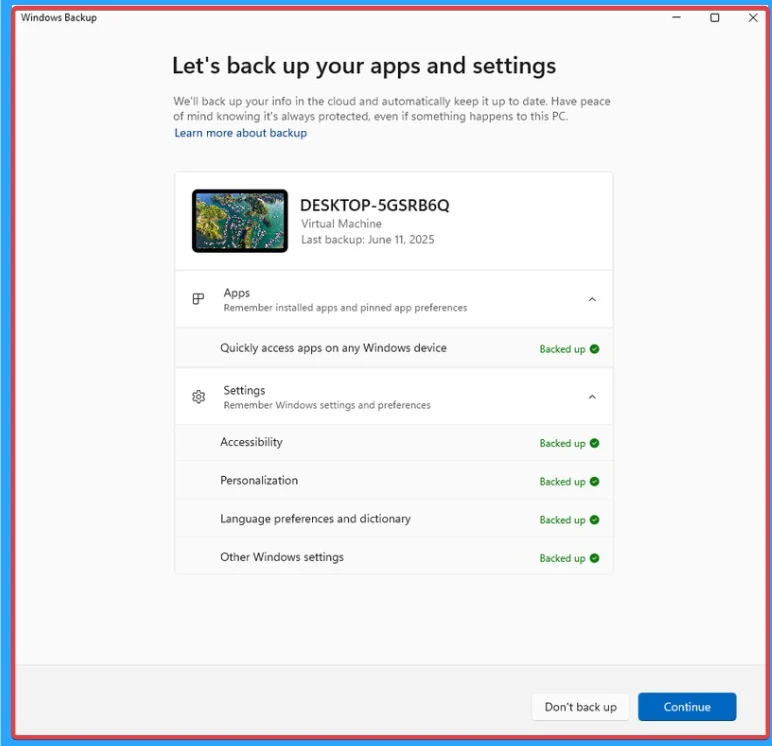
One of the major improvement on Windows 10 is General Availability of Windows Backup for Organisation. Enterprise-grade backup and restore can be accessed in Windows Backup for Organisation. With this solution, you can sustain productivity with minimal disruption, ensuring business continuity and organizational resilience.


Table of Contents
Zero Day Security Vulnerability for September 2025
There are 2 Zero Day Vulnerabilities are addressed on September 2025 Patch Tuesday Update of Windows 10. They are CVE-2024-21907 Improper Handling of Exceptional Conditions in Newtonsoft.Json, CVE-2025-55234 Windows SMB Elevation of Privilege Vulnerability.
| CVE Number | CVE Title | Publicaly Disclosed | Exploitability Assessment | Exploited |
|---|---|---|---|---|
| CVE-2024-21907 | Improper Handling of Exceptional Conditions in Newtonsoft.Json | Yes | Exploitation Less Likely | No |
| CVE-2025-55234 | Windows SMB Elevation of Privilege Vulnerability | Yes | Exploitation More Likely | No |

- Top 83 Windows 11 Desktop Admin Interview Questions
- Windows 10 Version Numbers Build Numbers Major Minor Build Rev
- Updated Windows 10 End of Life Dates
September 2025 Windows 10 Patch
There are lots of improvements, and some fixed issues are included on the Windows 10 September patch Tuesday update. Also, various fixed issues are shown on this month.
| Windows 10 22H2 |
|---|
| KB5065429 |
Updated Version of Windows 10 After Installing KB5065429 September 2025 Patch
Windows 10 device security can be improved with this Patch Tuesday update. With patch Tuesday update September update can be easily install. Version Number and Build Number also available on this update. Look at the below list.
- Windows 10 Version Details – Windows 10 22H2 KB5065429
- Version Details – Windows 10 version 22H2 – (OS Builds 19044.6332 and 19045.6332)
- More Details on Windows 10 version Numbers: Windows 10 Version Numbers Build Numbers Major Minor Build Rev
Windows 10 September Improvements
There are many improvements available on Windows 10 with September patch Tuesday. Opt-in feature for administrators to allow outbound network traffic from Windows 10 devices. More improvements are shown on the below table.
| Improvements | Details |
|---|---|
| An update on Country and Operator Settings Asset (COSA) profiles. | On this update COSA Profile is updated |
| An option added in feature for administrators to allow outbound network traffic from Windows 10 | An option added in feature for administrators to allow outbound network traffic from Windows 10 devices. With this enabled, AAD users who have a Windows 365 subscription and devices joined to Entra ID can check if they qualify for Extended Security Updates (ESU) once Windows 10 support ends. |
| Microsoft brings the general availability of Windows Backup for Organization | Windows Backup for Organization is now generally available. Experience seamless device transitions with enterprise-grade backup and restore |
Windows 10 Fixed Issues in September
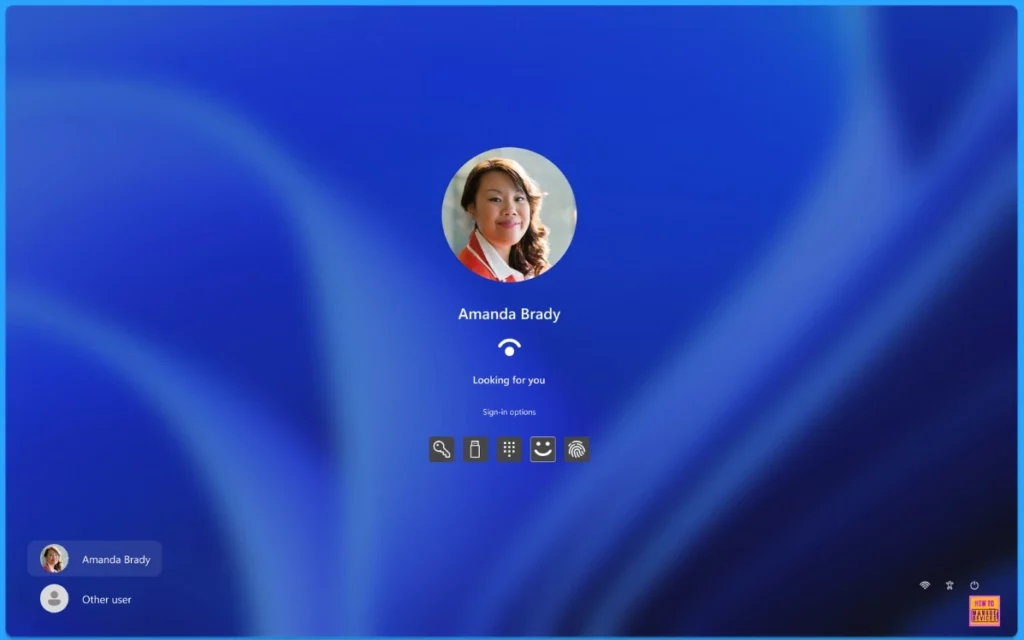
Some Freequently encounted issues are addressed on September 2025 updates. Mainly an issue addressed on Narrator in Windows Hello. It reads the incorrect name for the “Enhance Facial Recognition Protection” check box under the Facial Recognition setting. Microsoft fixed this issue.
| Fixes with Windows 10 September Patch | Details |
|---|---|
| Microsoft fixed an issue affected on Windows textboxes. | Windows textboxes affected by an issue which is fixed by Microsoft. Due to this issue, certain supplementary characters appear in Windows textboxes are affected |
| Chinese Simplified Input Method Editor (IME) affected by an issue which is fixed. | Due to issue in Chinese Simplified Input Method Editor (IME), Some extended characters were shown as empty boxes.This is fixed by Microsoft. |
| An issue fixed on web camera devices on Remote Desktop Services (RDS) environments. | In Web camera devices on Remote Desktop Services (RDS) environments, mf.dll failed to enumerate redirection. This is fixed by Microsoft. |
| Narrator in Windows Hello affected by an issue. | Narrator in Windows Hello reads the incorrect name for the “Enhance Facial Recognition Protection” check box under the Facial Recognition setting. Microsoft fixed this issue. |
| Microsoft fixed issue on Preview pane in Windows search not shown correctly. | Due to issue on Windows Search Pane, preview pane is not shown correctly. |
| An issue addressed on Family Safety which is fixed. | An issue where the “Ask to Use” approval flow was not being triggered for blocked apps. |
| Removable Storage Access policy in Portable Device affected by an issue. | Removable Storage Access policy may not work properly |
Know Issue of Windows 10 on September 2025
Known issues in Windows 10 are problems with updates, device compatibility, and specific features. These known issues are addressed by Microsoft and they will provide possible workarounds. The following are the known issue of Windows 10 in September.
| Summary | Originating aupdate | Details |
|---|---|---|
| “Activity reporting” feature is turned off in Microsoft Family Safety, children attempting to open Google Chrome or other unsupported browsers may experience an unexpected shutdown instead of the usual parental approval prompt. | N/A | Microsoft working for final resolution |
| A security vulnerability occurred after enforce the requirement that User Account Control (UAC) prompt for administrator credentials when performing Windows Installer (MSI) repair and related operations. | OS Build 19045.6216 | Microsoft working for final resolution |
| After installing the August 2025 Windows security update, streaming apps affecting issues like Severe stuttering, lag, and choppy audio/video might occur when using NDI (Network Device Interface) for streaming or transferring audio/video feeds. This is especially when “Display Capture” is enabled on the source PC. The problem persists even under low bandwidth conditions. | OS Build 19045.6216KB50637092025-08-12 | Microsoft working for final resolution |
Windows 10 Patch Deployment with Intune and SCCM for September 2025
Patch Management of Windows 10 can be easily done with Intune and SCCM. September patches of Windows 10 KB5065429 can be deploy using the Cumulative Update using Intune + WUfB and SCCM + WSUS.
SCCM – Learn more about SCCM patch deployments, from how to create a Deploy New Software Update Patch Package Using SCCM ConfigMgr. SCCM ADR Automatic Deployment Rule Creation Process.
Intune – You can expedite the deployment and Installation of September 2025 patches using Intune.
Manual Installing of Windows 10 September Patch with Offline Method
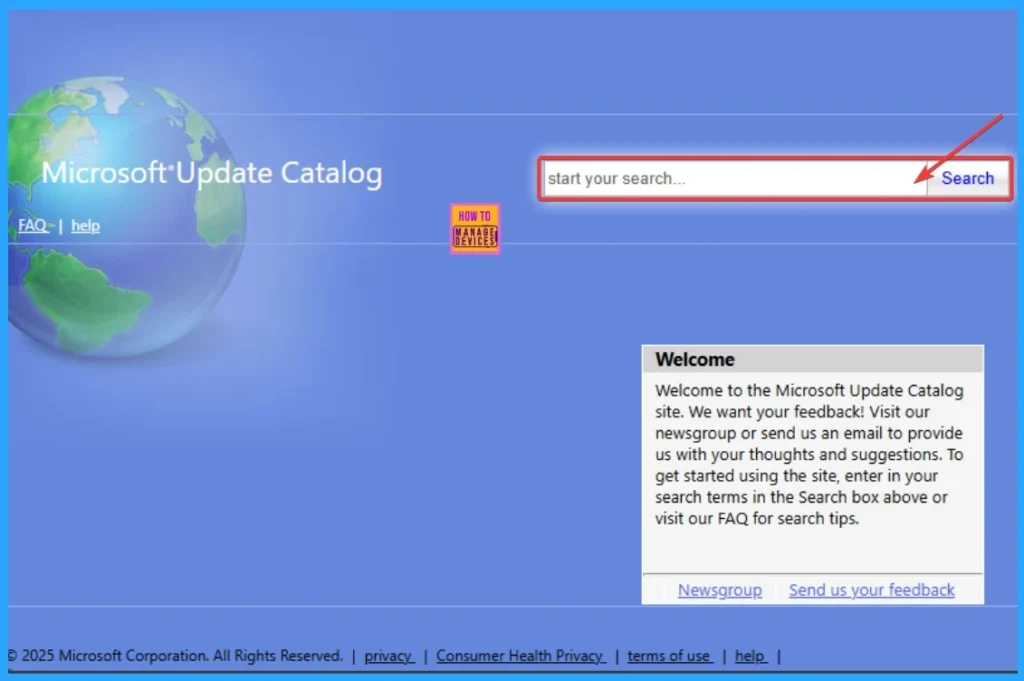
The Microsoft Update Catalog website helps to get the September patch details for Windows 10. This is a manual process that allows you to quickly check the cumulative Update for Windows 10 KB5065429 of September 2025. The direct download link can be used to get the cumulative update.
To get the direct download link of Windows 10 hotfixes, open the Microsoft Update Catalog Portal. You can search the Hotfixes with the keyword 2025-07 or use KB5063709.
| Title | Product | Size | Direct Download |
|---|---|---|---|
| 2025-09 Cumulative Update for Windows 10 Version 22H2 for x64-based Systems (KB5065429) | Windows 10 22H2 | 723.0 MB | Download |
Need Further Assistance or Have Technical Questions?
Join the LinkedIn Page and Telegram group to get the latest step-by-step guides and news updates. Join our Meetup Page to participate in User group meetings. Also, Join the WhatsApp Community to get the latest news on Microsoft Technologies. We are there on Reddit as w
Resource
September 9, 2025—KB5065429 (OS Builds 19044.6332 and 19045.6332)
Author
Anoop C Nair has been Microsoft MVP from 2015 onwards for 10 consecutive years! He is a Workplace Solution Architect with more than 22+ years of experience in Workplace technologies. He is also a Blogger, Speaker, and Local User Group Community leader. His primary focus is on Device Management technologies like SCCM and Intune. He writes about technologies like Intune, SCCM, Windows, Cloud PC, Windows, Entra, Microsoft Security, Career, etc


suffering from repeated failure to install both manually and through Windows Updates to win 10 2H22.
I cant get any ideas why. any suggestions?