





Microsoft Plans to Disable NTLM by Default in Future Windows Versions
Key Takeaways
- Disable NTLM by Default in Future Windows Versions
- NTLM will be disabled by default in most scenarios in upcoming versions of Microsoft Windows.
- Changes are expected to begin rolling out in the second half of 2026.
- Some Windows components that are currently hard-coded to use NTLM will be updated to support Negotiate authentication, allowing the use of Kerberos.
- Microsoft will introduce new NTLM blocking policies to help organizations identify and control NTLM
In this post we are discussing on Microsoft Plans to Disable NTLM by Default in Future Windows Versions. During a security session, Maryam Gawita explained about Disable NTLM by Default in Future Windows Versions. So, let understand from that Microsoft have the plans to strengthen authentication security in future versions of Windows by gradually reducing the use of NTLM, an authentication protocol that has been widely used across Windows environments for many years.
Table of Contents
Table of Contents
Microsoft Plans to Disable NTLM by Default in Future Windows Versions
Microsoft is working on several updates that will reduce NTLM dependency and encourage the use of stronger authentication methods such as Kerberos. These changes are expected to improve security while helping organizations transition to more modern authentication practices.
According to the roadmap, new updates planned for the second half of 2026 will introduce improvements such as enhanced Local KDC capabilities and updates to Windows components that currently rely on NTLM. In future versions of Windows Server and Windows client systems, NTLM is expected to be disabled by default in most scenarios.
- Microsoft Introduces Enhanced NTLM Auditing to Improve Windows Authentication Security
- Windows 11 Security Feature Blocking NTLM over SMB for Advanced Threat Protection
- Microsoft Announces Deprecation of NTLM Authentication Protocols
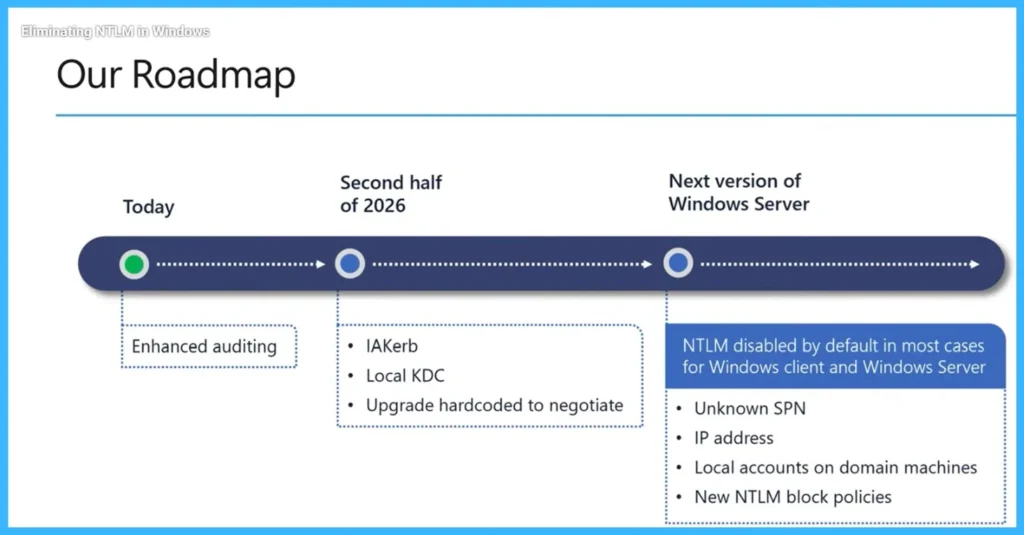
Roadmap for NTLM Changes
As part of the roadmap, Microsoft plans to introduce improvements like Local KDC support and updates to Windows components that are currently hard-coded to use NTLM. Some first-party Windows applications will be updated to use Negotiate authentication, allowing systems to use stronger protocols such as Kerberos instead of relying on NTLM.

- The process starts with enhanced NTLM auditing to help organizations identify where NTLM is used. In the second half of 2026, Microsoft will introduce updates such as IAKerb, Local KDC, and changes to Windows components that currently use NTLM so they can use Negotiate authentication with Kerberos.
- In the next version of Windows Server and Microsoft Windows clients, NTLM will be disabled by default in most cases, along with new policies to control or block NTLM usage.
- These updates will help reduce dependency on NTLM across Windows and make authentication more secure and flexible.
| Timeline | Updates | Purpose |
|---|---|---|
| Today | Enhanced auditing | Helps to Identify Where NTLM used |
| Second half of 2026 | IAKerb, Local KDC, upgrade hard-coded NTLM to Negotiate | Reduces NTLM dependency. |
| Next version of Windows Server | NTLM disabled by default in most cases for Windows client and Windows Server | Unknown SPN, IP address, local accounts, NTLM block policies Helps manage remaining NTLM scenarios. |
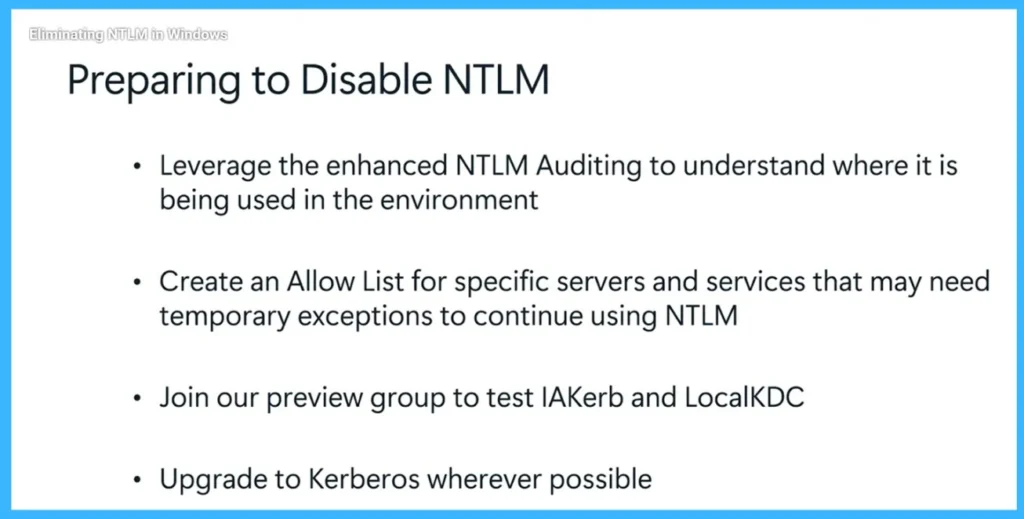
How to Preparing to Disable NTLM
To prepare for disabling NTLM, organizations should enhance NTLM auditing to understand where it is being used in the environment. This helps administrators identify systems and services that still rely on NTLM. Organizations can also create an Allow List for specific servers and services that may need temporary exceptions to continue using NTLM. In addition, they can join the preview group to test features such as IAKerb and LocalKDC.
- Finally, organizations should upgrade to Kerberos wherever possible to prepare for future updates in Microsoft Windows and Windows Server.
Need Further Assistance or Have Technical Questions?
Join the LinkedIn Page and Telegram group to get the latest step-by-step guides and news updates. Join our Meetup Page to participate in User group meetings. Also, join the WhatsApp Community and the Whatsapp channel to get the latest news on Microsoft Technologies. We are there on Reddit as well
Author
Anoop C Nair has been Microsoft MVP for 10 consecutive years from 2015 onwards. He is a Workplace Solution Architect with more than 22+ years of experience in Workplace technologies. He is a Blogger, Speaker, and Local User Group Community leader. His primary focus is on Device Management technologies like SCCM and Intune. He writes about technologies like Intune, SCCM, Windows, Cloud PC, Windows, Entra, Microsoft Security, Career, etc.




Discussion