





Understanding Intune Architecture with Device Check-ins Payload Delivery and the Fast Lane
Key Takeaways
- Eventual consistency allows data to become consistent over time rather than instantly.
- It improves system availability and scalability in distributed environments.
- Change-based check-ins occur when updates trigger immediate notifications to affected devices.
- Notifications are then managed using filtering, queuing, and processing steps.
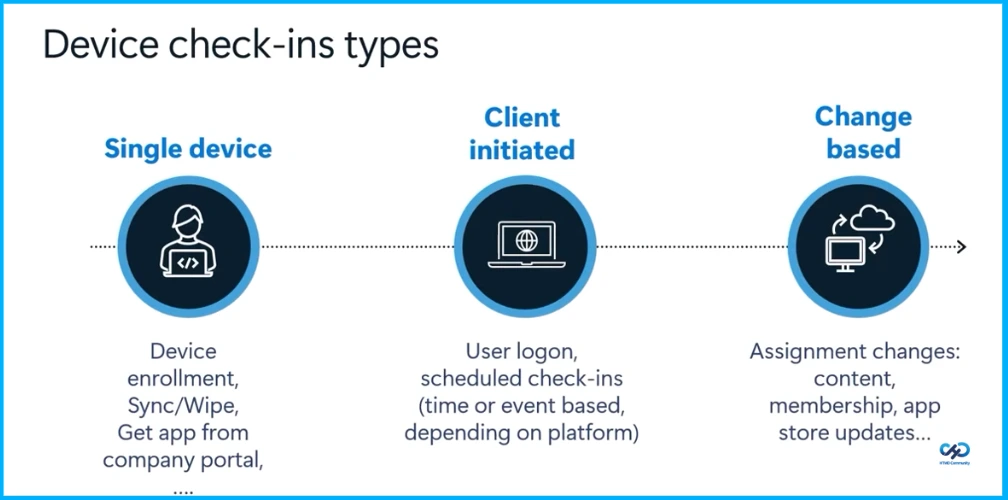
Hey, let’s discuss about Understanding Intune Architecture with Device Check-ins Payload Delivery and the Fast Lane. Device check-ins can occur in different ways, including single device actions like enrollment or sync, client-initiated events such as user logins or scheduled check-ins, and change-based updates triggered by modifications like app updates or group assignments.
Table of Contents
Table of Contents
Understanding Intune Architecture with Device Check-ins Payload Delivery and the Fast Lane
Change-based check-ins occur when updates trigger immediate notifications to affected devices. These changes can include admins targeting or untargeting apps, policies, or resources to groups, as well as modifying the content of existing payloads, resulting in version updates without changing group membership.
They also include changes in group membership, such as adding or removing users or devices, and updates to app versions in the store. Some of these updates happen automatically in the background and may not always be visible to administrators.
- SCCM Intune Architecture Decision Making Tips Sample Diagram Configuration Manager ConfigMgr
- How to use Intune Filter cpuArchitecture Device Property for App and Policy Assignments
- New Intune Cloud PKI Architecture and Features
Eventual Consistency
Eventual consistency is a model in distributed systems where changes are not immediately reflected across all nodes, but over time, all copies of the data become consistent. Users may temporarily see outdated information, but the system will eventually synchronize.

| Features |
|---|
| Delayed Synchronization |
| Replica Convergence |
| Conflict Resolution |
| High availability |
Behind the Scenes Change Flow
The process begins by identifying applicable devices through a trigger, which is an action that results in a change to device configuration. Once triggered, the system compiles a list of devices that are directly or indirectly affected, ensuring that all relevant devices are included and prepared to receive notifications.
After that, notifications are managed through filtering, queuing, and processing stages before being sent to devices or partners. Most of the latency occurs during device check-ins, when online devices respond. Finally, devices go through remediation where policy or app refresh actions are applied, and the status is reported back to the Intune console.
Improving Performance and Reliability
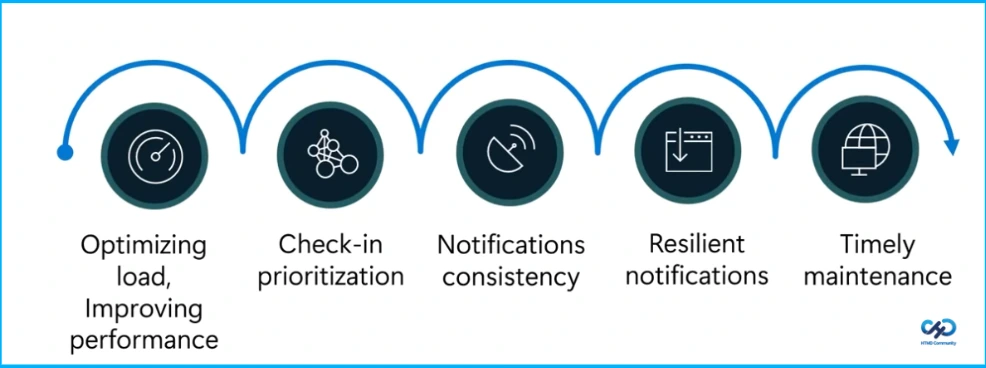
The work focuses on optimizing load and improving performance, prioritizing check-ins, ensuring notification consistency, enabling resilient notifications, and maintaining systems in a timely manner.
Need Further Assistance or Have Technical Questions?
Join the LinkedIn Page and Telegram group to get the latest step-by-step guides and news updates. Join our Meetup Page to participate in User group meetings. Also, join the WhatsApp Community and the Whatsapp channel to get the latest news on Microsoft Technologies. We are there on Reddit as well.
Author
Anoop C Nair is a Workplace Technology solution architect with 25+ years of experience. Microsoft Certified Trainer. Microsoft MVP from 2015 onwards for consecutive 11+ years! He is a blogger, Speaker, and Founder of HTMD Community and HTMD Conference. His main focus is on Device Management technologies like Intune, Windows, and Cloud PC. He writes about technologies like Intune, SCCM, Windows, Cloud PC, Entra, and Microsoft Security.


Discussion