





Microsoft Fixes Windows 11 23H2 Start Menu Search Issue Caused by Bing Server Update
Key Takeaways
- Microsoft fixed the Windows 11 Start Menu search issue by rolling back a server-side Bing update.
- The problem affected some Windows 11 23H2 users and caused blank or broken search results.
- The fix is being automatically rolled out and will reach devices gradually.
- The issue started after a Bing update meant to improve search performance.
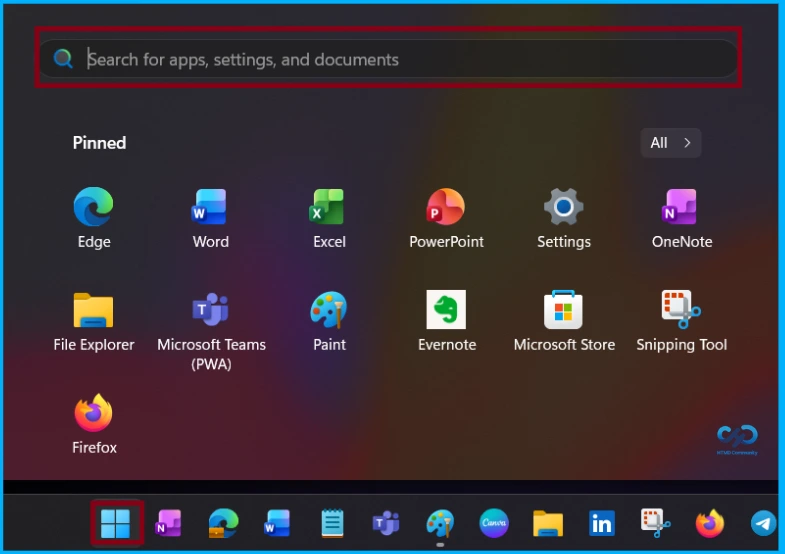
Hey, let’s discuss about Microsoft Fixes Windows 11 23H2 Start Menu Search Issue Caused by Bing Server Update. Microsoft has deployed a server-side fix to address a known issue that disrupted the Start Menu search feature on some Windows 11 23H2 devices. According to a Windows release health update (WI1273488), the problem affected a small number of users starting April 6 and was caused by a server-side Bing update intended to improve search performance. Although Microsoft described the issue as recent, similar problems have been reported for months, with users noting that the Start Menu sometimes shows blank search results that remain clickable.
Table of Contents
Microsoft Fixes Windows 11 23H2 Start Menu Search Issue Caused by Bing Server Update
To address the issue, Microsoft rolled back the faulty server-side Bing update and expects the search problems to diminish as the fix reaches affected users. The company stated that its investigation found the issue coincided with a Bing update intended to improve search performance, and after reverting it, reports of search failures have been steadily decreasing.
| Why a Server-Side Rollback is Different |
|---|
| The issue was linked to a Bing search update, not a local registry edit. |
| Microsoft says the rollback is automatic. |
| Affected devices need internet access to receive the fix. |
| The company says the problem was limited in scope, but the user impact was still meaningful. |
- Windows 11 Start Menu Taskbar Alignment Options | How to align Center or Left
- New Redesigned Start Menu in Windows 11 with Four Core Design Principles
- New Grid and Category Views Coming to the Start Menu in Windows 11
Work Around for This Issue
This issue will resolve automatically as the server-side fix is gradually rolled out to affected devices. To receive this fix, make sure the device is connected to the internet and that Web Search has not been disabled by Group Policy.
More Windows Start Menu Issues
This is not the first time Windows users have faced Start Menu issues in recent years. In November, Microsoft provided a temporary workaround for a bug that caused the Start Menu, File Explorer, and other essential system components to crash when setting up systems with cumulative updates released since July 2025, due to XAML packages failing to register properly after installation. Affected users encountered multiple problems, including Start Menu crashes, critical error alerts, missing taskbars despite Explorer running, failures of the core ShellHost process, and the Settings app not opening.

Microsoft is still developing a permanent solution and has not announced when it will be available, requiring affected users to manually register the missing XAML packages for now. Earlier, in May, the company quietly fixed a problem that disrupted Start Menu jump lists for all apps on Windows 10 22H2 systems, and in June 2023, it resolved another issue that made Windows Search and the Start Menu stop responding.
Need Further Assistance or Have Technical Questions?
Join the LinkedIn Page and Telegram group to get the step-by-step guides and news updates. Join our Meetup Page to participate in User group meetings. Also, Join the WhatsApp Community and WhatsApp Channel to get the latest news on Microsoft Technologies. We are there on Reddit as well.
Author
Anoop C Nair has been Microsoft MVP for 10 consecutive years from 2015 onwards. He is a Workplace Solution Architect with more than 22+ years of experience in Workplace technologies. He is a Blogger, Speaker, and Local User Group Community leader. His primary focus is on Device Management technologies like SCCM and Intune. He writes about technologies like Intune, SCCM, Windows, Cloud PC, Windows, Entra, Microsoft Security, Career, etc.




Discussion