






Enable SCCM Asset Intelligence Hardware Inventory
Learn how to Enable SCCM Asset Intelligence Hardware Inventory. The ConfigMgr Asset Intelligence (AI) adds hardware inventory classes to collect more detailed information from Configuration Manager clients. This data includes the hardware and software titles used in your workplace environment.
You can add custom information to the asset intelligence catalogue. When you have the correct configuration, asset intelligence can help aggregate your enterprise software license usage. Refer to asset intelligence default reports for more details about hardware, license management, and software.
There are other useful hardware-related reports outside ConfigMgr asset intelligence reports. Also, you can learn How to Launch ConfigMgr Reports from the previous post here. Over 60 reports are part of asset intelligence information available as out-of-box reports in SCCM.
Microsoft is deprecating the asset intelligence feature, so it will not be available after the November 2022 release of SCCM.

Table of Contents
SCCM Asset Intelligence
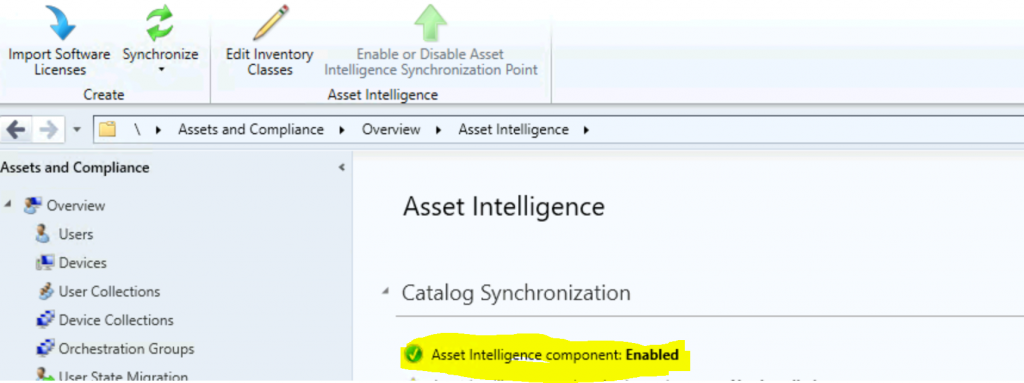
The Asset Intelligence node in the Assets and Compliance workspace is the home page for asset intelligence in ConfigMgr. As you can see in the screenshot below, you can enable the Asset Intelligence component from the AI node in the console using edit inventory classes.
- SCCM ConfigMgr Asset Intelligence Reports | Default Reports | Endpoint Manager | Configuration Manager
- SCCM Asset Intelligence Deprecation and Remove Asset Intelligence Sync Point Role
You can inventory and manage software license usage throughout your enterprise by using the Asset Intelligence catalog*. SCCM Asset Intelligence adds hardware inventory classes to improve the breadth of information SCCM collects.
The Asset Intelligence catalog and sync point are already deprecated and will no longer be supported after the November 2021 release of SCCM.
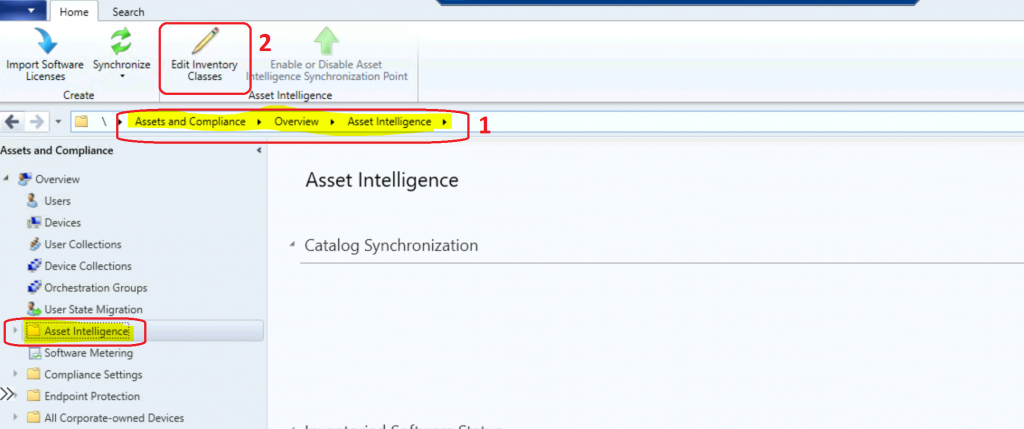
- Navigate – \Assets and Compliance\Overview\Asset Intelligence
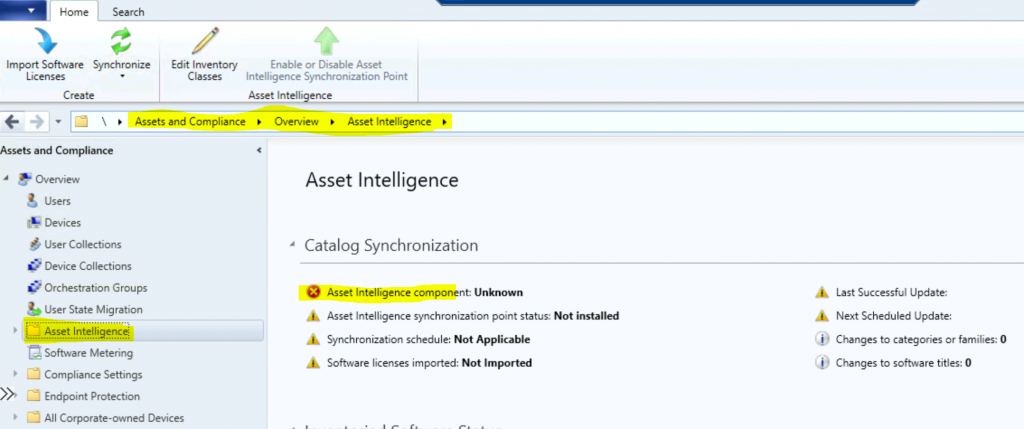
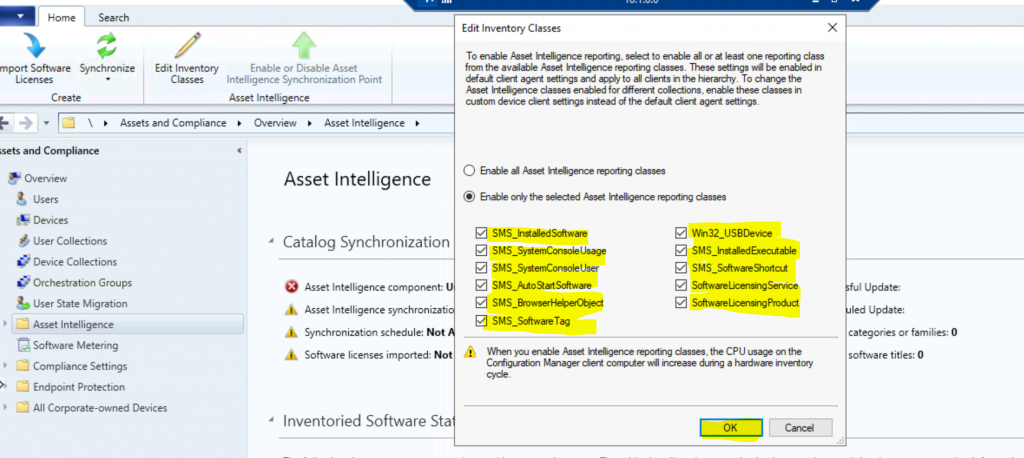
Edit the inventory classes button from the ribbon menu to enable the additional hardware inventory classes. To enable asset intelligence reporting, select to allow all or at least one reporting class from the available Asset Intelligence reporting classes.
- These settings will be enabled in default client agent settings and apply to all clients in the hierarchy.
To change the asset intelligence classes enabled for different collections, allow these classes to be in custom device client settings instead of the default client agent settings.
- Enable the following additional inventory classes from Edit inventory classes. I have selected all the following details.
- Click OK to enable additional inventory classes.
| Additional Inventory Classes from Edit Inventory Classes |
|---|
| SMS_InstalledSoftware SMS_SystemConsoleUsage SMS_AutoStartSoftware SMS_BrowserHelperObject SMS_SoftwareTag Win32_USBDevice SMS_InstalledExecutable SMS_SoftwareShortcut SoftwareLicensingService SoftwareLicensingProduct |
NOTE: When you enable Asset Intelligence reporting classes, the CPU usage of the Configuration Manager client computer will increase during a hardware inventory cycle.
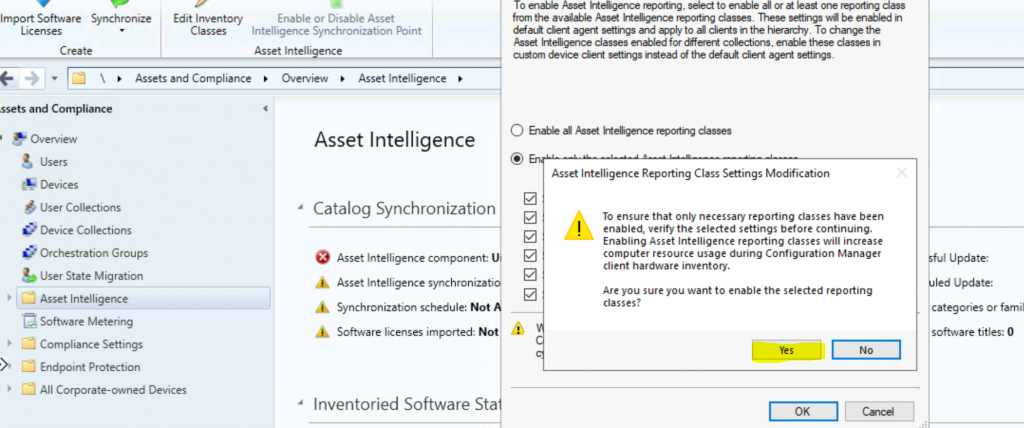
Verify the selected settings before ensuring that only necessary reporting classes have been enabled. Enabling Asset Intelligence reporting classes will increase computer resource usage during Configuration Manager client hardware inventory.
- Are you sure you want to enable selected reporting classes?
- Click on Yes to continue.
Results Enable SCCM Asset Intelligence Hardware Inventory
Let’s check the status of the Asset Intelligence component enabled.
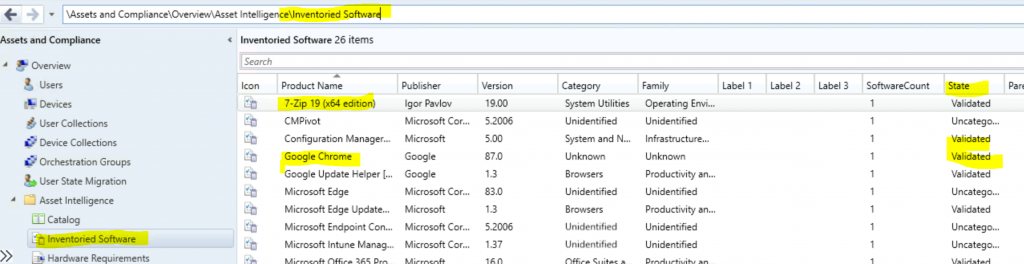
Inventoried Software
The hardware inventory agent collects the inventoried software information from ConfigMgr clients based on the software titles stored in the asset intelligence catalog.
- \Assets and Compliance\Overview\Asset Intelligence\Inventoried Software
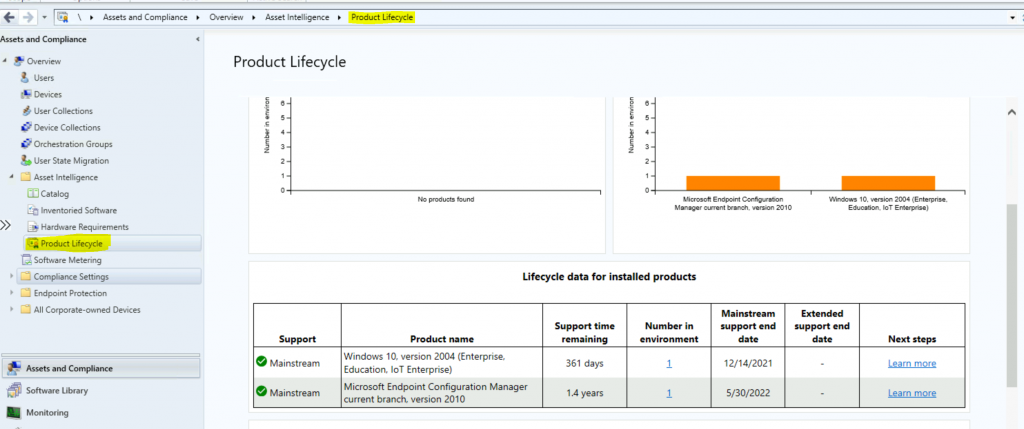
Product Lifecycle
Let’s check the product lifecycle dashboard of many products in the asset intelligence section. By default, the dashboard shows details of Windows 10 and Configuration Manager lifecycles.
- \Assets and Compliance\Overview\Asset Intelligence\Product Lifecycle
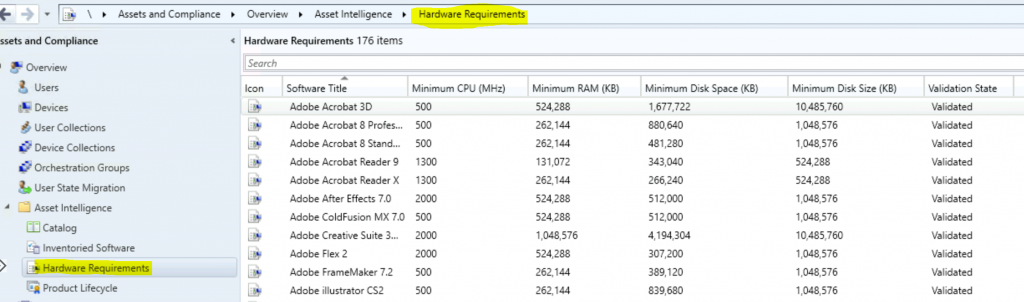
Hardware Requirements
Check the Hardware Requirements for 176 applications (out-of-the-box experience) from the asset intelligence section. You can use this hardware requirement to verify that computers meet the hardware requirements for software titles before they’re targeted for software deployments.
- \Assets and Compliance\Overview\Asset Intelligence\Hardware Requirements
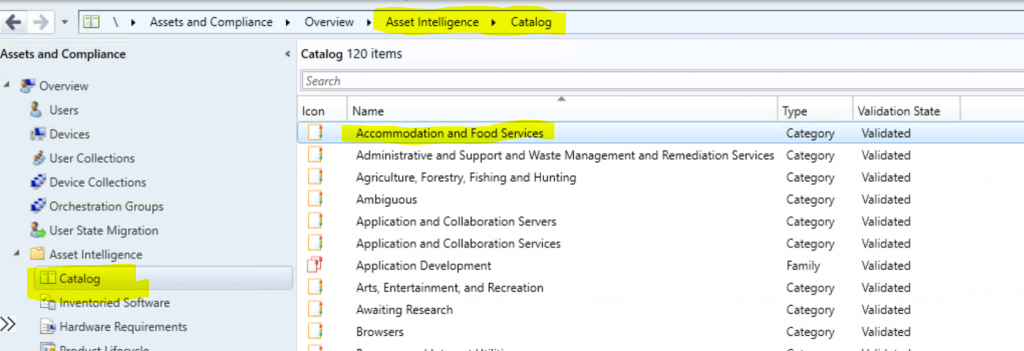
Asset Intelligence Catalog
The catalog contains the categorization and identification information for over 300,000 software titles and versions. AI software categories are widely used to categorize inventoried software titles as high-level groupings of more specific software families.
- \Assets and Compliance\Overview\Asset Intelligence\Catalog
Resources
- Fix Report Server cannot Open a Connection Error ConfigMgr | SCCM
- Configure reporting in Configuration Manager
- SQL Server Database Migration
- SQL Server – Installation
We are on WhatsApp now. To get the latest step-by-step guides, news, and updates, Join our Channel. Click here – HTMD WhatsApp.
Author
Anoop C Nair is Microsoft MVP! He is a Device Management Admin with more than 20 years of experience (calculation done in 2021) in IT. He is a Blogger, Speaker, and Local User Group HTMD Community leader. His primary focus is Device Management technologies like SCCM 2012, Current Branch, and Intune. He writes about ConfigMgr, Windows 11, Windows 10, Azure AD, Microsoft Intune, Windows 365, AVD, etc.




Discussion