






ConfigMgr Reports Site Infrastructure Related | SCCM | Default Configuration Manager
Let’s check the default ConfigMgr Reports Site Infrastructure Related. Thirty-three (33) out-of-box Site Infrastructure reports are available as part of Configuration Manager SSRS reports.
There are other helpful software update-related reports outside ConfigMgr Site Infrastructure Related Reports. Also, you can learn How to Launch ConfigMgr Reports from the previous post here. You can also create custom reports if you are looking for additional reports.
If you have trouble opening default SCCM reports, refer to Fix Report Server, which cannot open a connection error in ConfigMgr. Let’s also learn how to create a New Database for SSRS Reporting Service.
This post contains all the ConfigMgr reports related to site infrastructure. This guide will help you understand and access the reports you need to manage and monitor your ConfigMgr site infrastructure effectively.

Table of Contents
Requirements
Ensure you have all the following to access the ConfigMgr Site Infrastructure Related Reports.
- Reporting Services Point is installed.
- SSRS reports are working fine.
- Ensure you have appropriate permissions to launch reports from the Console and SSRS URL.
- List of SCCM Default Reports | Configuration Manager
- How to Add SCCM Reports In Favorites
- ConfigMgr SCCM List of Default Reports
- SCCM Community Hub – Download Scripts Reports Top 10
- SCCM SQL Reports with Approvers Email Addresses and Require Approval Details of Application Deployments
Launch ConfigMgr Site Infra – Related Reports
Let’s learn how to launch Site Infrastructure – Related reports from the console.
- Launch Console
- Navigate to \Monitoring\Overview\Reporting\Reports.
- Sort the reports by Category.
- Right-click on the related “Site Related Reports“ reports.
- Select the RUN option.
Site – Client Information Reports
Let’s check which reports are available as part of the Client Information category default SSRS Reports. Nineteen (19) reports are available in this category.
| Site – Client Information |
|---|
| The client was assignment a detailed status report |
| Client assignment failure details |
| Client assignment status details |
| Client assignment success details |
| Client deployment failure report |
| Client deployment status details |
| Client deployment success report |
| Clients incapable of HTTPS communication |
| Computers assigned but not installed for a particular site |
| Computers with a specific Configuration Manager client version |
| Count of clients and protocol used for communication |
| Count of clients assigned and installed for each site |
| Count of clients capable of HTTPS communication |
| Count of clients for each site |
| Count of Configuration Manager clients by client versions |
| Problem details reported to the fallback status point for a specified collection |
| Problem details reported to the fallback status point for a specified site |
| Summary of problems reported to the fallback status point |
| Summary of problems reported to the fallback status point for a specific collection |
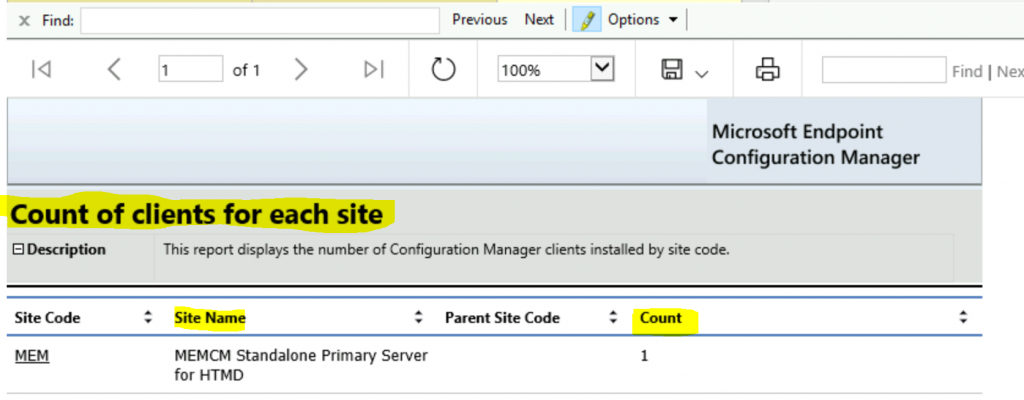
Count of clients for each site – This report displays the number of Configuration Manager clients installed by site code.
Discovery and Inventory Reports
Let’s quickly look at the ConfigMgr site Discovery and Inventory Reports. There are ten (10) reports available in this category.
| Site – Discovery and Inventory Information |
|---|
| Clients that have not reported recently (in a specified number of days) |
| Computers discovered by a specific site |
| Computers discovered recently by the discovery method |
| Computers not discovered recently (in a specified number of days) |
| Computers not inventoried recently (in a specified number of days) |
| Computers that might share the same Configuration Manager unique identifier |
| Computers with duplicate MAC addresses |
| Count computers in resource domains or workgroups |
| Discovery of information for a specific computer |
| Inventory dates for a specific computer |
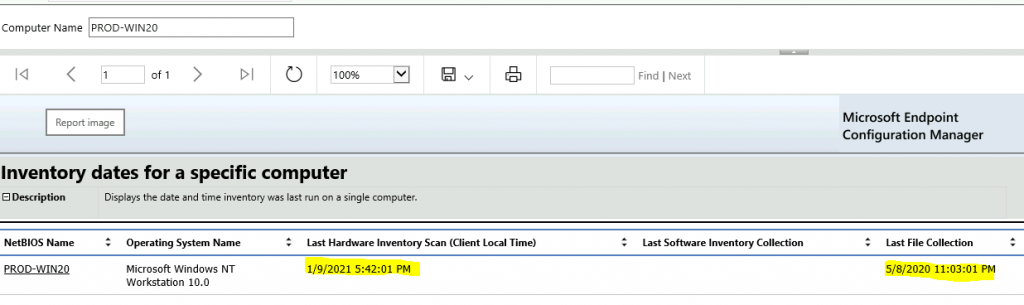
Inventory dates for a specific computer—This displays the date and time the inventory was last run on a single computer. It helps troubleshoot some of the SCCM inventory issues.
General
Site—General reports are available in this category. Only three (3) SSRS reports are available in this section.
| Site – General |
|---|
| Computers in a specific site |
| Site status for the hierarchy |
| Status of Configuration Manager update within the hierarchy |
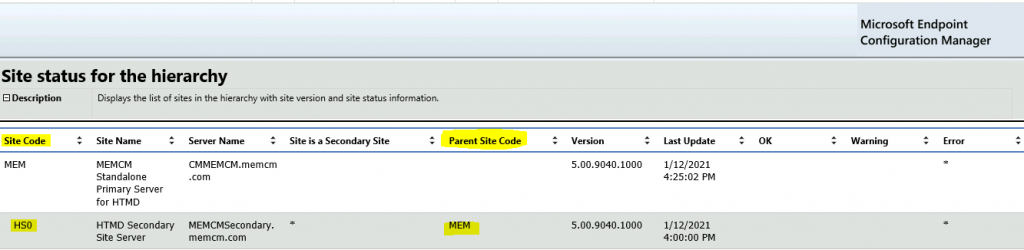
Site status for the hierarchy – Displays the list of sites with site version and site status information.
Site – Server Information
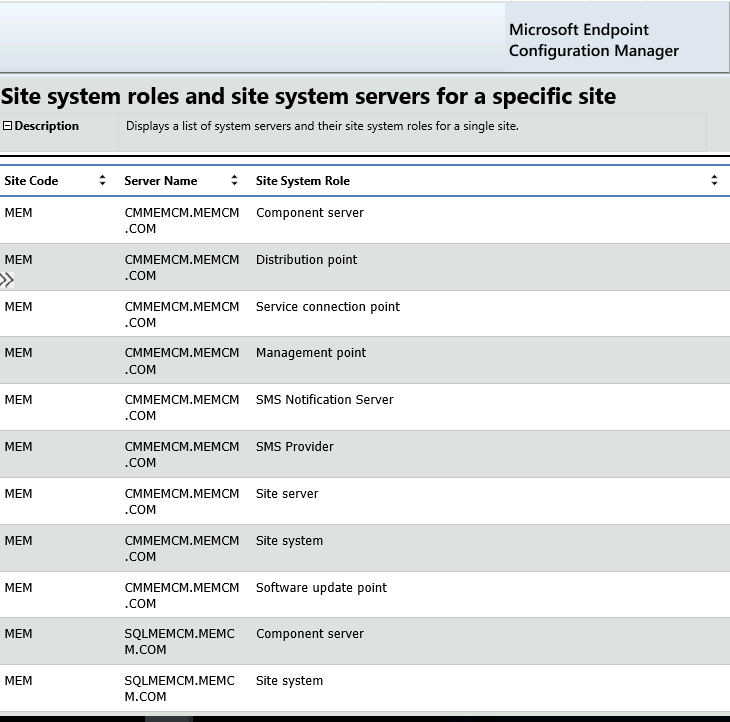
This category includes Site-Server Information-Related reports. Only one (1) SSRS report is available in this section. Site system roles and site system servers for a specific site – Displays a list of system servers and their site system roles for a single site.
| Site – Server Information |
|---|
| Site system roles and site system servers for a specific site |
Resources
We are on WhatsApp now. To get the latest step-by-step guides, news, and updates, Join our Channel. Click here – HTMD WhatsApp.
Author
Anoop C Nair is Microsoft MVP! He is a Device Management Admin with more than 20 years of experience (calculation done in 2021) in IT. He is a Blogger, Speaker, and Local User Group HTMD Community leader. His primary focus is Device Management technologies like SCCM 2012, Current Branch, and Intune. He writes about ConfigMgr, Windows 11, Windows 10, Azure AD, Microsoft Intune, Windows 365, AVD, etc.




Discussion