






How to Create SCCM Configuration Items Configuration Baselines
Let’s learn how to create SCCM Configuration Items and Baselines in ConfigMgr. The requirements and how to create a guide of configuration items and baselines in SCCM are explained below.
A configuration item is a container in ConfigMgr that stores specific information. It is widely used in SCCM to identify software updates, application models, etc.
In this post, I will cover the information we configure depending on the configuration item type. Configuration items can include the following information:
- Detection method information
- Settings
- Compliance rules
- Supported platforms
In this post, I will refer to Configuration Items as CI and Configuration Baselines as CB.

Table of Contents
Video
Video Tutorial – SCCM Configuration Item Baseline Explained by Deepak Rai, Configuration, Remediation ConfigMgr
- Latest Fixes for SCCM 2211 KB16643863 Hotfix Update Rollup
- Update Balloon Tips Duration using SCCM Configuration Item CI CB
- SCCM CI to find Windows 11 Device is Blocked from an Upgrade
- Detect Registry Changes and Revert using SCCM Configuration Item CI CB
- SCCM Automation using Azure Runbook Hybrid Worker
SCCM Configuration Items
The Configuration Item and Baseline can be used to check compliance settings for users and devices. In a larger environment migrating from one Windows 10 version to another, we may be required to check the compliance settings of OS versions, driver versions, application versions, user information, etc. If we find any noncompliant devices or users, we can use CI and CB to remediate them.
What are Configuration Items in ConfigMgr
We can handle device settings using CI. CIs are not deployed directly to the collections but can be deployed via CB. The Configuration Items in ConfigMgr contain any of the following types that can be used in CB.
| Configuration Items in ConfigMgr |
|---|
| Active Directory Query |
| Assembly |
| File System |
| IIS Metabase |
| Registry Key |
| Registry Value |
| Script |
| SQL Query |
| WQL Query |
| XPath Query |
What is Configuration Baselines in ConfigMgr
Configuration Baselines in ConfigMgr are collections of CIs and CBs. A CB can include at least one or more CIs to be deployed to device and user collections. The items below can also be part of a CB.
- Configuration Items
- Software Updates
- Configuration Baselines
How to create custom Configuration Items in ConfigMgr
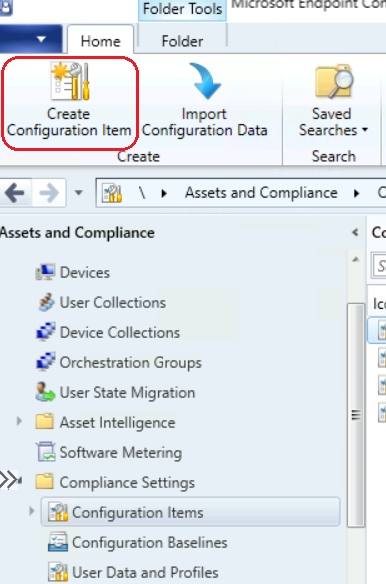
Open Configuration Manager Console. Go to Asset and Compliance -> Compliance Settings -> Configuration Items -> click ‘Create Configuration Item‘
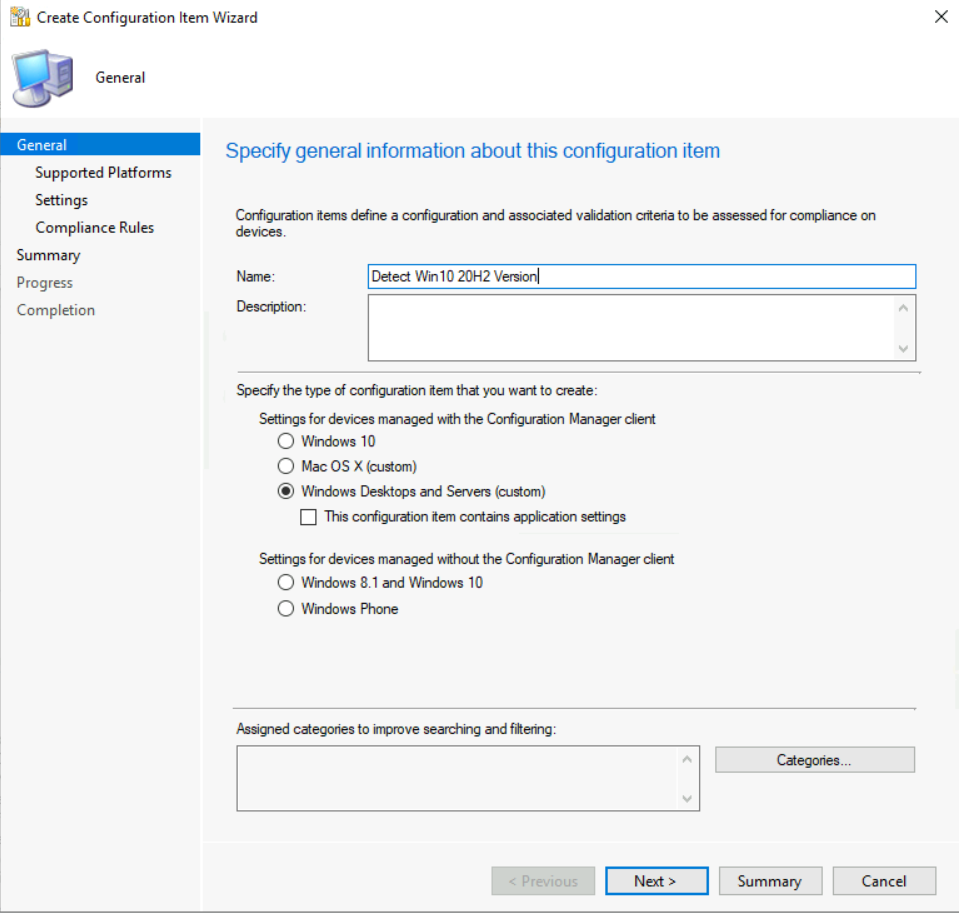
Provide the name of CI, select the option below, and click ‘Next’.
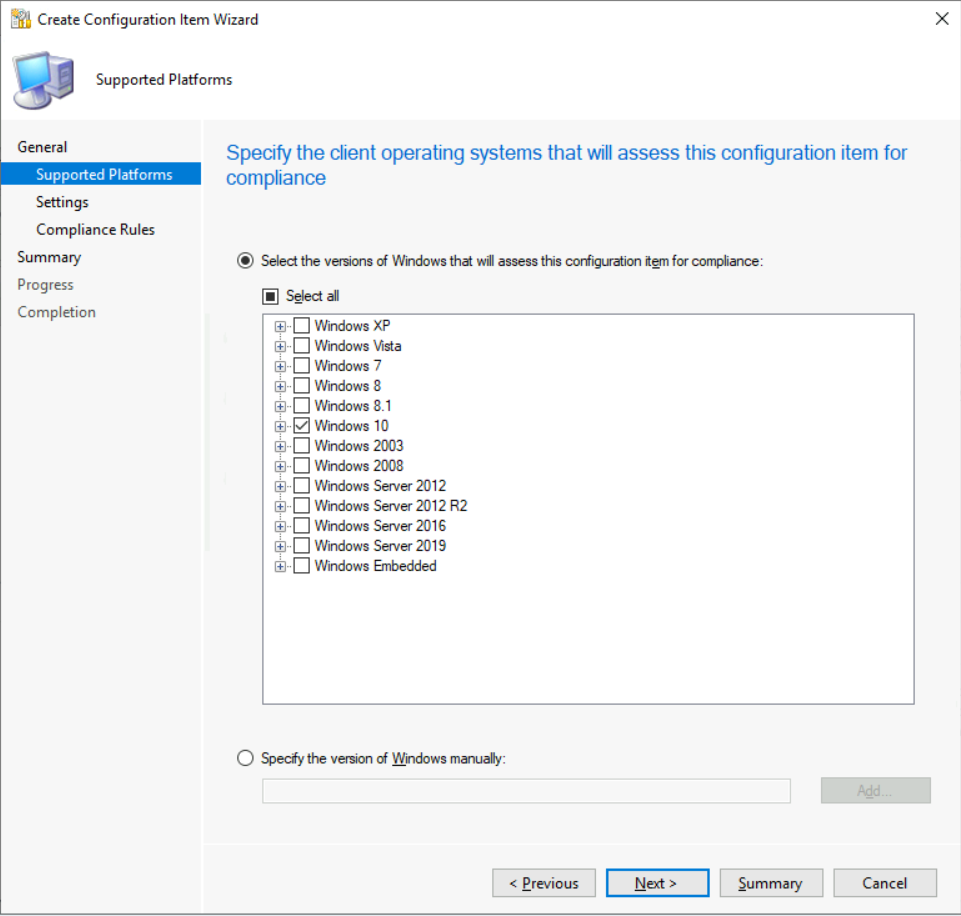
Select the operating system version for which you want to create the CI and click ‘Next‘.
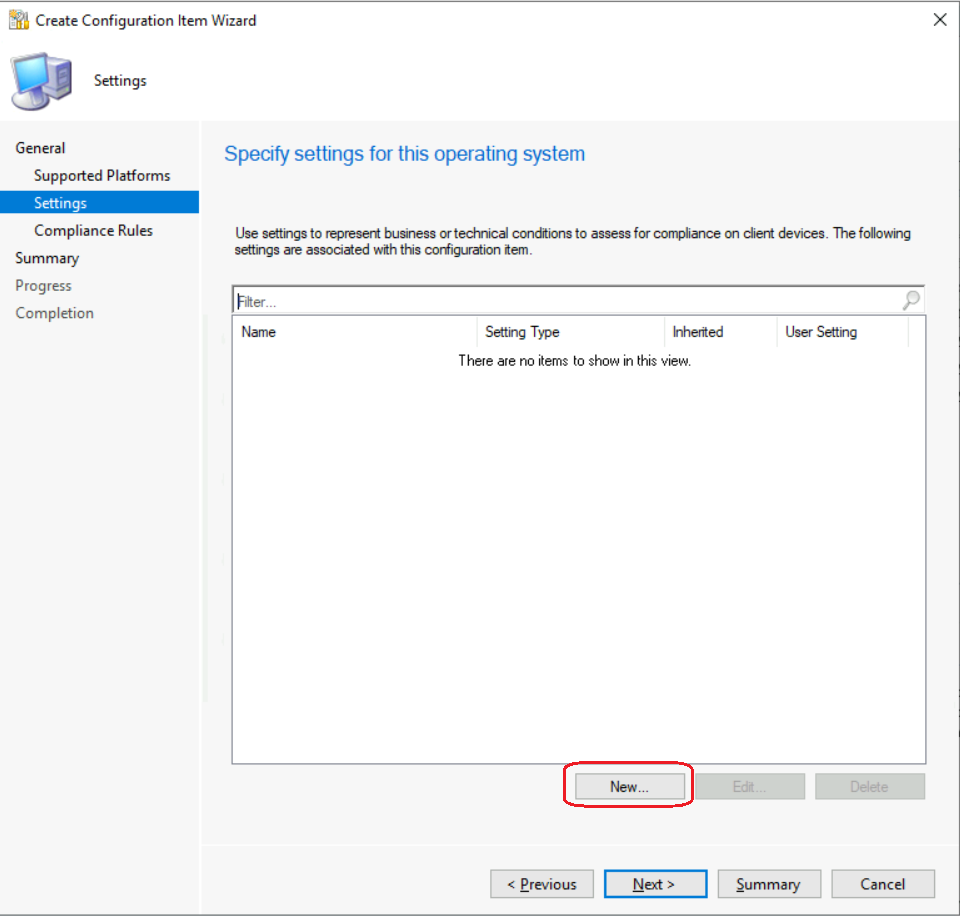
Click on New to create new settings.
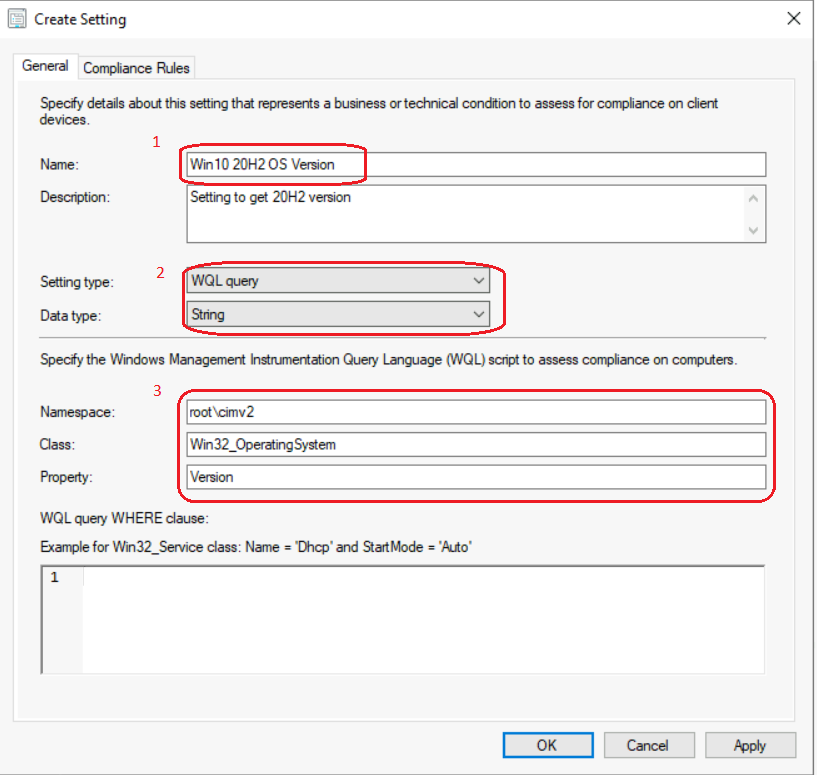
Provide the settings Name and select the settings type according to the requirement. Here, I’m going to check the OS version through WQL, so I have selected ‘WQL Query‘ as below.
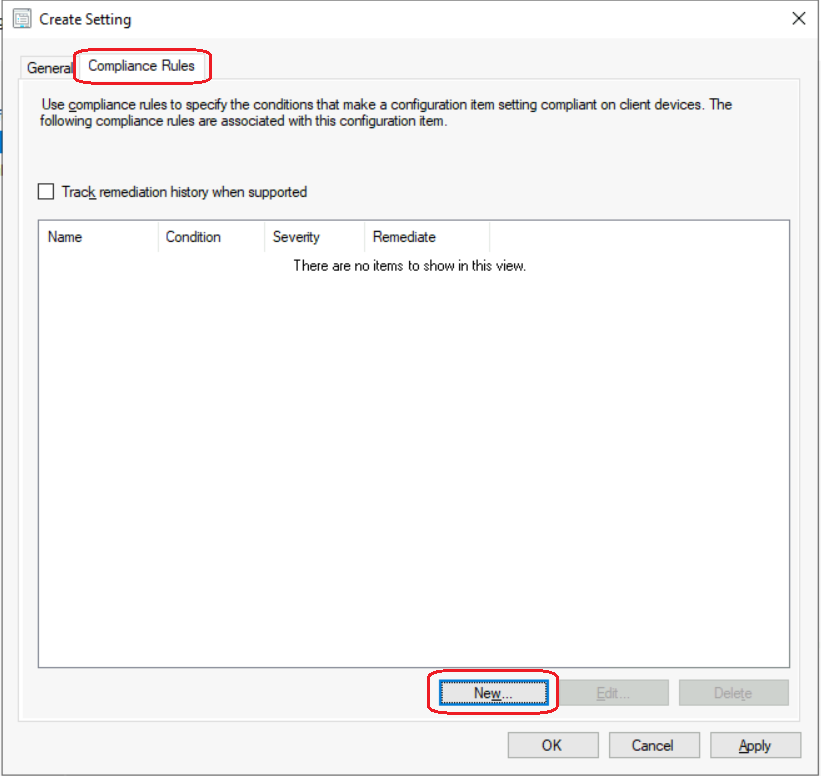
Click on the ‘Compliance Rules‘ tab and press New to create a new rule. You can also create compliance rules as the next step as well.
In the’ For the following values’ section, provide the name of the compliance rule and the build number of the Win10 20H2 version. Press ‘Ok‘ to finalize.
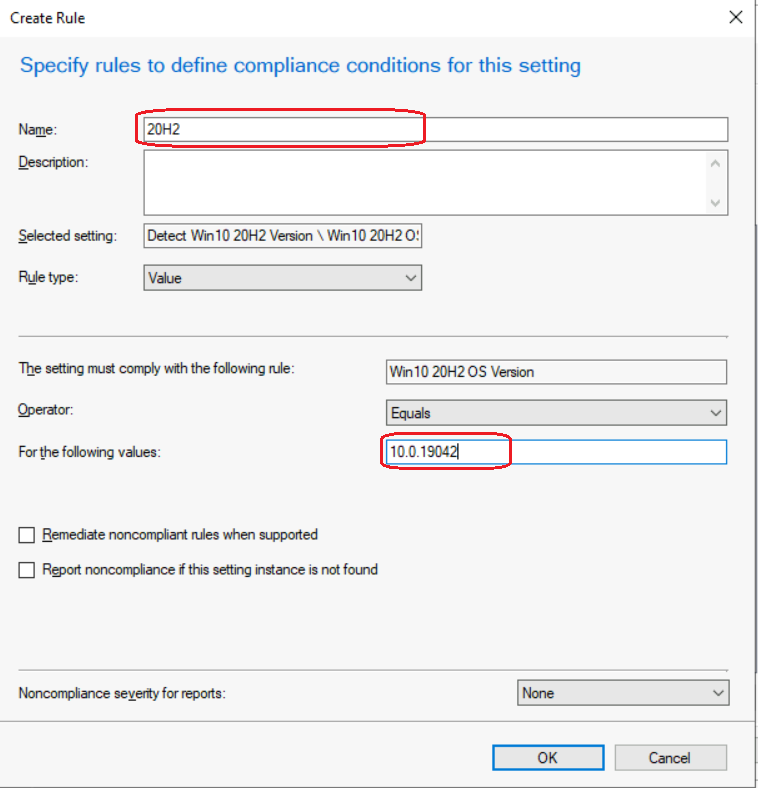
NOTE: You can add a custom PowerShell script to remediate if the CI is non-compliant and can generate the noncompliance report as well by selecting ‘Remediate noncompliant rules when supported‘ & ‘Report noncompliance if this setting instance is not found. I’m using a simple WQL query to detect the OS version in this scenario.
As the next step, press ‘Apply‘ -> ‘Ok‘
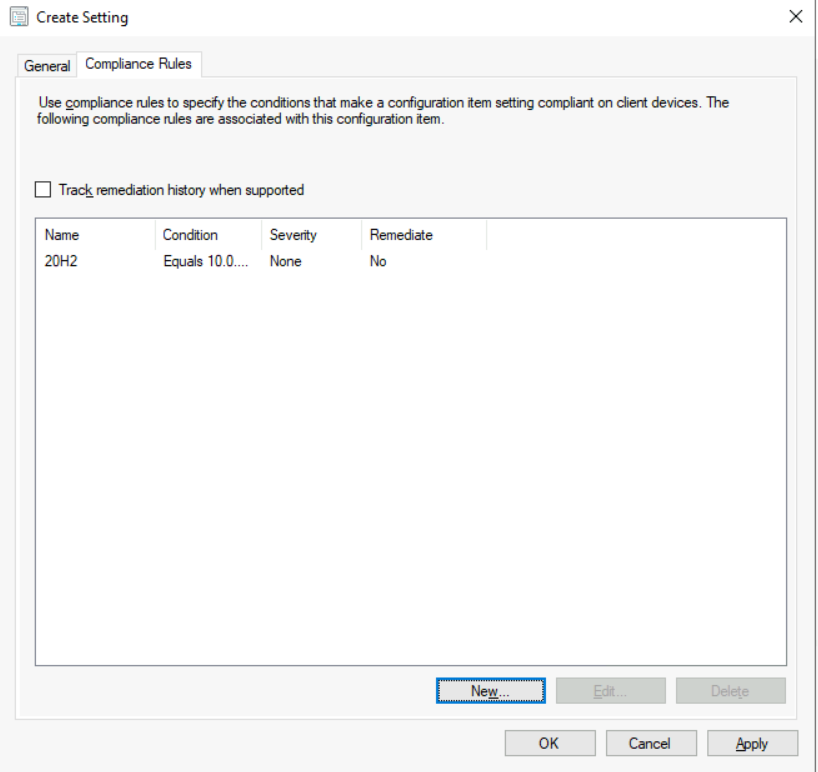
Press Next -> Next -> Close to complete.
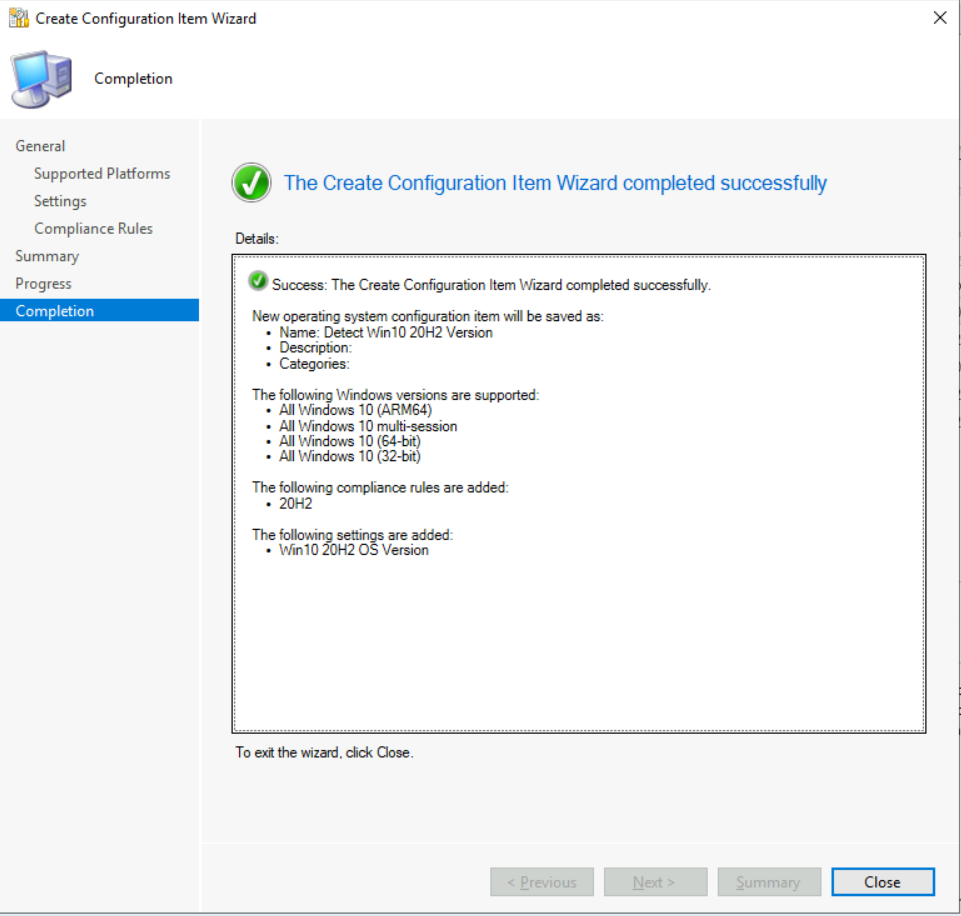
How to create Configuration Baselines
This section will teach us how to create a ConfigMgr Configuration Baseline.
Open Configuration Manager Console. Go to Asset and Compliance -> Compliance Settings -> Configuration Baselines -> click ‘Create Configuration Baseline‘
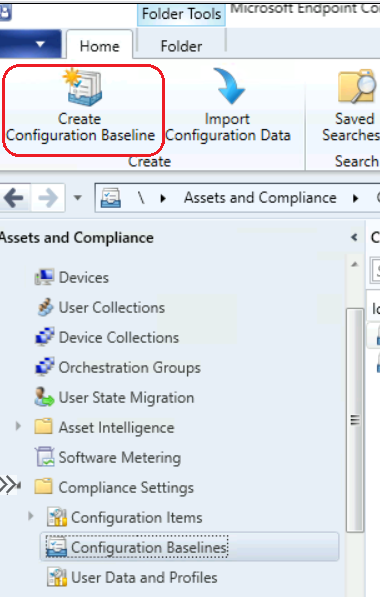
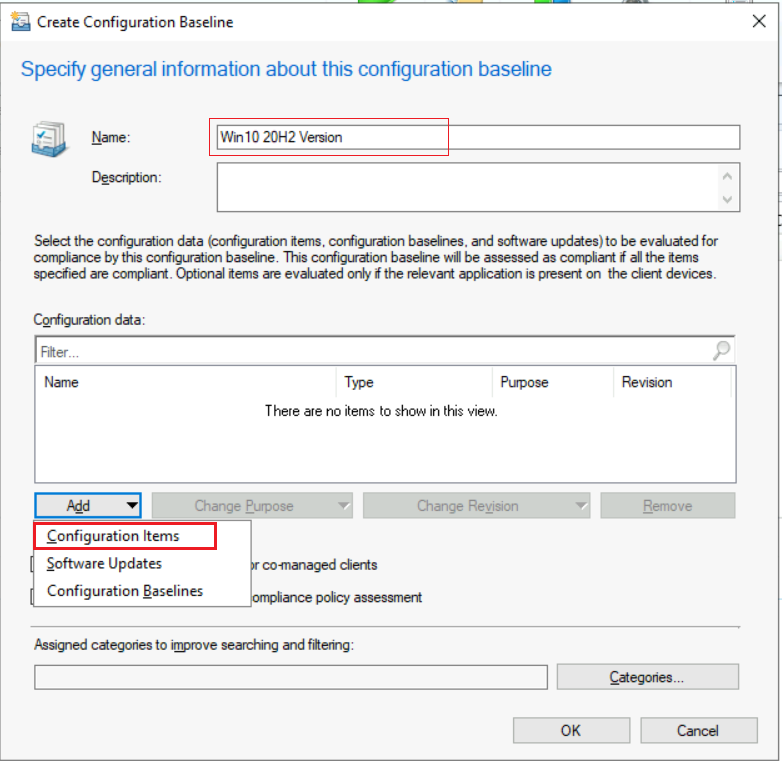
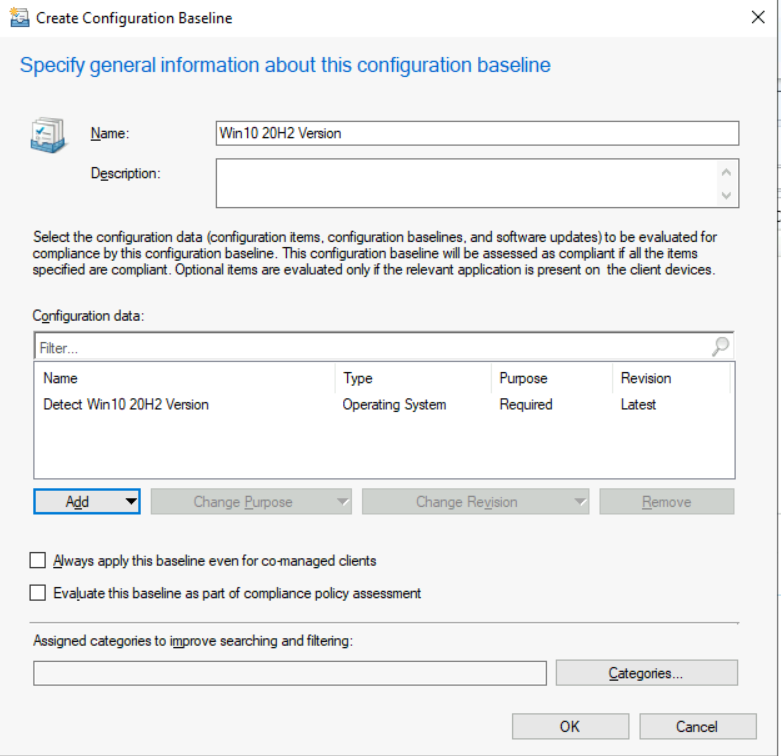
Provide configuration baselines ‘Name‘.
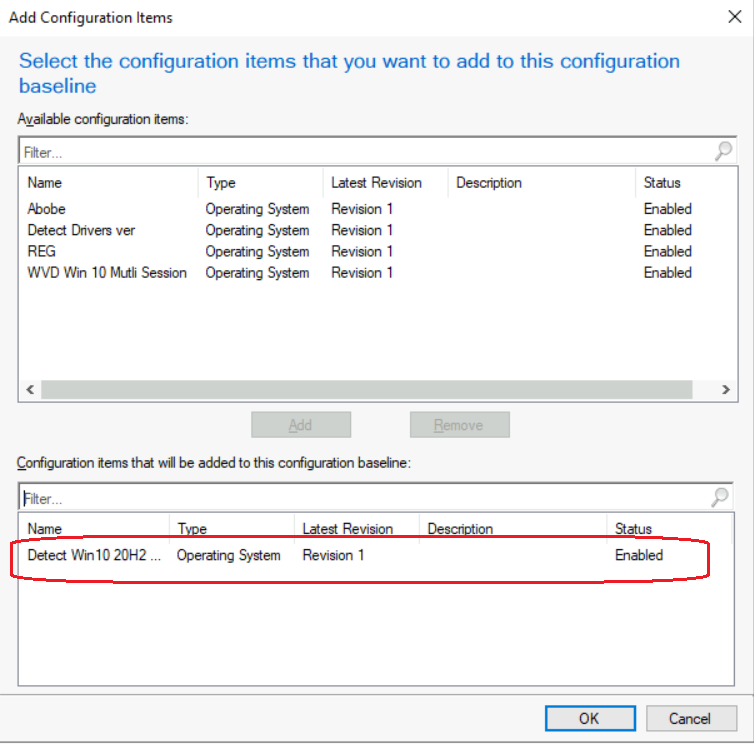
Then click on ‘Add‘ and select ‘Configuration Items‘.
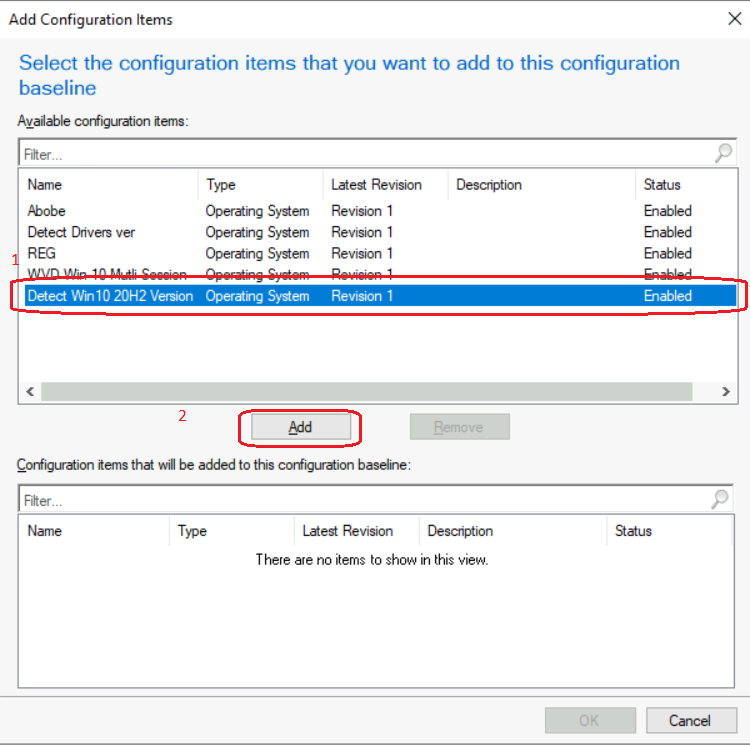
Select your configuration items and press ‘Add‘ -> ‘Ok‘.
Now configuration items will be added to the configuration baseline. Press ‘Ok‘ to finalize.
How to deploy Configuration Baselines
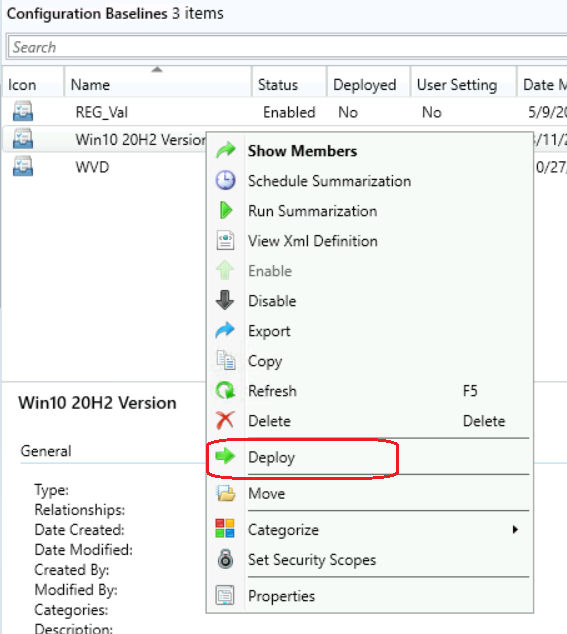
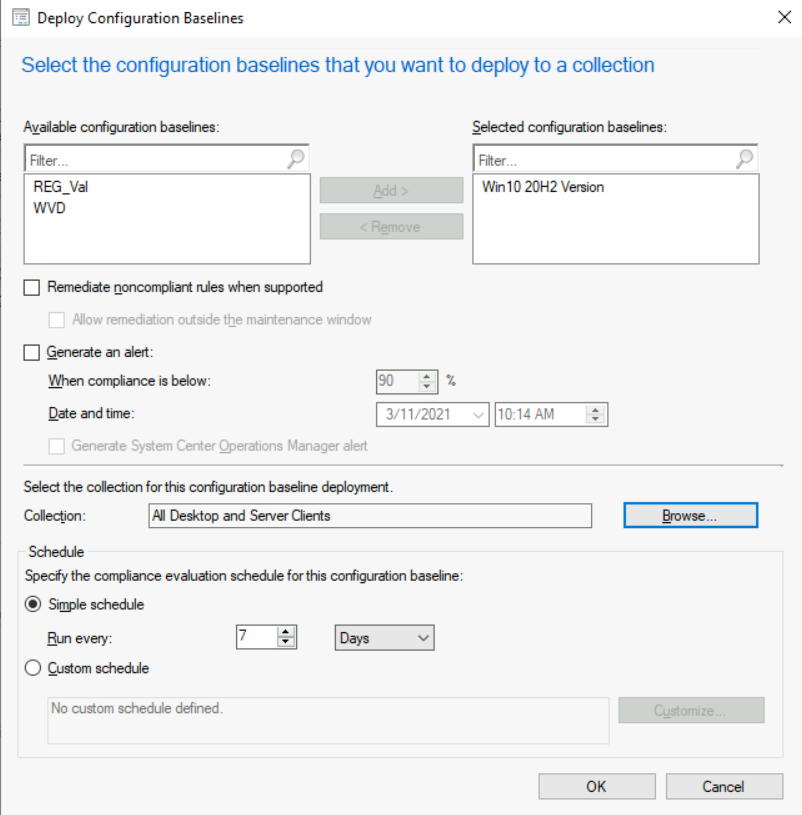
Select the Configuration Baseline you created, Right-click -> Deploy
Click on ‘Browse‘ to select the collection for deployment. Also, you can customize the scheduled time as per requirement.
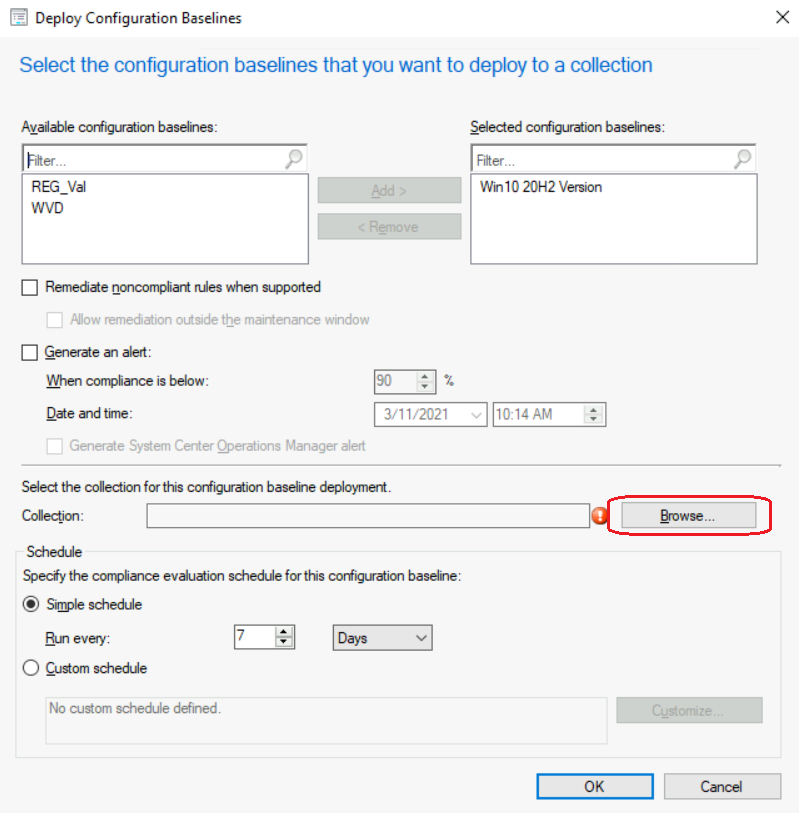
Click ‘Ok‘ to finalize.
You can see CB’s reporting in another blog post.
Resources
We are on WhatsApp now. To get the latest step-by-step guides, news, and updates, Join our Channel. Click here – HTMD WhatsApp
Author
Debabrata Pati has more than 8+ years of experience in IT. Skilled in MEMCM, Azure, and Powershell. More than Six (6) years of experience in MEMCM (SCCM) administration, OSD, and Troubleshooting for the environment with more than 100K client devices.




This post is incredibly helpful! The step-by-step guidance on creating SCCM Configuration Items and Baselines makes it so much easier to understand. I never knew how crucial Configuration Baselines were until now. Thanks for sharing such valuable insights!