






How to Remotely Run Device Actions with Intune for SCCM Clients
Let’s understand How to Run Device Actions with Intune for SCCM Clients Remotely. This post shows you how to run device actions via remote action from the MEM Admin portal.
Starting in Configuration Manager, production version 2002, you can upload your Configuration Manager devices to the cloud service and take actions from the Devices blade in the admin center.
The Tenant Attach feature allows you to synchronize ConfigMgr agents to Intune without enrolling in Intune. Once synchronized, the ConfigMgr device will be visible, and we can run some client actions from the Microsoft Endpoint Manager admin center on the synchronized clients.
The run device actions in Microsoft Endpoint Manager Admin Center (MEMAC) provide many more options after you enable co-management for the device.

Table of Contents
Available Device Actions in the MEM Admin Center
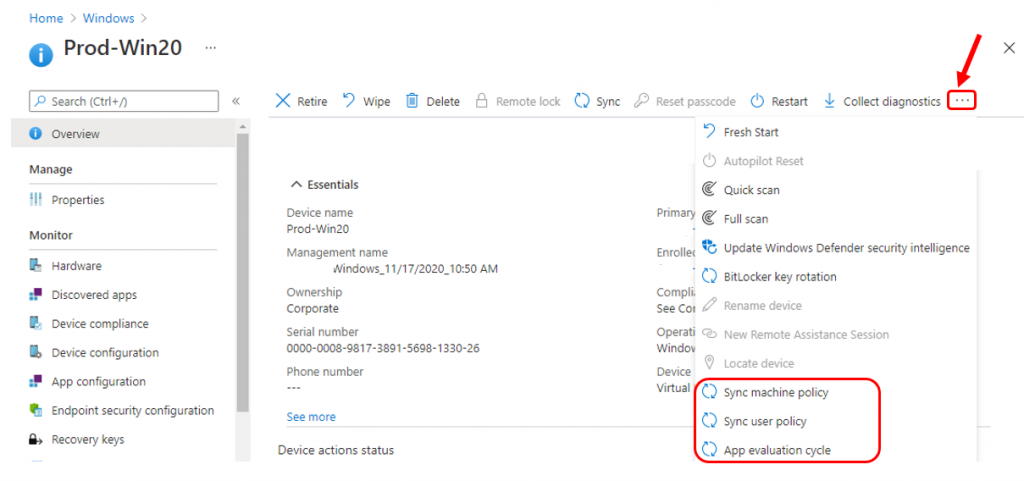
Let’s see the available device actions in the MEM Admin Center. These are
- Sync Machine Policy
- Sync User Policy
- App Evaluation Cycle
When an admin runs an action from the Microsoft Endpoint Manager admin center, the notification request is forwarded to the Configuration Manager site and from the site to the client.
Run Device Actions
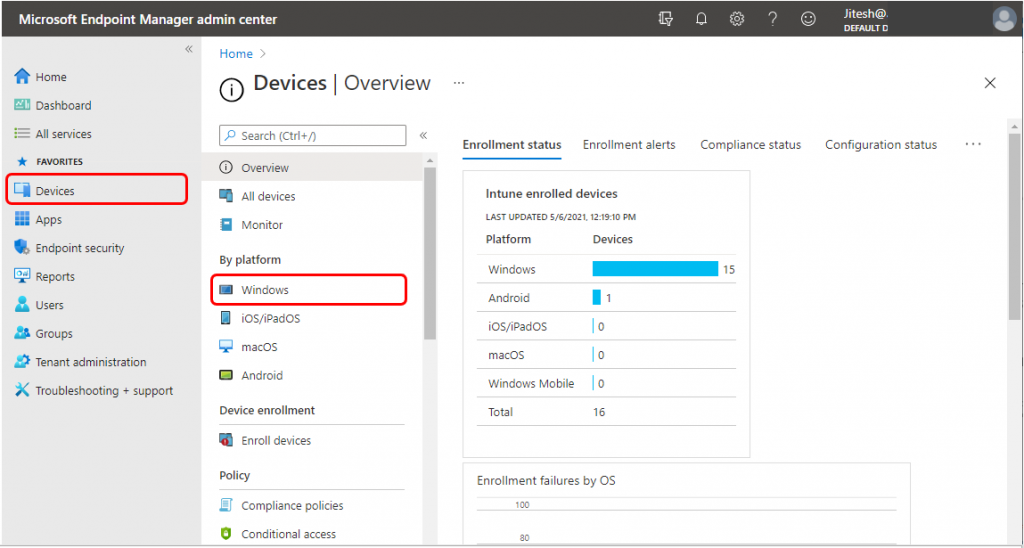
Sign in to the Microsoft Endpoint Manager admin center. Select Devices, and then select Windows.
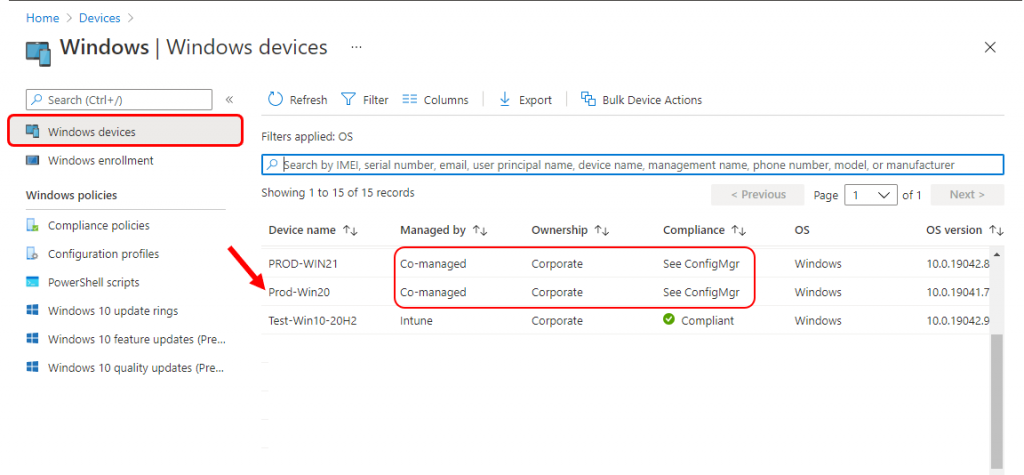
Under Windows devices, you’ll see ConfigMgr in the Managed by column from the list of devices you manage. Select the device.
Since the selected device is co-managed, many options are available. Click on three dots (…) and Choose any of the following actions: Sync Machine Policy, Sync User Policy, or App Evaluation Cycle.
Sync Machine Policy
Under device, select 3 dots … on the right side and click Sync machine policy.
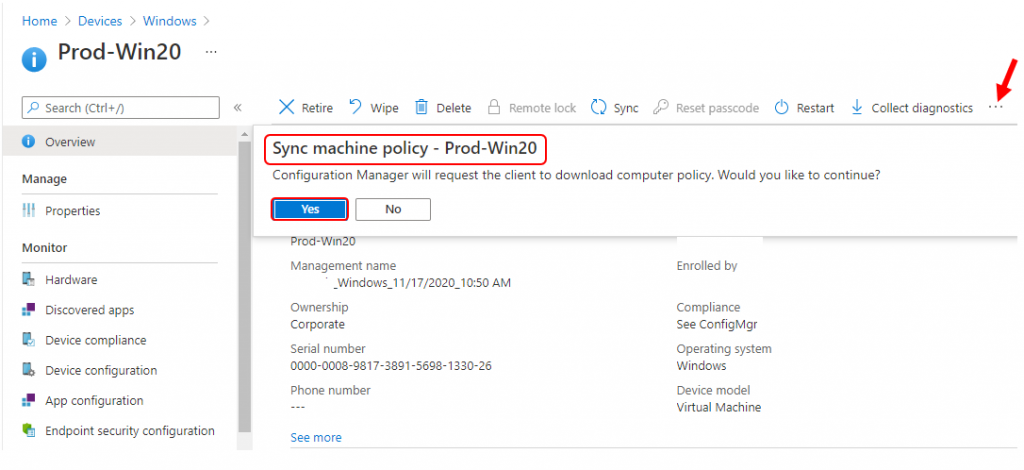
You will receive a confirmation dialog box with the following message: Click on Yes to continue, and Configuration Manager will ask the client to download the computer policy.
Once done, you’ll see the action status Sync machine policy pending. To understand the Sync machine policy action via log files CMGatewayNotificationWorker.log ,Policy agent.log.
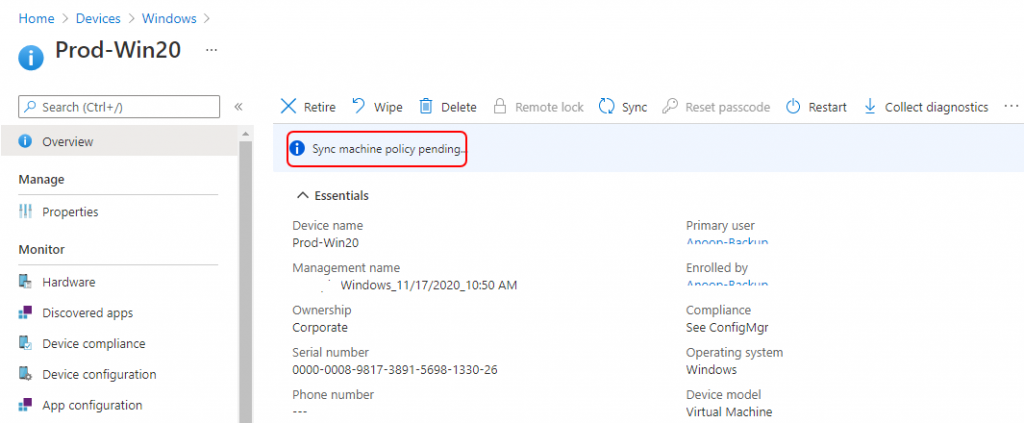
Once the syncing process is complete, You will see Sync machine policy status complete under Device action status.
App Evaluation Cycle
Under device, select 3 dots … on the right side and click App evaluation cycle.
You will get a confirmation dialog box with the following message: Click on Yes to continue. The Configuration Manager will request the client reevaluate the requirement rules for all deployments. Any missing applications will be reinstalled.
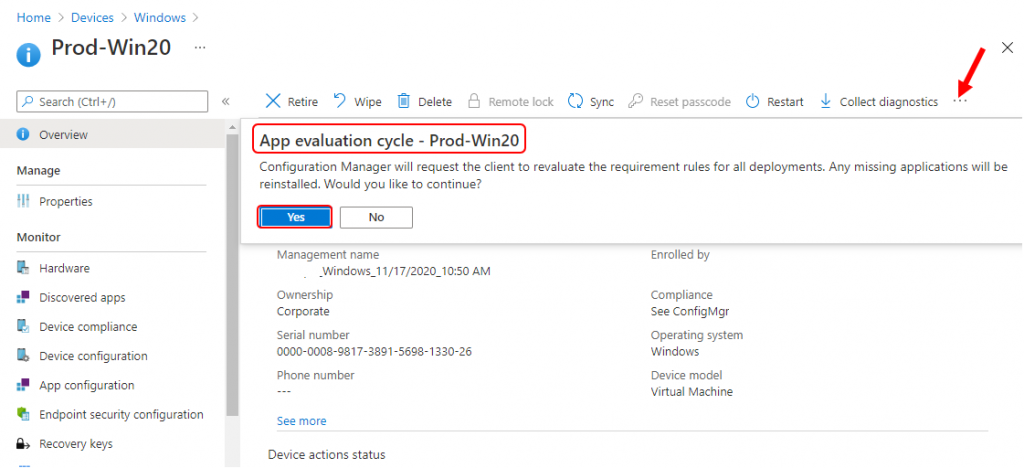
Once done, you’ll see the action status App evaluation cycle pending. To understand the App evaluation cycle action via log files CMGatewayNotificationWorker.log , Policy agent.log.
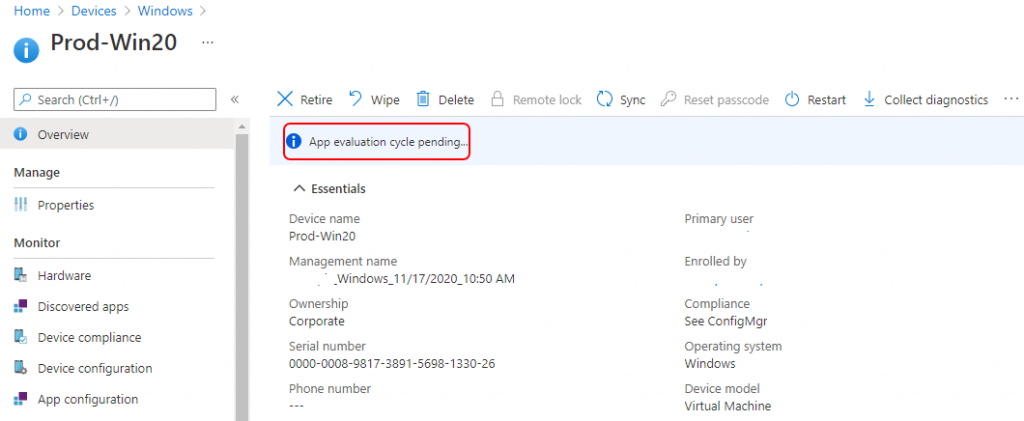
Once the syncing process is complete, You will see the App evaluation cycle status complete under Device actions status.
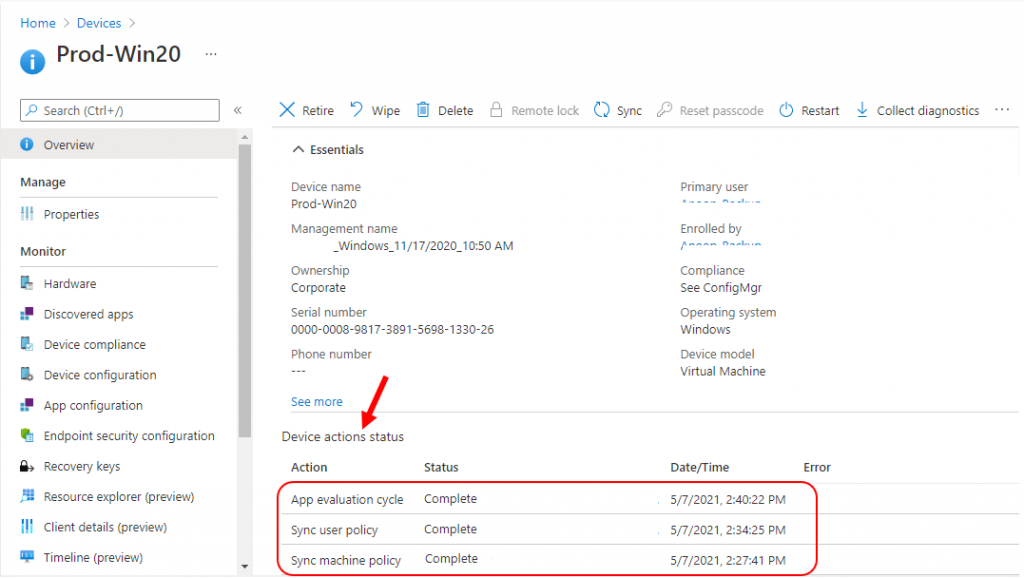
Device Actions Status
When the syncing process is completed based on user action, you will get an updated status under Device actions status for all performed actions.
Known Issues
If you’re using Windows 10, versions 2004, 20H2, or 21H1 builds, make sure that you install the July 2021 Windows Update or a later Windows update.
Otherwise, remote actions in the Microsoft Endpoint Manager admin center, like remote sync, won’t work correctly. As a result, pending policies assigned to devices might take up to 8 hours to be applied.
Resources
- ConfigMgr User Policy Retrieval & Evaluation Cycle Client Action | SCCM
- Tenant Attach Guide for SCCM Logs Data Flow Troubleshooting Intune
We are on WhatsApp. To get the latest step-by-step guides and news updates, Join our Channel. Click here –HTMD WhatsApp.
Author
Jitesh, Microsoft MVP, has over six years of working experience in the IT Industry. He writes and shares his experiences related to Microsoft device management technologies and IT Infrastructure management. His primary focus is Windows 10/11 Deployment solution with Configuration Manager, Microsoft Deployment Toolkit (MDT), and Microsoft Intune.


Hello,
All three below options are greyed out in my login console.
Sync Machine Policy
Sync User Policy
App Evaluation Cycle