






List of New Group Policy Settings in Windows 10 21H1
Let’s quickly check the details of the New Group Policy Settings in Windows 10 21H1. Microsoft released the Windows 10 May 2021 Update, which is a feature update for version 21H1.
With every new release of Windows 10, group policy settings are updated to enhance the work experience. This update contains all features and fixes in previous cumulative updates to Windows 10, version 20H2.
Microsoft releases Windows 10 versions twice a year, in March and September. With each release, new group policy settings are added to each version of Windows 10.
This post will explain the new Group Policy settings in Windows 10 21H1 and the device and user configurations available in Administrative Templates.

Table of Contents
How to get the Windows 10 version 21H1 (May 2021 Update)?
To update devices running Windows 10, version 2004 or 20H2 to Windows 10, version 21H1, you can speed up the update process. Learn more about Easiest Option to Upgrade to Latest Version of Windows 10 21H1
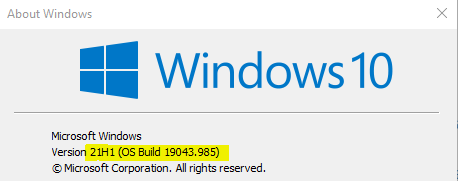
If you want to get details of Group Policy Settings added in Windows 10, version 20H2, and earlier. You can refer to this blog post – What’s New Group Policy Settings Available in Different Versions of Windows 10
Windows 10 21H1 Group Policy Settings
The Administrative template for Windows 10 version 21H1 (May 2021 Update) includes the following Group Policy Settings for computer and user configurations.
| Location | Policy Path | Policy Setting Name |
|---|---|---|
| Machine | Windows Components\Internet Explorer | Allow “Save Target As” in Internet Explorer mode |
| Machine | Windows Components\Internet Explorer | Disable Internet Explorer 11 as a standalone browser |
| Machine | Windows Components\Internet Explorer | Enable extended hotkeys in Internet Explorer mode |
| Machine | Windows Components\Microsoft Edge | Suppress the display of Edge Deprecation Notification |
| Machine | Windows Components\Windows Update\Windows Update for Business | Disable safeguards for Feature Updates |
| User | Start Menu and Taskbar | Remove the Meet Now icon |
| User | Windows Components\Internet Explorer | Allow “Save Target As” in Internet Explorer mode |
| User | Windows Components\Internet Explorer | Disable Internet Explorer 11 as a standalone browser |
| User | Windows Components\Internet Explorer | Enable extended hotkeys in Internet Explorer mode |
| User | Windows Components\Microsoft Edge | Suppress the display of Edge Deprecation Notification |
Resources
- Group Policy Settings in Windows 10 21H1 (May 2021 Update)
- Easiest Option to Upgrade to Latest Version of Windows 10 21H1
Author
Jitesh, Microsoft MVP, has over six years of working experience in the IT Industry. He writes and shares his experiences related to Microsoft device management technologies and IT Infrastructure management. His primary focus is Windows 10/11 Deployment solution with Configuration Manager, Microsoft Deployment Toolkit (MDT), and Microsoft Intune.



Where is the download link? Thx
StaffHello Wayne!
You can get the link to download the spreadsheet at the bottom (Resources) section.
Good one, Thank you for the information.
Great overview of the new Group Policy settings in Windows 10 21H1! I appreciate the detailed explanations for each setting, which will definitely help in managing our group policies more effectively. Looking forward to implementing some of these changes!