





SCCM Capacity Planning Details Maximum Support Limitations
SCCM Capacity planning details Maximum Support Limitations? Maximum support limitations of SCCM 2007.
In my experience, this would change depending on the scenarios (Mostly on the connectivity, features, support model, SLA, and DR/BCP requirements).
The disk and other hardware configuration details listed below can be used to get a rough idea of the sizing and planning. Actual numbers should vary depending on the scenarios.
- SCCM Related Posts Real World Experiences Of SCCM Admins
- Top 50+ Latest SCCM Interview Questions and Answers
SCCM Site Server(running site server for all roles not specifically listed on other servers)

Table of Contents
SCCM Capacity Planning Details Maximum Support Limitations
| Component | Capacity |
|---|---|
| CPU | Twin Processor with Quad Cores 2.2 GHz |
| Disk | OS 80 GB Raid 1 SCCM Application 80 GB RAID 10 or 5 Distribution Point 250 GB RAID 10 or 5 Data drive can be SAN or DAS if external. |
| LAN | 100 /1000 MB (sec) production LAN 1000 / MB or Fibre for NLN array Comms |
| RAM | 8 GB |
| OS | Windows Server 2008 Standard Edition or 2003 R2 with SP2 SCCM site server license (only one required for this implementation) |
| Licenses | Windows Server 2008 Standard Edition or 2003 R2 with SP2 SCCM site server license (only 1 required for this implementation) |
SCCM Site Database Server(running site server for all roles not specifically listed on other servers)
| Component | Capacity |
|---|---|
| CPU | Twin Processor with Quad Cores 2.2 GHz |
| Disk | OS 80 GB Raid 1 Data 300 GB RAID 10 or 5 SQL Logs 300 GB RAID 10 or 5 Data drive can be SAN or DAS if external. |
| LAN | 100 /1000 MB (sec) production LAN 1000 / MB or Fibre for NLN array Comms |
| RAM | 8 GB |
| OS Components | Windows Server 2008 Enterprise Edition (if clustering) or 2003 R2 with SP2 SQL Server 2005 Enterprise (if clustering support is needed; otherwise, standard will suffice) 20,000 SCCM Client Access Licences |
| Licenses | Windows Server 2008 Enterprise Edition (if clustering) or 2003 R2 with SP2 SQL Server 2005 Enterprise (if clustering support is needed; otherwise, the standard will suffice) 20,000 SCCM Client Access Licences |
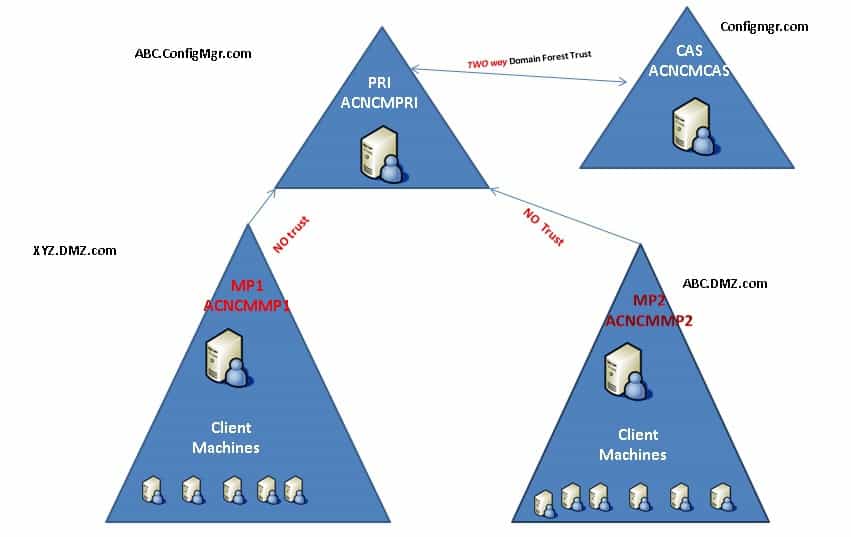
Management Point Servers
| Component | Capacity |
|---|---|
| CPU | Twin Processor with Dual Cores 2.2 GHz |
| Disk | OS 80 GB Raid 1 Data 80 GB RAID 10 or 5 Data drive can be SAN or DAS if external. |
| LAN | 100 /1000 MB (sec) production LAN 1000 / MB or Fibre for NLN array Comms |
| RAM | 8 GB |
| OS Components | Windows Server 2003/8 Standard Edition 64 bit IIS Network Load Balancing |
| Licenses | Windows Server 2008 Standard Edition or 2003 R2 with SP2 |
Software Update Point Server
| Component | Capacity |
|---|---|
| CPU | Twin Processor with Dual Cores 2.2 GHz |
| Disk | OS 80 GB Raid 1 Data 80 GB RAID 10 or 5 Data drive can be SAN or DAS if external. |
| LAN | 100 /1000 MB (sec) production LAN 1000 / MB or Fibre for NLN array Comms |
| RAM | 8 GB |
| OS Components | Windows Server 2003/8 Standard Edition 64 bit IIS Network Load Balancing Windows Software Update Services |
| Licenses | Servers 2008 / 3 OS |
Remote / Branch Infrastructure Options
We are on WhatsApp. To get the latest step-by-step guides and news updates, Join our Channel. Click here –HTMD WhatsApp.
Author
Anoop C Nair is Microsoft MVP! He is a Device Management Admin with more than 20 years of experience (calculation done in 2021) in IT. He is a Blogger, Speaker, and Local User Group HTMD Community leader. His primary focus is Device Management technologies like SCCM 2012, Current Branch, and Intune. He writes about ConfigMgr, Windows 11, Windows 10, Azure AD, Microsoft Intune, Windows 365, AVD, etc.




Discussion