






Windows 11 New Microsoft Store Walkthrough Guide Preview
Let’s check Windows 11 new Microsoft Store (preview) walkthrough guide. I consider the Microsoft Store a more secure way of installing apps on a Windows PC. Microsoft released the next version of Windows 11 in the insider preview.
The new Microsoft store will offer a unique movie discount for Xbox Game Pass members. Microsoft redesigned the Store to accommodate more content and better opportunities for developers.
The user experience of the new Microsoft store is simple and responsive. Microsoft supports new application formats:
- Win32
- .NET
- UWP
- Xamarin
- Electron
- React Native
- Java
- PWA – Progressive Web Apps
Another exciting feature of the rebranded Microsoft Store is the possibility of running Android applications on Windows 11 PCs. This is possible through the Amazon App Store for Windows 11.

Table of Contents
Windows 11 New Microsoft Store (Preview)
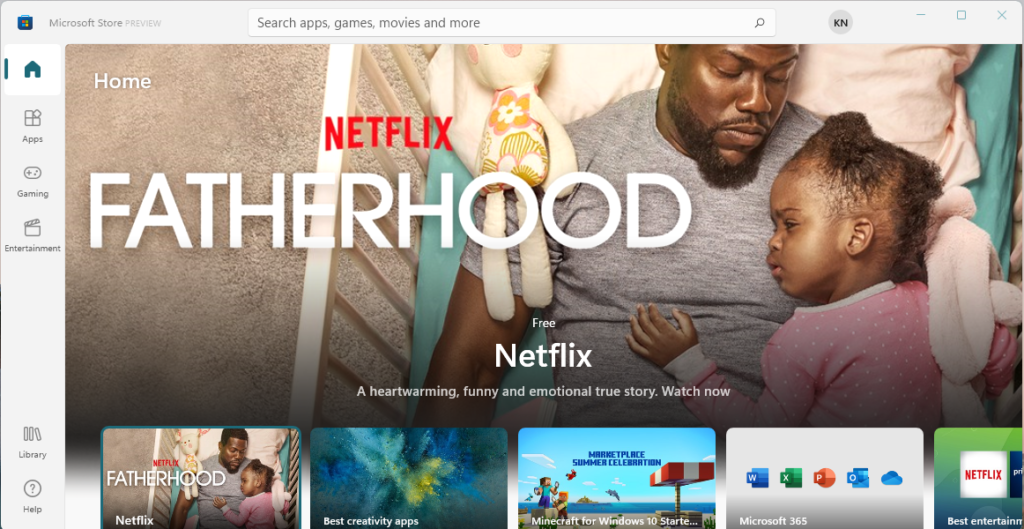
The Microsoft Store landing page gives you an option to find apps on Windows 11.
- Top 83 Windows 11 Desktop Admin Interview Questions
- Enable Disable Defender SmartScreen for Microsoft Store Apps in Windows 11
Login to Windows 11 Microsoft Store
The Windows 11 logged-in user will automatically be logged into the Microsoft store. The following are the options that you have:
- Manage accounts and devices
- Payment methods
- Redeem codes or gift cards
- App settings
Store Apps Windows 11 Microsoft Store
You can click on the left sidebar, which is called apps. Then, using the apps option on the left menu, you can filter to show only apps.
Windows 11 Microsoft Store – Games
The third option in the Microsoft Store is Games. You can filter the store to show only the Games.
Windows 11 Microsoft Store Library
The other option in the Microsoft store is the Library. The library option gives you updates and downloads. You can update all applications or individual apps. Windows 11 New Microsoft Store.
Resources
- Building a new, open Microsoft Store on Windows 11
- Find your success in the Microsoft Store
- Windows 11 Quality Updates Feature Updates Driver Updates Firmware Updates | CUs are 40% Smaller
- Windows 11 Snap Layouts New Feature | Six Layouts to Arrange Applications in Desktop
- Windows 11 Removed Features | Deprecated Applications from Windows 11 | Latest List
We are on WhatsApp. To get the latest step-by-step guides and news updates, Join our Channel. Click here –HTMD WhatsApp.
Author
Anoop C Nair has been Microsoft MVP for 10 consecutive years from 2015 onwards. He is a Workplace Solution Architect with more than 22+ years of experience in Workplace technologies. He is a Blogger, Speaker, and Local User Group Community leader. His primary focus is on Device Management technologies like SCCM and Intune. He writes about technologies like Intune, SCCM, Windows, Cloud PC, Windows, Entra, Microsoft Security, Career, etc.




Discussion