






Verify Teams for AVD Using SCCM Configuration Item with Windows 11 Operating System
Let’s verify Teams for AVD using SCCM Configuration Item with the Windows 11 Operating System. This method can be used for Windows 11 multi-session and enterprise operating systems. Microsoft Teams on Azure Virtual Desktop supports chat and collaboration.
Microsoft Teams supports media optimization for the Azure Virtual Desktop environment. This post explains two important things. First, you can create a Configuration Item for the Windows 11 operating system starting from SCCM 2107.
The second important point is registry key validation for Team media optimization. Teams with media optimization essential for Azure Virtual Desktop (a.k.a WVD).
The comprehensive end-to-end SCCM configuration item creation guide to getting more details about CI and baseline.

Table of Contents
Create SCCM CI to Verify Teams for AVD
Let’s create SCCM CI to verify Teams for AVD. I’ll cover Windows 11 multi-session and enterprise operating systems.
- Launch SCCM Console.
- Navigate -> \Assets and Compliance\Overview\Compliance Settings\Configuration Items.
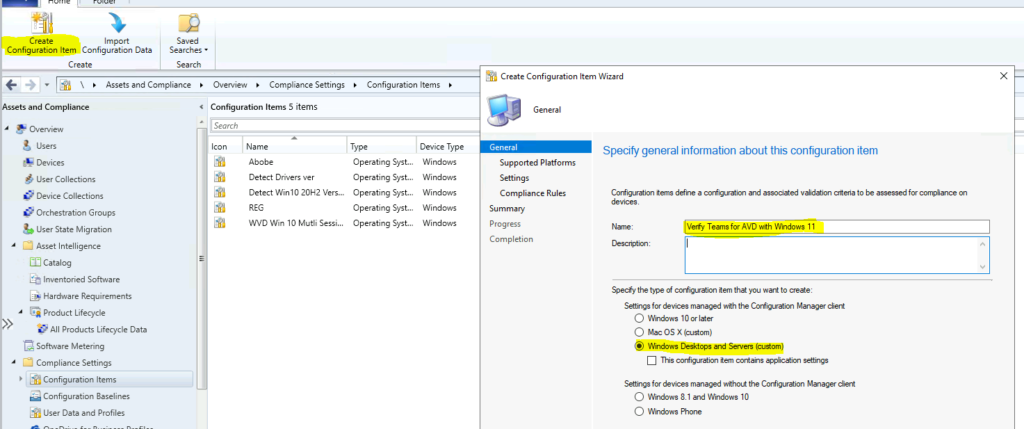
- Click on Create Configuration Item for the ribbon menu.
- Select specify the type of Configuration Item that you want to create.
- Settings for devices managed with the Configuration Manager client
- Windows Desktop and Servers (custom)
- Settings for devices managed with the Configuration Manager client
- Click on the NEXT button to continue.
- How to Check Your Windows 11 Edition
- 3 Easy Methods to Reset Windows 11 PC
- Latest Updated Windows 365 AVD Redirection in Details
- Introducing Microsoft Teams in VDI
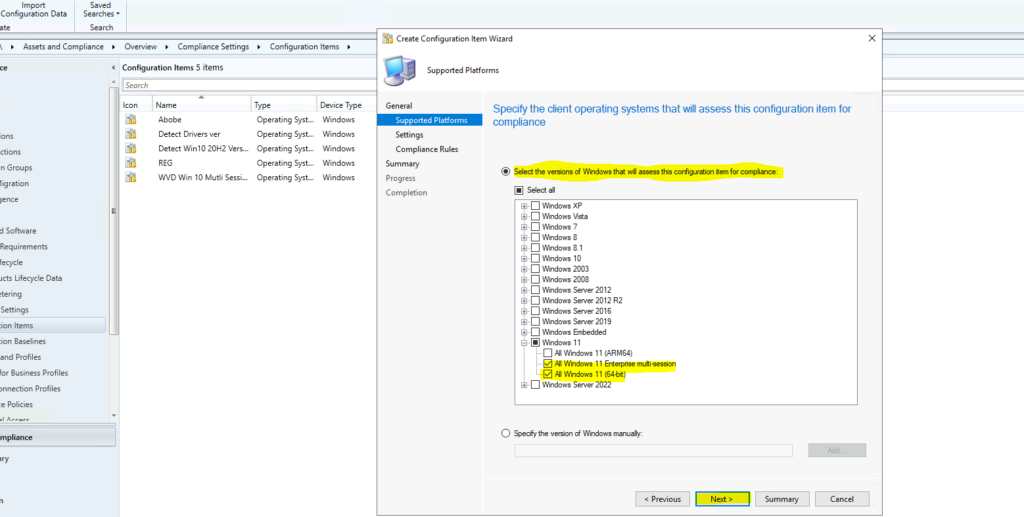
Select the versions of Windows that will assess these Configuration Items for compliance. I have selected the following operating systems.
- Windows 11
- All Windows 11 Enterprise multi-session
- All Windows 11 (64-bit)
- Click on the NEXT button.
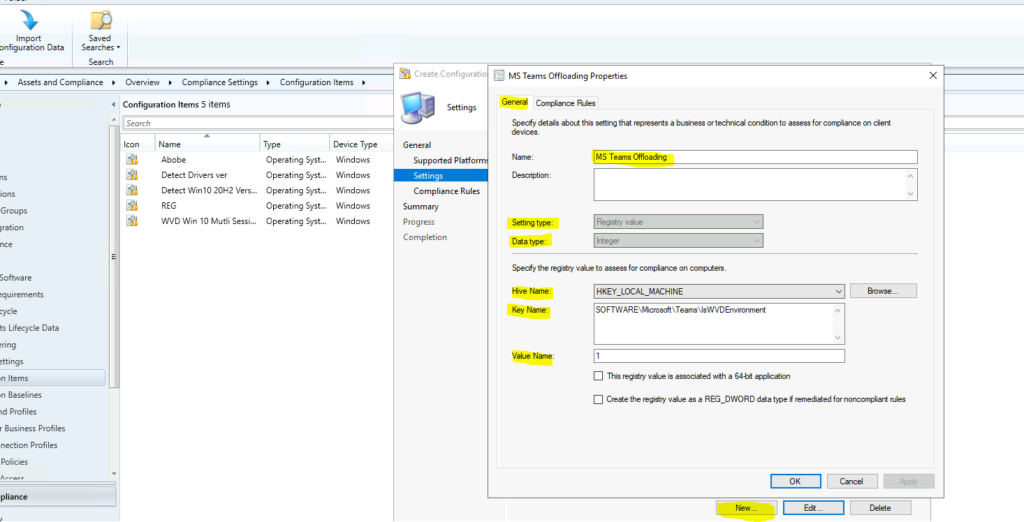
You can click on the NEW button to create the compliance check. Specify details about this setting that represents a business or technical condition assess for compliance on client devices.
- Name -> MS Teams Offloading
- Setting Type -> Registry Value
- Data Type -> Integer
Now it’s time to specify the registry value to assess for compliance on computers:
- Hive Name: HKEY_LOCAL_MACHINE
- Key Name: SOFTWARE\Microsoft\Teams\IsWVDEnvironment
- Value Name: 1
- Click OK and Next to continue.
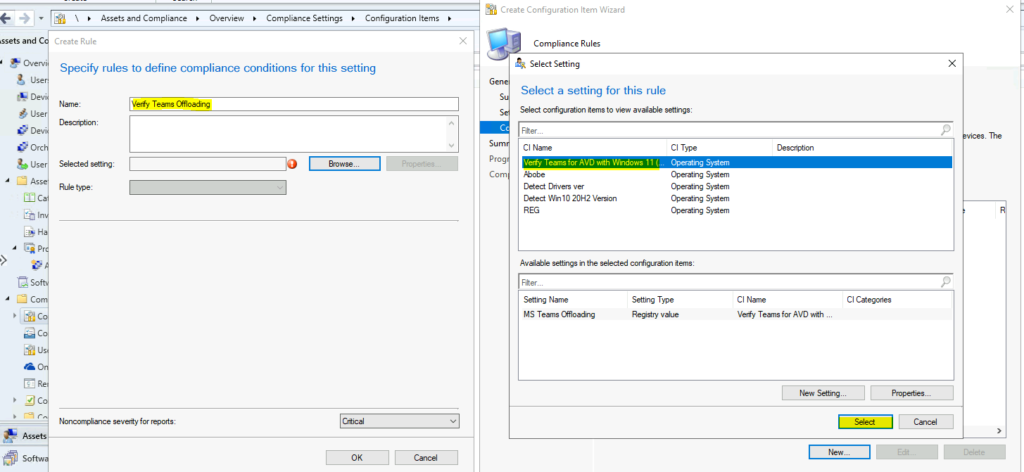
Use compliance rules to specify the conditions that make a configuration item that sets compliance on client devices. The following compliance rules are associated with this configuration item.
- Click on the NEW button.
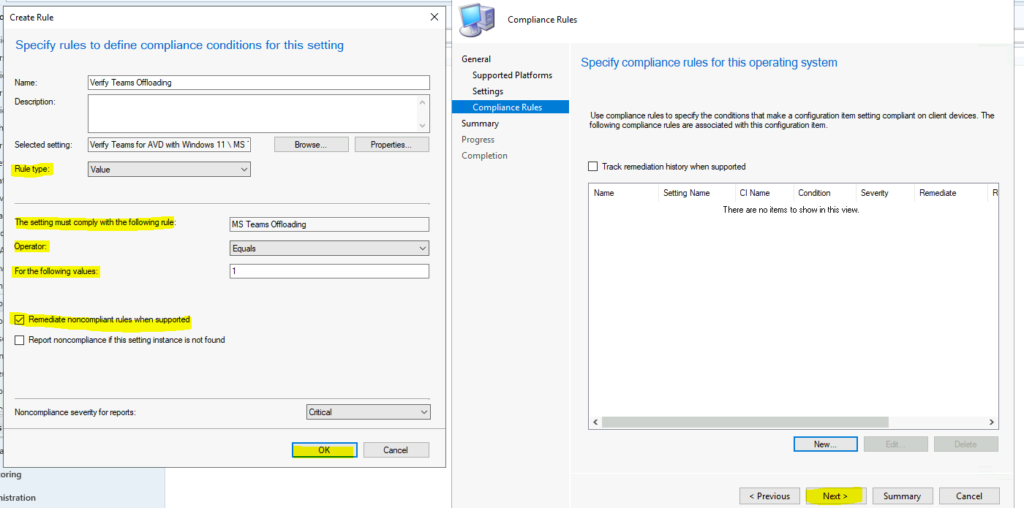
- Enter the name -> Verify Teams Offloading.
- Selected Settings -> Select a Setting for the registry entry created above.
- Click on Select to continue.
Let’s continue:
- Select the Rule Type -> Value.
- The Setting must comply with the following rule: MS Teams Offloading
- Operator: Equals
- For the following values: 1
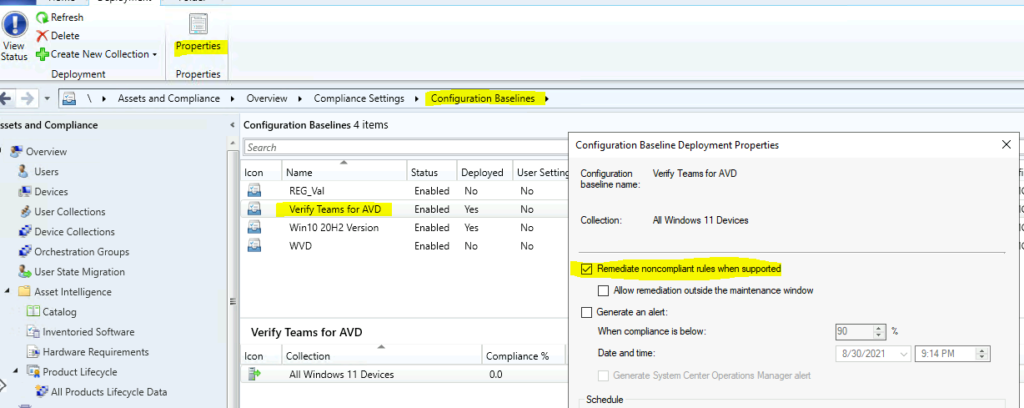
- Enable the option – Remediate noncompliant rules when supported.
- Click OK and click to the NEXT to continue.
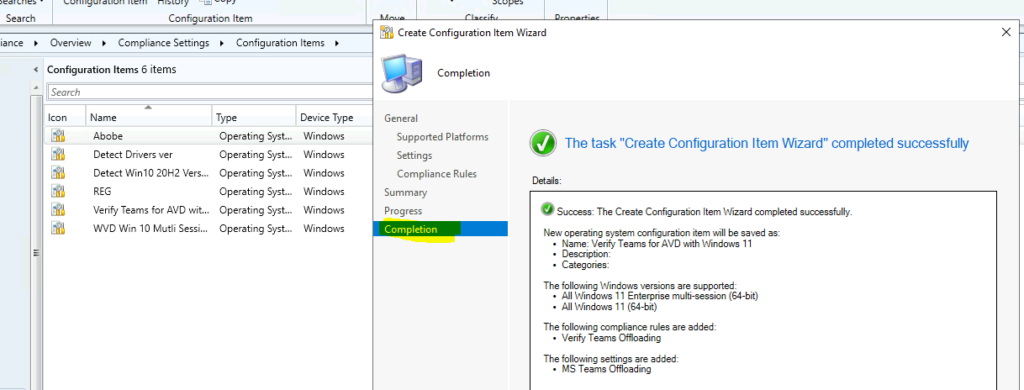
- Click on the NEXT, NEXT and CLOSE to continue.
Create a Baseline for Verify Teams for AVD
You can now create the baseline for verifying the team registry settings for Azure Virtual Desktop (AVD).
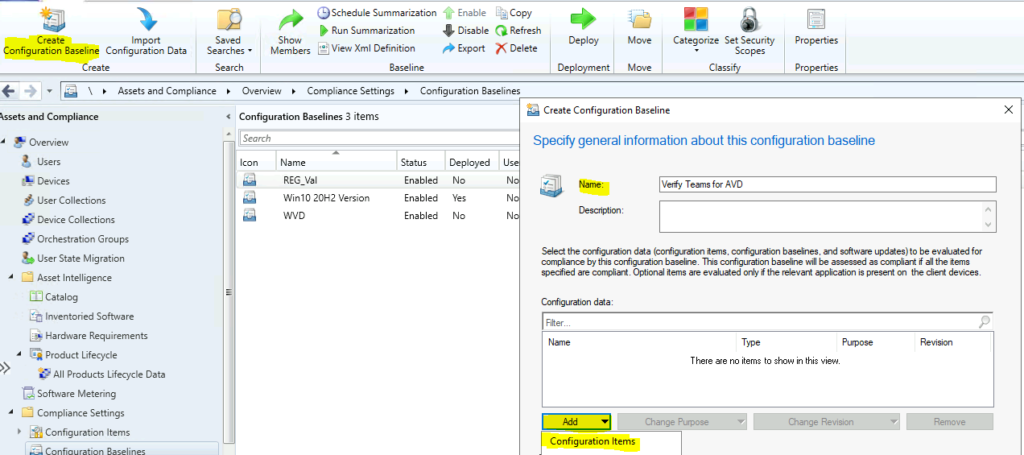
- Navigate to \Assets and Compliance\Overview\Compliance Settings\Configuration Baselines
- Click on the Create Configuration Baseline button from the ribbon.
- Enter Name -> Verify Teams for AVD.
- Click on the Add button to add Configuration Items.
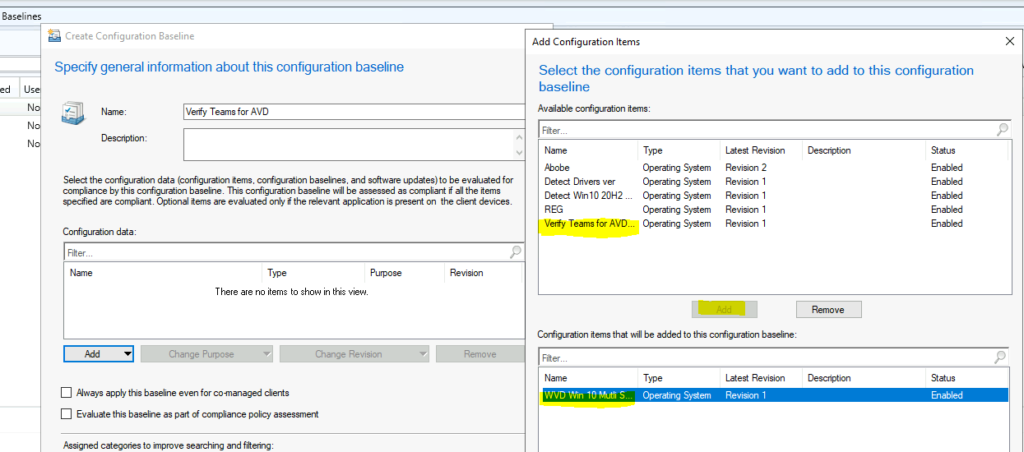
From the list of CIs, select the Configuration Item to verify Teams for AVD (Windows 11 operating system) and then click the ADD button.
- Click the OK and OK button to continue.
Deploy Baseline for Windows 11 Operating System
It’s time to deploy Windows 11 operating systems baseline to verify Teams configuration for AVD to Windows 11 Device Collection.
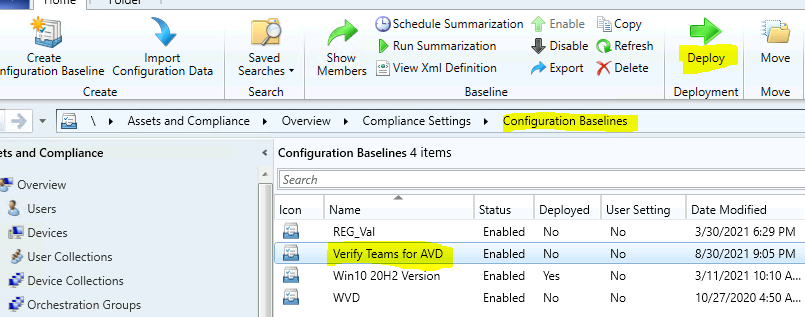
Remediation Option
The remediation option for the configuration baseline. You can enable it by going to Properties -> Remediate noncompliant rules when supported.
Resources
We are on WhatsApp. To get the latest step-by-step guides and news updates, Join our Channel. Click here –HTMD WhatsApp.
Author
Anoop C Nair has been Microsoft MVP for 10 consecutive years from 2015 onwards. He is a Workplace Solution Architect with more than 22+ years of experience in Workplace technologies. He is a Blogger, Speaker, and Local User Group Community leader. His primary focus is on Device Management technologies like SCCM and Intune. He writes about technologies like Intune, SCCM, Windows, Cloud PC, Windows, Entra, Microsoft Security, Career, etc.




Discussion