






ConfigMgr Client Upgrade from Caused Reboot SCCM
Let’s discuss the ConfigMgr Client Upgrade from Caused Reboot SCCM. Clarified that the client prerequisite Microsoft Visual C++ 2010 Redistributable version 10.0.40219.1 might require a restart when it is installed on client computers. More details here.
One of my ConfigMgr community friends, Harjit Dhaliwal, experienced this issue while doing an SCCM 2012 SP1 to R2 client upgrade. I give him all credit for researching and coming up with these findings!! I thought of sharing this because it would help some others in the community. ConfigMgr 2012 Client Upgrade?
Also, the SCCM 2012 R2 upgrade checklist is available for the SCCM 2012 SP1 to R2 Upgrade Checklist. After the ConfigMgr 2012 R2 client upgrade, end-user systems were rebooted.
Using a proper maintenance window could be avoided, especially the new option in SCCM 2012 R2 dedicated to software updates. ConfigMgr 2012 Client Upgrade?

- Fix Software Update Deployment Issues with SCCM Clients with KB28458746
- New Features in SCCM Technical Preview 2401
- New Key Features of SCCM 2309 | Top Improvements
- Download SCCM 2309 Early Ring Version using PowerShell Script
- SCCM Versions Build Numbers Client Console Site
Table of Contents
ConfigMgr 2012 Client Upgrade from SP1 to R2 can Cause Reboot
More details http://technet.microsoft.com/en-us/library/dn236351.aspx#BKMK_WhatsNew_Software. This unexpected reboot may happen only in the scenario explained below.
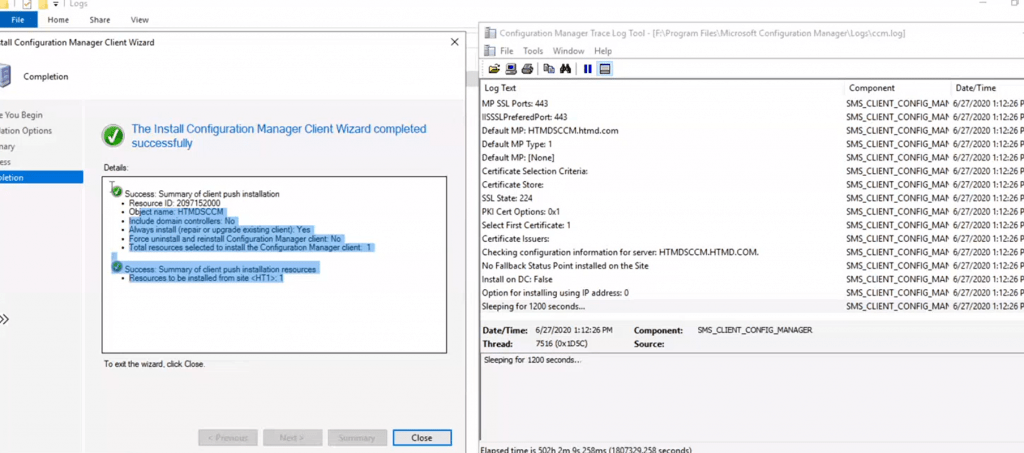
What Triggered the Forced Reboot? ConfigMgr Client Upgrade from Caused Reboot SCCM
This is a Security Update for Microsoft Visual C++ 2010 Service Pack 1 Redistributable Package (KB2565063). A security issue that leads to an MFC application vulnerability in DLL planting has been identified. The issue is that MFC does not specify the full path to system/localization DLLs. ConfigMgr 2012 Client Upgrade?
Installing this update from Microsoft can protect your computer. After you install it, you may have to restart your computer.
How Did the Security Patch Installation Get Triggered Suddenly after the ConfigMgr SCCM R2 Client Upgrade?
Since “Security Update for Microsoft Visual C++ 2010 Service Pack 1 Redistributable Package (KB2565063)” was released/revised in March 2012, the update has been in a Software Update Group deployed in April 2012.
The update has become mandatory and passed due to the systems that now need it due to the NEW CM 2012 R2 client prerequisite and the reboot requirement, which some of our CM users have noticed.
Few More Details on the NEW CM 2012 R2 Client Prerequisite
Microsoft Visual C++ 2010 Redist (version 10.0.40219.1) is now a prerequisite for the ConfigMgr 2012 R2 client (5.00.7958.1000) install, along with Microsoft Visual C++ 2005 Redist (8.0.6100).
You’ll find references to it in the ccmsetup.xml file located in c:\windows\ccmsetup. Also, on the ConfigMgr server, you’ll find the prereq installers located in c:\Program Files\Microsoft Configuration Manager\Client\x64 or \x86, and the vcredist_x64.exe or vcredist_x86.exe is the 2010 redist.
| Prerequisite | Version | Required for |
|---|---|---|
| Microsoft Visual C++ 2010 Redist | 10.0.40219.1 | ConfigMgr 2012 R2 client (5.00.7958.1000) installation |
| Microsoft Visual C++ 2005 Redist | 8.0.6100 | ConfigMgr 2012 R2 client (5.00.7958.1000) installation |
The client prereq info located in the doc below is incorrect.
http://technet.microsoft.com/en-us/library/gg682042.aspx#BKMK_prereqs_computers.
When you look at client prerequisites, it’s very clearly mentioned that .Net Framework 4.0 installation can trigger a reboot (When the .NET Framework 4 is installed on computers, a restart might be required to complete the installation). Still, this scenario is not explained over there.
Resources – ConfigMgr Client Upgrade from Caused Reboot SCCM
Free SCCM Training Part 1 | 17 Hours Of Latest Technical Content | ConfigMgr Lab HTMD Blog
How To Automatically Cleanup Intune Device | EndPoint Manager – HTMD Blog #2
We are on WhatsApp now. To get the latest step-by-step guides, news, and updates, Join our Channel. Click here. HTMD WhatsApp.
Author
Anoop C Nair is Microsoft MVP from 2015 onwards for consecutive 10 years! He is a Workplace Solution Architect with more than 22+ years of experience in Workplace technologies. He is a Blogger, Speaker, and Local User Group Community leader. His main focus is on Device Management technologies like SCCM and Intune. He writes about technologies like Intune, SCCM, Windows, Cloud PC, Windows, Entra, Microsoft Security, Career etc…




We had 53 of our Server 2003 servers reboot due to this. Make sure you pre-install the above prereqs before upgrade to R2 if you care about mass reboots. 🙂 In our environment, our DPs are also File/Print for our remote sites. Not a good surprise to have.
Hello Anoop…. I’m really glad I saw your post before doing this exact upgrade. What I’m wondering is will the reboot be done without asking the user? I need to do that on 1000 servers so cannot do it event if the risk of reboot is really small…. I added the /skipprereq for .Net 4.0 since not all my servers have it.
Are both Microsoft Visual C++ 2010 Redist x64 and x86 required, or only the x64 is required on 64-bit OS?