






SCCM ConfigMgr Issue OSD WinPE File Copying Very Slow
SCCM ConfigMgr Issue OSD WinPE File Copying Very Slow Endpoint Manager. The SCCM or ConfigMgr 2012 R2 upgrade seems slowing down the OSD process. This is related to BITS downloads (Windows Image, boot image, and other contents) during WinPE.
I didn’t notice the slowness in my dev environment when I tried OSD after upgrading to R2. Learn how and where to install KB 2905002 here.
This update applies to Central Administration sites, primary sites, administrator consoles, and clients. Applying this update to a site server will let you create client update packages.
This post will teach you how to create a custom report RDL file using SCCM or ConfigMgr. We will guide you through the process step-by-step, ensuring you understand each part, even if you are new to SCCM reporting.

- Fix SCCM Task Sequence Reboot Loop WinPE Could not create WMI locator class (80040154)
- Fix SCCM PXE Issues with C Type Network Adapter Duplicate MACID
- FIX: SCCM Task sequence has failed with the error code 0x80070057
- Easily FIX SCCM Task Sequence Unable to find a volume Error Code 0x80070490
Table of Contents
SCCM ConfigMgr Issue OSD WinPE File Copying Very Slow
After installing the update on on-site servers, any operating system boot images should be updated. SCCM ConfigMgr Issue OSD WinPE File Copying Very Slow Endpoint Manager. To update boot images after the hotfix is applied, follow these steps.
- In the SCCM console, click Software Library.
- In the Software Library workspace, expand Operating Systems, and then click Boot Images.
- Select the boot image that you want to update.
- Right-click and then select the Update Distribution Points action. Note that this action updates all distribution points and may adversely affect an environment with many distribution points.
- Repeat steps 3 and 4 for all boot images that have previously been distributed.
| Notes |
|---|
| All existing media (such as stand-alone, boot, or prestaged) that use existing boot images (default or custom) must be recreated. |
| To fully fix the problem in Issue 2, the client-side .msp file has to be installed during the “Setup Windows and ConfigMgr task by using the PATCH= command. |
| For more information about updating boot images, see the How to Manage Boot Images in Configuration Manager topic on the Microsoft TechNet website. |
However, many people are facing this issue in their environments. Most of them raised CSS calls with MS and await a Microsoft CSS update. You can follow the Technet Forum thread below, which may help you stay updated about the issue.
Are you planning to use SCCM 2012 R2? I would say Hold your horses until Microsoft fixes this issue: SCCM ConfigMgr Issue OSD WinPE File Copying Very Slow Endpoint Manager.
Technet Forum Thread ==> http://social.technet.microsoft.com/Forums/ (The Latest update is that CSS identified the issue and is working on a fix; however, it may take a few more weeks). SCCM ConfigMgr Issue OSD WinPE File Copying Very Slow Endpoint Manager. Heine Jeppesen updated one of the findings, and I quote him here.
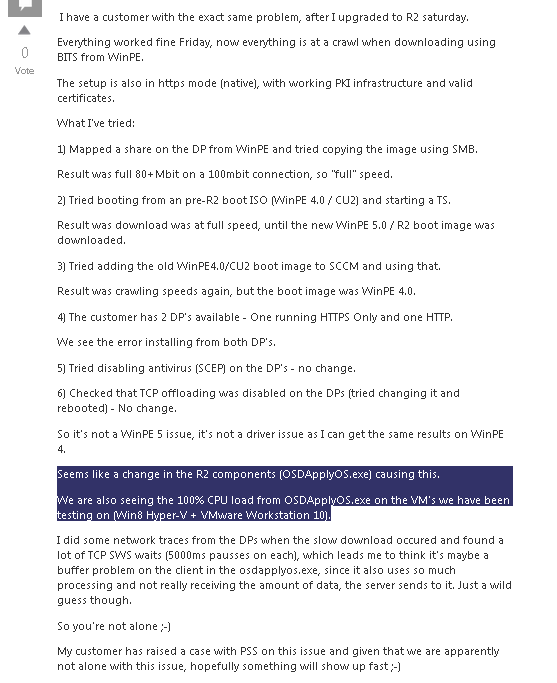
Seems like a change in the R2 components (OSDApplyOS.exe) causing this. We are also seeing the 100% CPU load from OSDApplyOS.exe on the VM’s we have been testing on (Win8 Hyper-V + VMware Workstation 10).
We are on WhatsApp now. To get the latest step-by-step guides, news, and updates, Join our Channel. Click here. HTMD WhatsApp.
Author
Anoop C Nair is Microsoft MVP from 2015 onwards for consecutive 10 years! He is a Workplace Solution Architect with more than 22+ years of experience in Workplace technologies. He is a Blogger, Speaker, and Local User Group Community leader. His main focus is on Device Management technologies like SCCM and Intune. He writes about technologies like Intune, SCCM, Windows, Cloud PC, Windows, Entra, Microsoft Security, Career etc…




http://support.microsoft.com/kb/2905002/en-us