






Fix Device Limit for Microsoft Store Issue on Windows 11 Install your App Remove a Device
Let’s check how to fix Fix Device Limit for Microsoft Store Issue and the Windows 11 Microsoft Store error when I tried to install an app from the Windows 11 Microsoft store.
The error was “To install your app or game, remove a device from your account.” I got surprised by this message because never seen this before!
I have installed Windows 11 insider version on this laptop. This is the first time I’m trying to install an app from Windows 11 Microsoft store.
I have shared Windows 11 New Microsoft Store Walkthrough Guide to get more details about the enhancements of the new Microsoft store that comes out with Windows 11.

I have shared many other posts to learn more about Windows 11. If you are not already on Windows 11 production version, you can download the Windows 11 ISO and install it on Hyper-V or Laptop.
You will have to make sure the minimum system requirements for Windows 11 are in place to install / upgrade Windows 10 PCs to Windows 11.
Table of Contents
App Install Issue with New Microsoft Store on Windows 11
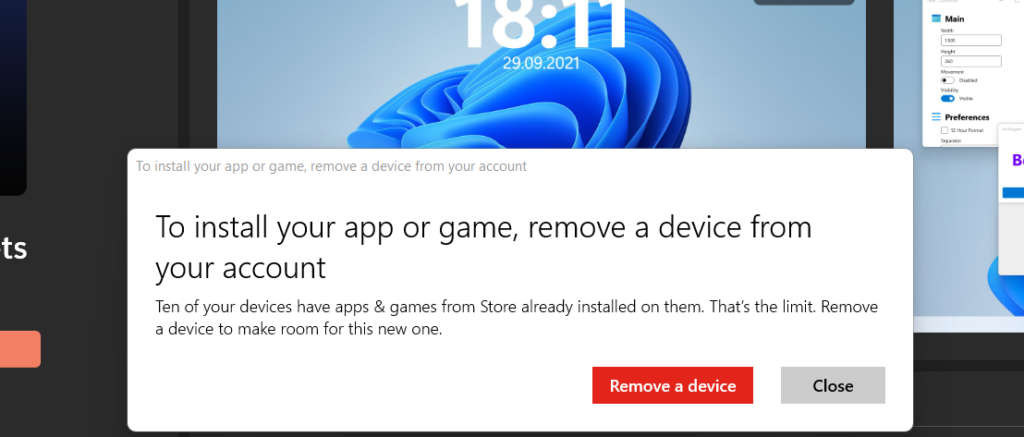
I got the following error message when I tried to install the application from the new Microsoft Store on Windows 11 PC. The App Install Issue with New Microsoft Store on Windows 11. The error message was a bit weird, and I wondered what the reason for the error was.
The error message description was helpful to understand the meaning of the Windows 11 Microsoft Store error. The message description was, “Ten of your devices have apps & games from Store already installed on them. That’s the limit. Remove a device to make room for this new one.”
It seems I have more than 10 devices attached to my Microsoft store account, and that is why Microsoft store doesn’t like to add one more device.
I never thought I would get into this limitation, even though I started using the Microsoft store back in 2015. This was mainly because of Windows Phone craziness.
You can see more details about the devices connected to my Microsoft store account and how to fix this maximum device limitation error for the Microsoft store.
- Fix Windows 11 Upgrade Error 0xc11900130
- Revamped MS Paint App for Windows 11
- List of Windows 11 Group Policy Settings
Fix Device Limit for Microsoft Store on Windows 11
The fix for the issue maximum allowed devices limitation error for the Microsoft Store is straightforward. The only struggle for me was finding out the correct Microsoft account I should use to log in to the following Microsoft account device page.
You will need to follow the steps mentioned below to remove unwanted devices like Windows phones from the Microsoft Store association.
- Click on the Remove a Device from Microsoft store error popup message.
- Remember, it will open up the default browser and launch the Microsoft account | Devices – https://account.microsoft.com/devices/content with an already logged-in account from the browser.
NOTE! – You will need to make sure you are logged into Microsoft Store and Browser with the same account.
You can use up to 10 devices with Microsoft Store. If you can’t download apps and games, you’ve reached your Microsoft Store device limit. Unlink a machine, then go to Microsoft Store and try again. I could see the Device limit for Microsoft Store is already reached, and that is 10 devices.

You can, unlike a device from Microsoft, store add the new Windows 11 PC. The best option is to unlink a device you don’t use or have access to. In my scenario, it was Windows Phone that I started using back in 2015.
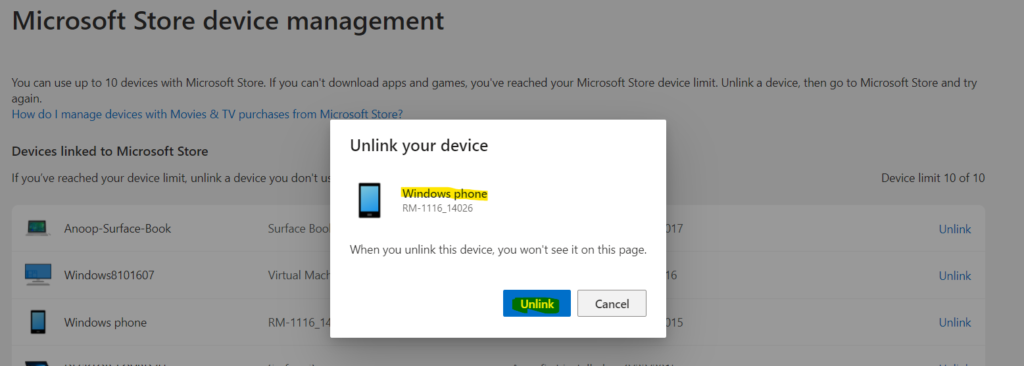
Click on the UNLINK hyperlink to unlink your device – Windows Phone from the Microsoft store. Click on the UNLINK button again from the popup message.
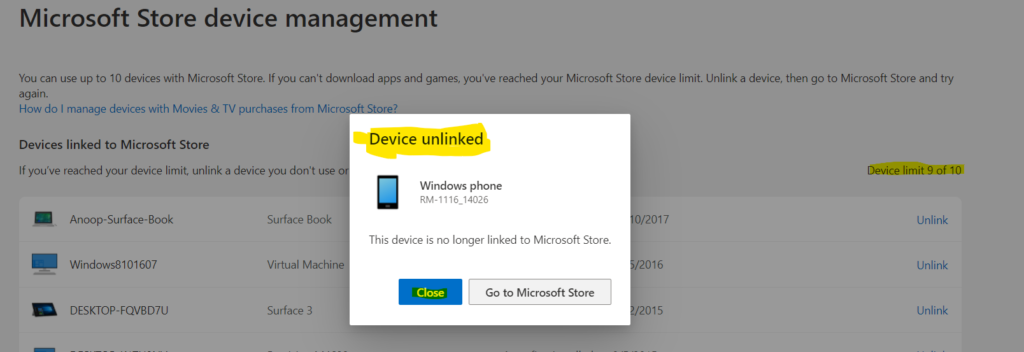
You can now click on the CLOSE button to complete the unlink a device process from Microsoft Store. You will be able to notice the Device limit is 9 of 10 now. It changed from 10 of 10 to 9 of 10.
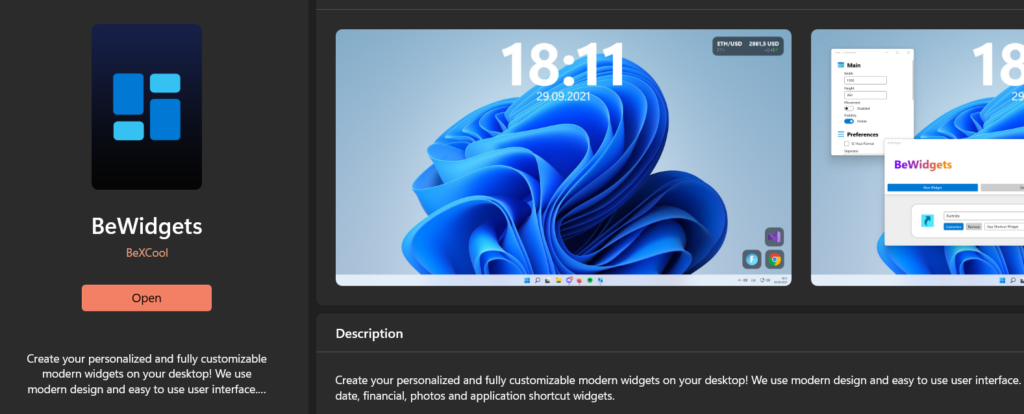
You can now install a new application from Microsoft Store from the latest Windows 11 PC.
FIX: Microsoft Store Sign in Error 0x800706d9 on Windows 11 Domain Joined Or Azure AD Joined PCs
You can also check the following FIX if you see Microsoft Store Sign-in Error 0x800706d9 on Windows 11 Domain Joined Or Azure AD Joined PCs.
More details – FIX: Microsoft Store Sign In Error 0x800706d9 On Windows 11 Domain Joined Or Azure AD Joined PCs




Though this is a good read, it is not a fix for the error many people are getting for device limits on Win11. There is an error where no matter how few devices you have registered, the WS will not allow you to run new applications. This ‘FIX’ is not titled correctly as it is not a fix, but just an explanation on how to remove excess devices registered to your WS account.
StaffHi, what is the issue you are facing with Microsoft Store?
I’ve had the same issue, the page for showing devices linked to your store account doesn’t always show all the devices. For me the page was showing 7 out of 10 but I was still getting the error mentioned above. To resolve it I had to remove devices linked to my Microsoft account (rather than store account?????), once I’d done that then I was able see more devices linked to my store account. Hopefully this is just a bug that needs fixing in the store app rather a disjointed and confusing UX design.
I still get the error and I removed all my devices…It says 0 of 10 linked but I still get the same error.