






Best Methods to Reset Windows 11 PIN Fix Forgot PIN Issue
Let’s learn how to reset Windows 11 PIN and fix forgot PIN issue. I have been in a situation where I forgot the Windows 11 login PIN, and I wanted to reset it. In this post, I will show you a way to reset the Windows 11 login PIN. This is also called as a Windows 11 Security PIN!
Microsoft released the first version of Windows 11 in Oct 2021. You can check whether your Windows 10 device is eligible for the free upgrade to Windows 11 using the details mentioned in the following post – Windows 11 Upgrade Minimum System Requirements.
You will need to have access to the Microsoft account used in that particular Windows 11 PC to reset the PIN. The other option to change the PIN is using a Microsoft account password to log in and change the PIN from the Windows 11 Settings app. This is applicable for all the Windows 11 versions.
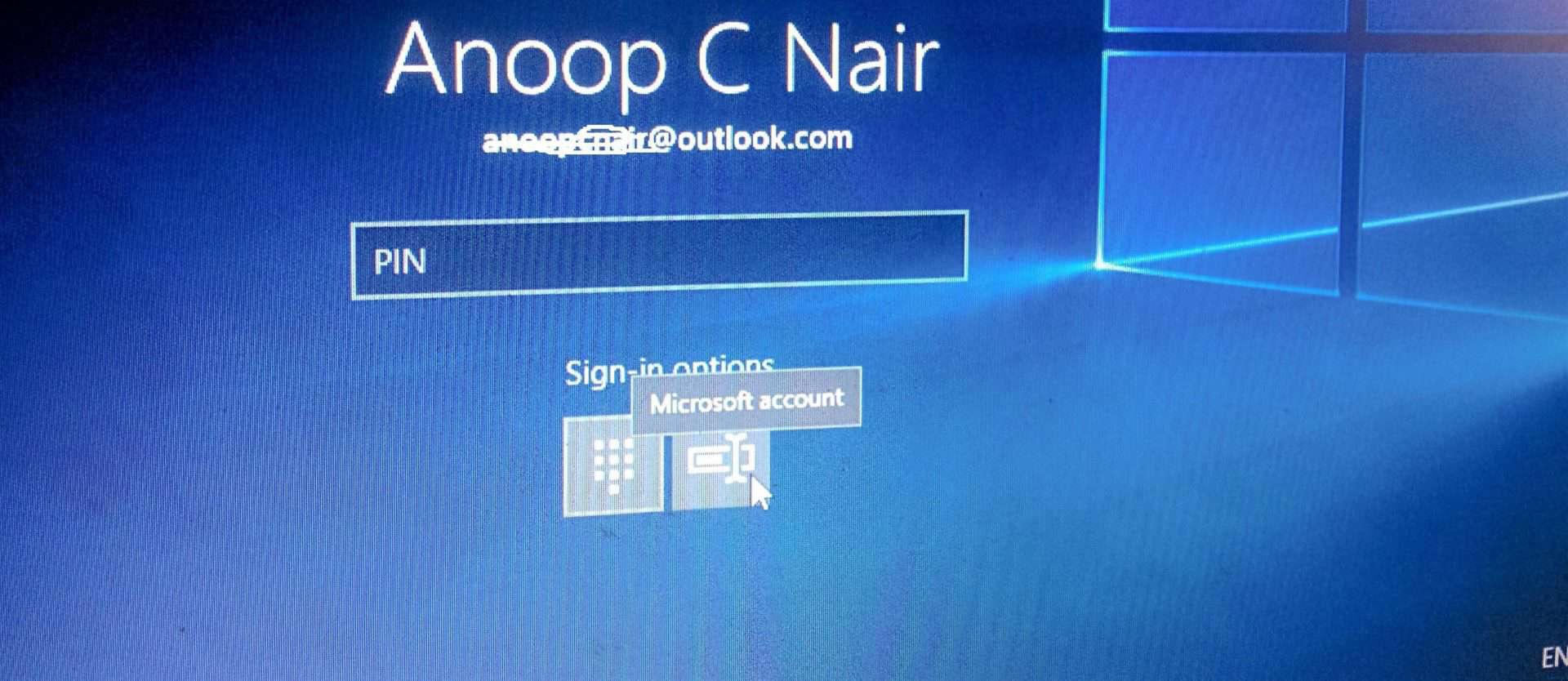
You have an option on the Windows 11 login page to change the authentication method to a Microsoft account password instead of the PIN. You will need to click on the icon below the sign-in options to change the authentication method to password.

You will need to click on the Sign-in option and then click on the ICON called Microsoft Account password to log in with a Microsoft account password instead of the PIN.
Reset Windows 11 PIN using Settings App
The following is the first and one of the easiest methods to reset Windows 11 PIN. You will need to log in to Windows 11 using a Microsoft account password. You will use this method only when you are already logged into the Windows 11 PC.
NOTE! – Make sure you’re connected to the internet, so the change syncs to your Microsoft account.
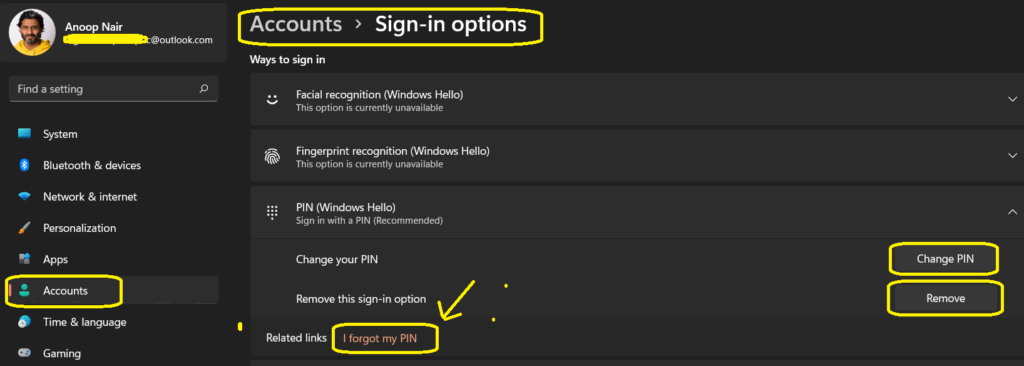
You will need to navigate to Accounts Sign-in options to reset Windows 11 PIN. You can click on the Start button, search for the Settings app, and follow the Select Start – Settings – Accounts – Sign-in options.
You have three (3) options here related to Windows Hello PIN. If you forget the Windows 11 PIN, you will need to select the I forget my PIN hyperlink option. Learn more about the best Methods To Reset Windows 11 Password Local Admin Microsoft Account Standard User.
- Change PIN
- Remove PIN
- I forget my PIN
I forget my PIN option in Windows 11 sign-in options will take you through the same workflow that I’m going to explain in the below section of the post. You will need to be ready with a Microsoft Account password and multi-factor authentication using your secondary email or phone, etc.
Reset Windows 11 Login PIN from Login Screen – Fix Forgot PIN Issue
This section will learn how to reset Windows 11 Login PIN from the login screen itself. There are some cases that you forget Windows 11 PIN or your Windows login PIN stopped working.
Microsoft strongly recommends not to reset the PIN; rather, they recommend changing the PIN if possible. You will need to click on the “I forgot my PIN” hyperlink option, as shown below.
NOTE! – You should only reset your PIN if you forgot it or it stopped working. If you reset your PIN, apps might require you to in again; any data that is managed by an organization could be lost.
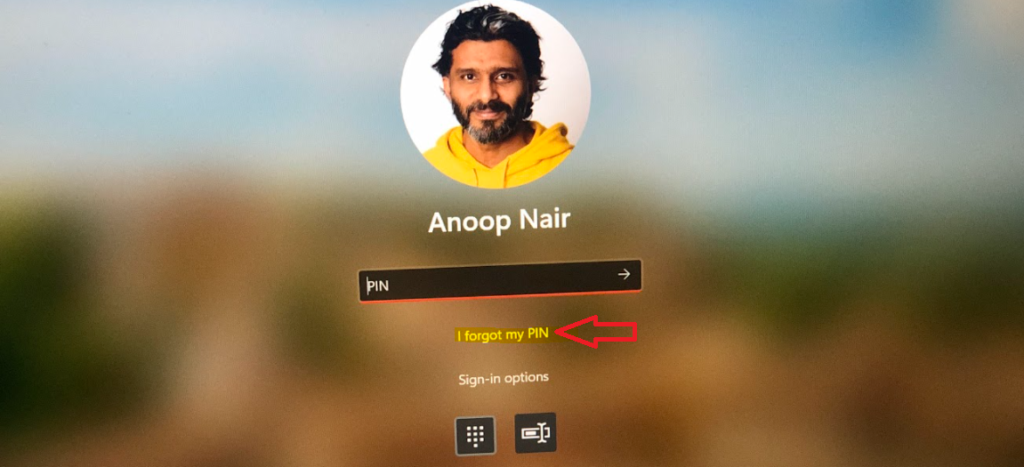
I forgot my PIN hyperlink would take you to the following screen where you will be asked to authenticate with Microsoft account assigned to this Windows 11 PC.
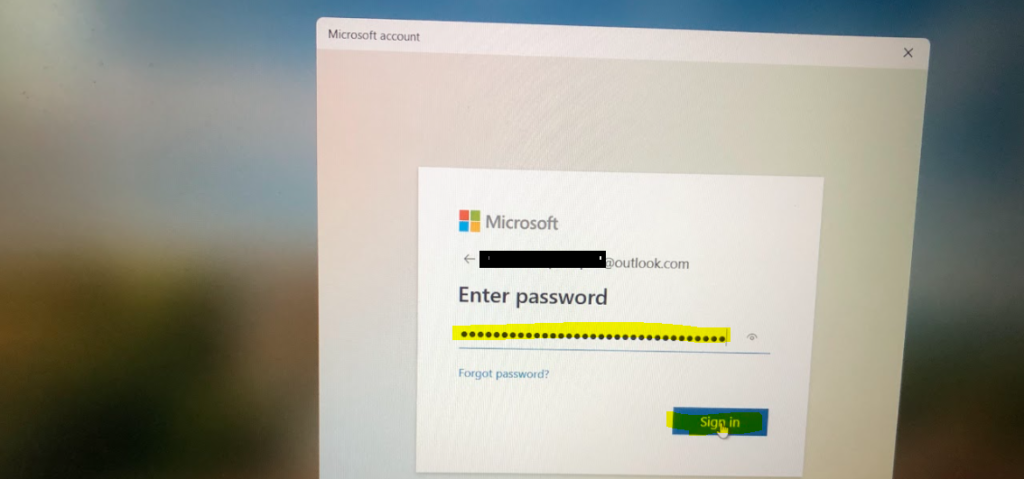
The Microsoft account name (Outlook or Live ID) will get automatically populated. You need to enter the password and click on the Sign-in button to continue.
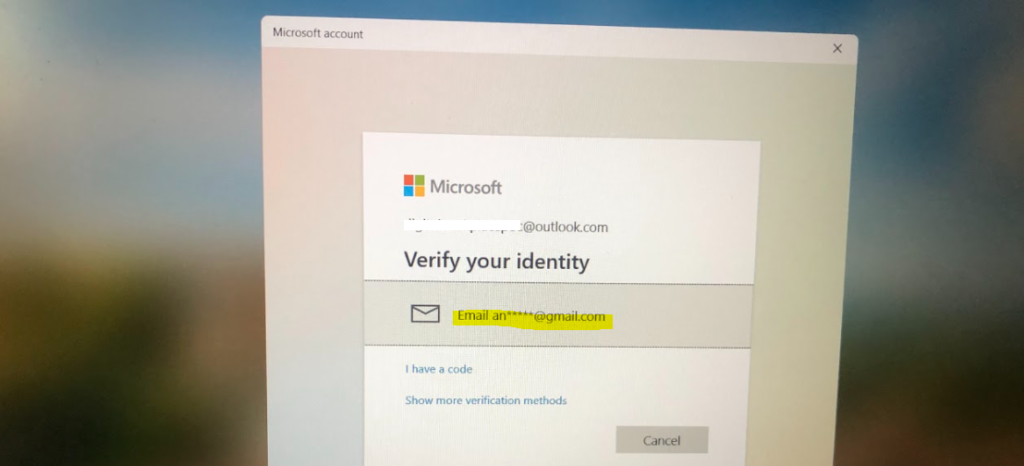
After the successful authentication with Microsoft account associated with this Windows 11 PC, you will need to verify your identity with second-factor authentication. I have set Gmail as my second-factor authentication method. Hence it’s asking me to authenticate with an additional email ID.
This is the second-factor authentication email address that I set up for the outlook account. You can have passwordless authentication as well as other options.
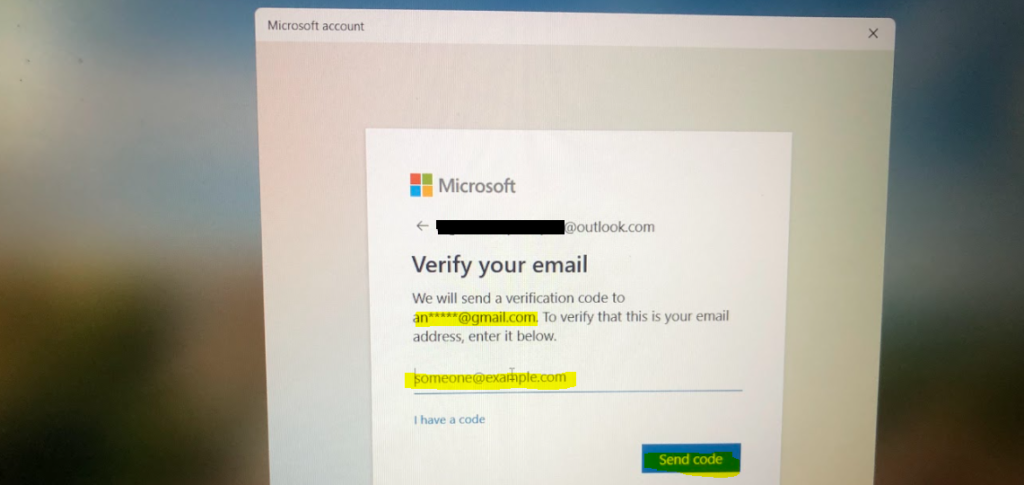
Here is where you will need to enter the email ID and click on Send Code button to receive an authentication code on the email ID.
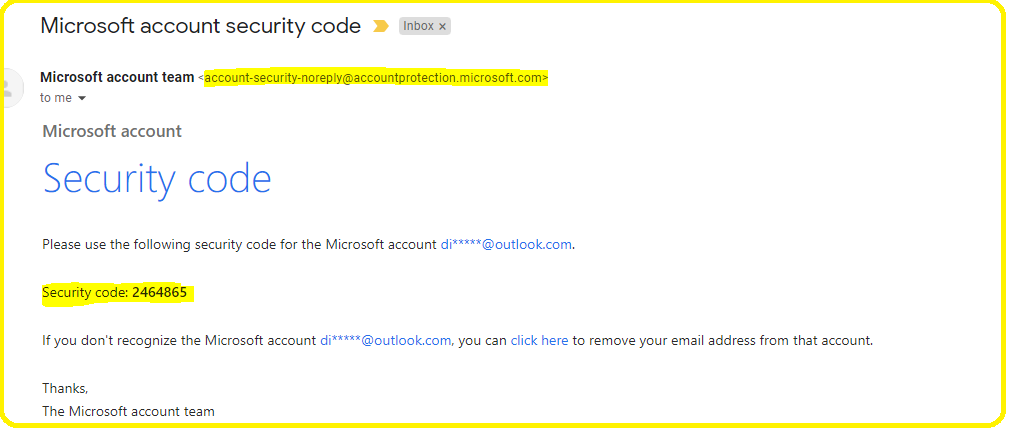
Here is the copy of the email you got with the security code to help with the Windows 11 PIN reset process. You will need to use this code and continue with the reset PIN wizard.
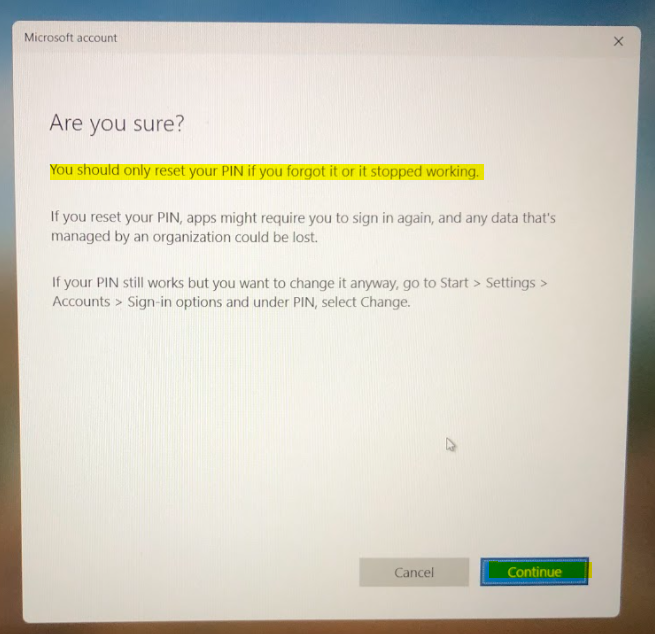
Here is where Microsoft will warn you about the Windows 11 PIN reset operation and give you an alternate option to change the PIN. You can log in with the password instead of PIN and change the PIN rather than resetting it.
You should only reset your PIN if you forgot it or it stopped working. If you reset your PIN, apps might require you to in again; any data that is managed by an organization could be lost.
You will need to click on the Continue button to reset Windows 11 PIN!
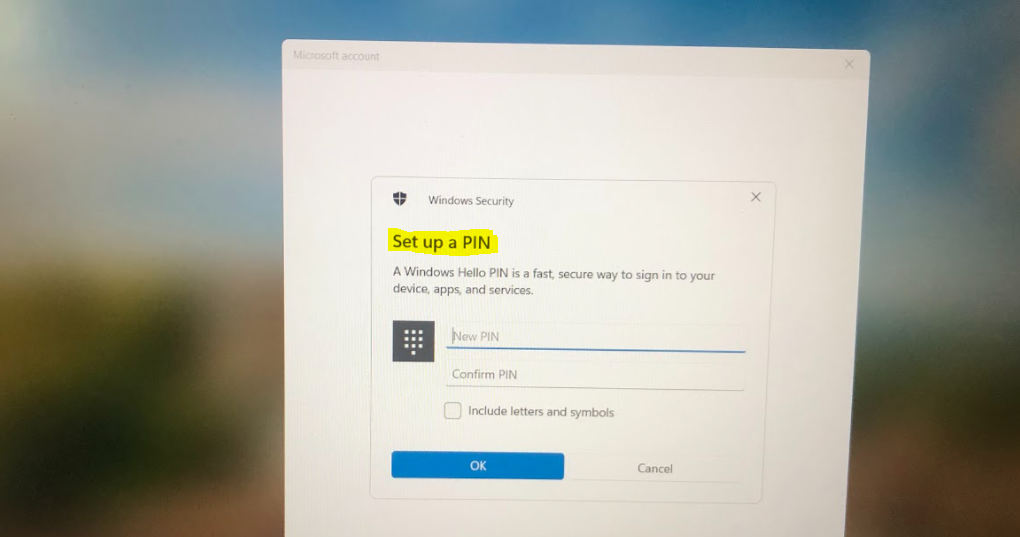
Now, Windows 11 will present you with a Set up a PIN page where you will need to set up the new PIN. I have explained to you how to set up a PIN in the following post.
Author
Anoop is Microsoft MVP! He is a Solution Architect in enterprise client management with over 17 years of experience (calculation done in 2018). He is Blogger, Speaker, and Local User Group HTMD Community leader. His main focus is on Device Management technologies like SCCM 2012, Current Branch, and Intune. He writes about ConfigMgr, Windows 11, Windows 10, Azure AD, Microsoft Intune, Windows 365, AVD, etc…..…




I tried to log in my laptop in vain all the password I could remember are not opening, it is requesting set up m pin, and or sign in options. but none of these is being possible please advise.
help me to login, I have forgotten the PIN and password and these are the only options available in my hp laptop. Otherwise it is asking for disk setup which I had not set earlier. Tried some suggestions from Microsoft using command prompts. I was all set but at the stage of my setting my new password for local administrator group, it throws syntaxes error