





SCCM MPLIST MPCERT is not Working ConfigMgr
SCCM MPLIST MPCERT is not Working? I have seen many MP issues where the MPCERT and MP Policy tests work fine. However, the MP list is giving errors.
SCCM Management Point (MP) provides information on client device policy and service location.
You can read more about FIX SCCM Management Point Issues Internal Server Error 500.
Name resolution should work without issues if you want a stable and reliable system. Check whether the DNS server is reachable.

- Install A New SCCM Management Point Role | ConfigMgr
- FIX SCCM Management Point Issues Internal Server Error 500
- Top 50+ Latest SCCM Interview Questions And Answers
| Index |
|---|
| MP List and MP Cert Test URL Details |
| Troubleshoot – SCCM MPLIST MPCERT is not Working |
MP List and MP Cert Test URL Details
The following are the MP test details. This helps to understand whether the client can reach MP or not.
http://<ServerName>/sms_mp/.sms_aut?mplist

https://<ServerName>/sms_mp/.sms_aut?mplist
Where <ServerName> is the NetBIOS name for the MP Server.
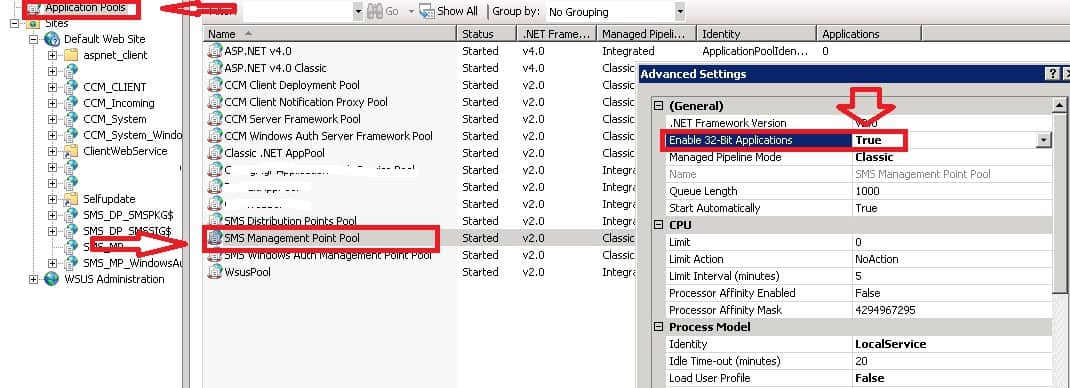
Troubleshoot – SCCM MPLIST MPCERT is not Working
1) Try NSLOOKUP
nslookup
DNS request timed out.
The timeout was 2 seconds.
Default Server: UnKnown
Address:
> exit
2)Try pinging the DNS server
ping
Ping request could not find a host. Please check the name and try again.
Refer to the valid DNS server and put the details in the SCCM site server’s DNS entry.
It is best practice to keep more than one DNS server entry in the configuration.
We are on WhatsApp. To get the latest step-by-step guides and news updates, Join our Channel. Click here –HTMD WhatsApp.
Author
Anoop C Nair is Microsoft MVP! He is a Device Management Admin with more than 20 years of experience (calculation done in 2021) in IT. He is a Blogger, Speaker, and Local User Group HTMD Community leader. His primary focus is Device Management technologies like SCCM 2012, Current Branch, and Intune. He writes about ConfigMgr, Windows 11, Windows 10, Azure AD, Microsoft Intune, Windows 365, AVD, etc.




Discussion