






Disable Right Click Context Menu from Start Menu Using Intune
In this post, you will learn how to disable right click context menu from start menu Using Intune, aka Endpoint Manager. When you enable the policy, it will prevent context menus from being invoked in the Start Menu, restricting you from right-clicking on the Start Menu and making changes.
A context menu is a menu in a graphical user interface (GUI) that appears upon user interaction, such as a right-click mouse operation that offers a list of relevant commands that apply to the current selection or task. If you are already in File Explorer, Start Menu, or on the Desktop, it significantly reduces the number of steps to complete a file operation than opening a separate app.
The Intune Settings Catalog is the best place to go for all the policy settings in Intune (MEM). Microsoft recommends using setting catalog profiles to create and manage security policies for all Intune managed Windows devices. In the settings catalog profile, you will also get an option Duplicate to create a copy of an existing setting catalog profile.
- Disable Privacy Settings Experience at First Sign-in Using Intune
- Intune User Policy Troubleshooting Tips for Prevent Changing Theme MEM
- Intune Policy Tattooed or Not Tattooed Windows CSP Policy
Disable Right Click Context Menu Using Intune
This section will help you assign the policy to disable the right click context menu from the start menu using Intune setting catalog policies. You can refer to the following guide to Create Intune Settings Catalog Policy and deploy it only to a set of Intune Managed Windows 11 or Windows 10 devices using Intune Filters.

- Sign in to the Endpoint Manager Intune portal https://endpoint.microsoft.com/
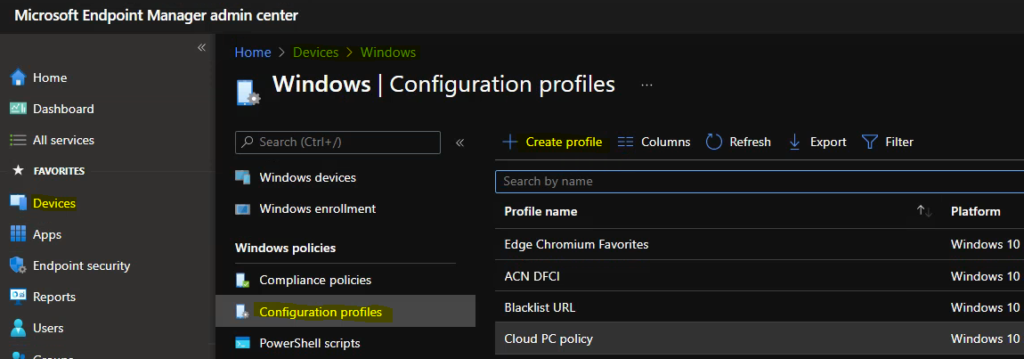
- Select Devices > Windows > Configuration profiles > Create profile
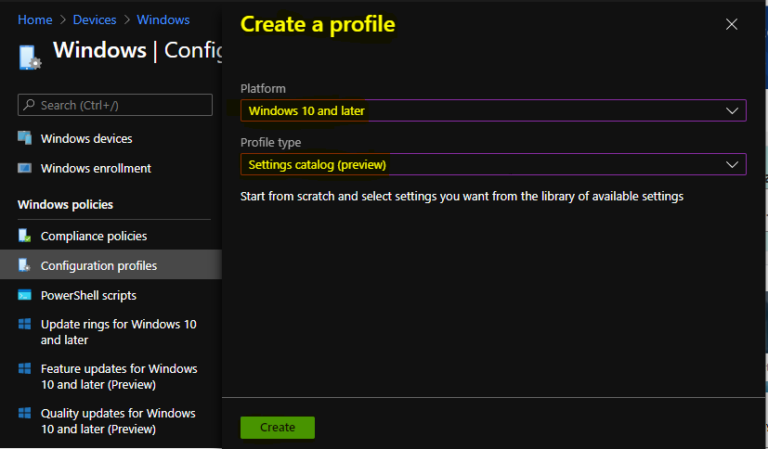
In Create Profile, Select Platform, Windows 10, and later and Profile, Select Profile Type as Settings catalog. Click on Create button.
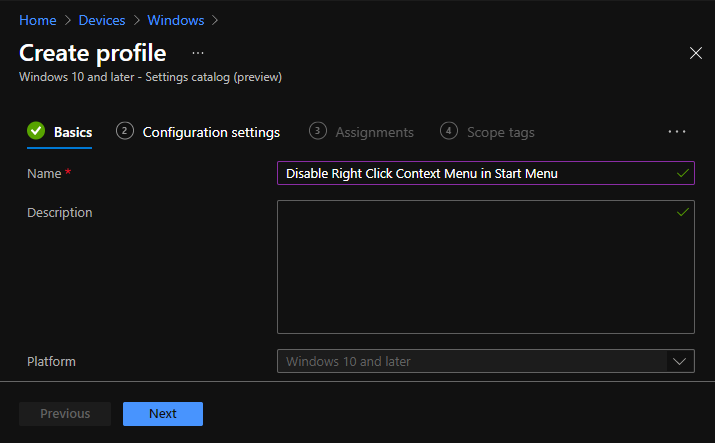
On the Basics tab, enter a descriptive name, such as Disable Web Search from Start Menu Using Intune. Optionally, enter a Description for the policy, then select Next.
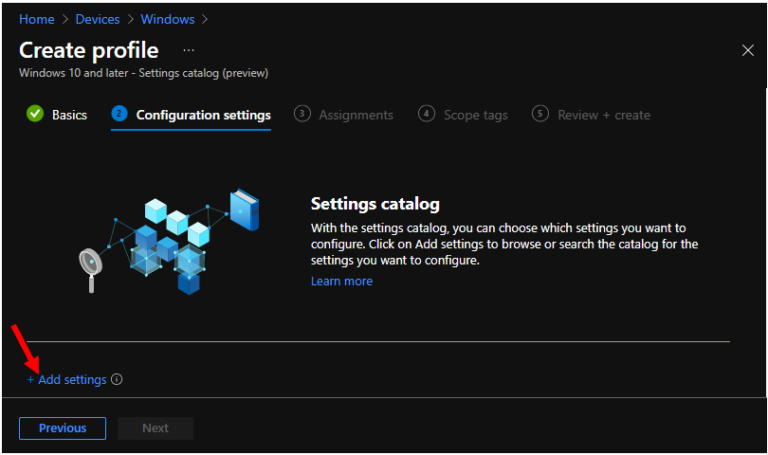
In Configuration settings, click Add settings to browse or search the catalog for the settings you want to configure.
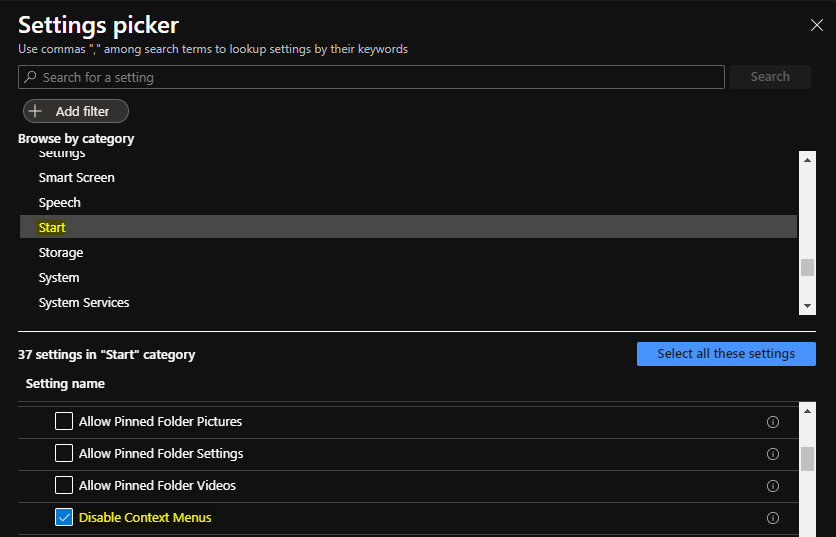
On the Settings Picker windows, Select Start to see all the settings in this category. Select Disable Context Menus below. After adding your settings, click the cross mark at the right-hand corner to close the settings picker.
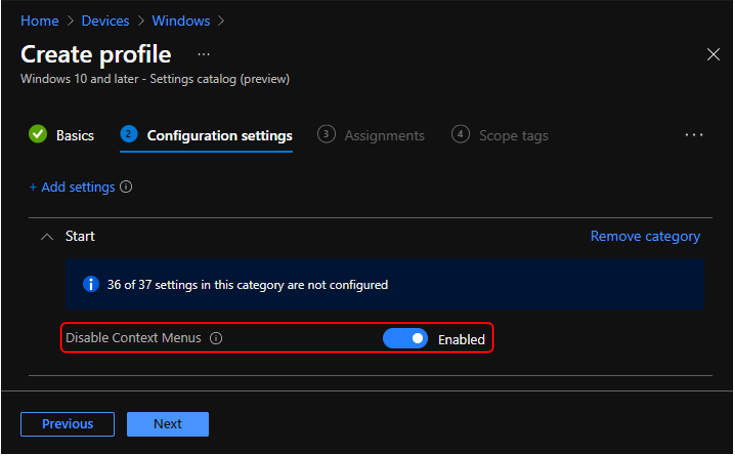
The setting is shown and configured with a default value Disabled. Set Disable Context Menus to Enabled. Click Next.
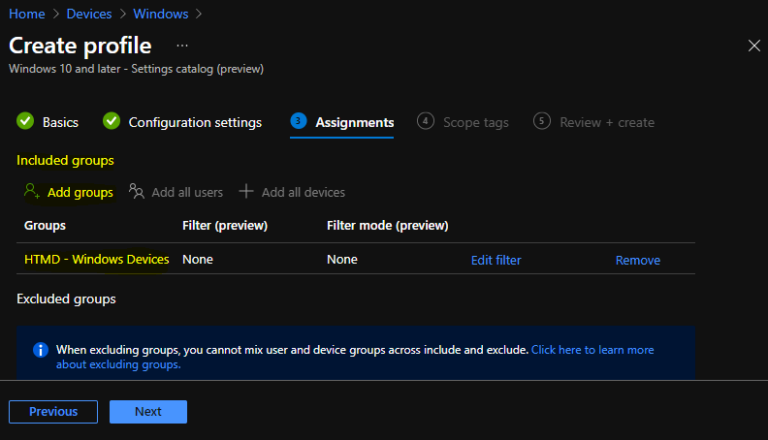
Under Assignments, In Included groups, click Add groups and then choose Select groups to include one or more groups. Click Next to continue.
In Scope tags, you can assign a tag to filter the profile to specific IT groups. Add scope tags (if required) and click Next.
In Review + create, review your settings. When you select Create, your changes are saved, and the profile is assigned.
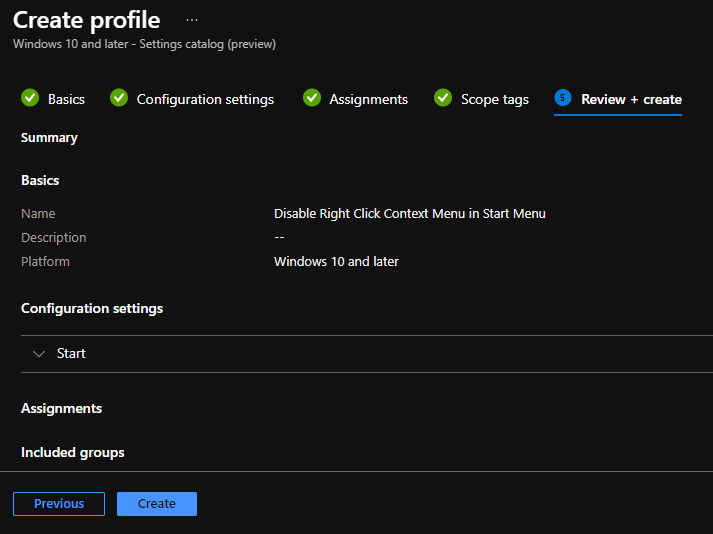
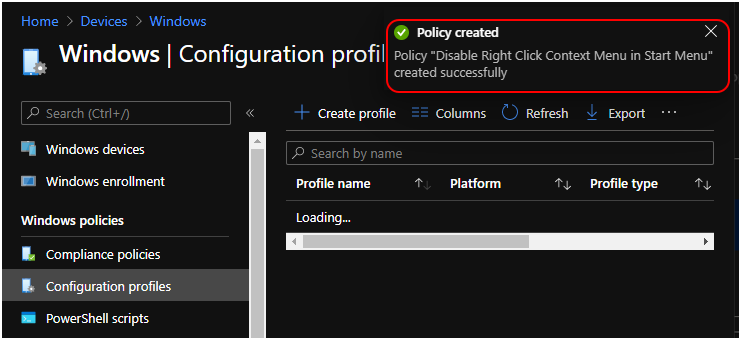
A notification will appear automatically in the top right-hand corner with a message. Here you can see, Policy “Disable Right Click Context Menu in Start Menu” created successfully. The policy is also shown in the Configuration profiles list.
Your groups will receive your profile settings when the devices check-in with the Intune service. Once the policy applies to the devices when a user right-clicks on the start menu. The options to select the made changes will not be available.
You can check Intune settings catalog profile report from Intune Portal, which provides an overall view of device configuration policies deployment status.
Author
About Author -> Jitesh has over 5 years of working experience in the IT Industry. He writes and shares his experiences related to Microsoft device management technologies and IT Infrastructure management. His primary focus area is Windows 10, Windows 11 Deployment solution with Configuration Manager, Microsoft Deployment Toolkit (MDT), and Microsoft Intune.


Discussion