






Find LOG4J Configuration Items ConfigMgr Community Hub
Let’s see how you can use the SCCM Community hub for LOG4J Configuration Items to start looking for potentially vulnerable systems. If you are using the ConfigMgr community hub, you have Configuration Items available in the console for detecting Log4j exploit attempts on the network.
Log4j is an open-source Java logging framework part of the Apache Logging Services used at an enterprise level in various applications from vendors across the world.
The remote code execution vulnerability related to Apache Log4j (a logging tool used by many Java-based applications) was disclosed, has observed at this time has been related to mass scanning by attackers attempting to thumbprint vulnerable systems, as well as scanning by security companies and researchers.
Log4Shell is a Java Naming and Directory Interface (JNDI) injection that allows unauthenticated remote code execution. If you could not upgrade Java 8 (or later) to versions 2.15.0 or 2.16.0 and followed previous mitigations, you are advised to remove JndiLookup class from the log4j-core jar to mitigate the vulnerability.

The string will remain in the victim web server’s logs and will force a callback or request to the attacker’s URL when the Log4j library parses it. Attackers can use the string to pass encoded commands or Java classes to the vulnerable machine.
- How to Create SCCM Configuration Items Configuration Baselines
- SCCM Community Hub – Scripts Reports and Documentation
- Enable the SCCM Community Hub node
Download LOG4J Configuration Items from ConfigMgr Community Hub
ConfigMgr Community hub where IT Admins can share the script and other supported objects with other admins. The community hub is an optional cloud-based feature. This was first introduced with the ConfigMgr 2002 version. This includes Powershell scripts, reports, applications, tasks sequences, and Configuration Items.
Launch the SCCM console, go to Community > Community hub.
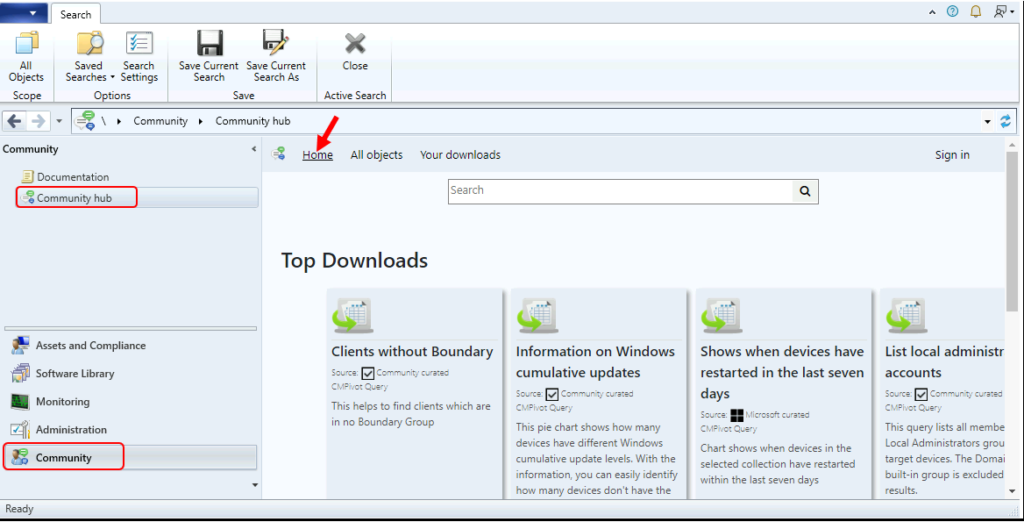
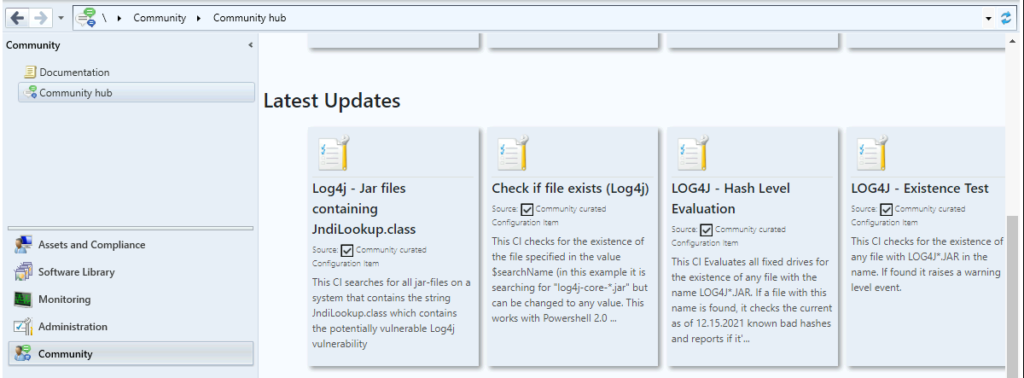
In the Community Hub, there are the following LOG4J configuration items. You can also use the search box to look for available configuration items.
- Log4j – Jar files containing JndiLookup.class: This CI searches for all jar-files on a system that contains the string JndiLookup.class which contains the potentially vulnerable Log4j vulnerability.
- Check if file exists (Log4j): This CI checks for the existence of the file specified in the value $searchName (in this example it is searching for “log4j-core-*.jar” but can be changed to any value. This works with Powershell 2.0 and above and uses robocopy for increased speed.
- LOG4J – Hash Level Evaluation: This CI Evaluates all fixed drives for the existence of any file with the name LOG4J*.JAR. If a file with this name is found, it checks the current as of 12.15.2021 known bad hashes and reports if it’s vulnerable.
- LOG4J – Existence Test: This CI checks for the existence of any file with LOG4J*.JAR in the name. If found it raises a warning level event.
Note – All content stored within GitHub and accessed from the Community hub isn’t supported by Microsoft. Microsoft doesn’t validate content collected from or shared by the general community
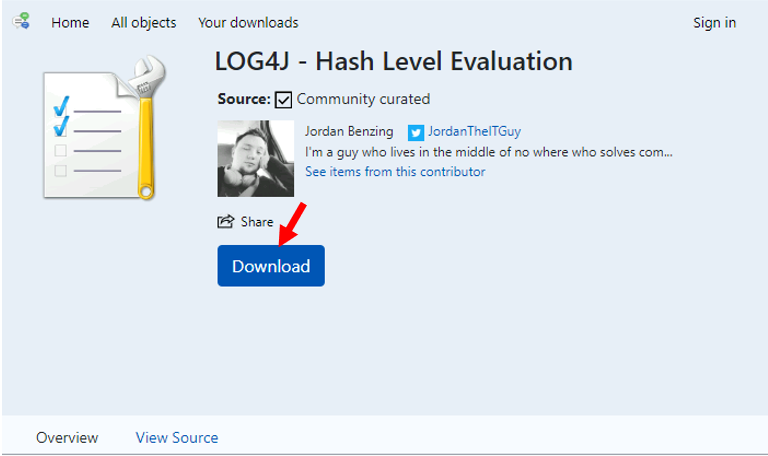
Let’s download LOG4J – Hash Level Evaluation from the community hub, Jordan Benzing, Microsoft MVP authored this configuration item Log4j – Existence test and Lgog4j – Hash level evaluation. To download this configuration item, click Download.
As mentioned by Jordan, The CIs developed by Matt Benninge is also useful for the community, have released two more options Log4j – Jar files containing JndiLookup.class and Check if file exists (Log4j) that have some increased compatibility, and do a Class search of all Jars. Most important, Find a solution that works for your needs.
Note – You don’t need to sign in to download any of these scripts.
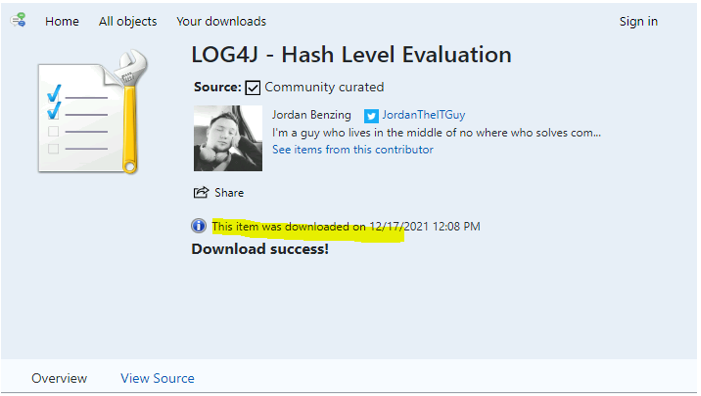
Let’s confirm the following details. This item was downloaded on <date> and <time>. Download success!
If you click the Your downloads option, you will find all the scripts, configuration items that were downloaded with your account.
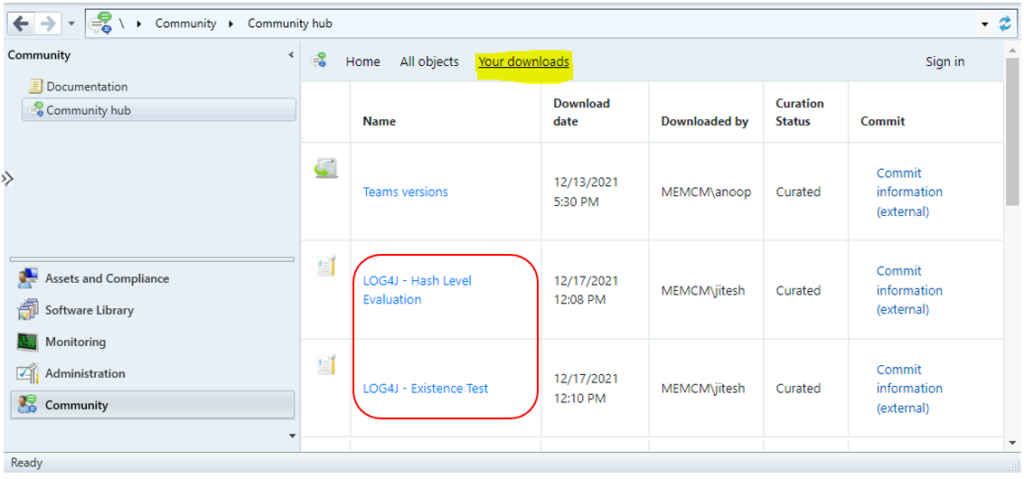
Results – LOG4J Configuration Items
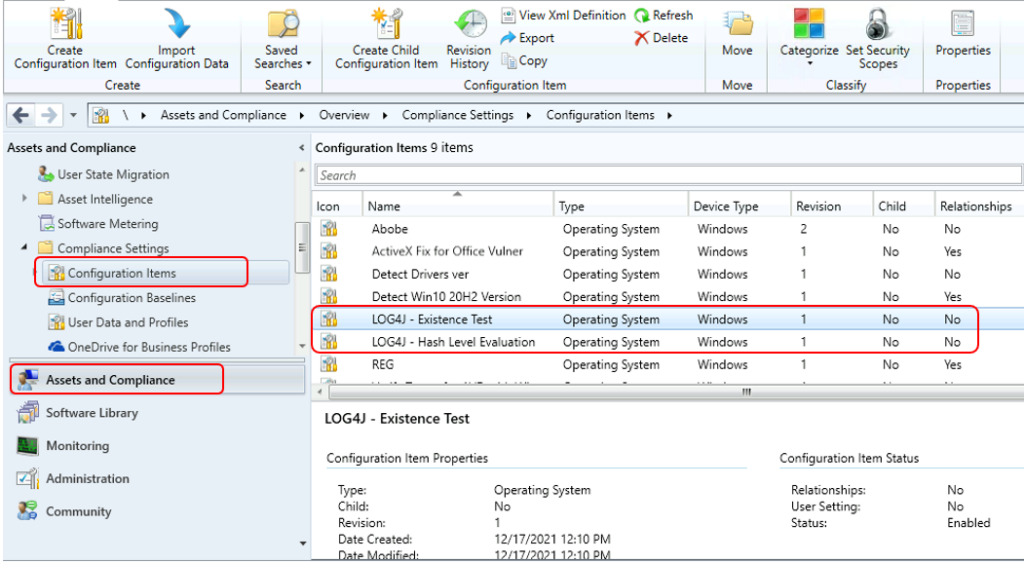
Open Configuration Manager Console. Go to Asset and Compliance -> Compliance Settings -> Configuration Items.
Here you can see configuration items Log4j – Existence test and Lgog4j – Hash level evaluation is available that you downloaded using Community Hub.
You can check more details on how to create Configuration Items, Baselines More on Video Tutorial – SCCM Configuration Item Baseline Explained by Deepak Rai ✔Configuration ✔Remediation ConfigMgr
Author
About Author -> Jitesh has over 5 years of working experience in the IT Industry. He writes and shares his experiences related to Microsoft device management technologies and IT Infrastructure management. His primary focus area is Windows 10, Windows 11 Deployment solution with Configuration Manager, Microsoft Deployment Toolkit (MDT), and Microsoft Intune.






Any case scenario of where we need to check LOG4J in Windows device because MECM only supports Windows devices ?
StaffHi Santosh,
This is identified on software usage not for Windows specific. Basically, we need to find out what services use the Log4j component, identifying which of these services your organisation uses
How to download this CI, as my environment is not connected to Internet and I cant use community hub. Can anyone please provide downloadable link for me.
Thank you
Browse Jordan Github repo and get the XML files. From XML file, you can make the CI.
StaffThank you Kiran for your inputs, Added the CIs links that will navigate to the GitHub repository!
StaffRupesh, Post updated with the links to navigate to GitHub repository!
Hi jitesh, could you please make the CI scripts public somewhere? I have an SCCM instance installed on Windows Server 2016, which does not support Community Hub .. At the moment I cannot update it.
StaffYou can please visit the CIs links that will navigate to the GitHub repository!
I’m in the same boat as Janare, I’m on 2016. Are the scripts available outside the community hub?
StaffPost updated with the links to navigate to GitHub repository! All credit to Author
I have made a config baseline with these config items and found non compliant devices. However I can’t find the information where is a log4j jar file found on a non compliant device. Or for example in the info lookup class CI, how can I found where the vulnerability was found in the non compliant devices that were reported?
Hello,
Please can you give a quick overview of how to manually add the XML files from guthub into a CI to check for Log4j, or is this not how you do it as I do not have community hub yet in SCCM, thanks.