






List of Windows 10 21H2 Group Policy Settings
Let’s quickly check the details of the New Windows 10 21H2 Group Policy Settings. In November, Microsoft released Windows 10, version 21H2 feature update, aka Windows 10 November 2021 Update.
With every new release of Windows 10, Windows 11 group policy settings are updated to enhance the work experience. This update also contains all features and fixes in previous cumulative updates.
Windows 10 21H2 group policy added exiting settings for managing windows updates. The Windows 10 21h2 group policy Specify source service for specific classes of Windows Updates now allows you to obtain different types of updates (quality, feature update, driver, or other) from Windows Server Update Service or Windows Update, respectively.
How to get the Windows 10 version 21H2 (November 2021 Update) ?

Devices running Windows 10, versions 2004, 20H2, and 21H1, can quickly update Windows 10, version 21H2, using an enablement package. You can also check the step by step guide to install the latest Windows version 21H2 on a new computer (bare metal) using sccm, Best Guide to Deploy Windows 10 21H2 Using SCCM
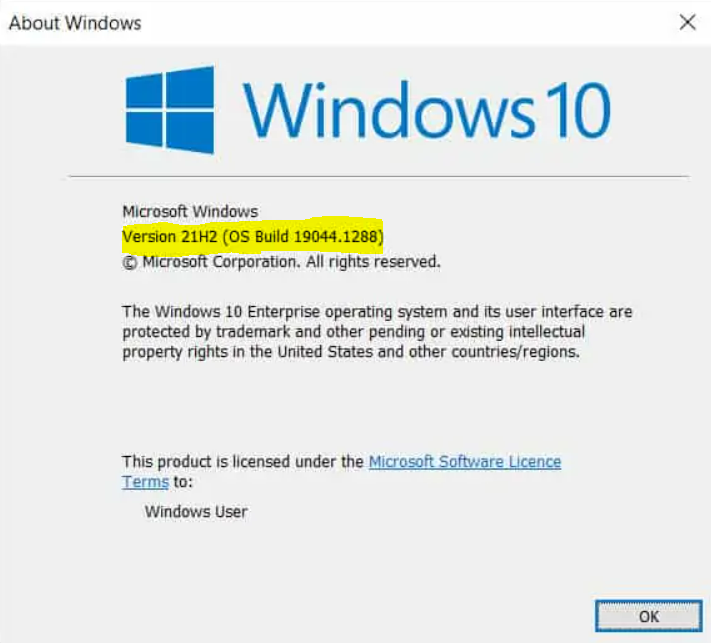
In enterprise environments with Windows 10, 21H2 Enterprise and Education edition settings can be managed via Group Policy. However, new administrative templates in the form of .admx files are required for version 21H2. You can check to download Windows 10 Administrative Templates for All Versions
- What’s New Group Policy Settings Available in Different Versions of Windows 10
- List of New Group Policy Settings in Windows 10 21H1
- List of Windows 11 Group Policy Settings
Windows 10 21H2 Group Policy Settings
Windows 10 21H2 Group Policy Settings for Computer (Machine) and User configurations are included in the Administrative template for Windows 10 version 21H2 (November 2021 Update). Here’s a list of shipped Windows 10 21h2 group policy –
| Location | Policy Path | Policy Setting Name | Help Text |
| Machine | MS Security Guide | Limits print driver installation to Administrators | Determines whether users that aren’t Administrator can install print drivers on this computer. By default users that aren’t Administrators can’t install print drivers on this computer. |
| Machine | Printers | Enable Device Control Printing Restrictions | Determines whether Device Control Printing Restrictions are enforced for printing on this computer. By default there are no restrictions to printing based on connection type or printer Make/Model. |
| Machine | Printers | Limits print driver installation to Administrators | Determines whether users that aren’t Administrators can install print drivers on this computer. By default users that aren’t Administrators can’t install print drivers on this computer. |
| Machine | Printers | List of Approved USB-connected print devices | This setting is a component of the Device Control Printing Restrictions. |
| Machine | System\Device Installation\Device Installation Restrictions | Apply layered order of evaluation for Allow and Prevent device installation policies across all device match criteria | This policy setting will change the evaluation order in which Allow and Prevent policy settings are applied when more than one install policy setting is applicable for a given device. |
| Machine | System\Kerberos | Allow retrieving the cloud kerberos ticket during the logon | This policy setting allows retrieving the cloud kerberos ticket during the logon.If you disable or do not configure this policy setting the cloud kerberos ticket is not retrieved during the logon. |
| Machine | Windows Components\Data Collection and Preview Builds | Disable OneSettings Downloads | This policy setting controls whether Windows attempts to connect with the OneSettings service. |
| Machine | Windows Components\Data Collection and Preview Builds | Enable OneSettings Auditing | This policy setting controls whether Windows records attempts to connect with the OneSettings service to the EventLog. |
| Machine | Windows Components\Internet Explorer | Reset zoom to default for HTML dialogs in Internet Explorer mode | This policy setting lets admins reset zoom to default for HTML dialogs in Internet Explorer mode. |
| Machine | Windows Components\Microsoft Defender Antivirus\Device Control | Define device control policy groups | You need to follow the device control policy groups xml schema to fill out the policy groups data. |
| Machine | Windows Components\Microsoft Defender Antivirus\Device Control | Define device control policy rules | Follow the device control policy rules xml schema to fill out the policy rules data. |
| Machine | Windows Components\News and interests | Enable news and interests on the taskbar | This policy setting specifies whether news and interests is allowed on the device. |
| Machine | Windows Components\Windows Hello for Business | Use cloud trust for on-premises authentication | Use this policy setting to configure Windows Hello for Business to use Azure AD Kerberos for on-premises authentication. This Windows 10 21H2 group policy supported for Windows 10 version 21H2 and later. |
| Machine | Windows Components\Windows Update | Specify source service for specific classes of Windows Updates | When this policy is enabled devices will receive Windows updates for the classes listed from the specified update source: either Windows Update or Windows Server Update Service. |
| User | Control Panel\Printers | Enable Device Control Printing Restrictions | Determines whether Device Control Printing Restrictions are enforced for printing on this computer |
| User | Control Panel\Printers | List of Approved USB-connected print devices | This setting is a component of the Device Control Printing Restrictions. To use this setting enable Device Control Printing by enabling the “Enable Device Control Printing Restrictions” setting. |
| User | Windows Components\Internet Explorer | Reset zoom to default for HTML dialogs in Internet Explorer mode | This policy setting lets admins reset zoom to default for HTML dialogs in Internet Explorer mode. |
Author
About Author -> Jitesh has over 5 years of working experience in the IT Industry. He writes and shares his experiences related to Microsoft device management technologies and IT Infrastructure management. His primary focus area is Windows 10 Deployment solution with Configuration Manager, Microsoft Deployment Toolkit (MDT), and Microsoft Intune.



Hi, just fyi that I noticed the Printing2.admx was updated (2021 date), however printing2.adml still has a 2019 date on it so looks like maybe not updated, so if you see anything strange when viewing those settings, this may be why.
There’s a V2 set of these policies which contain addition settings: https://www.microsoft.com/en-us/download/details.aspx?id=104042
until now we had this setting active in order to prevent downloading other than on wsus: “DotNotConnectToWindowsUpdateInternetLocation” = true
So If i want to use “Specify source service for specific classes of Windows Updates” i need to disable “DotNotConnectToWindowsUpdateInternetLocation” ?