






SCCM Console Servicing Extension Permission Gotchas Configuration Manager ConfigMgr
SCCM Console Servicing Extension Permission Gotchas Configuration Manager ConfigMgr. I had a chance to install and test the SCCM console servicing extension BETA. It seems very interesting and helpful 🙂 I won’t take a walk-through of the servicing extension tool.
The SCCM 2012 console servicing Extension tool helps automate tasks like query creation. It also lets you get an overview of sites in your SCCM environment. The SCCM servicing extension add-on will also help you list the SCCM 2012 client versions in your environment.
In this post, I will explain 1) The importance of having an Internet connection/access for CM12 console servicing extn, 2) the log file details of the Service Extension. and 3) How to resolve/fix access denied error on CU level details.
Also, here’s a quick walk-through to help download applications or tools from Microsoft Connect. Many people complain about the problem with Microsoft Connect downloads: They cannot download the applications or tools, the downloads are unavailable, etc.

- How to Use the SCCM Update Registration Tool to Import Hotfix
- How To Trigger SCCM Client Agent Actions Using PowerShell Script
- SCCM 2303 KB25073607 Hotfix Client Update Fixes
| Index |
|---|
| SCCM Console Servicing Extension Permission Gotchas Configuration Manager ConfigMgr |
| SCCM Servicing Extension – Site Servicing Node without Internet Connection |
SCCM Console Servicing Extension Permission Gotchas Configuration Manager ConfigMgr
Because of security constraints, most of our corporate servers don’t have direct access to the Internet. If that is the case in your environment, we can’t fully use the SCCM 2012 console servicing extension tool.
The SCCM 2012 servicing extension tool would probably be helpful when you have installed the sccm / ConfigMgr 2012 console on a remote client or terminal server with an internet connection. SCCM Console Servicing Extension Permission Gotchas Configuration Manager ConfigMgr.
SCCM Servicing Extension – Site Servicing Node without Internet Connection
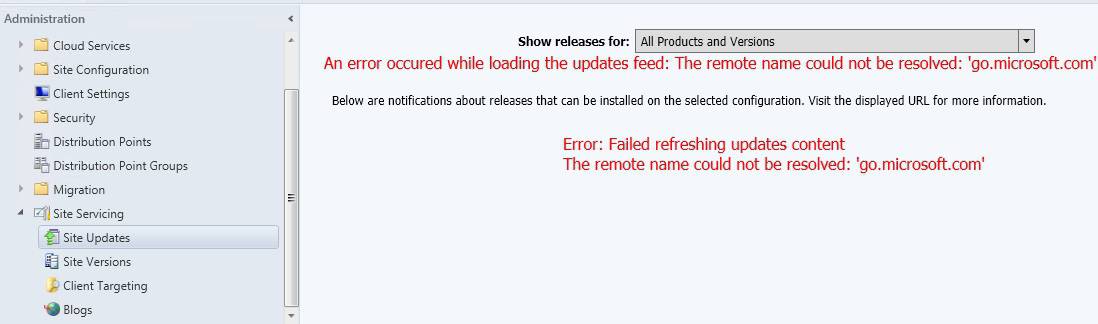
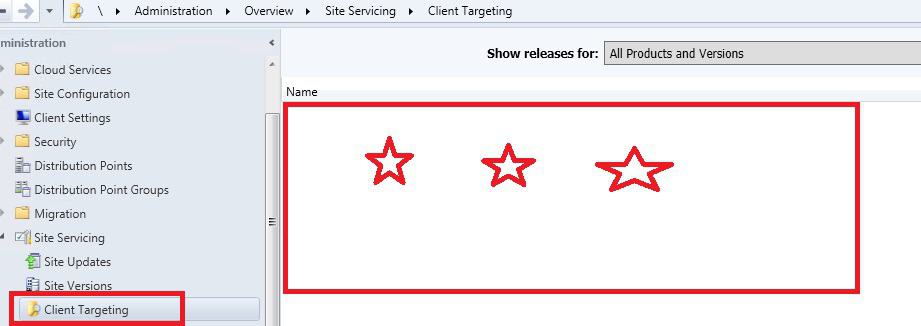
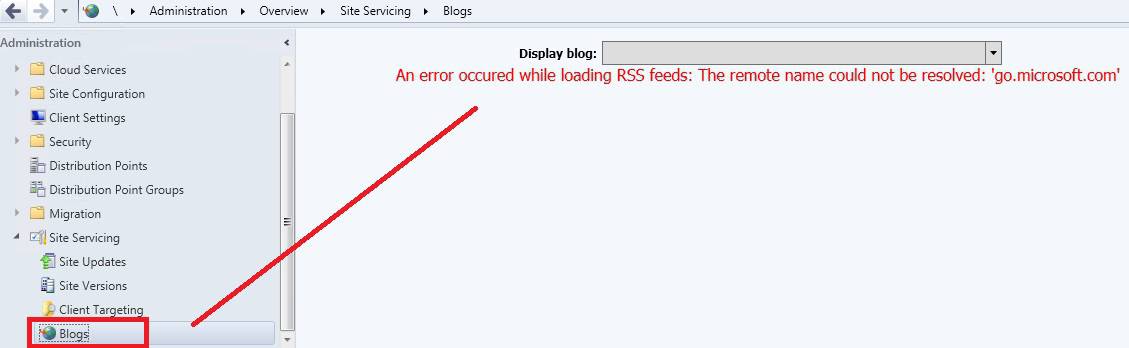
You will only have limited exposure to Site Versions details when you don’t have internet access on the SCCM 2012 console machine. Without an internet connection, the servicing extension tool won’t provide details in the nodes, including Site Updates, Client Targeting, and Blogs.
The following error will be displayed on the Site Update and Blogs nodes.
An Error occurred while loading the updates feed: The remote name could not be resolved: 'go.microsoft.com'
Below are notifications about releases that can be installed on the selected configuration. Visit the displayed URL for More Information
Error: Failed refreshing updates content
The remote name could not be resolved: 'go.microsoft.com'
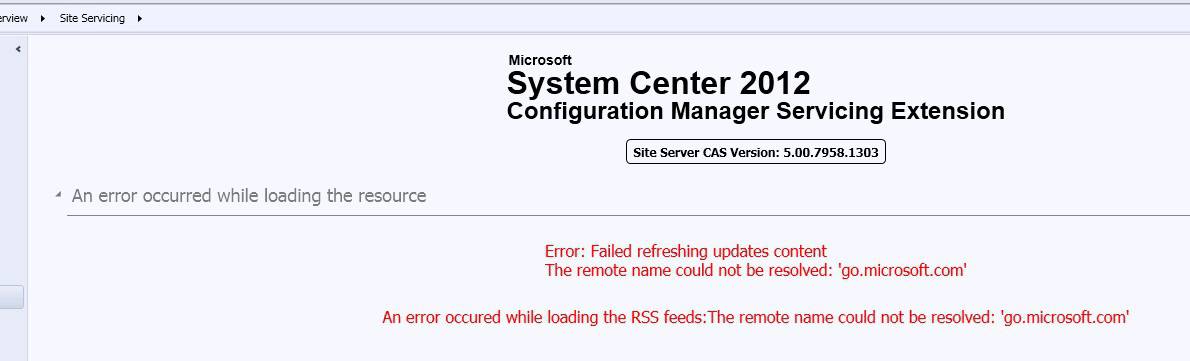
SCCM 2012 Servicing Extension—Site Updates Node without Internet Connection. An error occurred while loading the updates Feed. The remote name could not be resolved.
SCCM 2012 Servicing Extension—Client Targeting Node without Internet Connection. This is the Client Targeting window. The table below shows the steps.
| SCCM 2012 Servicing Extension |
|---|
| Administration |
| Overview |
| Site Servicing |
| Client Targeting |
SCCM Servicing Extension – Blogs Node without Internet Connection. This is the Blogs section. The steps are as follows: Administration > Overview > Site Servicing and Blogs.
Another tip I wanted to provide in this post is not to worry about the “Access Denied” error against the CU version detail of your site server in the Site Versions node in the SCCM 2012 servicing extension tool.
I noticed that when you’re running from the SCCM 2012 console from the CAS server, this extension tool cannot read the registry key (HKEY_LOCAL_MACHINE\SOFTWARE\Microsoft\SMS\Setup\CULevel) of the local server. However, as shown in the following picture, this extension tool could access CULevel details from the remote primary SCCM 2012 server.

The error details are in the SCCM 2012 Servicing extension log file called ServicingExtension.log. Logfile path E:\Program Files\Microsoft Configuration Manager\AdminConsole\AdminUILog\ServicingExtension.log
[2052, PID:2204][07/15/2014 10:01:37] :CabFileDataSource: System.Net.WebException downloading CAB file from http://go.microsoft.com/fwlink/?LinkId=386333: The remote name could not be resolved: 'go.microsoft.com'
[3872, PID:2204][07/15/2014 10:02:06] :SecurityException while reading CU level from server ACNCMCAS.Configmgr.com: Requested registry access is not allowed.
To fix this CU-level access denied issue from the SCCM 2012 Servicing Extension tool—Site Servicing—Site Versions node, you must give the user running the SCCM 2012 console exclusive READ access or permission.
This READ permission should be given to the registry key HKEY_LOCAL_MACHINE\SOFTWARE\Microsoft\SMS\Setup\.
After the permission changes, the servicing extension tool can access the details about the CU version installed on your site server (CAS server, for my scenario), and it’s visible in the CM 12 console. I’ve not installed any CUs, so it shows NONE.
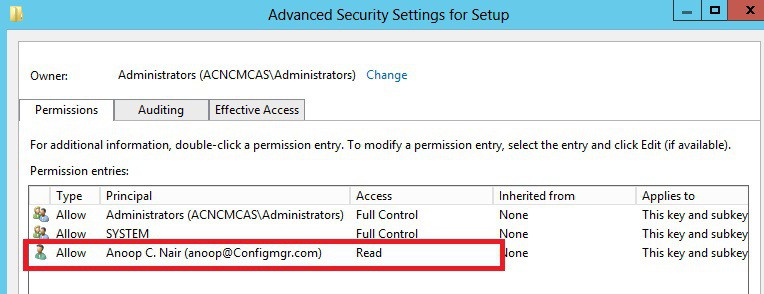
When you run the SCCM console from the primary server, you won’t be able to read the CU-level details from the local primary server (registry) unless and until you provide the above registry permissions. This is strange, as my user Anoop@configmgr.com is part of the local administrators’ group.

ConfigMgr clients below version 5.00.7958.1303 (Cumulative Update 2 for System Center 2012 R2 Configuration Manager)
Sample in Built Query available on SCCM 2012 Servicing Extension Tool
SELECT * FROM SMS_R_System WHERE Client = 1 AND ClientType != 3 AND ClientVersion IS NOT NULL AND ClientVersion < '5.00.7958.1303'
Software requirements or prerequisite for SCCM 2012 Console Servicing Extension tool
The following must be installed on the server or client computer on which CM12 Servicing Extension will be installed:
- An operating system supported by SCCM 2012. Note that Windows XP clients and Windows Server 2003 clients are not supported.
- The SCCM 2012 console from ConfigMgr 2012 SP1 or later, or SCCM 2012 R2 or later.
I’ve seen loads of people facing problems downloading the application under Microsoft Connect, so I thought I’d give a quick walk-through of the download process :). First, you must register and join the Microsoft Connect open BETA program (Windows Live ID can be used here).
Can you download the SCCM 2012 Servicing Extension from Microsoft Connect? Are you getting “Page NOT error on found” on the Microsoft Connect page ;
- 1. Are you logged into Microsoft Connect? Try to log in via http://connect.microsoft.com/?lc=1033
- 2. The user who logged in should be part of the Configuration Manager ConfigMgr Open Beta Program under https://connect.microsoft.com/directory/ to download the abovementioned tool.
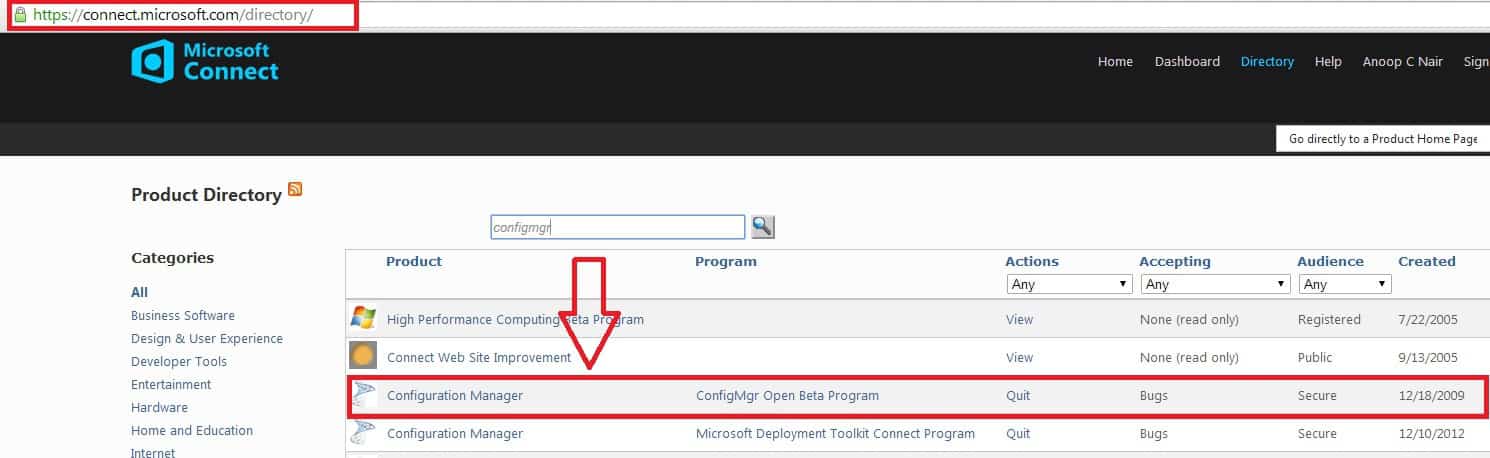
3. When you’re part of the ConfigMgr Open Beta program, enter the following page: https://connect.microsoft.com/ConfigurationManagervnext and click Downloads.
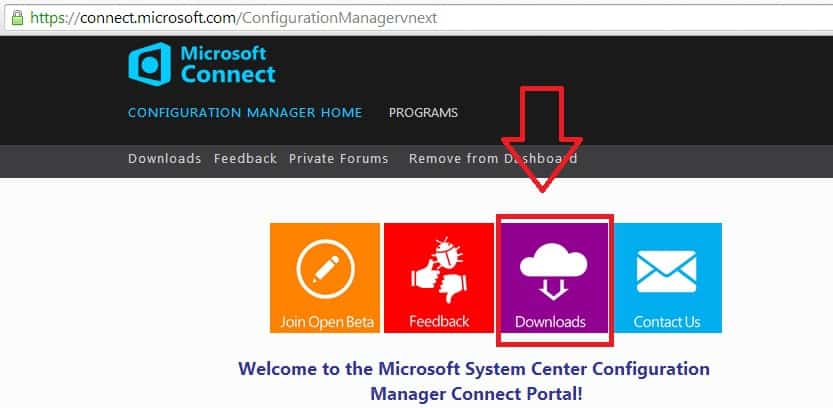
4. Okay, now on this page, https://connect.microsoft.com/ConfigurationManagervnext/Downloads, you can see the currently available downloads for this ConfigMgr open beta program.
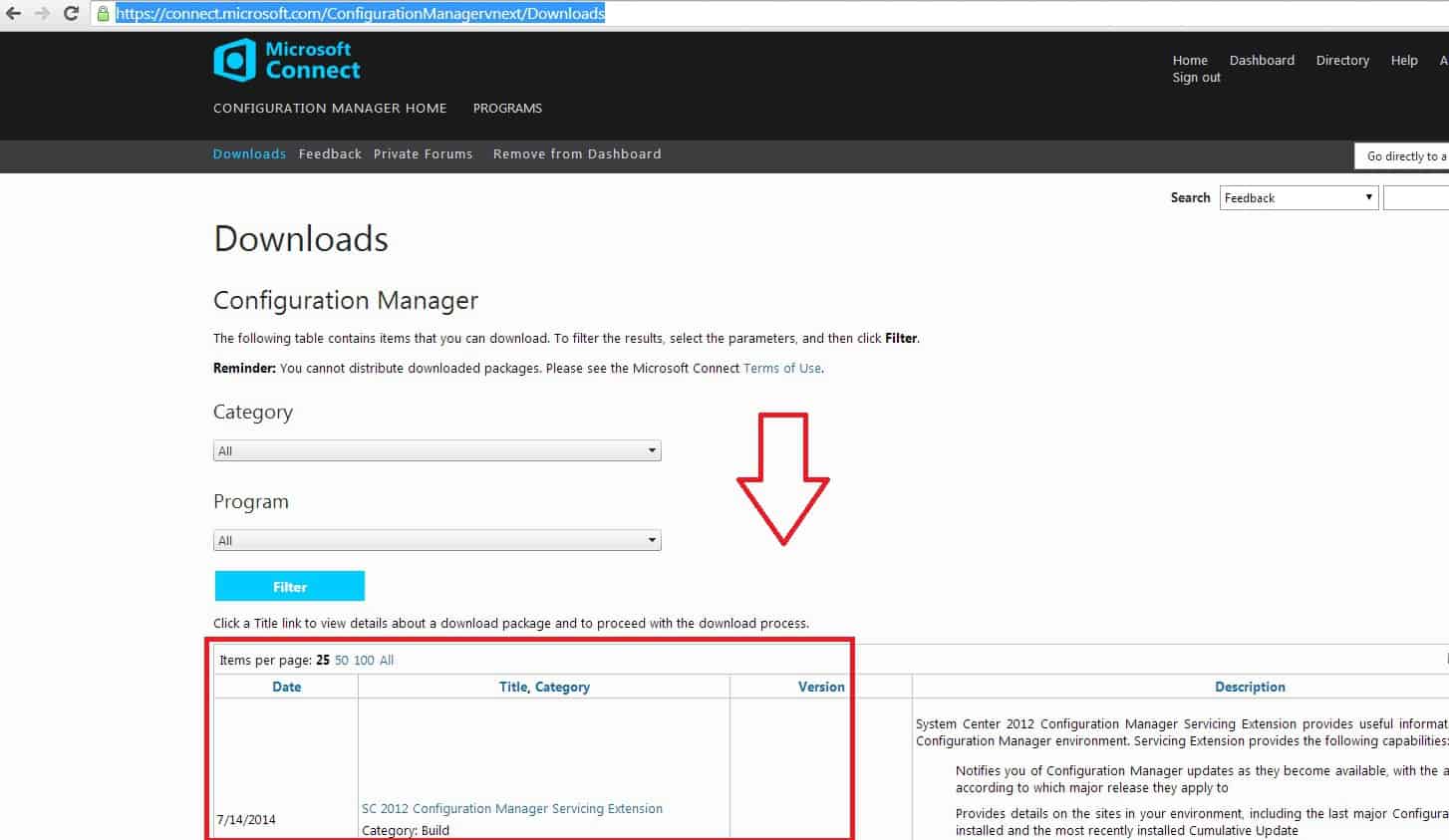
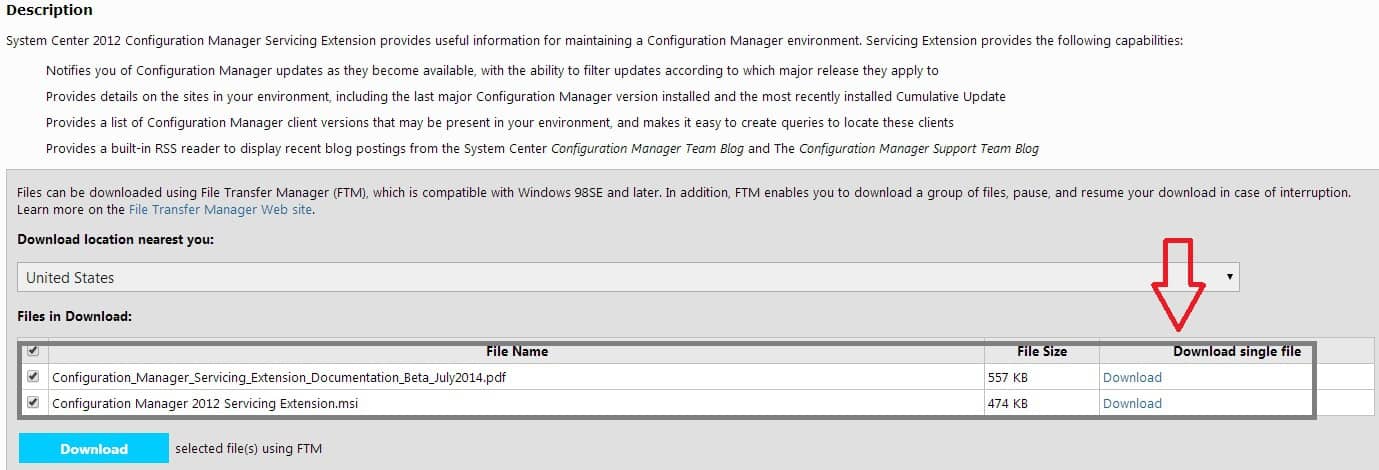
5. Once you click on SC 2012 Configuration Manager Servicing Extension from the above link, you will be taken to the actual DOWNLOAD page: https://connect.microsoft.com/ConfigurationManagervnext/Downloads/DownloadDetails.aspx?DownloadID=53752.
We are on WhatsApp now. To get the latest step-by-step guides, news, and updates, Join our Channel. Click here. HTMD WhatsApp.
Author
Anoop C Nair is Microsoft MVP from 2015 onwards for consecutive 10 years! He is a Workplace Solution Architect with more than 22+ years of experience in Workplace technologies. He is a Blogger, Speaker, and Local User Group Community leader. His primary focus is on Device Management technologies like SCCM and Intune. He writes about technologies like Intune, SCCM, Windows, Cloud PC, Windows, Entra, Microsoft Security, Career etc…




Sorry, adding my lo on user “administrator@domain.com” and setting that key permissions to just read still gives me a “denied”
Is a reboot needed?
StaffOK happy to hear that you fixed the problem.
Regards
Anoop
Nope. Reboot made no difference.
However, running the console as admin fixed the problem!