






Intune Policy Per Setting Status Report
Let’s check the Intune Policy Per Setting Status Report from Endpoint Manager portal. The Per setting status report surfaces the summary of device and user check-ins in Success, Conflict, Error states at the granular setting level within the device configuration profile.
Starting in Intune Service release 2203, Microsoft provides a new reporting experience for device configuration profiles and endpoint security templates.
The new experience moves away from the per policy donut charts to a sleeker overview chart that quickly updates as devices/users check in. There are three reports in the per policy view:
- Device and user check-in status shows the count of devices and users in each state for a policy. This is automatically updated as devices check in.
- Device assignment status shows the status for devices targeted by a policy. This report also surfaces devices in a “pending” state.
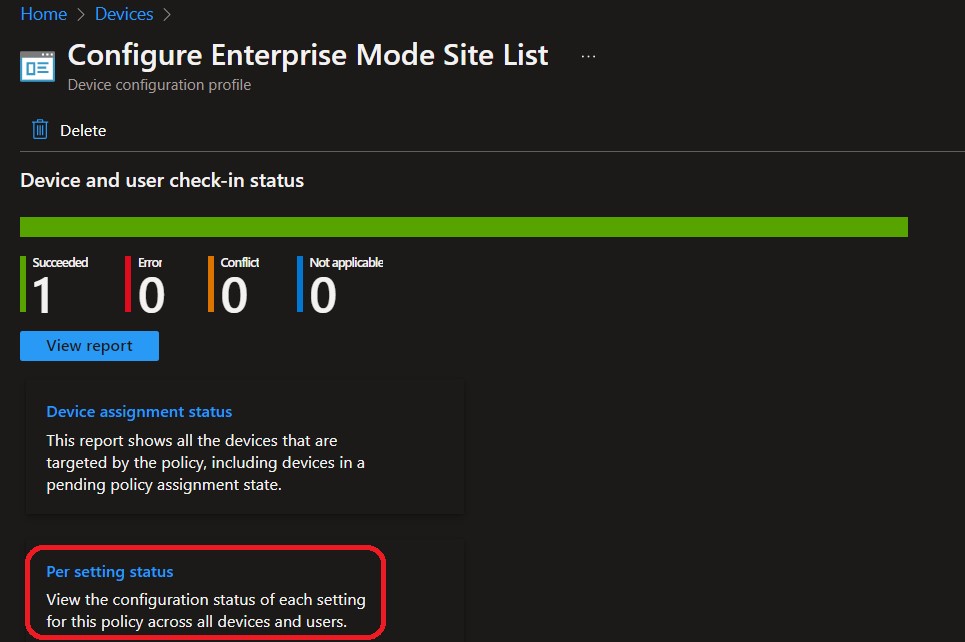
- Per setting status, which shows the status of the device or user check-in at a setting level within the policy. The states include error, conflict, and success.
You can also directly check for Intune settings catalog profile report from Intune Portal, which provides an overall view of device configuration policies.

- Intune Reporting Issue: Expedite Windows Security Patch Deployment
- How to Use Group Policy Analytics in Intune Portal | Endpoint Manager
- List of Intune Default Reports Reporting Strategies Advanced Reporting Options
Intune Policy Per Setting Status Report
Let’s check the steps to view a summary of the Per Setting Status report –
- Login to Microsoft Endpoint Manager Admin Center https://endpoint.microsoft.com/
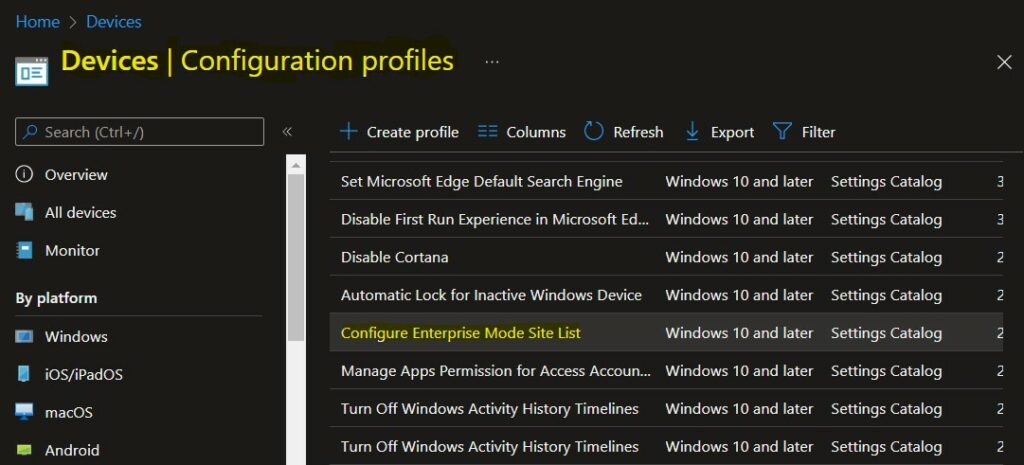
- Navigate to Devices -> Configuration profiles or the Endpoint security node, depending on the policy type you want to view information for.
For Example – I am selecting Configure Enterprise Mode Site List to Use IE Mode. To make it easier, You can search for a keyword, such as Enterprise Mode Site, to find the existing policies from the lists you created.
Click on the Per setting status policy report, and This report shows the configuration status of each setting for the policy across all devices and users.
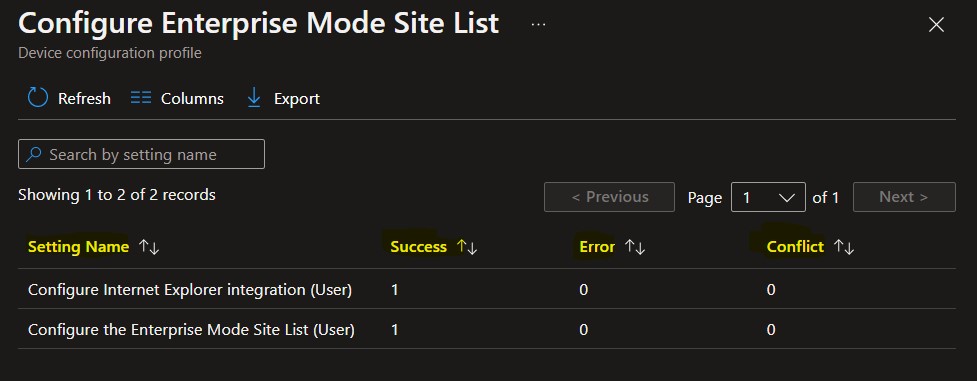
You will see the status of the device or user check-in at a setting level within the policy.
It includes a list of settings, by name, and a field above the list where you can ‘Search by setting name’. The report list columns are ‘Setting Name’, ‘Success’, ‘Error’, and ‘Conflict’.
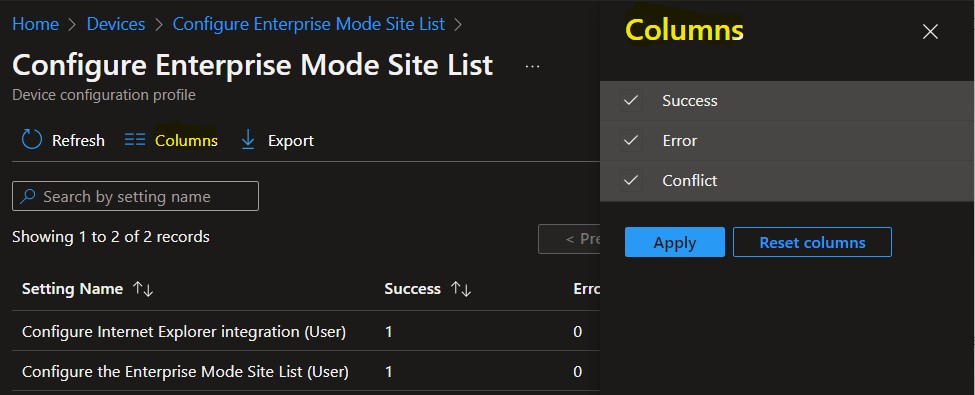
You can use the Columns property to add or remove columns from the generated report. Click on the Columns, A flyout displays Success, Error, Conflict, and here you can Check or Uncheck the columns you want to include. Select Apply to update.
Export Configuration Policy Devices Report
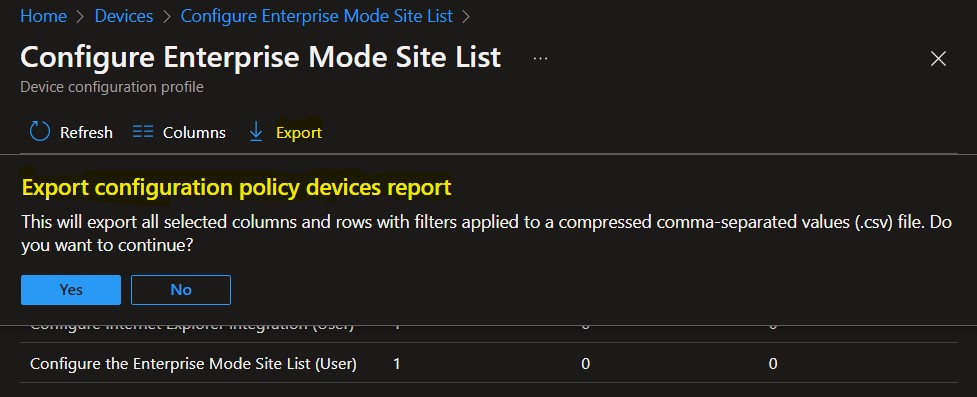
You can quickly export status. Click on the Export. The popup will appear with the message when exporting the configuration policy device report, Click Yes. This will export data to a comma-separated values (.csv) file.
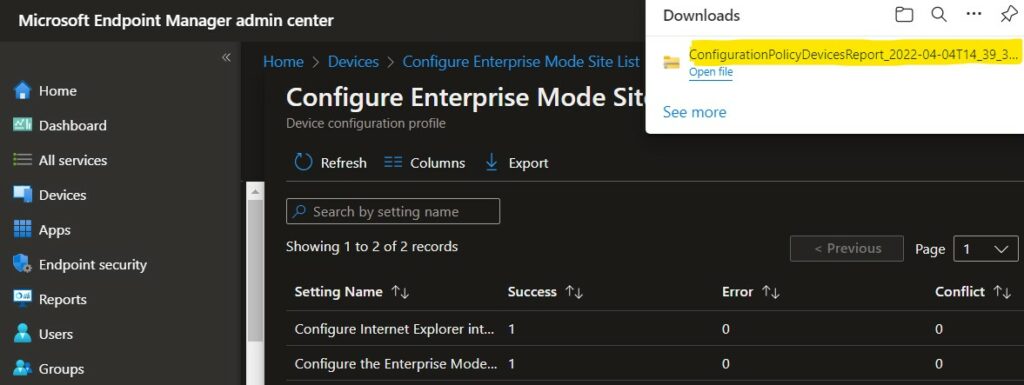
The report zip file is added to your download tray and automatically saved to your computer. Extract the downloaded file to view the details.


Is there any way to drill down further on the errors when they are reported?
I have the EXACT same question
StaffThere are different ways to drill down see https://www.anoopcnair.com/intune-logs-event-ids-ime-logs-troubleshooting/
How can you do so at scale? We have policies with hundreds of failures, and every individual occurance we have found seems to have a different error. Getting a bulk report to see what devices are getting what error would be invaluable. Right now the lack of info in Intune is infuriating.