






FIX: SCCM Application Error Unmatched exit code (1)
Let’s see how you can fix the SCCM Application Error Unmatched exit code (1) is considered an execution failure. When installing an application from the software center, you may notice an error 0x1(1). further checking the log mention the details.
You can use the method to translate SCCM Error Codes To Error Messages. You have multiple SCCM log viewer options to check different types of log files .log or .lo_ file extensions. I prefer to use CMTrace to translate the error codes.
Unmatched exit code (1) is a generic Windows Installer error that translates to Incorrect function. Most of the time, the issue occurs with the script used for installing or uninstalling the applications.
The problem is that the script exit with error code 1. It would help if you started looking to review the script installer, checking at the SCCM end won’t help much here.

The client-side flow for the application deployment post will help you to perform troubleshooting for failed deployment.
- Repair Microsoft Office Applications in Windows 11 | Fix Error Code 0-2031 17006
- Deep Dive SCCM Application Model Troubleshooting
- FIX SCCM Application Deployment Error 0x80110449 -2146368439
Issue – SCCM Application Error Unmatched exit code (1)
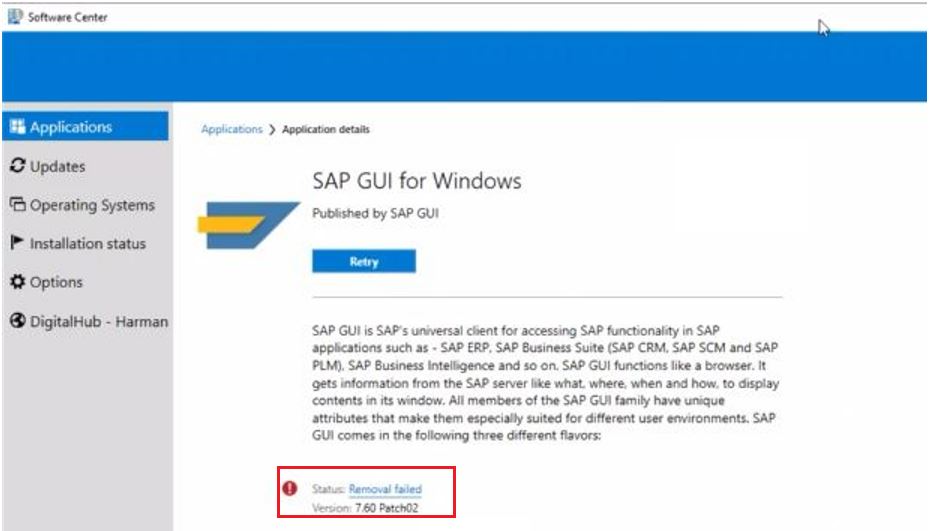
The error application uninstallation failed was received while uninstalling an application from Software Center. The software center showed a status Removal failed, clicking on the hyperlink to get more information –
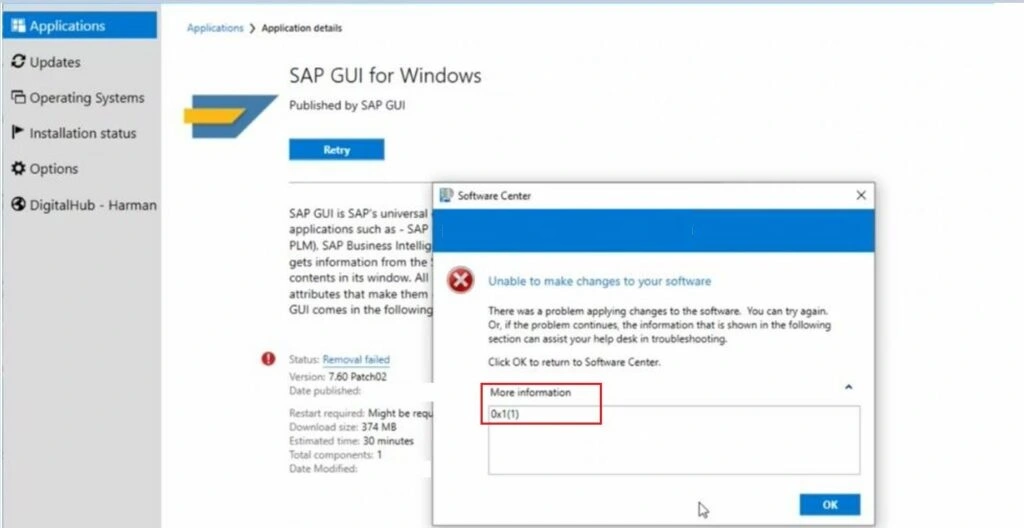
It indicates there was a problem applying changes to the software from SCCM. You can try starting the installation again, or if the problem continues, the information shown in the section below can assist your helpdesk in troubleshooting 0x1(1).
You did not know why it failed with that error message unless you have already dealt with such application installation or uninstallation errors before.
Checked AppEnforce.log from C:\Windows\CCM\Logs to understand the issue with the deployment.
If you review the AppEnforce.log file on the client computer, you notice Unmatched exit code (1) is considered an execution failure, or you may also see Unmatched exit code (70).

+++ Discovered application [AppDT Id: ScopeId_E1E6949B-5FA8-436C-9767-7941075C0307/DeploymentType_1ee1548e-e10a-4fd0-9bbc-477bc27a58ub, Revision: 6]	AppEnforce	4/13/2022 4:44:51 PM	6292 (0x1894)
    App enforcement environment:
	Context: Machine
	Command line: ""
	Allow user interaction: No
	UI mode: 0
	User token: null
	Session Id: 2
	Content path: C:\WINDOWS\ccmcache\1g
	Working directory: 	AppEnforce	4/13/2022 4:44:51 PM	6292 (0x1894)
    Prepared working directory: C:\WINDOWS\ccmcache\1g	AppEnforce	4/13/2022 4:44:51 PM	6292 (0x1894)
    Prepared command line: "C:\WINDOWS\System32\wscript.exe" "C:\WINDOWS\ccmcache\1g\SAPGui_7.60_Patch02_x86x64_EN_UnInstall.vbs"	AppEnforce	4/13/2022 4:44:51 PM	6292 (0x1894)
    Executing Command line: "C:\WINDOWS\System32\wscript.exe" "C:\WINDOWS\ccmcache\1g\SAPGui_7.60_Patch02_x86x64_EN_UnInstall.vbs" with user context	AppEnforce	4/13/2022 4:44:51 PM	6292 (0x1894)
    Working directory C:\WINDOWS\ccmcache\1g	AppEnforce	4/13/2022 4:44:51 PM	6292 (0x1894)
    Post install behavior is BasedOnExitCode	AppEnforce	4/13/2022 4:44:51 PM	6292 (0x1894)
    Waiting for process 17828 to finish.  Timeout = 90 minutes.	AppEnforce	4/13/2022 4:44:51 PM	6292 (0x1894)
    Process 17828 terminated with exitcode: 1	AppEnforce	4/13/2022 4:45:31 PM	6292 (0x1894)
    Looking for exit code 1 in exit codes table...	AppEnforce	4/13/2022 4:45:31 PM	6292 (0x1894)
    Unmatched exit code (1) is considered an execution failure.	AppEnforce	4/13/2022 4:45:31 PM	6292 (0x1894)
SCCM Application Error Unmatched exit code (1)
Let’s check the possible solutions to FIX the SCCM Application Failed Unmatched Exit Code 1. It could be different based on the details you get into logs –
In this scenario, I found the application file downloaded to a client device without any issue, As sometimes it has been seen the application is invalid or corrupt. In such cases, you must download the installer again.
In the first step, I recommend checking the manual installation or uninstallation of applications by enabling logging to ensure the method is working expectedly. Interactive mode allows you to check the application behavior easily.
In case you’re using the PowerShell script inside the application, It’s important to change the execution policy to allow it to run a more detailed guide here.
Since you have modified the script, you must update the application content. However, Applications always use binary differential replication.
Here we had observed the issue with the script installer, after modifying the script performed manual testing for validation. After confirmation, I proceeded to replace the updated content. Here’s how you can update content from SCCM –
In SCCM Console, Navigate to \Software Library\Overview\Application Management\Applications. Select Application – Deployment Types. Right-Click and Select Update Content.
To speed up the process, you can clear the cache from the client machine and trigger the action cycle. Initiate the Machine Policy Request & Evaluation Cycle to speed up the inventory, SCCM client action Machine Policy Request & Evaluation Cycle triggers the re-evaluation of the machine policy process from the client.
Application Deployment Evaluation Cycle, This SCCM client action Application Deployment Evaluation Cycle “immediately” triggers the application deployment evaluation process.
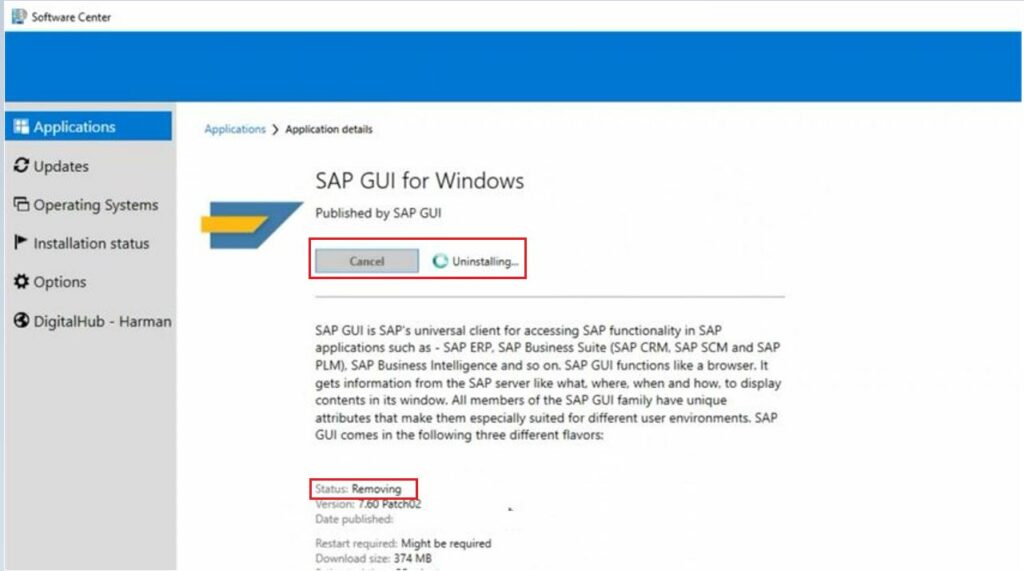
When you launch the Software Center, click on Application and select the action “Install or Uninstall.” You may notice the application started downloading the content.
As soon as the content is available, It will start the next process. Here you can see the status Removing.




Discussion