






Intune Company Portal Issue with OPPO OnePlus Realme Android Devices
Let’s check the Intune Company Portal Issue with OPPO OnePlus Realme Android Devices Issue. After the upgrade from Android 11 to Android 12, OPPO OnePlus Realme devices cannot complete the Intune enrollment.
Microsoft is aware of the known issue that customers are losing access to Microsoft Intune-managed resources after upgrading to the Android 12 version. The Intune-managed resources/apps are Teams, Outlook, etc.
The impacted users won’t be able to access any of the Intune managed/protected corporate applications. So this known issue breaks the entire functionality of impacted Android devices. Microsoft has not confirmed these issues with other device OEMs such as Samsung.
Update: Intune Company Portal Issue with OPPO Devices
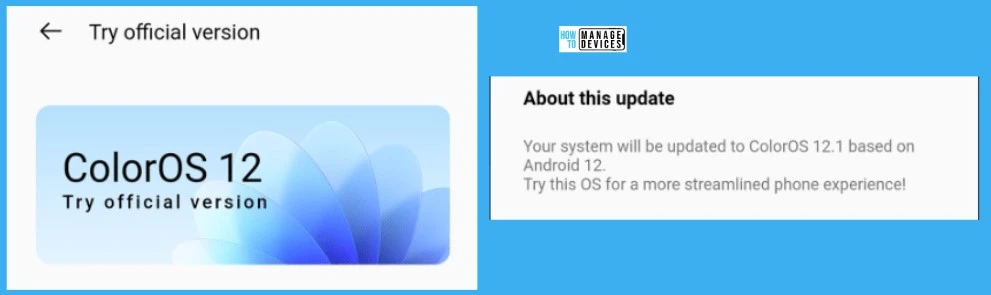
The update from Oppo Care (Twitter) is that “we are aware of the problem, and it is being processed urgently. It is expected to be solved in the next ColorOS 12 update. Please wait patiently and pay attention to the update push of the phone.”

Root Cause: Android Devices Issue with Intune Company Portal
Microsft is worked with Google and Device OEMs – OPPO/OnePlus/Realme engineering has found an issue in the PackageManagerService#getInstalledPackages Android API. It will fail when the APK calls this function in a non-primary user.
The good news is that the impacted Device OEMs have identified a fix and are currently working with Google TAM services to validate that the fix is implemented for each affected brand (OPPO, OnePlus, and Realme).
Impacted Android Devices and Latest Updates: Intune Issue
Microsoft confirmed the issue is only with the following Android devices. All these details are updated with the Microsoft Tech Community post.
- OPPO – OPPO has identified a fix and is working on submitting a gradual rollout of the fix with periodic OTA updates.
- OnePlus – OnePlus has confirmed the issue has been resolved in the latest build for the OnePlus 9 series. Ensure that you have build: LE2123_11_C.47 and higher to resolve this issue.
- Realme – Realme has identified a fix and is working on submitting a gradual rollout of the fix with periodic OTA updates.
NOTE! – Note that build NE2217_11_A.03 does not fix the issue on the OnePlus 10 device, and OnePlus is aware of this issue.
FIX: Intune Company Portal Issue with OPPO OnePlus Realme Android Devices
Updated on 3:40 AM UTC 31st Aug 2022. The issue with Intune Company Portal and the Android 12 operating system is fixed now by all the OEMs listed below. Microsoft updated the post linked in the above section to confirm the status.
NOTE! – This means if you have any issues or symptoms similar to this (Intune Company Portal installation), it’s Device OEM’s responsibility to fix it with the updates already approved by Google TAM. And Microsoft is not actively tracking this issue anymore.
| OEM | Google TAM Services Validated & Approved Fix? | FIX Rollout is completed? | Action Item for Customers/End Users? | Not Getting Updates? |
|---|---|---|---|---|
| OPPO | Yes, May 25th, 2022 | Yes, should have been rolled out | Install any new OTA updates | Check with Google and Device OEM support resources |
| OnePlus | Yes, May 25th, 2022 | Yes, should have been rolled out | Install any new OTA updates | Check with Google and Device OEM support resources |
| Realme | Yes, May 25th, 2022 | Yes, should have been rolled out | Install any new OTA updates | Check with Google and Device OEM support resources |
Author
Anoop is Microsoft MVP! He is a Device Management Admin with more than 20 years of experience (calculation done in 2021) in IT. He is Blogger, Speaker, and Local User Group HTMD Community leader. His main focus is on Device Management technologies like SCCM 2012, Current Branch, and Intune. He writes about ConfigMgr, Windows 11, Windows 10, Azure AD, Microsoft Intune, Windows 365, AVD, etc.


Hi Anoop Sir,
We have situation where user is having Oppo device Android 12, I asked to update, User updated to 12.1 ColorOS but still having an issue
I also tried my OPPO Find X3 Lite 5G after ColorOS update to 12.1. Intune unable to complete registration since upgrade from ColorOS 11.
I have oneplus 9Pro with LE2127_11_C.18 still I am not able to use MSoft intune company portal, it says the device is not compliant. but above it is mentioned that oneplus confirmed that the issue is resolved with LE2123_11_C.47 and above versions but it is not resloved.
StaffIs it only happening with one device in that particular model or are you able to repro the issue on other same model mobiles?
I have an oppo f11 Android version 10. Intune company portal environment is unable to be enrolled in my device.
StaffWhat is the error you are getting …same error?
Is Intune working in oppo reno 6 5g now in android 12
I am realme device user..and still not able to login to company intune app
StaffWhich Android version or update you are in?
I am using OnePlus 10R with Oxygen OS 12.1 version CPH2423_11_A.08 but still unable to use Microsoft intune company portal & related apps.
StaffAre you sure, you have the same issue explained in this post? I think Microsoft’s message is clear that it’s nothing to do with Microsoft now. You need to raise a support case with OnePlus for this issue to get updates into their devices.
Intune portal issue solved or not in oppo reno 6??
I have OPPO Reno4 Pro with ColorOS 12.1 and Android 12.
Not able to login on Company Intune Portal.
Can anybody suggest alternate so that it start working.
Hi Anoop,
Intune Company portal is not working On Nothing Phone 1.
Can you let me know what needs to done?
Hi Anoop,
Intune company portal is not working on Vivo brand, V2022 model, Funtouch OS 12 Global version. Please help me …
StaffWhat is the error that you are getting?
Is this resolved?
Issue is still existing. I am unable to access my company outlook/Teams via intune company portal.
Device: Oppo A53
Version- Android – 12
ColorOS version V12.1
Hi I have color os 13 oppo a78 5g
Microsoft intune device settings is not working any fix is there please let me know
Hi,I am using realme GT Neo 3t, I am unable to access intune, getting invalid credentials error.is there any fix please let me know
The issue is still …, I didn’t get the solution