






FIX Error 0xC002001B Microsoft Store Apps might fail to Install during Autopilot
Let’s see details on the Error 0xC002001B Microsoft Store apps might fail to Install. This issue could cause issues with Windows Autopilot profile assignment. The impact is only for Windows 10 OS after installing KB5011831 released on April 25, 2022. This issue is affected only Windows 10 platforms.
Affected Windows 10 devices use a processor (CPU) that supports Control-flow Enforcement Technology (CET), such as 11th Gen and later Intel Core Processors or later and certain AMD processors.
Microsoft released June 2022 Cumulative Update patches, KB5014697 and KB5014699, on 14th June 2022. More details -> Windows 10 KB5014699 Windows 11 KB5014697. Microsoft already published two known issues with June patches.
Microsoft announced a fix for Windows 11 Mobile Hotspot Issue. The fix is available with KB5014668 (preview hotfix only for Windows 11), released on 23rd June. The windows 10 issue with the mobile hotspot is still under investigation.

Microsoft fixed the Azure AD login issue with Windows ARMs devices. More details -> Out-of-band Patches To FIX Login Issues With Azure Active Directory Microsoft 365 Services | ARM Devices.
Error 0xC002001B Microsoft Store apps might fail
As per Microsoft, after installing the KB5011831 released on 25th April 2022, Windows 10 devices might get an error 0xC002001B. You might receive an error code: 0xC002001B when attempting to install from the Microsoft Store.
There could be issues such as some Microsoft Store apps might also fail to open. Microsoft confirmed this type of issue only for Windows 10 platform. This is not confirmed or reported for Windows 11 operating systems.
Windows Autopilot deployment process is also impacted by this bug, as per Microsoft. The Windows Autopilot profiles can fail to be applied to the device, resulting in settings not configured correctly.
Resolution or FIX Error 0xC002001B Microsoft Store apps might fail Issue
The resolution that Microsoft provided to fix Error 0xC002001B Microsoft Store apps might fail & the Windows Autopilot provisioning issue is the installation of the following hotfix! This is a preview hotfix released on June 2, 2022.
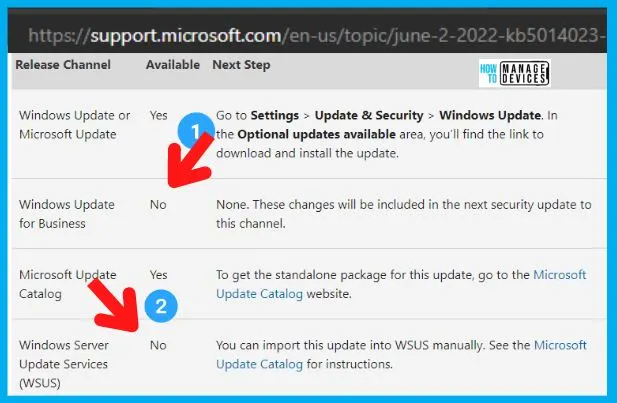
The KB5014023 is the preview hotfix released only for Windows 10 on June 2, 2022. The Operating System Builds are Windows 10 19042.1741, 19043.1741, and 19044.1741. The deployment of preview hotfix is sometimes challenging because these are not available via WSUS and WUfB.
More Details about FIX -> Windows 10, version 21H2 | Microsoft Docs
- KB5014023 is not available via release channels such as WUfB (Intune) and WSUS (SCCM).
Manual Install
You can download the KB5014023 to fix Error 0xC002001B to fix Microsoft Store apps might fail to Install during Autopilot on Windows 10 devices.
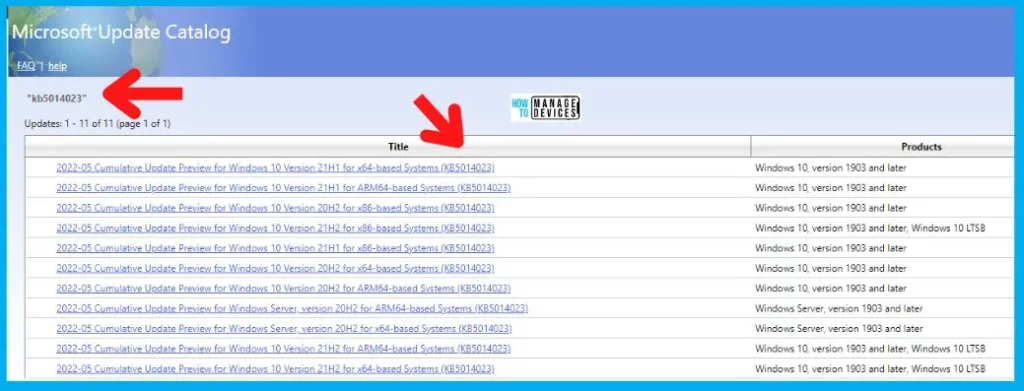
- You can navigate to https://www.catalog.update.microsoft.com/Search.aspx?q=kb5014023
- Download the KB5014023 depending on the Windows 10 version.
| Title | Products |
|---|---|
| 2022-05 Cumulative Update Preview for Windows 10 Version 21H1 for x64-based Systems (KB5014023) | Windows 10, version 1903 and later |
| 2022-05 Cumulative Update Preview for Windows 10 Version 21H1 for ARM64-based Systems (KB5014023) | Windows 10, version 1903 and later |
| 2022-05 Cumulative Update Preview for Windows 10 Version 20H2 for x86-based Systems (KB5014023) | Windows 10, version 1903 and later |
| 2022-05 Cumulative Update Preview for Windows 10 Version 21H2 for x86-based Systems (KB5014023) | Windows 10, version 1903 and later, Windows 10 LTSB |
| 2022-05 Cumulative Update Preview for Windows 10 Version 21H1 for x86-based Systems (KB5014023) | Windows 10, version 1903 and later |
| 2022-05 Cumulative Update Preview for Windows 10 Version 20H2 for x64-based Systems (KB5014023) | Windows 10, version 1903 and later |
| 2022-05 Cumulative Update Preview for Windows 10 Version 20H2 for ARM64-based Systems (KB5014023) | Windows 10, version 1903 and later |
| 2022-05 Cumulative Update Preview for Windows Server, version 20H2 for ARM64-based Systems (KB5014023) | Windows Server, version 1903 and later |
| 2022-05 Cumulative Update Preview for Windows Server, version 20H2 for x64-based Systems (KB5014023) | Windows Server, version 1903 and later |
| 2022-05 Cumulative Update Preview for Windows 10 Version 21H2 for ARM64-based Systems (KB5014023) | Windows 10, version 1903 and later, Windows 10 LTSB |
| 2022-05 Cumulative Update Preview for Windows 10 Version 21H2 for x64-based Systems (KB5014023) | Windows 10, version 1903 and later, Windows 10 LTSB |
Deploy KB5014023 using SCCM
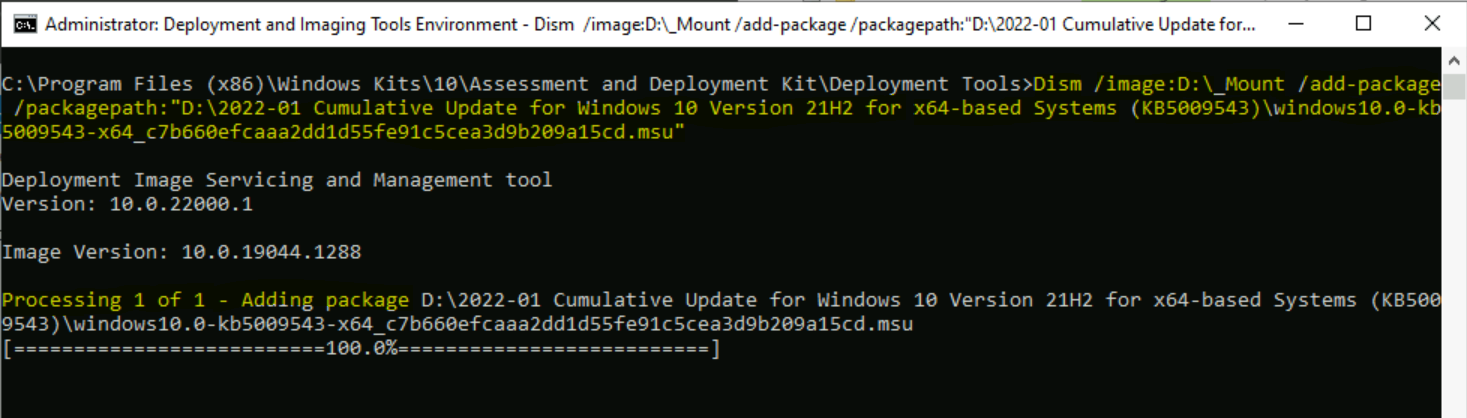
You can use the SCCM offline deployment method to deploy the patches that are not available through WSUS. You can also use DISM online method to deploy KB5014023 using SCCM.
The following are three methods that can be used to deploy KB5014023 using SCCM.
- Manual Import -> Patch Missing From SCCM How To Import Into WSUS Manually
- Using Schedule Update Wizard -> Add New Patches To OS Images Using SCCM Schedule Updates
- DISM Method -> Easily Add Windows Update In Offline Image Using DISM
Deploy KB5014023 using Intune
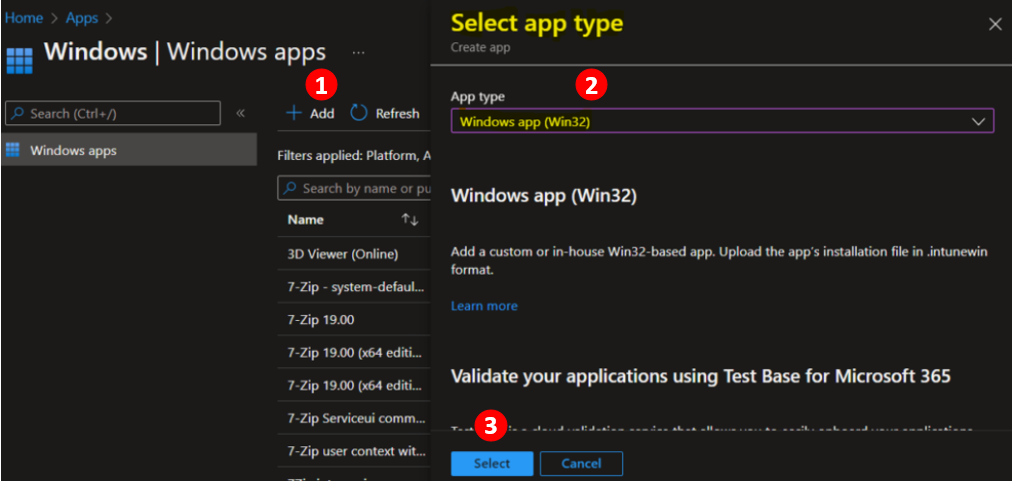
You can deploy the patches that are not available via Windows Update for Business (WUfB) using the IntuneWin format. Intune Win32 application model can be used to deploy KB5014023 to fix Autopilot profile deployment issues.
The following are the two methods to deploy to KB5014023. More Details available:
- Intune Win32 App Model -> Deploy Registry Fix Using Intune Win32 App (you can use this batch file or PS script method to deploy patches using Intune)
- Intune DISM Method -> Deploy Windows Update Offline using Intune
Author
Anoop C Nair is Microsoft MVP! He is a Device Management Admin with more than 20 years of experience (calculation done in 2021) in IT. He is Blogger, Speaker, and Local User Group HTMD Community leader. His main focus is on Device Management technologies like SCCM 2012, Current Branch, and Intune. He writes about ConfigMgr, Windows 11, Windows 10, Azure AD, Microsoft Intune, Windows 365, AVD, etc.




Discussion