






Top 75 Latest Intune Interview Questions and Answers
Key Takeaways
- Demand for Microsoft Intune skills is growing rapidly as organisations move from traditional device management to modern cloud-based management.
- The goal of this post is to help you understand what interviewers typically focus on, not just provide ready-made answers.
- Hands-on experience is mandatory – memorising questions alone will not help you succeed.
- Interviewers evaluate technical depth, troubleshooting ability, and analytical thinking, not textbook definitions.
- Focus on concepts, real-time problem solving, and your practical experience managing devices and policies.
You can explore the latest Intune updates and feature walkthroughs through HTMD.Training.com videos, which are designed to provide practical insights and real-time demonstrations. On our YouTube channel, we regularly publish videos covering various Microsoft Intune topics, including new features, configuration guides, troubleshooting scenarios, and real-world use cases. In addition to online content, we also organise conferences, technical sessions, monthly user group events and mentorship programs.
Table of Content
Table of Contents
Top 75 Latest Intune Interview Questions and Answers
Earlier, we shared the Top 50 SCCM interview questions and answers, and the SCCM vs. Intune jobs discussion within the HTMD Community inspired this detailed Intune question bank. As organisations rapidly adopt modern device management using Microsoft Intune, the demand for skilled professionals continues to grow. The community’s objective is to guide members in preparing effectively and understanding what interviewers truly evaluate.
- Free Intune Training 2025 for Device Management Admins
- Microsoft Intune Training Course Intune Certification | Free training Videos
- Intune Design Decisions Free Training | Version 1 Starter Kit | Basic
- Free SCCM Training 37 Hours of Latest Technical Content Lab Setup
Top 75 Intune Interview Questions – FAQ Guide
In this video, Anoop Sir shares the most important and frequently asked Microsoft Intune interview questions that every modern device management professional should know. These questions are designed as a practical FAQ guide to help you understand core concepts, architecture, troubleshooting methods, and real-world scenarios related to Microsoft Intune.
Intune Interview Questions and Answers
In this video, you will get a complete overview of important Intune interview questions and answers that are commonly asked in real-world interviews. The session explains key concepts of Microsoft Intune, including device enrollment, compliance policies, app deployment, troubleshooting logs, IME, Autopilot, and security configurations.

- Future Of SCCM ConfigMgr Intune Admin Jobs HTMD Blog
- LinkedIn Learning Courses for Microsoft Intune,
- Learning How to Learn SCCM Intune Azure
- Learn Intune Beginners Guide MDM MAM MIM,
- Microsoft Intune for SCCM Admins Part 1
Top 50 Latest Intune Interview Questions and Answers
Let’s go through the top 50 latest Intune interview questions & answers in the below section of the post. I hope these questions are helpful. Let us know if you would like to add additional details to each question’s answers.
I don’t think Intune can be an expert in all the device platforms at the same time. Hence concentrate on one of the platforms during Intune interviews and tell the interviewer honestly about this.
What is Microsoft Intune?
Microsoft Intune is previously known as Windows Intune. It’s part of Microsoft’s Unified Endpoint Management (UEM) solution.
This cloud solution is used as a modern management tool. This Mobile Device Management(MDM) solution can be integrated with SCCM, Azure AD, and Active Directory.
Intune allows people in your organization to use their personal devices through Access to Work or School. Intune to protect your organizational data and isolate organizational data from personal data.
Who Manages Intune Version Upgrades?
Intune admin doesn’t have to worry about infrastructure setup, version upgrades, etc. Microsoft engineers manage these.
What are the Benefits of using Intune?
1. Deploy apps and Security policies and more.
2. It helps in checking if apps and devices meet security standards.
3. Control how people access and share data to keep the company’s data safe.
4. It keeps data safe by adhering to the administrator’s device registration and compliance requirements.
Is there Any Need for Server Installation for Intune?
However, the server infra might be needed to host some additional features, such as NDES connector, etc., for certificate profile deployment. But again, these are not Intune components.
What are the Intune Architecture and Design Decisions?
Intune has a server and client architecture like most device management solutions. Intune Service is the server side of the solution. The Client-side has two parts.
1. Windows MDM Client (built-in to OS)
2. Intune Management Extension (IME) agent
Intune (cloud) Architecture and Design decisions are much different from the on-prem device management solutions like SCCM. Intune architecture and design decisions should be from the SaaS solution point of view.
1. No need to take any decisions on Intune server placement and architecture for core Intune infra components. This is already taken care of by Microsoft. They have servers in each region and Azure Datacenters.
2. Architecture decisions must be taken on network connectivity to Intune services from on-prem and the internet. For instance – Endpoint devices connecting from on-prem network to cloud, Admins connecting from On-prem network to Intune services.
Organizations might require a special enrollment network just to enroll the new and existing devices into Intune management using Windows Autopilot/ADE.
3. Design Decisions must be made on supported enrollment scenarios for the organization. For example: Whether you want to support Apple ADE, Android Device Admin, or Windows Autopilot types of enrollments only?
4. Design Decisions on Applications, Policies, Windows Updates, 3rd Party App updates, and Certificate deployment strategies using Intune. Packaging (MSIX) and repackaging (IntuneWin) strategies, etc.
5. The content distribution strategies with Delivery Optimization(aka DO) for on-prem and home network scenarios. Also, define the device management life cycle with Intune.
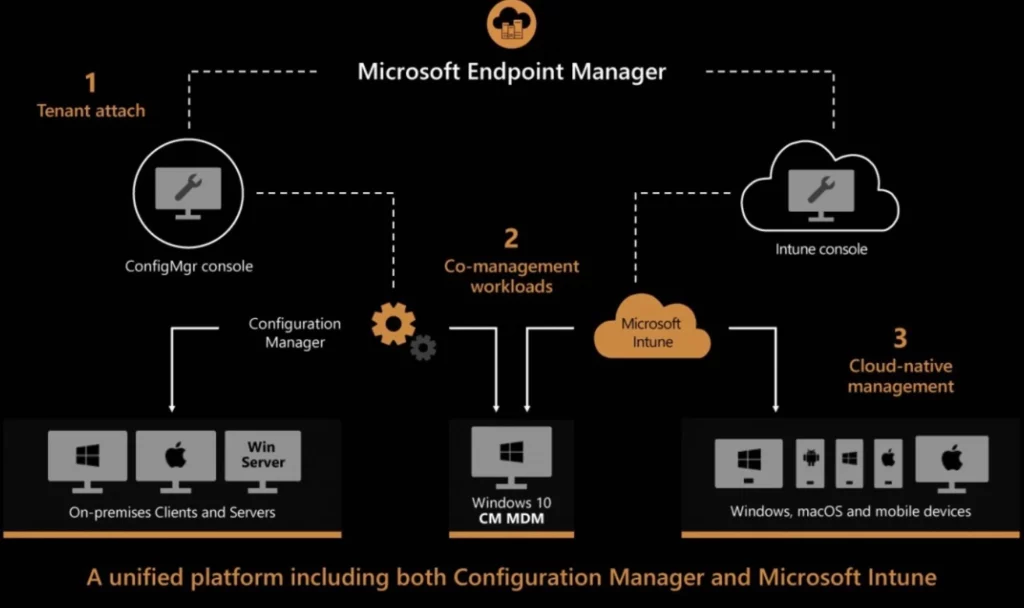
6. Attaching Intune with existing ecosystems, such as ServiceNow, SCCM, etc., is also a key design decision. More on this Architecture Decision Making Guide for 2022 or Later.
What Types of Devices can be Managed with Intune?
1. Windows
2. Android
3. iOS/iPadOS
4. macOS
5. Linux
NOTE! – I don’t think Intune can simultaneously be an expert in all the device platforms. Hence concentrate on one of the platforms during Intune interviews and tell the interviewer honestly about this.
Where to Check the Status of Intune Service?
Where can You Check Intune Version Details?
You can login to the Intune Portal-> Tenant Administration -> check for the Service Release number.
The Intune version or Service Release number is in YYMM format. The latest version while writing this post is 2207.
What is Device Enrollment in Intune Context?
There are different kinds of enrollment processes. For each device platform, the device enrollment process is different. The configuration and user experience for each enrollment process would be different.
An MDM certificate is issued to the device during the enrollment process. This certificate is used to communicate with the Intune service.
Can we Manage Server Operating System with Intune?
But Intune supports the VDI workloads hosted on operating systems Windows 10/11 multi-session (almost similar to server OS).
What are the Options to Onboard Users and Devices to Intune?
You can talk about User onboarding prerequisites such as:
1. User must have Azure AD identity.
2. User must have Intune Licenses (Azure AD P1 – for Conditional Access)
Also, answer the Device onboarding to Intune question with the following answers:
1. Co-Management of Windows Devices is one of the options for existing onboard devices to Intune.
2. Windows Autopilot is another option to onboard devices to Intune.
3. Automatic Enrollment is another onboarding process for Windows Azure AD Joined Devices.
4. Intune Group Policy Enrollment is another option to onboard Hybrid AD joined devices to Intune.
5. Apple and Android devices can be enrolled using different methods supported by both Apple and Android respectively. Personal device enrollment is different from that of company-owned devices.
Does Intune Admin have an Option to Go Back to the Previous Version?
So the answer is no, going back once you receive the latest version of Intune. This applies to Intune portal as well.
How Do the User, Device, and Group Discoveries Work in Intune?
1. Intune doesn’t have its own user and group objects, but it directly leverages or uses Azure AD users and Groups.
2. Intune uses the device identity also from Azure AD, but Intune service holds its own device objects but is tightly linked with Azure AD device objects.
What are the Concepts of Collections and Groups in Intune?
But there is a concept related to the collection in Intune, and that is called Intune Filtering Rules. This is similar to the collection concept in SCCM. Intune filtering rules can filter devices from application or policy assignments.
Other deployment options are using Azure AD Groups as follows:
a) Assigned/Static User AAD Groups
b) Assigned/Static Device AAD Groups
c) Dynamic User AAD Groups
d) Dynamic Device AAD Groups
What is Windows Auto Enrollment?
This is a common solution/service Azure AD provides for all MDM providers (Intune, Airwatch, etc.). The auto-enrollment helps to manage enterprise data on your employees’ Windows devices.
What is Windows Autopilot? Is it a Replacement for SCCM OSD?
Windows Autopilot is not the service that provides OS deployment solutions. This service cannot deploy any operating system to Windows devices.
Autopilot works on top of a new operating system installed on a device to simplify the first login user experience (OOBE). But you must have a different solution to rebuild the Operating System of devices etc.
How to Onboard Devices into Windows Autopilot?
1. Upload the Device Hash and Assign the Deployment Profile.
2. Ask vendors to upload the new devices to Autopilot services as part of the purchase process.
3. Use Convert all targeted devices to Autopilot option if the devices are already Intune.
The next time registered devices go through the Windows Out of Box Experience (OOBE), they will go through the assigned Autopilot scenario.
Where can you Check the Windows Autopilot Sync Status with Intune Service?
1. Devices ->Enroll Devices -> Windows Enrollment
2. Under the section called “Windows Autopilot Deployment Program” -> click on Devices to check the Sync status of Windows Autopilot and MS Intune!
The last sync request and the Last successful sync are the two timelines that can give you the details of the sync. You also can initiate a manual sync between Intune and Autopilot Service.
Where can you Check the SCCM and Intune Sync? Cloud Attach Status?
You can also perform remote actions for SCCM clients from Intune portal. You can follow the steps to check the SCCM Cloud Attach Sync status with Intune:
1. Log in to the Intune Admin Center -> Navigate to Tenant Administration
2. Click on the tab – Connectors and Tokens -> click on Microsoft Endpoint Configuration Manager
This is where you can check the SCCM and Intune sync: The connection status – Healthy and Last successful sync time along with the following details such as Name of SCCM Server, Site code, Site full version, Site mode, and Support ID.
SCCM Cloud Attach Sync SCCM DB with Intune?
What are the Remote Assistance Options Available for Intune Managed Devices?
Remote Help is not part of Intune service or Intune license, but there is an additional licensing requirement for the Remote Help solution.
TeamViewer is another remote assistance solution integrated into the Intune portal. There is an additional license required for this remote assistance solution as well.
Which is the Recommended Method to Create Intune Policies?
The Security focused policies must be created from the Endpoint Security page, and you can create + manage different security policies such as Defender Antivirus, Encryption, Firewall, etc.
Intune policies must be created using the Settings Catalog workflow for all the different device platforms, such as Windows, iOS/iPadOS, and macOS.
Explain the Patching Mechanism in Intune
You don’t need to choose and create monthly patch packages in Intune. You just need to create feature and quality updates policies. There is an option to create expedited patch deployment policies using the “Quality updates for Windows 10 and later” option.
These policies help the clients to contact the WUfB service in the cloud and perform the patching process. From the client side, the patching process is handled by the WUA agent.
What is a Windows Autopatch Patching Mechanism? How is it Different from the Normal WUfB Patching Method?
Windows Autopatch license is not included as part of Intune licenses. So, you need to purchase additional licenses if you don’t have appropriate licenses. Windows Autopatch automatically manages different rings as follows:
1. Modern Workplace Devices – Test
2. Modern Workplace Devices – First
3. Modern Workplace Devices – Fast
4. Modern Workplace Devices – Broad
What is the Third-party Application Patching Solution for Intune?
But there are 3rd party application vendors such as PatchMyPC and ManageEngine that can help to get all the 3rd party patches to Intune portal in an automated fashion.
What are Intune App Protection or DLP Policies?
App protection policies are guidelines that ensure an organization’s data is kept safe and controlled within a managed app without managing the device using Intune. The Intune App protection policies are mainly used for iOS and Android device platforms.
The Intune App Protection Policy can be a set of behaviors that are restricted or monitored. This policy also can help prevent data leaks from corp apps to personal apps.
Can Intune Protect Enterprise App Data without Managing the Device Itself?
There are 100s of vendors that have already enabled Intune App Protection policies with their apps in the Google, and Apple Play stores. Some examples are MS Office Apps, Adobe Acrobat, etc.
Intune App Protection Policies can manage and protect apps(MAM Enabled) and data without enrolling iOS, Android, or Windows devices into MDM Enrollment.
Can you Assign Intune App Protection Policies to Azure AD Device Groups?
The idea behind the Intune App protection policies is to “just” manage enterprise apps and data without managing the end-user devices. In that scenario, there is no point in deploying these policies to Azure AD Device groups.
Is it Mandatory to Enroll Devices to use MAM or Intune App Protection Policies?
Can you Automatically Migrate AD Group Policies to Intune Cloud Policies, and How Do You?
Use Group Policy analytics to analyze your on-prem GPOs and determine your level of modern management support. Click “Import” to begin the analysis and “Migrate” when ready to move your settings to modern management.
1. Export GPOs into XML
2. Import Group Policy XML to Intune
3. Analyse the policies to determine whether these GPOs are MDM compatible or not
4. Migrate GPOs to Intune Settings Catalog policies
How to Check Intune Policies on a Particular Device?
There are different ways to check the Intune policy status. The Intune Portal Troubleshooting Blade is one of the first places I go and check to understand the end-to-end scenario of a user!
Windows Devices
1. I always start with Intune Policy Deployment Status (Device and user check-in status) to confirm whether the status shows successful or not.
2. Collect Diagnostics Logs from Intune Portal for a particular device.
3. Check the event logs from collected logs -> Event Logs – Microsoft->Windows->DeviceManagement-> Enterprise-Diagnostics-Provider/Admin
4. Look for Event ID = 814 and Windows CSP Policy Name
5. Check the registry on the device and look for User and Device policies. Computer\HKEY_LOCAL_MACHINE\SOFTWARE\Microsoft\PolicyManager\Providers\
Android, macOS, and iOS/iPad OS devices
You need to follow the first step (Deployment Status) for all the following device platforms Android, macOS, and iOS/iPad OS devices. The next step is to collect logs from the Company Portal application and analyze them.
How Many Application Deployment Types Do Intune Support?
Do not answer the questions just like you byhearted them from somewhere. With the Intune admin experience, you should be able to recollect the main app deployment types such as MSI, MSIX, APPX, IntuneWin, etc.
Supported Intune ApplicationDeployment Types:
1. Store App
a) Android Store App
b) Microsoft Store App
c) iOS Store App
d) Managed Google Play App
2. Microsoft 365 Apps
a) Windows 10 and Later
b) macOS
3. Microsoft Edge, version 77 and later
a) Windows 10 and Later
b) macOS
4. Microsoft Defender for Endpoint
a) Windows 10 and Later
b) macOS
3. Other Options
a) Web link
b) Built-in app
c) Line of the Business app (.MSI, .MSIX, .APPX, APK, IPA, .PKG, .intuneMac, etc.)
d) Windows app (IntuneWin – Win32)
e) macOS app (.DMG, .APP)
f) Android Enterprise System App
What are the Various Options for Troubleshooting Intune Managed Applications?
Depending on the Intune Application Deployment type and platform, you need to adopt different methods to troubleshoot issues. For Windows devices, you can check the IME logs (IntuneWin scenarios). For other platforms, you need to check the respective log files and company portal data collection method to troubleshoot further.
a) Failed
b) Successful
c) Excluded
The details of Intune managed application deployment that Failed to install on a device are as follows:
1. Application Created – Time Stamp
2. Application Updated – Time Stamp
3. An application attempted to Install – Time Stamp
4. App installation failed – This section gives error code details, and this is helpful for troubleshooting.
5. Device last check-in time checked – Time Stamp
The details of Intune managed application deployment is Excluded from a device, which is why the device is not getting the deployment.
Where to find Windows 10/11 Intune Event Logs?
Where Does the Intune Diagnostic Report or Log Store?
Don’t hesitate to answer in detail on two of the scenarios. These logs will be stored in different places in those scenarios.
1. Manual Method – Windows Device Side ->Intune Diagnostic logs/reports get stored at the following default location: C:\Users\Public\Documents\MDMDiagnostics
2. Intune Admin Center (Intune Portal) ->Devices –>Select Windows platform -> Select the device from the list to collect diagnostics from the action menu. You can download it from the Device Diagnostics tab of that particular device.
What is Intune Management Extension (IME)? Why Do you Need this Service?
The Windows client MDM agent has limited capabilities to deploy applications and PowerShell scripts or perform advanced device management functionalities. Hence Microsoft Intune created an additional Intune agent, and that is called IME.
IME agent is self-managed by Microsoft, and Intune admins don’t have any control over IME agent updates, health checks, etc.
Where are Intune Management Extension (IME) Logs from Windows Stored?
IME logs folder contains all the logs related to Intune Management Extension processes. For example, PowerShell script, Remediation script, IntuneWin (Intune Win32 app) deployment, etc.
C:\ProgramData\Microsoft\IntuneManagementExtension\Logs
All the Intune management logs can be collected from the settings -> Accounts -> Access School or Work -> then click on Export your management log files.
Are you Familiar with AgentExcutor.log, and What is it Used for?
This log is part of the IME log folder located at C:\ProgramData\Microsoft\IntuneManagementExtension\Logs
What Kind of Information ClientHealth.log Stores?
This log is part of the IME log folder located at C:\ProgramData\Microsoft\IntuneManagementExtension\Logs
Explain the Windows MDM Diagnostics Tool. What is it Used for?
MdmDiagnosticsTool.exe
What Does Registry Dump hold in the Window Autopilot Troubleshooting World?
Autopilot related values are written to HKLM\SOFTWARE\Microsoft\Provisioning\Diagnostics\AutoPilot
How Does Intune give Users a Self-service Experience?
The following are some of the self-service portals available for end-users. Hopefully, Microsoft will soon be able to combine all of these together into a single portal experience.
1. Company Portal App
2. MyApps.Microsoft.com portal
3. https://www.office.com/apps
4. https://myapplications.microsoft.com/
What are the Patch Reporting Options in Intune?
You must set up Update Compliance to have detailed reporting on Windows patch compliance. The Update Compliance is a Windows service hosted in Azure that uses Windows diagnostic data.
The Update Compliance service provides users with a holistic view of Windows 10 or Windows 11 update compliance, update deployment, and failure troubleshooting.
How to Sync Intune Service or Server Side Logs to Azure Log Analytics Workspace?
You can create a maximum of 5 different diagnostics settings to send various logs and metrics to independent destinations.
How will Intune KQL Queries be Useful for Admins?
The following is one of the Sample KQL queries to find Hybrid Vs. Azure AD details of your device estate.
IntuneDevices | where JoinType == ‘Hybrid Azure AD joined’ | summarize OperationCount=count() by JoinType
You can also use KQL queries to check and find Dell or HP Devices from Intune Platform Logs using KQL queries. The table you need to check to find Dell or HP manufactured devices data is IntuneDevices.
What is the Maximum Size supported for Intune Win32 App using the IntuneWin Format?
How to Manage the Intune Policy Conflicts?
Automatic Resolution of Policy Conflict Example – Compliance policy settings always have precedence over configuration profile settings.
Same Intune policy configurations can be deployed from different places in the Intune admin portal. If you configure the same policies with different values, Intune service is going to raise a policy conflict alert. Admin needs to edit the policy and fix the conflict manually.
Why Do you Want to Use Intune Filtering Rules rather than Azure AD Group?
The SLA for Azure AD Dynamic group update is 24 hours, which is also a concerning point for Intune admins. Hence many admins are trying to assign apps and policies to all users or all devices and manage the deployment login with Include or Exclude Filter Rules.
Intune Filtering rules sit with Intune service layer so that it can act much faster than Azure AD dynamic groups assignment logic.
How to Enhance the Security Poster of Intune Managed Devices?
The other security enhancement is to look into Intune Compliance Policy options. This is to help to protect company data; the organization needs to make sure that the devices used to access company apps and data comply with certain rules.
Some of the Compliance Rules follow:
1. Encryption of Disks
2. Complex PIN
3. Latest Windows Update Patches
What Options are for Deploying the Internal PKI Certificate to Intune Managed Devices?
The following are two options for delivering certificates via Intune:
1. SCEP Protocol – > Simple Certificate Enrollment Protocol (SCEP) is an Internet Engineering Task Force (IETF) protocol and is a very popular and widely used certificate enrollment protocol.
2. PKCS Protocol – PKCS stands for “Public Key Cryptography Standards.” These are a group of public-key cryptography standards devised and published by RSA Security.
What Do you Do if an Intune App Package Upload is Taking Time from Intune Portal?
You also need to check and try PowerShell commands lets to upload bigger packages. In my experience, it gives better results.
What will you Do if the Intune Policy is not Getting Applied to Managed Devices?
You can check more details on Intune troubleshooting from the YouTube video. Don’t forget to check the Intune portal reports.
How to Fix Intune Policy Conflict Issues?
The other parts of the conflicts need to fix manually by checking the reports from Intune admin center portal. Normally, Intune admin center will tell you which policies are getting conflict.
So, you need to remove the conflicting settings from the policies or exclude some of the devices or users from specific policies if those are assigned by mistake.
Intune Settings Catalog Decoded | Security Policy Conflicts Precedence | User Device Scopes. You can get more details from YouTube Video – https://youtu.be/S6udsxa4fs0.
What is Intune EPM?
What are Intune EPM Rules?
What is EPM Rules Explicitly Deny Elevation?
Which are the Permissions Included on RBAC for Endpoint Privilege Management?
1. Endpoint Privilege Management Policy Authoring
2. Endpoint Privilege Management Elevation Requests
3. Endpoint Privilege Manager
4. Endpoint Privilege Reader
5. Endpoint Security Manager
6. Read Only Operator
Which are the Operating Systems are Supported by EPM?
1. Windows 11, version 24H2
2. Windows 11, version 23H2 (22631.2506 or later) with KB5031455
3. Windows 11, version 22H2 (22621.2215 or later) with KB5029351
4. Windows 11, version 21H2 (22000.2713 or later) with KB5034121
5. Windows 10, version 22H2 (19045.3393 or later) with KB5030211
6. Windows 10, version 21H2 (19044.3393 or later) with KB5030211
How KQL Works in Microsoft Intune?
How Copilot Enhance KQL in Intune?
How Copilot Helps to Querying Device Inventory Data using KQL?
How KQL Helps in Troubleshooting?
What is Device Query Feature in Multiple Devices using KQL?
Tips and Tricks to Crack Intune Interview
Here are some practical tips that help you crack Intune interviews using interview questions and answers the right way. In real enterprise environments, you should never deploy changes directly to all users. Every solution must first be tested in a pre-production or staging environment with a limited number of users. This shows that you understand how real-world IT operations work.
A ring-based deployment approach is very important. Whether you are deploying applications, patches, feature updates, or Windows Autopilot profiles, always start with a small group. If everything works as expected, then move to the next ring and gradually roll out to production users. This structured rollout approach reduces risk and improves stability. Explaining this clearly in interviews demonstrates practical knowledge of Microsoft Intune deployments.
Important Points to Remember
It is important to remember that simply memorizing interview questions and answers will not guarantee success in an Intune interview. Employers are more interested in understanding how well you grasp real-world IT processes and how you apply your knowledge in practical scenarios.
- You should clearly explain
- How changes are planned
- How approvals are obtained
- How testing is performed
- How deployments are implemented
- How incidents are tracked and resolved
- Practical, hands-on experience matters more than textbook definitions.
Typical Enterprise Deployment Flow
A typical enterprise deployment flow follows a structured and controlled approach to minimise risk and ensure stability. Any new configuration, policy, application, or update is first implemented in a test or development environment where internal validation is performed.
| Purpose | What Happens in This Stage |
|---|---|
| Test / Development | Configure policies, deploy apps, and test configurations internally with IT team |
| UAT (User Acceptance Testing) | Roll out to a small group of business users to confirm functionality and user experience |
| Production | Configure policies, deploy apps, and test configurations internally with IT team |
Need Further Assistance or Have Technical Questions?
Join the LinkedIn Page and Telegram group to get the latest step-by-step guides and news updates. Join our Meetup Page to participate in User group meetings. Also, join the WhatsApp Community and the Whatsapp channel to get the latest news on Microsoft Technologies. We are there on Reddit as well.
Author
Abhinav Rana is working as an SCCM and Intune Adminwith several years of experience. He loves to help the community by sharing his knowledge. He is a B.Tech graduate in Information Technology.


Thank you do much for sharing your hard earned experience. It really helped me to bit more confident in attending intune interview with basic work experience in intune. Thank you once again.
Thank you..
one of the best articles on Intune interview preparation as well as learning the Intune concepts.
Thanks Abhinav! more power to you!
Thank you very much for sharing wonderful information.
I’m grateful that you shared. Your contribution is valued.
From Jan 24 30 GB Win 32 app size supported
If a interviewer asks what you do daily as a L1 intune engineer ?How can we describe
Thanks for sharing your knowlegde and experience with us. Very Helpful.