






Microsoft Intune Mobile App Management MAM Policy Issues and Workaround
Discuss the Microsoft Intune Mobile App Management MAM Policy Issues and Workaround. I tested the Intune MAM (Mobile Application Management) policies with iPad iOS 9.
I had set up the default policies for MAM with Intune. I deployed applications like Word, Excel, PowerPoint, One Drive, and Outlook to users as available. I already posted about How to deploy Intune MAM-based applications in a step-by-step guide here.
Here is the problem: When I tried to install an application from the company portal, I often saw the application get stuck in the installation stage for hours. Once the app was stuck in the installing stage, you could immediately see MAM application policy errors in the Intune console.
This post details all the Microsoft Intune Mobile App Management MAM Policy Issues and Workaround.

Table of Contents
- Intune MAM Benefits Available for Windows 365 and AVD
- How to Create App Protection Policies for Windows MAM Devices
- Intune create Conditional Access Policies for Windows MAM Devices
- Multiple Identity Support for Intune MAM Policies
- Intune MAM for Personal Windows Devices is now Generally Available
Microsoft Intune Mobile App Management MAM Policy Issues and Workaround
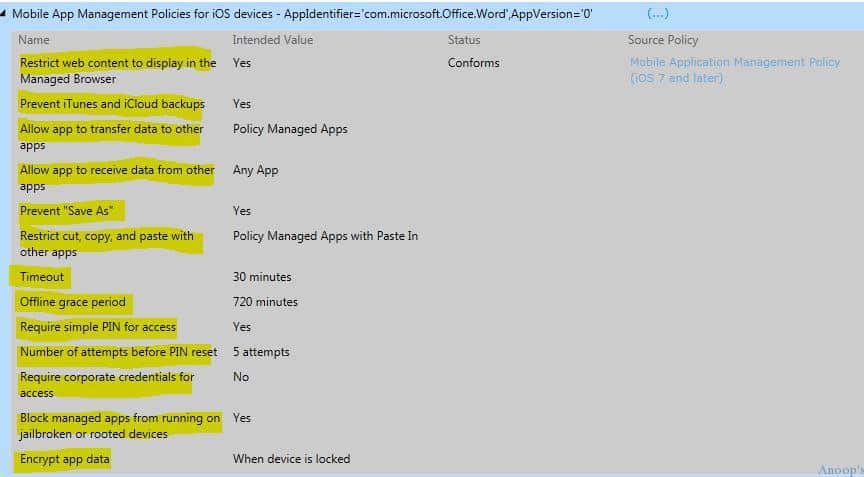
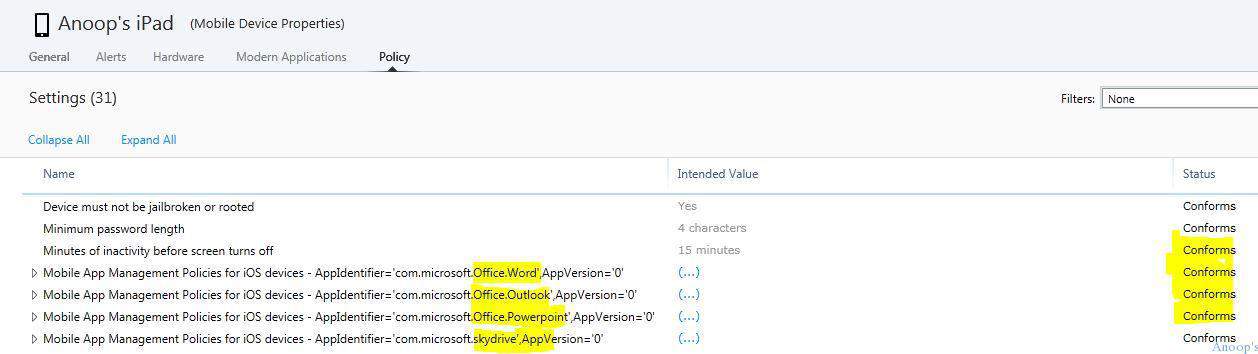
The screenshot below helps you show the mobile device properties. The Microsoft Intune Mobile App Management MAM Policy Issues and Workaround are explained below.

It shows an error enforcing the policies on the iOS device. The error is “Mobile App Management Policies for iOS devices—AppIdentifier=’com.Microsoft.Office.Powerpoint’,AppVersion=’0′,(…),Error.” The following are the Intune Mobile application policies for iOS devices.
| Microsoft Intune Mobile App Management MAM Policy Issues and Workaround | Intended Value |
|---|---|
| Restrict web content to display in the Managed browser | Yes |
| Prevent iTunes and iCloud backups | Yes |
I started an application installation on the company portal ( https://portal.manage.microsoft.com/ ). As you must be aware, the Intune company portal application on iOS can’t display applications that are not required deployment type.
For the Available Install deployment type, we need to launch the company portal website mentioned above from the iOS device’s internet browser.
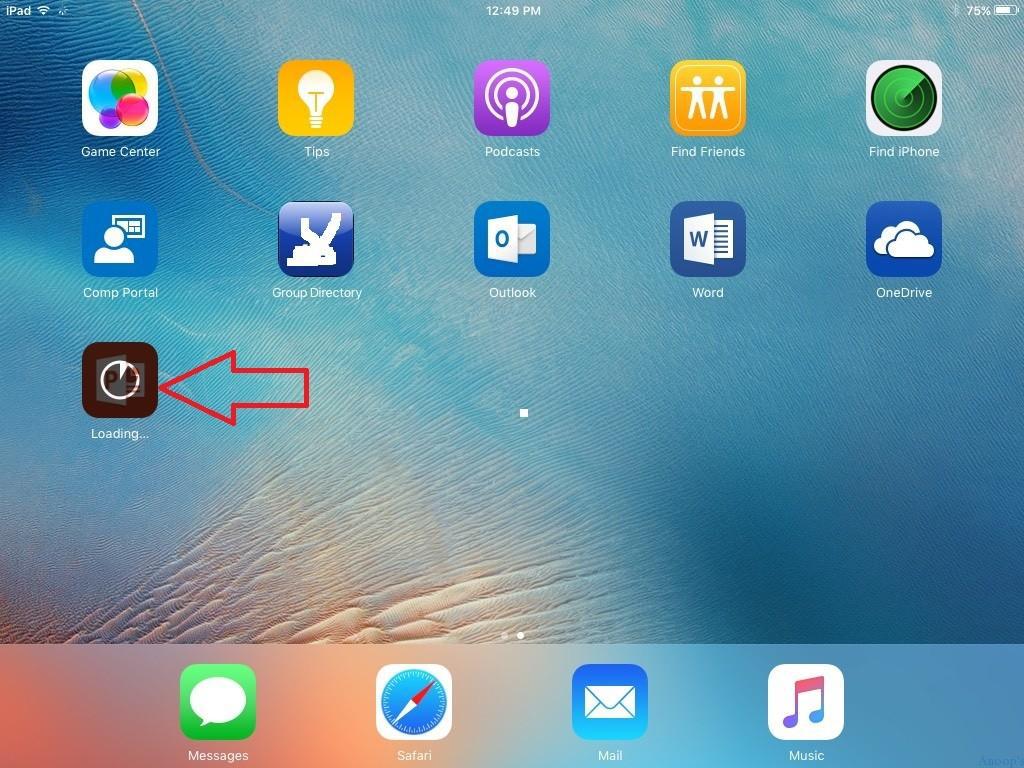
Can you see the last application icon (PowerPoint) in the screenshot below? That means the application is getting installed. Please wait and allow that application to be successfully installed on the device.
Once the actual application icon is prominent, similar to Word, Outlook icons, etc. (that means the application is successfully installed), launch the company portal from the iOS browser https://portal.manage.microsoft.com and try to open the application (One Drive), which is stuck in the installation stage.
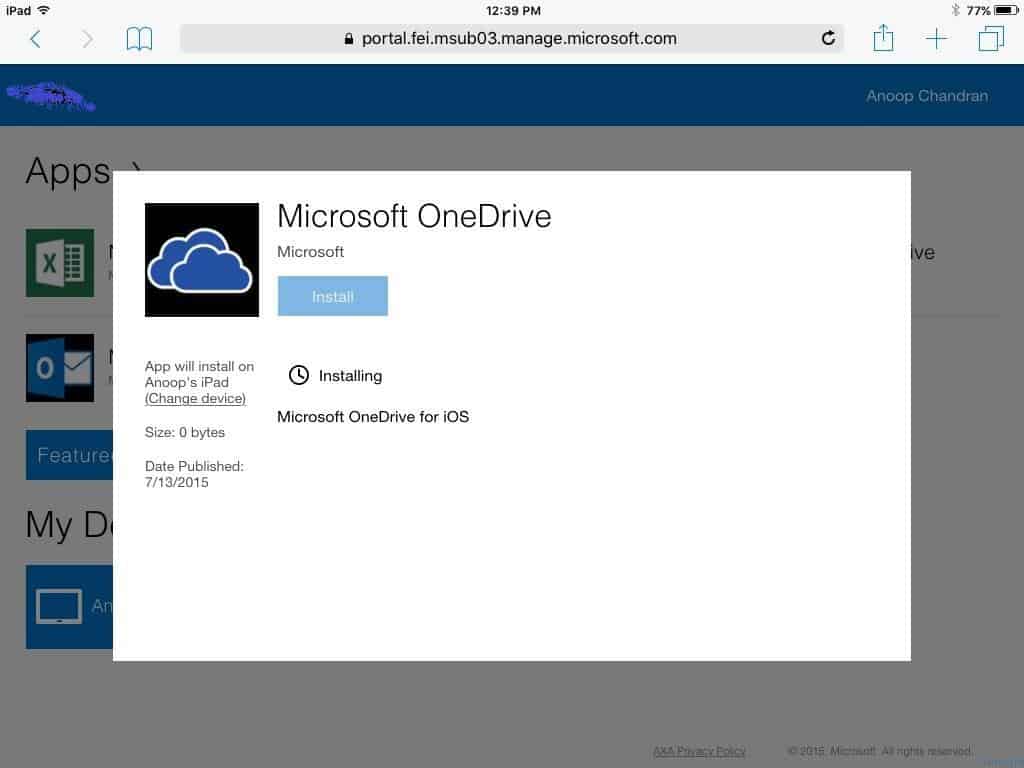
Once you start installing other applications from the Intune company portal, the previous application stuck in the installing state will emerge.
As you can see in the following screen capture, the application state in the Intune company portal will change to the installed state immediately. You will see a new option called Re-Install in the Intune Company Portal.
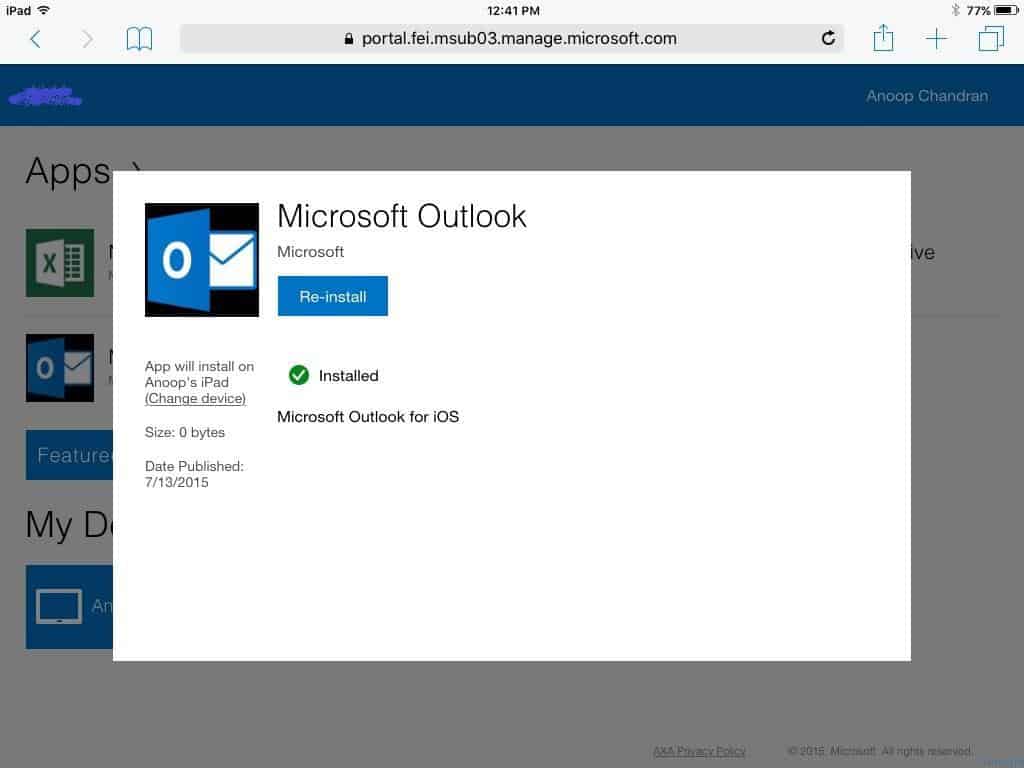
At the same time, the error we discussed at the start of this post, “Mobile App Management Policies for iOS devices – AppIdentifier=’com.microsoft.Office.Powerpoint‘,AppVersion=’0’,(…),Error” will also get changed to Mobile App Management Policies for iOS devices -AppIdentifier=’com.microsoft.Office.Powerpoint’,AppVersion=’0′,(…), conforms.
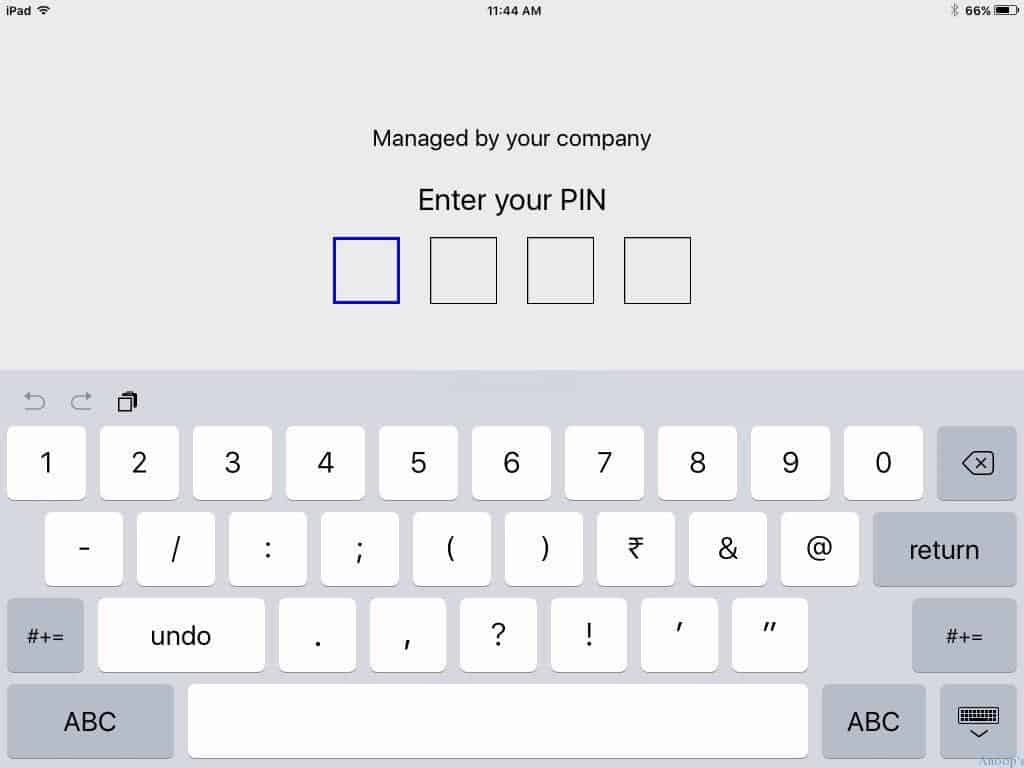
Once you launch the MAM-enabled application, you can see that the Intune MAM policies have been applied. Every time you launch this application, it will ask for a pin. Also, copy-paste is disabled, and app data is encrypted when the device is locked. Intone dual persona works very well with iOS devices.
Resources
Learn Microsoft Intune Related Posts Real World Experiences (anoopcnair.com)
We are on WhatsApp now. To get the latest step-by-step guides, news, and updates, Join our Channel. Click here. HTMD WhatsApp.
Author
Anoop C Nair is Microsoft MVP! He is a Device Management Admin with more than 20 years of experience (calculation done in 2021) in IT. He is a Blogger, Speaker, and Local User Group HTMD Community leader. His main focus is on Device Management technologies like SCCM 2012, Current Branch, and Intune. He writes about ConfigMgr, Windows 11, Windows 10, Azure AD, Microsoft Intune, Windows 365, AVD, etc.


Discussion