






Deploy Linux Bash Script using Intune
Let’s learn how to deploy Linux Bash Script using Intune Admin Center. Intune allows administrators to easily upload Bash scripts and create custom device configuration policies that reference the scripts.
Starting from Intune Service Release 2303, you can add or create custom configuration settings for your Linux devices using custom Bash scripts.
Intune provides many built-in configuration options for Linux devices, and some unique configuration needs may require custom scripting. In this case, Bash scripts can configure Linux devices in Intune.
Bash is a powerful scripting language that allows you to automate tasks and configure settings on Linux devices. With Bash scripts, you can write custom configuration scripts to perform tasks like installing software, configuring settings, and managing files.

The custom compliance policies in Intune enable IT admins to write their Bash scripts to evaluate attributes of the Linux endpoints that are most important to their organization. Custom compliance policies allow organizations to cover their specific compliance scenarios.
- Create Linux Compliance Policy In Intune Portal
- Intune Advanced App And Vulnerability Management For 3rd Party Patch Management From Microsoft
Deploy Linux Bash Script using Intune.
First, enroll the Linux devices in the Intune tenant to perform the deployment and use the various configuration. Once the devices are enrolled, the next step you can follow on how to create and deploy a custom bash script for Linux devices in Intune.
- Sign in to the Microsoft Intune admin center https://intune.microsoft.com/.
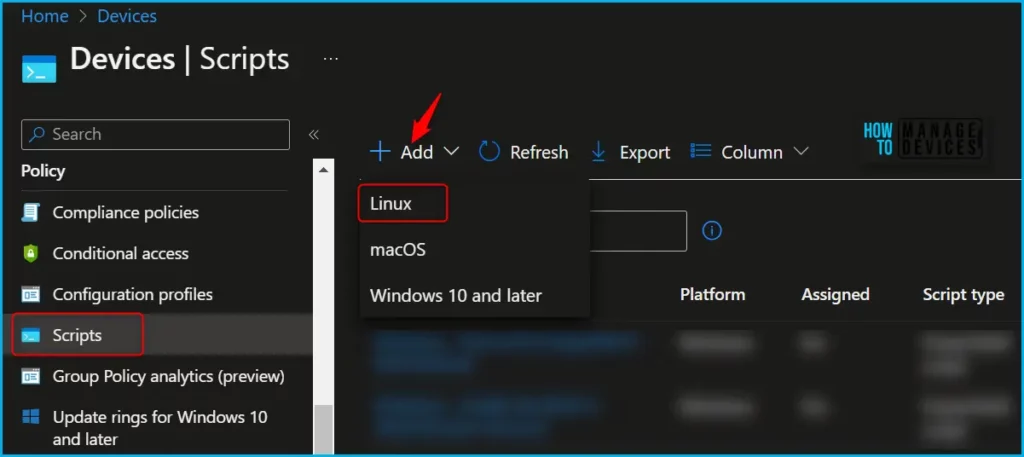
- Navigate to Devices > Scripts. Alternatively, if you want to add Bash scripts, you can also select Devices > Linux > Configuration Scripts. This will take you to the same wizard.
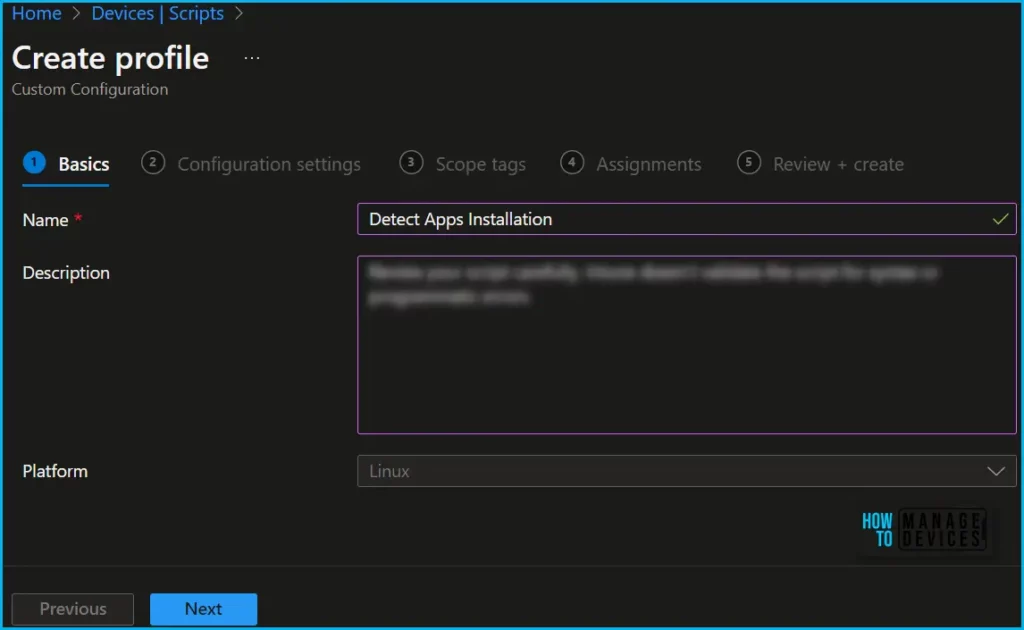
In Basics, You need to type the descriptive name for the script or a description to get it more clear for other references and Select Next.
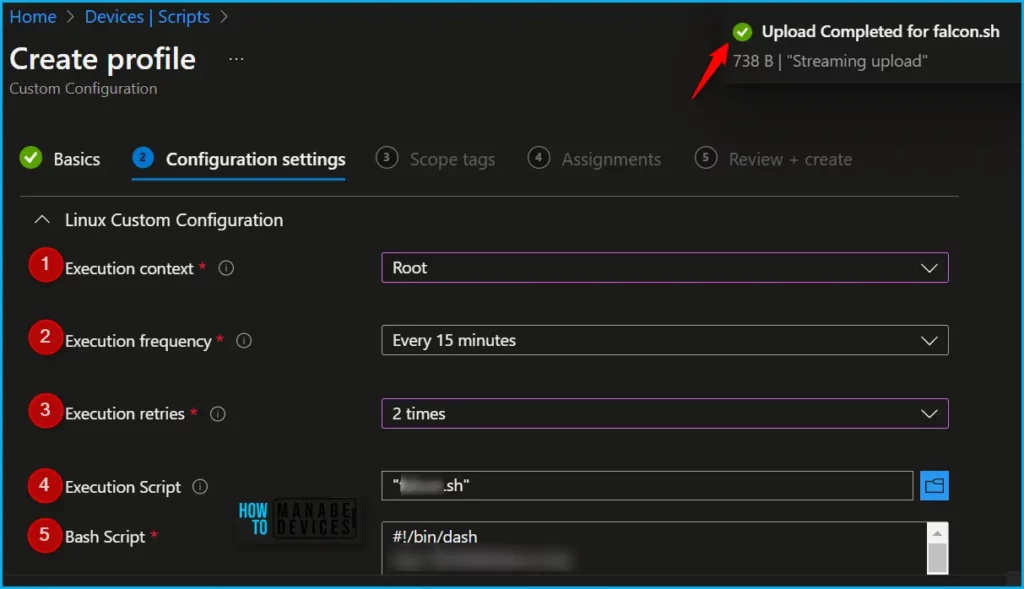
In Configuration settings, configure the following settings and click Next, When you create this script policy, you can set the context that the script runs in (user or root), how frequently the script runs, and how many times the execution should retry.
Important – Custom configuration profiles shouldn’t be used for sensitive information like WiFi connections or authenticating apps, sites, and more.
- Execution context: Select the context, either User or Device, in which the script is executed.
- User (default): This is how it works, When a user signs in to the device, the script runs. If a user never signs into the device or has no user affinity, then the script doesn’t run.
- Root: Runs at the device level. The script runs if there are zero (0) users signed in or many users signed in to the device.
- Execution frequency: You can select how frequently the script is executed. The default is Every 15 minutes.
- Execution retries: If you want Intune to retry the failed script, you can input how many times Intune should retry running the script. The default is No retries.
- Execution Script: Select the file picker to upload an existing Bash script (
.shfiles). Once the file is uploaded, A notification will appear indicating Upload Completed. - Bash Script: You can edit this script using the option. After you add an existing Bash script, the script text is shown.
| Linux Configuration Settings | Options Configured |
|---|---|
| Execution context | Root |
| Execution frequency | Every 15 minutes |
| Execution retires | 2 times |
| Execution Script | .sh files (Uploaded) |
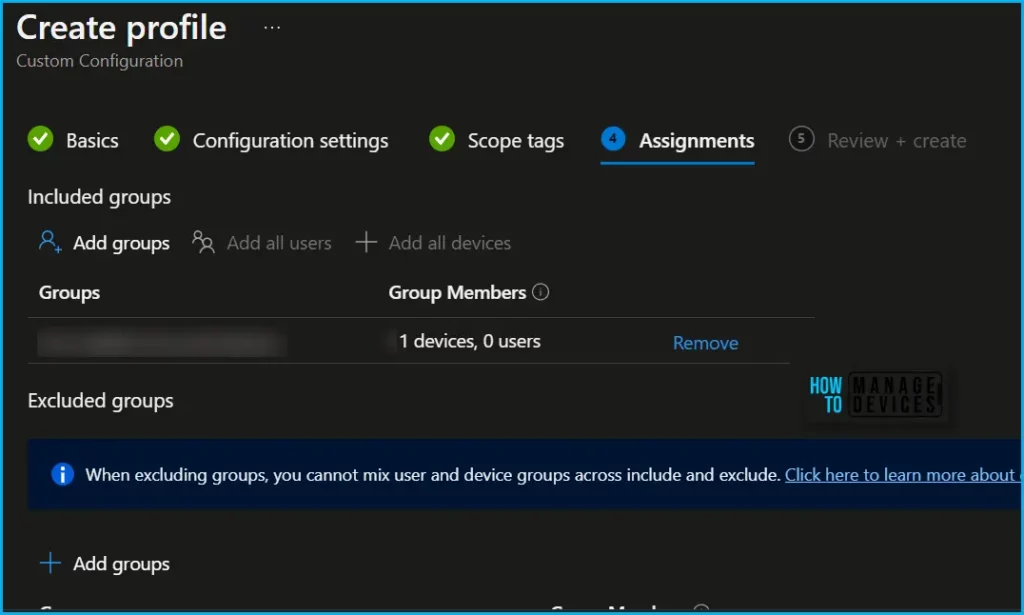
In Scope tags, you can assign a tag to filter the profile to specific IT groups. Add scope tags (if required) and click Next. Under Assignments, In Included groups, click Add groups, and then choose Select groups to include one or more groups. Click Next to continue.
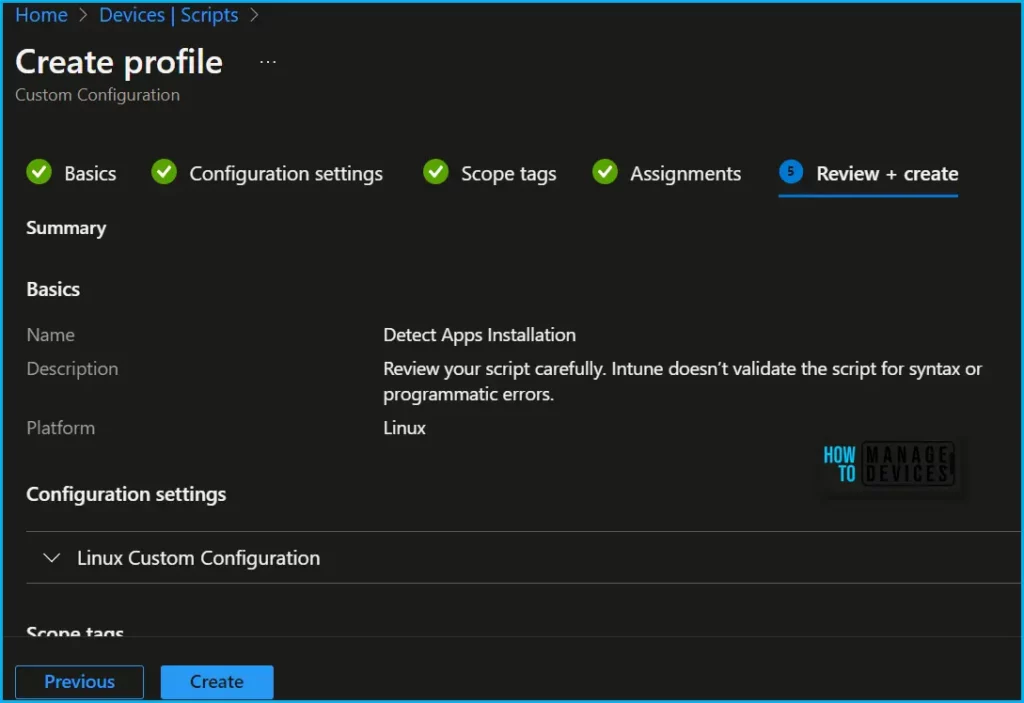
Now in Review + create, review your settings. When you click on Create, your changes are saved, and the custom configuration is created.
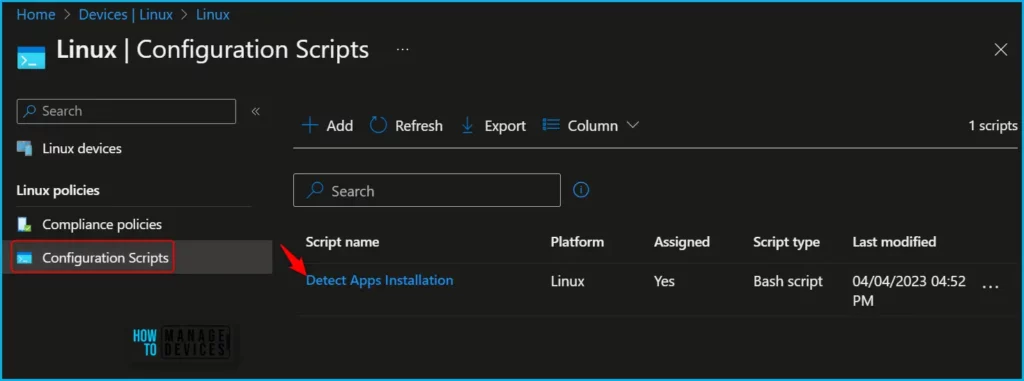
A notification will appear automatically in the top right-hand corner with a message. You can see that the Configuration scripts was created successfully. If you check, the script is available in the Configuration scripts list.
Once the scripts are assigned to the appropriate device groups, the Bash scripts are deployed and executed on the devices, streamlining the configuration process and saving time. A quick video demonstration on Linux Bash Script deployment using Intune | Execution Context | Retry Options on Failure.
By using custom Bash scripts in Intune, you can automate the configuration of Linux devices in your organization and ensure consistent settings across your environment. However, it is important to test your scripts thoroughly and monitor their deployment to ensure that they do not cause any unintended consequences or disruptions to your systems.
Author
About Author – Jitesh, Microsoft MVP, has over six years of working experience in the IT Industry. He writes and shares his experiences related to Microsoft device management technologies and IT Infrastructure management. His primary focus is Windows 10/11 Deployment solution with Configuration Manager, Microsoft Deployment Toolkit (MDT), and Microsoft Intune.


Discussion