






How to Setup Windows 10 Machine for Home or Office Use
Learn how to Set up a Windows 10 Machine for Home or Office Use. You must select the correct options for the Windows 10 initial setup. I’m using the latest INSIDER PREVIEW VERSION of Windows 10.
The Windows 10 free ISO (Windows10_InsiderPreview_Client_x64_en-us_14295.1000.ISO) can be downloaded from here. Windows 10 setup can confuse end consumers if you are not familiar with the new GUI of Windows 10 setup.
The first question is: Who Owns the Windows 10 Machine? Is it your Windows 10 machine, or does your organization own it? Windows 10/11 Azure AD Join—Manual Process Explained. This process can also remove the devices from Azure AD Join (in reverse order).
Depending on your choice, Windows 10 machines will be set up differently. If it’s your machine (your own), select I OWN it.

Table of Contents
- Learn How To Troubleshoot Resolve The Problems With Windows 10 Machine
- Windows 10 21H2 Support is Ending in June
- Learn How to Troubleshoot Resolve the Problems with Windows 10 Machine
- Backup Restore Windows 10 Machines Using Veeam Endpoint Backup Free
How to Setup Windows 10 Machine for Home or Office Use
If it’s a company-owned machine, select My Organization. The video tutorial at the bottom of this post explains this process.
| Who Own this PC |
|---|
| My Organisation |
| I own it |
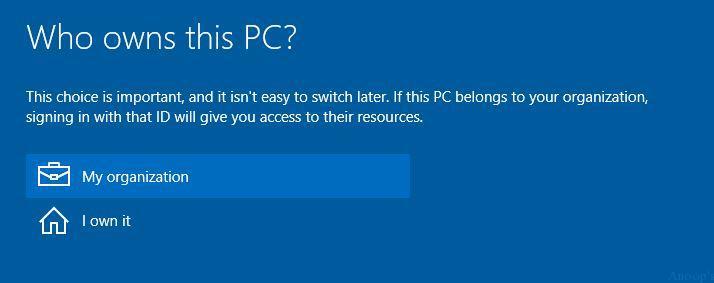
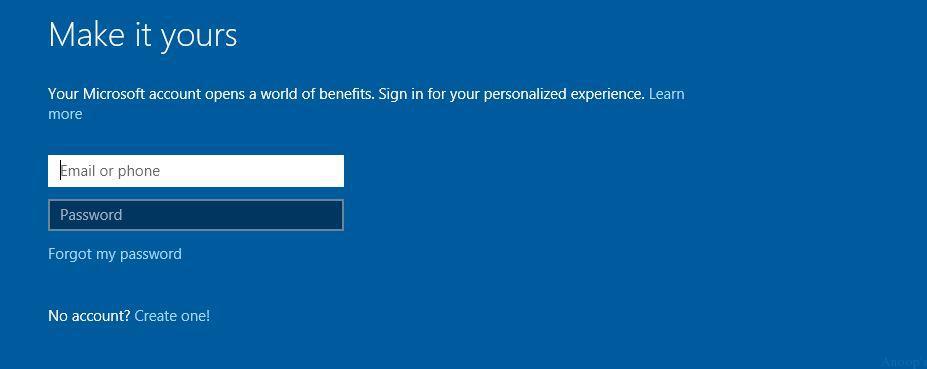
When you select I own it, you must provide a personal Microsoft account email ID and password to log in to the machine on the next page. You can create one online from this page if you don’t have an MS account and password.
This kind of Windows 10 setup requires an Internet connection. However, the Windows 10 setup also allows the option to create a local account, an offline account that can be made without an Internet connection.
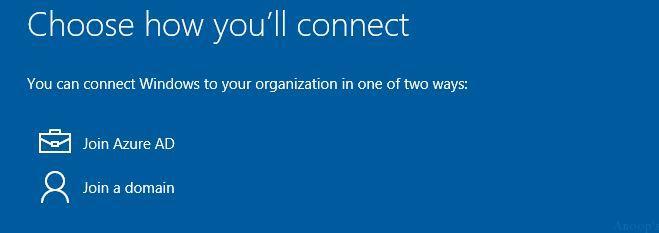
This option is required if your organization owns the machine. Join Azure AD if you are not connected to the office network and may be working from home via the Internet. No VPN is required for this step. Join a domain—this is mostly only possible if you are in the office!! Enter your Work account—Official EMAIL ID (Office 365 email ID) if your organization already uses the Office 365 solution.
I’ve configured MDM auto-enrollment for all Windows 10 devices that join Azure AD. Hence, these Windows 10 PCs will be managed by an MDM provider.
In our case, that is Microsoft Intune. You can see the policies being enforced on the machine. These are not AD Group Policies; instead, they are Intune policies.
We are on WhatsApp now. To get the latest step-by-step guides, news, and updates, Join our Channel. Click here. HTMD WhatsApp.
Author
Anoop C Nair is Microsoft MVP! He is a Device Management Admin with more than 20 years of experience (calculation done in 2021) in IT. He is a Blogger, Speaker, and Local User Group HTMD Community leader. His main focus is on Device Management technologies like SCCM 2012, Current Branch, and Intune. He writes about ConfigMgr, Windows 11, Windows 10, Azure AD, Microsoft Intune, Windows 365, AVD, etc.



Thanks a lot for this!
Any idea on how to switch back to Organization use if you had initially set it up for Personal Use (a mistake)?
Thanks
StaffYou can remove it from the Settings app ..try these steps in reverse order https://www.anoopcnair.com/windows-11-azure-ad-join-manual-process-10/