






Feature Comparison Between SCCM ConfigMgr CB Versions | Configuration Manager Current Branch
Let’s discuss the Feature Comparison Between SCCM ConfigMgr CB Versions | Configuration Manager Current Branch. SCCM ConfigMgr’s current branch (CB) XXXX was released last Friday (18th Nov 2016).
SCCM CB YYYY has many features, and the upgrade process via updates and servicing channels is straightforward. You are done with the SCCM CB 1610 upgrade with just a couple of clicks.
You can directly upgrade your SCCM CB 1511 server to 1610. You do not need to go through all the other upgrades (1602 /1606) available in your SCCM CB console. The blog post with more details is available here.
This post will share a comparison video of SCCM CB 1606 and 1610 features. The features discussed in the video below are essential for upcoming changes to SCCM ConfigMgr CB.

Table of Contents
- How to Handle SCCM Bandwidth Issues with Branch Cache Vs Peer Cache
- New Features of SCCM ConfigMgr CB 1610 Technical Preview Version Configuration Manager SCCM
- SCCM Unsupported Deprecated or Removed Features
How Did I Upgrade ConfigMgr SCCM CB 1602 to 1606
The video tutorial below explains how I Upgraded ConfigMgr SCCM CB 1602 to 1606.
Feature Comparison Between SCCM ConfigMgr CB Versions
The configuration and compliance policy updates are critical if you use a hybrid SCCM CB version to manage mobile devices and domain-joined machines. I think the SCCM team invested loads of time in improving the features of their product.
| Feature Comparison Between SCCM ConfigMgr CB Versions |
|---|
| SCCM ConfigMgr 1606 and 1610 |
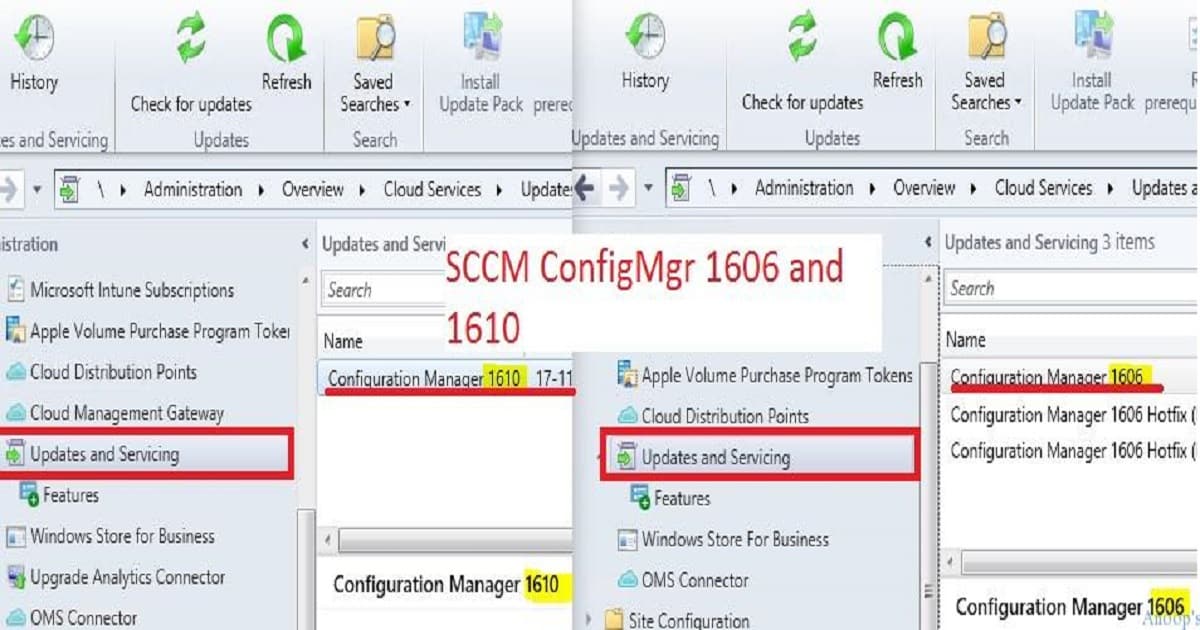
Feature Comparison Between SCCM ConfigMgr CB Versions
SCCM CB is moving away from old-fashioned boundary-setting, such as fast and slow boundaries. Rather, investing more in current and neighbor boundary groups. This will help to evolve the product further in upcoming versions.
A version of SCCM 1610 feature comparison includes Boundary groups
- current and neighbor boundary groups, Improvements on Windows Store for business,
- Cloud Management Gateway (internet client management),
- Immediate Policy sync for Intune-enrolled devices,
- Changes in Configuration and compliance policies,
- Lookout integration with SCCM CB 1610,
- Client Peer cache settings – client peer cache dashboard,
- enforcement of grace period,
- Content size filter in Software update ADR and monitoring of loads of components have been updated,
- And new dashboards have been included.
List of Feature Comparison Between SCCM ConfigMgr CB Versions
New Features as part of SCCM CB 1610 updates and servicing. Boundary Changes – Improvements for boundary groups – current boundary group vs neighbor boundary groups.
- Improvements Windows Store for Business – Modify the client secret key and delete a subscription to the store from the SCCM Console.
- Cloud management gateway for managing Internet-based clients – Cloud management gateway provides a simple way to manage Configuration Manager clients on the Internet.
- Immediate Policy sync for MDM channel Intune-enrolled devices.
- Configuration policies – New policies included in SCCM CB 1610 – Android (23), iOS (4), Mac (4), Windows 10 desktop and mobile (37), Windows 10 Team (7), Windows 8.1 (11), and Windows Phone 8.1 (3).
- Compliance Policies settings improvements -Lookout integration compliance Policies
- The Windows 10 Edition Upgrade Policy can be applied for SCCM CB 1610. It is now available for Intune and SCCM clients.
- Client Agent—Client Peer Cache helps you manage content deployment to clients in remote locations. Peer Cache is a built-in SCCM solution that allows clients to share content directly from their local cache. To share content, enable the Configuration Manager client in full OS. Yes.
- Customizable Branding is also included in the SCCM CB 1610.
- The enforcement grace period is an excellent feature of SCCM CB 1610.
- Another nice feature included in SCCM CB 1610 Software Update ADR is Content Size.
- Monitoring – Compliance policies Dashboard and Client Data Source Dashboard.
Resources
SCCM Dynamic Collection – Part 2 | WQL Query | ConfigMgr | Create HTMD Blog (anoopcnair.com)
Validate Azure AD Dynamic Group Rules | Intune
We are on WhatsApp now. To get the latest step-by-step guides, news, and updates, Join our Channel. Click here. HTMD WhatsApp.
Author
Anoop C Nair is Microsoft MVP! He is a Device Management Admin with more than 20 years of experience (calculation done in 2021) in IT. He is a Blogger, Speaker, and Local User Group HTMD Community leader. His main focus is on Device Management technologies like SCCM 2012, Current Branch, and Intune. He writes about ConfigMgr, Windows 11, Windows 10, Azure AD, Microsoft Intune, Windows 365, AVD, etc.




Good Comparison