






Learn How to Delete Devices from Azure Active Directory | Azure Portal | Disable Devices
Learn how to Delete Devices from Azure Active Directory | Azure Portal. For effective device management, we need to delete and disable the Azure AD and Intune options.
A device can be retired and deleted from the Intune console (Silverlight), and I’m sure the new MEM portal will indeed have these options.
If you are an SCCM admin, you may recall that the SCCM console has an option to delete and disable a device. However, I have seen that when you retire and delete a device from the Intune console, that device will be removed from the Intune console but will still stay in Azure AD.
Managing devices in Azure Active Directory (AAD) and the Azure portal is crucial for maintaining organizational efficiency and security. The process remains similar whether you need to remove outdated devices or restrict access for specific ones.

- Modern Vs Legacy Azure Active Directory Authentication Methods
- AAD Groups based on Intune Device Categories
- Create Nested AAD Dynamic Groups based on MDM Feature
- Create AAD Dynamic Groups Based On MDM Intune SCCM Management
- Restore Deleted AAD User from Azure Active Directory Portal
Table of Contents
How to Delete Devices from Azure Active Directory
So, it’s critical to delete these devices from Azure AD and keep the environment clean. I have created a video tutorial to help you with this topic, “Learn How to have a Clean and Tidy Intune and Azure AD Environment“.
| Name | Enabled/Disabled |
|---|---|
| DESKTOP-LNK7273 | Enabled |
| DESKTOP-213GHPA | Enabled |
| DESKTOP-9GTRJRV | Enabled |
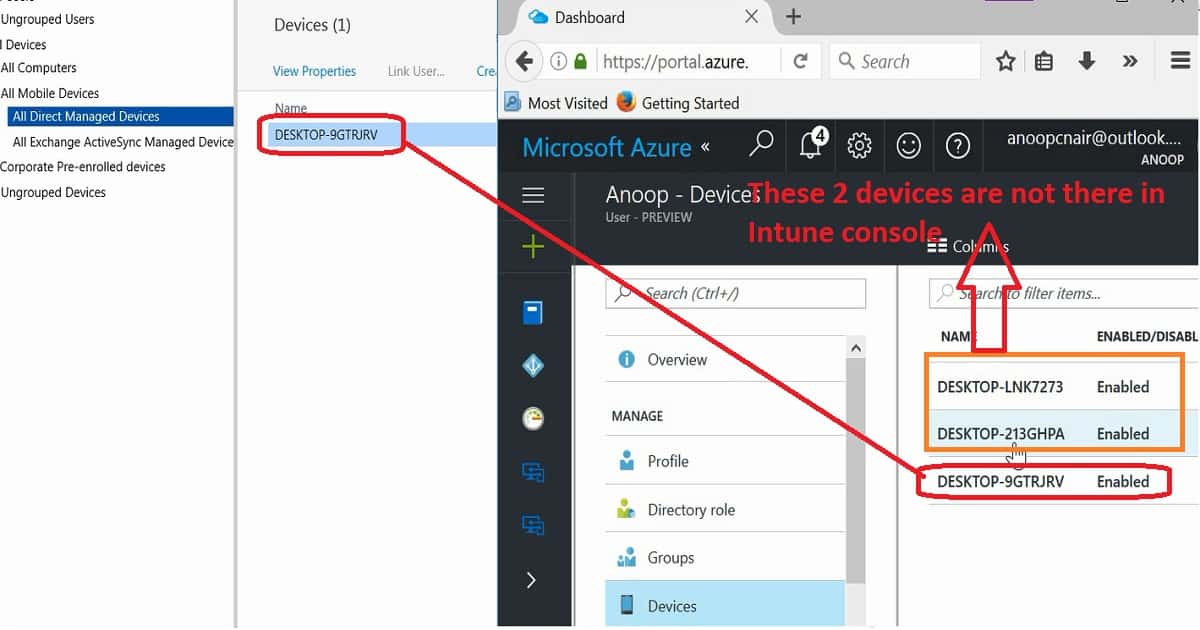
Back to delete and disable device options in the new Azure AD portal. We will first cover the disable/enable device option and then discuss the delete option. Consider a hypothetical emergency scenario where you want to disable an AAD device to prevent further damage to your organization.
Go to the MEM portal’s All Users and Groups blade to disable a device. Select All Users and select the Devices option from that blade. This will give you a list of devices. You can choose one device from that list and click on disable/enable the option per the requirement.
You can review the video attached to this post for a real-time experience. We don’t have to disable the option in the Intune console, so the only way to disable a device is from the Azure AD portal. Learn How to Delete Devices from Azure Active Directory | Azure Portal | Disable Devices?

Delete Devices from Azure Active Directory
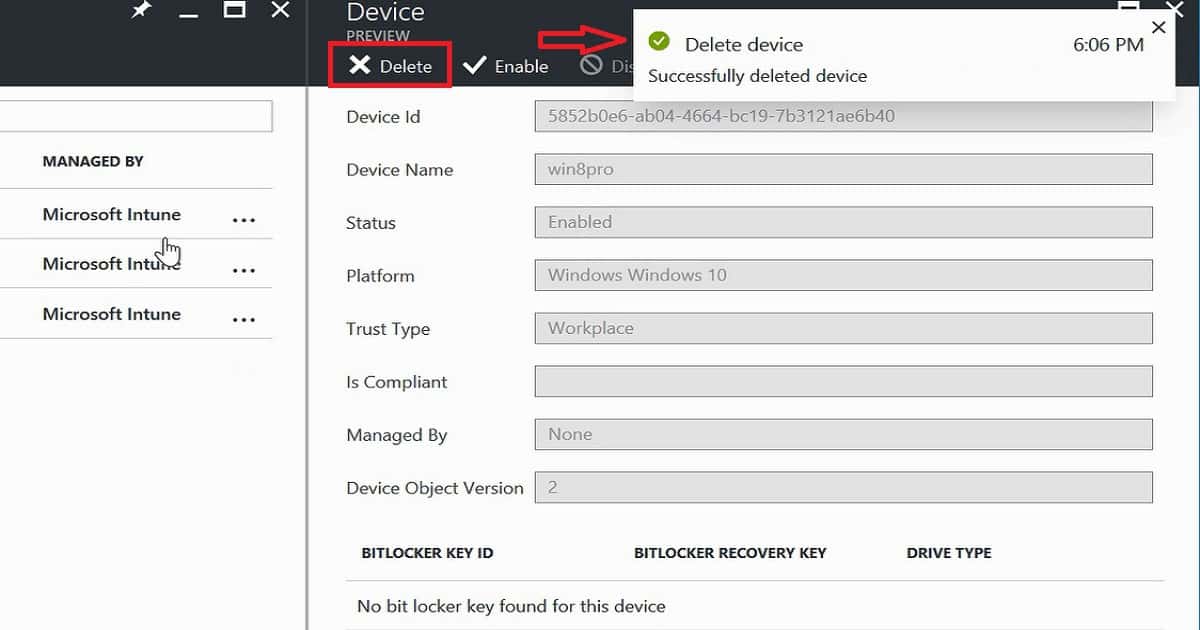
Now, we can see the delete device option in the Azure portal. This is a critical option that is very helpful in keeping your Azure AD environment clean. It will also help device management admins get better results from configuration/compliance policy and application deployments. To disable a device, go to the Azure portal’s All Users and Groups blade here.
Select All Users and the Devices option from that blade. This will give you a list of devices; you can choose one device and click delete.
We are on WhatsApp now. To get the latest step-by-step guides, news, and updates, Join our Channel. Click here. HTMD WhatsApp.
Author
Anoop C Nair is Microsoft MVP! He is a Device Management Admin with more than 20 years of experience (calculation done in 2021) in IT. He is a Blogger, Speaker, and Local User Group HTMD Community leader. His main focus is on Device Management technologies like SCCM 2012, Current Branch, and Intune. He writes about ConfigMgr, Windows 11, Windows 10, Azure AD, Microsoft Intune, Windows 365, AVD, etc.


What would be the cause of multiple entries. My guess Is re-enrolling the device. Correct me if I am wrong