






SCCM High Availability Redundancy DR Options ConfigMgr
SCCM High Availability Redundancy DR Options ConfigMgr. I just wanted to provide some reference posts in this post. I have also added my latest and quick notes on SCCM High Availability, Redundancy, and Disaster Recovery.
SCCM CB has made numerous improvements regarding HA (High Availability), Redundancy, and Disaster Recovery.
The role of an HA configuration is to reduce interruption during a zone or instance outage. With HA, data continues accessible to client applications, supporting redundancy.
SCCM 1806 onwards, SCCM primary server passive server options are available. Arnab explained this primary server passive option feature with a detailed blog post.

- SCCM High Availability Design | ConfigMgr BCP – Rajul OS – HTMD Conference 2021 (youtube.com)
- Azure Files Geo Redundancy for Standard Large File Shares
- SCCM Scenario Health Checks | ConfigMgr | Configuration Manager
| Index |
|---|
| SCCM CB High Availability (Quick Note) |
| Planning for Some Redundancy in CM07 or CM12? |
SCCM CB High Availability (Quick Note)
- Install 2 MPs instead of 1 MP
- Install 2 Dps instead of 1 DP
- Install 2 SUPs instead of 1 SUP
- Use SQL DB cluster
- All site server components can be offloaded to separate servers for SCCM high availability
- Primary server high availability options are still missing from the SCCM production version. However, primary server DR/HA options are available for SCCM CB technical preview versions.
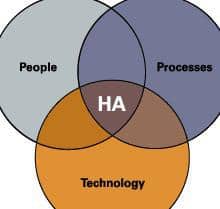
The high availability-related post by MadOne45 discusses multiple improvements in CM2012, such as multiple SMS providers, management points, SQL clustering, etc.
Planning for Some Redundancy in CM07 or CM12?
Some interesting questions related to disaster recovery from the TechNet Forum thread and very useful answers are from Jim Dempsey [MSFT].
1. Can you now restore the DB to a server with a different name in a DR situation?
ANS: No, you cannot restore your site database to a different server, but you can move the database to a different server after the recovery is finished. The ability to restore to a different SQL Server/instance is on our list to investigate for a future release, but no committed plans at this point.
2. What significant changes are there in DR from 2007 to 2012?
There are many changes, so I encourage you to review the documentation. Some notable changes are as follows:
- There is no longer a separate repair wizard that you have to run after running Setup to reinstall the site. Instead, recovery is an option integrated into the Setup.
- You can now recover data from another site in your hierarchy if you don’t have a good backup (this doesn’t apply to a stand-alone primary environment).
- Backup still backs up some registry keys and files (e.g. logs, and inboxes), but recovery uses only the database.
- Status messages for backup failures have been improved, including in-console alerts when your backup fails.
3. What is the best SCCM High Availability solution?
That’s a loaded question. What’s best depends on your specific environment, budget, and business requirements. Again, I encourage you to read the documentation on this.
A couple of things that have changed from ConfigMgr 2007 are as follows:
- We no longer support NLB for management points. Instead, we allow you to deploy multiple MP’s and we will automatically load-balance for you.
- We now allow you to install multiple SMS provider roles per site (which must be installed on separate servers).
We are on WhatsApp. To get the latest step-by-step guides and news updates, Join our Channel. Click here –HTMD WhatsApp.
Author
Anoop C Nair has been Microsoft MVP from 2015 onwards for 10 consecutive years! He is a Workplace Solution Architect with more than 22+ years of experience in Workplace technologies. He is also a Blogger, Speaker, and leader of the Local User Group Community. His main focus is on Device Management technologies like SCCM and Intune. He writes about technologies like Intune, SCCM, Windows, Cloud PC, Windows, Entra, Microsoft Security, Career, etc..




A very nice article really! However, what do you think about a disaster recovery solution based on Hyper-V 3 clustering or replica features. As the trend today is the private cloud, different SCCM infrastructures can be based on virtualization.
Yes, All virtual solutions are very good and innovative. However, Microsoft still only supports “Backup” using maintenance task and restore.
thank you for your response but I think that Hyper-V 3 replica is a very interesting feature that replaces DPM and is used to support failover scenarios.
Good info anoop. Thanks for consolidated all the info at one place 🙂
is there a real and automatic failover for application catalog? I tried and didnt work.
Hi Anoop,
Is there a specific network requirement for SCCM HA. I want to know what all ports are required/ allowed for HA setup. Can you share information if possible