






Let’s discuss 4 New Intune Windows Firewall Logging Configuration Policies. Microsoft has shared detailed information on Windows Firewall: new and upcoming features for 2023 in the latest Technical Takeoff session by Nick Welton.
Windows Defender firewall reduces the attack surface of a device, providing an extra layer to the defence-in-depth model. Microsoft has recently rebranded the Microsoft Defender Firewall to Windows Firewall policies.
Windows Firewall helps to protect your company’s information by controlling how users access and share data. Three configuration settings are available for that template’s Domain, Public, and Private profiles.
Microsoft has also released a new Intune security baseline format that ensures consistency in the security policy settings representation, aligning with other endpoint security policies.

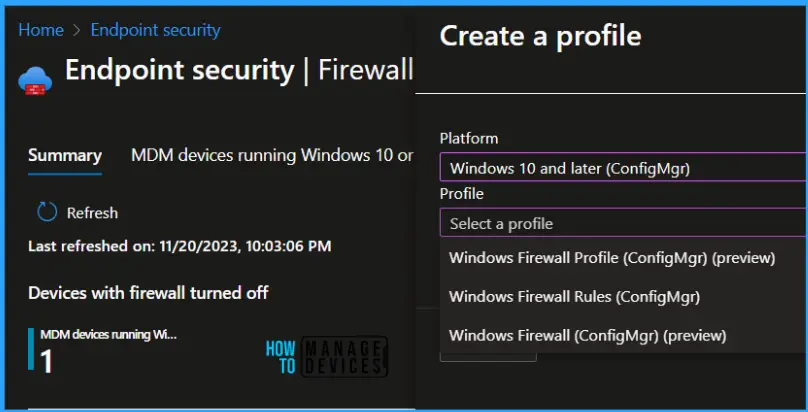
- Enforcing Local IPsec Policy Merging For Global Security Using Intune
- Create Intune Policy to Block Microsoft Accounts
- Manage Windows Subsystem for Linux using Intune Policy
4 New Windows Firewall Logging Configuration Policies
Nick Welton has shared the following table in the technical takeoff session, and this table gives a better understanding of Windows Firewall logging options.
| Enable Log Success Connections | Log File Path | Enable Log Dropped Packets | Enable Log Ignored Rules |
|---|---|---|---|
| When enabled, the firewall logs all successful inbound connections | Represents a file path to the log where the firewall logs dropped packets and successful connections | If this value is on, the firewall logs all the dropped packets. | The server MAY use this value in an implementation-specific way to control the logging of events if a rule isn’t enforced for any reason. |
Create 4 New Intune Windows Firewall Logging Policies
Let’s check how to create a new Windows Firewall Intune policy with Log Configuration Settings workflow. More details are available in the below section(s) about the 4 New Intune Windows Firewall Logging Configuration Policies.
- Sign in to the Intune Admin Center portal https://intune.microsoft.com/
- Select Endpoint Security > Firewall
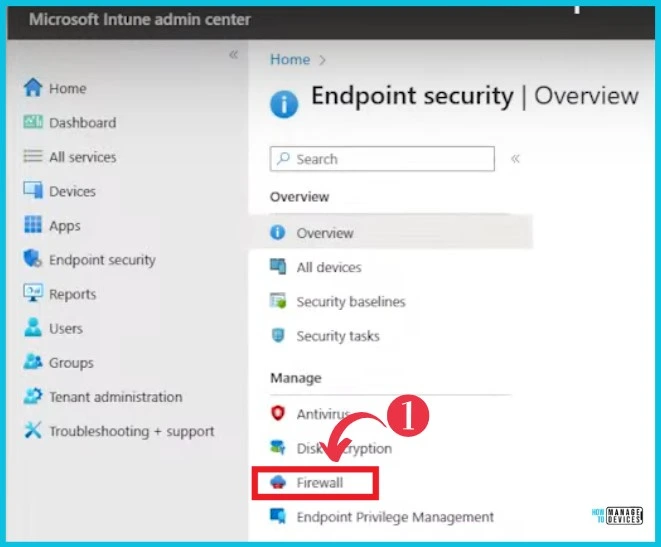
Windows Firewall with Advanced Security is essential to a layered security model. By providing host-based, two-way network traffic filtering for a device, Windows Firewall blocks unauthorized network traffic flowing into or out of the local device.
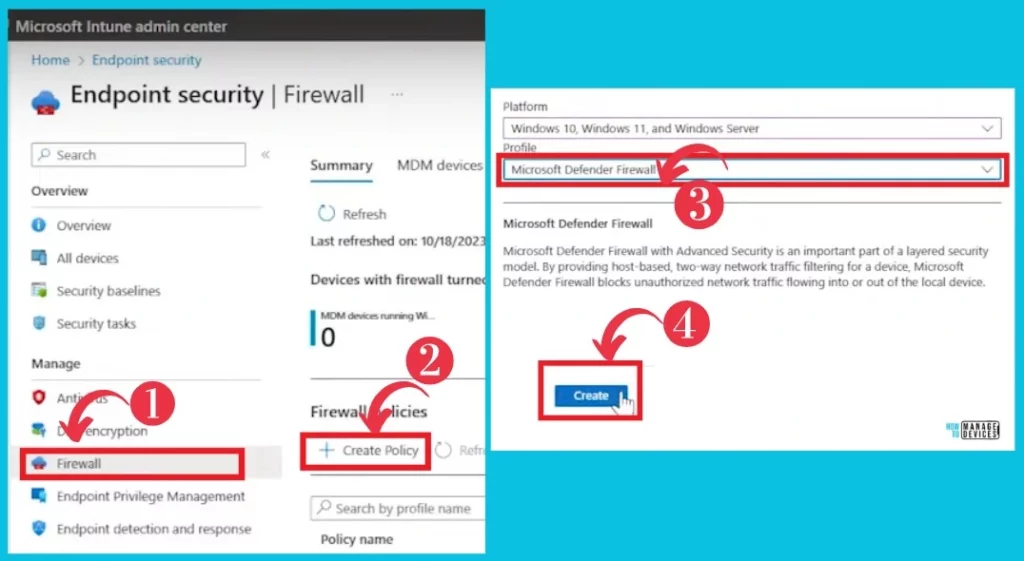
- Click + Create Policy button
- From the Platform drop-down options, select Windows Defender.
- Click on the Create button.
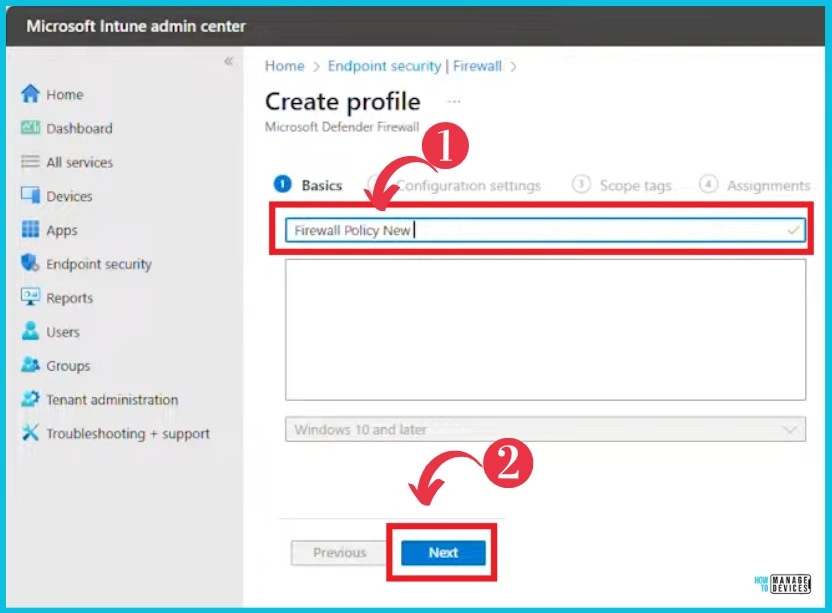
After clicking Create, a new window appeared for the Create profile. Type the policy name(Firewall Policy New) and click Next to continue.
- Type Policy name
- Click on Next
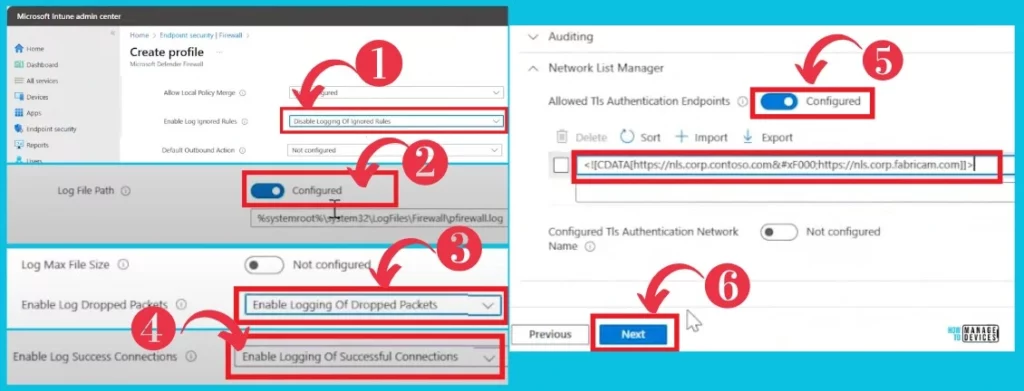
In the next window, you can see Create Profile and able to set configuration settings.
- First, click the drop-down arrow of Enable Log Ignored Rules and enable it.
- Second, Log File path;
- Third, Enable Log Dropped Packets;
- Fourth, Enable Log Success Connection Continuously.
- Finally, click the Next button on the Allowed Tls Authentication Endpoints.
- Update 3rd Party Apps using Intune Windows Catalog App
- Create Intune App Configuration Policies for MAM for Windows
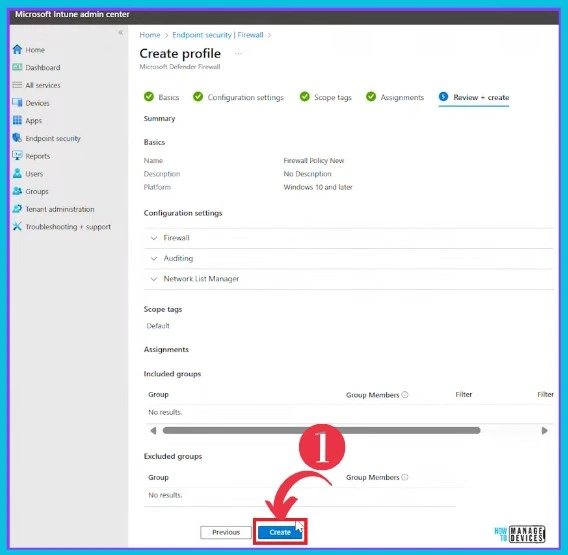
After Configuration settings, you can see the following screen to set the Scope tags and Assignments. Click these buttons and select the Create button.
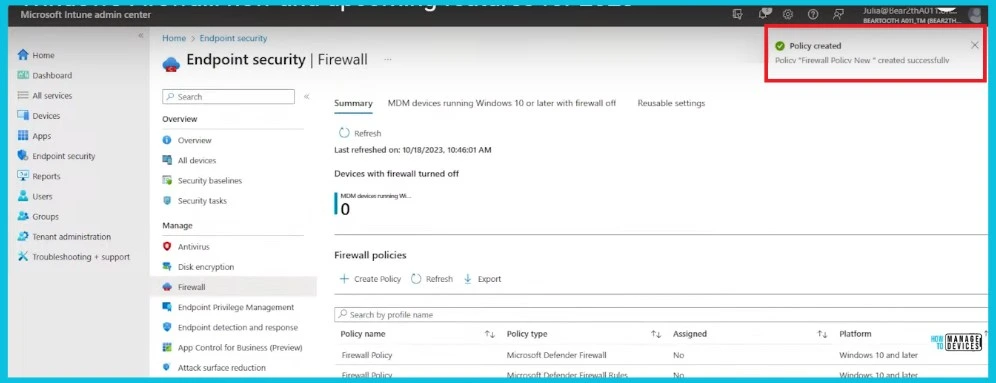
In the screenshot below, you can see the resulting Policy Created image on the right side.
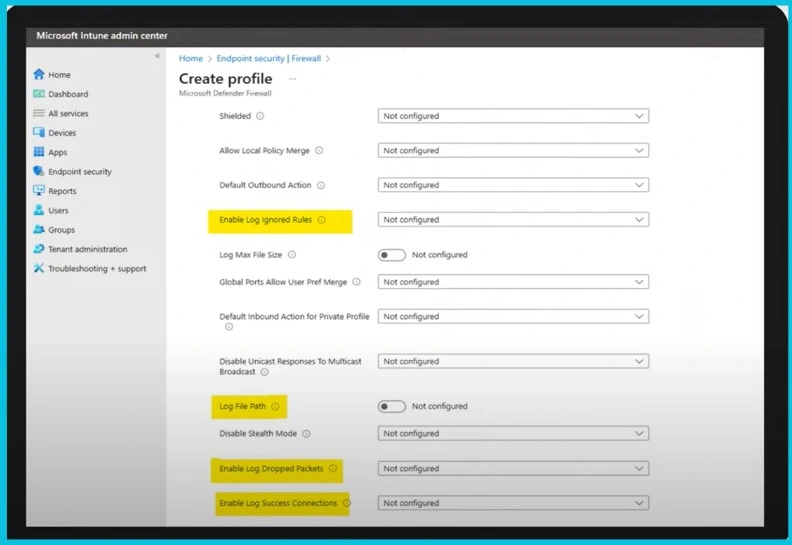
The screenshot below shows the Intune firewall configuration profile highlighted in yellow; it allows you to configure the logging behavior of the firewall. The policy was created through the 4 highlighted settings.
More details – Windows Firewall: new and upcoming features for 2023 – YouTube
We are on WhatsApp. To get the latest step-by-step guides and news updates, Join our Channel. Click here HTMD WhatsApp
Author
Sumitha was introduced to the world of computers when she was very young. She loves to help users with their Windows 11 and related queries. She is here to share quick news, tips and tricks with Windows security.


Discussion