






Let’s learn the 6 Exciting Features coming to Intune Enterprise App Management. Intune is getting some cool upgrades soon! Microsoft is planning to release the v1 version of Intune Enterprise App management features on 1st February 2024. Thank you for sharing this, Danniel Emerson, during the Technical Takeoff session.
More exciting features are coming to the Intune Enterprise Catalog workflow later. You know how it’s always cool to have fresh apps? Well, Microsoft is making sure you get exactly that. They are bringing in more apps for even more fun and helpful stuff on your devices.
The critical part is about making enterprise app management easier and faster. Microsoft plans to introduce Graph API into this workflow later next year. It is like a super-smart assistant for your apps. Many people have asked for this, especially if they like using automation tools.
Around March and April next year(2024), they are rolling out an Intune Guided upgrade experience. It’s like having a helpful guide when you are updating your apps. So, if you have older apps that need a refresh, this feature will make it a breeze.

- What Is Enterprise App Management And How EAM Apps Are Delivered
- Update 3rd Party Apps using Intune Windows Catalog App
- Deploy Windows Catalog App type using Intune Enterprise Application Catalog
- Update 3rd Party Apps using Intune Windows Catalog App
What is the Big News for Intune Enterprise App Management on February 1st?
Microsoft is bringing some cool upgrades. They plan to add new apps, making your device experience even more exciting.
What is the Graph API Microsoft Introduced?
Graph API as a super-smart assistant for your apps. It helps automate tasks, making things easier and faster for you.
Are there More Upgrades Coming after February 1st?
Around March and April, Microsoft introduced a Guided upgrade experience. It is like having a helpful guide when updating your apps, especially the older ones that need a refresh.
Microsoft offers Pre-packaged 3rd Party Apps using Intune Enterprise App Management Features V1
In this video, you learned all about the Enterprise application management feature of Intune, which is also known as third-party application patching. The video explained everything in detail and even showed demos to help you understand better. You saw how this feature works and how it can be used to manage applications effectively within an enterprise environment.
Intune Enterprise App Management
Microsoft plans to build a strong foundation first, then add more apps, and finally, make things super easy with intelligent automation and a handy upgrade guide. It is all about giving you the best experience with your applications.
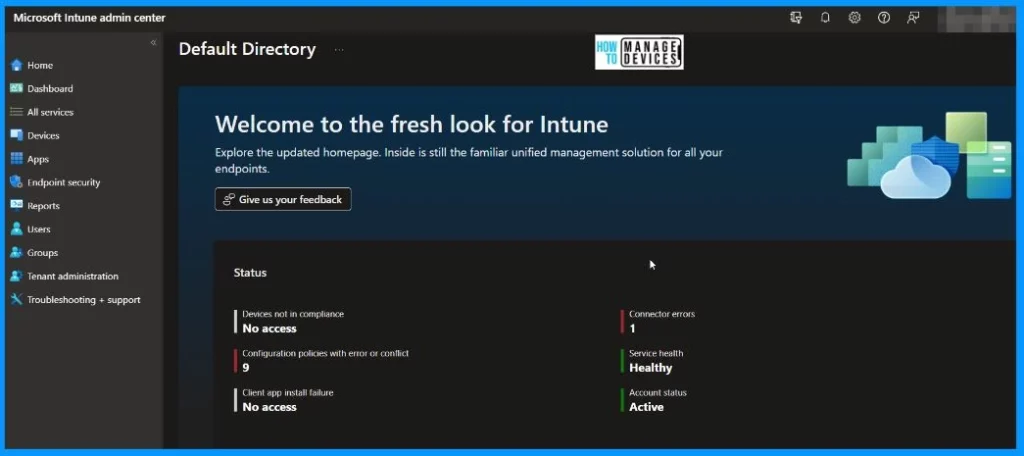
Upgrades in Intune Enterprise App Management
Discover the latest upgrades in Intune Enterprise App Management, starting with an enriched app experience. Microsoft is introducing new applications on February 1st, providing users with a broader and more diverse selection to enhance their digital environment.
| Date | Upcoming Feature |
|---|---|
| February | More New Apps and Graph API |
| March and April | Guided upgrade experience |
- What’s coming to post-GA
- If 1.0 is the foundation, what’s beyond
- More applications
- Graph API for automation, workflow, efficiencies, and more streamlined capabilities
- Guided upgrade experience
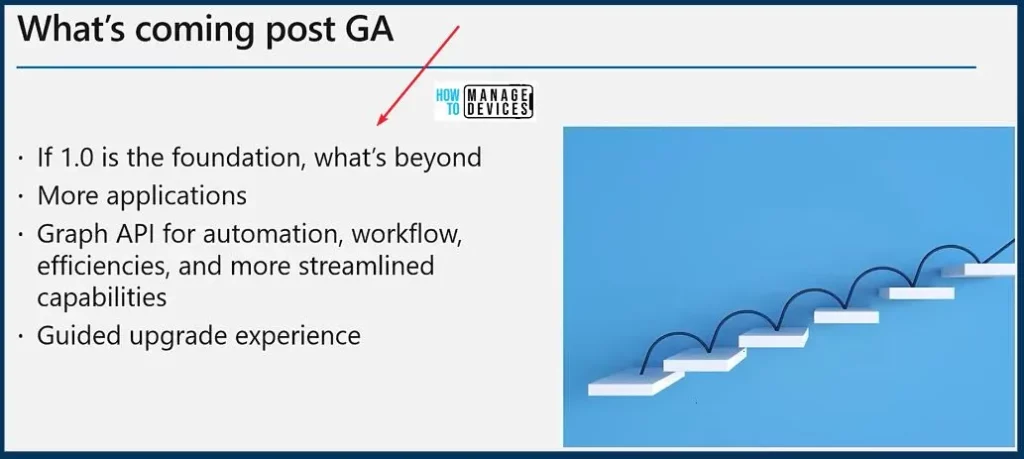
6 Exciting Features Coming to Intune Enterprise App Management
Let’s look at the 6 exciting features heading to Intune Enterprise App Management, each offering unique benefits. The 6 Exciting Features Coming to Intune Enterprise App Management are explained below. All these details are shared by Danny in the Technical Takeoff session. More details are available at the bottom of this post.
Connected and Integrated with Other Services
In this exciting realm of possibilities, Microsoft delving into the potential of providing metadata about applications and their capabilities. Microsoft is focusing on building a solid foundation.
The vision includes integrated services, such as those from MDE, triggering updates in Intune Enterprise App Management based on app vulnerabilities.
Cross-platform (Linux & Mac)
Looking ahead, Microsoft is considering cross-platform capabilities for Mac and Linux, envisioning automated management not just for controlled apps but also for those installed independently – the unmanaged ones.
The real excitement comes when we can address scenarios where users install apps independently, creating a dynamic environment that demands managed and unmanaged estate security, as per Danny.
Automated Management of Managed and Unmanaged App Estate
Upon Microsoft’s initial release, the focus will be on managed apps. The long-term vision includes extending reach to both managed and unmanaged domains. This expansion is where the true excitement lies, offering substantial value to customers in managing their applications.
Secure Managed & Unmanaged App Estate
Managed devices are typically company-owned devices. Your company’s IT or security team sets it up and configures it. Unmanaged devices, also called bring-your-own devices or BYOD, Are personally owned devices that employees set up and use.
Application Catalog becomes an API Source for Further Services
The Application catalog becomes a potential source for other services, integrating MDE and TBM based on triggers such as vulnerabilities.
While these aspirations may seem a bit futuristic, they are grounded in what we can realistically achieve in enterprise app management, providing a robust foundation for the future, as per Danny.
Enterprise Application Management help Understand and Fix Gaps in the App Model
With Enterprise App Management, you can better understand these gaps, relying on solid data rather than assumptions. This ensures a more informed and practical approach to addressing user needs and concerns.
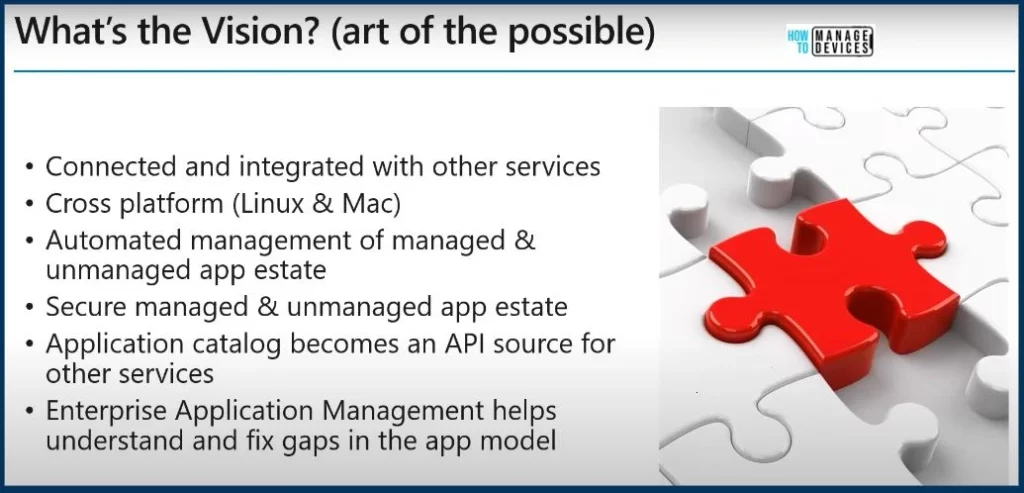
- What’s the Vision? (the art of the possible)
- Connected and integrated with other services
- Cross-platform (Linux & Mac)
- Automated management of managed & unmanaged app estate
- Secure managed & unmanaged app estate
- Application catalog becomes an API source for further services
- Enterprise Application Management help understand and fix gaps in the app model
(328) Navigate the future of Enterprise Application Management with Intune – YouTube – Microsoft shared detailed information on 6 Exciting Features Coming to Intune Enterprise App Management with the latest Technical Takeoff session by Danniel Emerson.
We are on WhatsApp. To get the latest step-by-step guides and news updates, Join our Channel. Click here – HTMD WhatsApp.
Author
About the Author – Vidya is a computer enthusiast. She is here to share quick tips and tricks with Windows 11 or Windows 10 users. She loves writing on Windows 11 and related technologies. She is also keen to find solutions and write about day-to-day tech problems.


Discussion