






SCCM CB Preview 1706 Upgrade New Capabilities Overview Video
Let’s learn SCCM CB Preview 1706 Upgrade New Capabilities Overview Video. The SCCM team released the newest PREVIEW version of SCCM CB 1706. Most of us are waiting for the production release, which I hope will happen sometime next month.
Per my previous experience and analysis, not all newly introduced features were added to the production version. I expect the same thing might happen with the production version of SCCM CB 1706.
I don’t think all the new features introduced in the PREVIEW version of 1706 will make it to the production version of SCCM CB 1706. I’ll provide an SCCM CB Preview Version 1706 Upgrade and New Capabilities Overview Video guide in this post.
Downloading the SCCM CB 1706 preview version and upgrading from it to 1706 is straightforward. A similar process is explained in the following video step-by-step guide, “Step by Step Video Guide SCCM ConfigMgr CB TP 1705 Download and Upgrade.”

- SCCM Client Version Dashboard SQL Query Custom Report
- What is the Secret Behind the Success of SCCM CB Updates and Servicing
- List of SCCM Prerequisite Checks via ConfigMgrPrereq.log
Table of Contents
SCCM CB Preview 1706 Upgrade New Capabilities Overview Video – SCCM CB Primary Passive Site Server
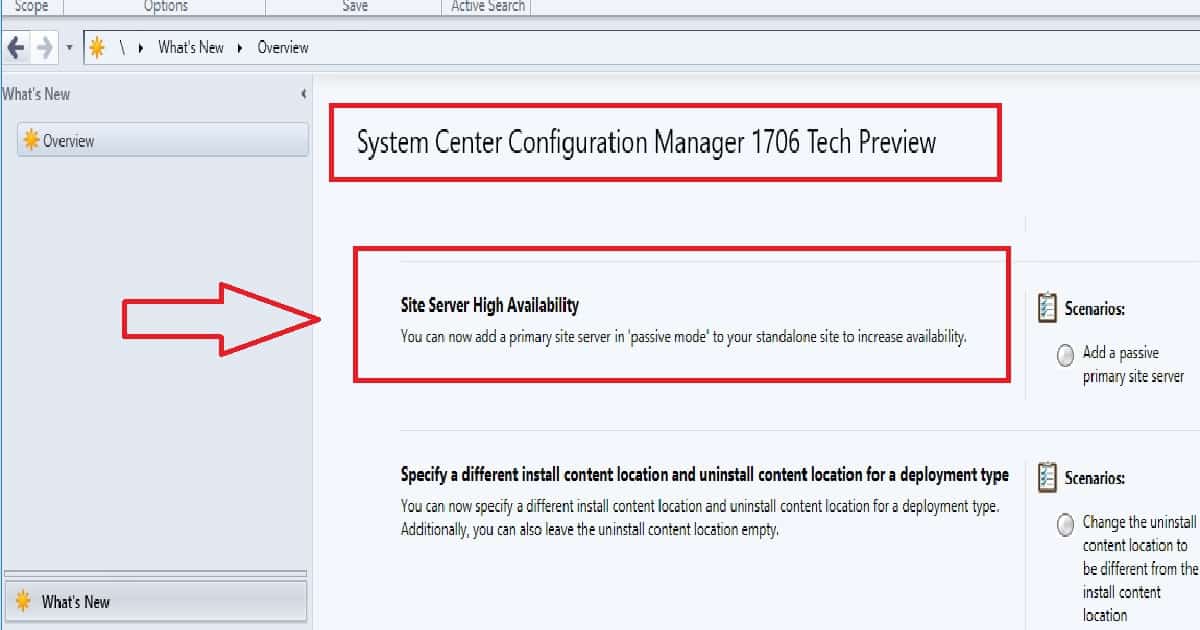
Site server role high availability – Now, you can create a passive primary server with the SCCM CB 1706 preview version, and this passive primary server will use the same SQL database. The passive SCCM primary server can’t write anything to the DB.
How do you create an SCCM CB Passive Primary server? Go to Administration > Site Configuration > Sites and start the Add Site System Roles Wizard in the console.
SCCM CB SUP and Boundary Group Improvements
It improved boundary groups for SCCM CB 1706 preview software update points (SUP). Fallback for SUPs now uses a configurable time for fallback to neighbour boundary groups, with a minimum of 120 minutes.
Independent of the fallback configuration, a client who attempts to reach the last software update point is used for 120 minutes. After failing to achieve its original server for two hours, the client switches to a shorter cycle for contacting a new SUP.
Trigger Compliance Notification Alerts from SCCM CB 1706
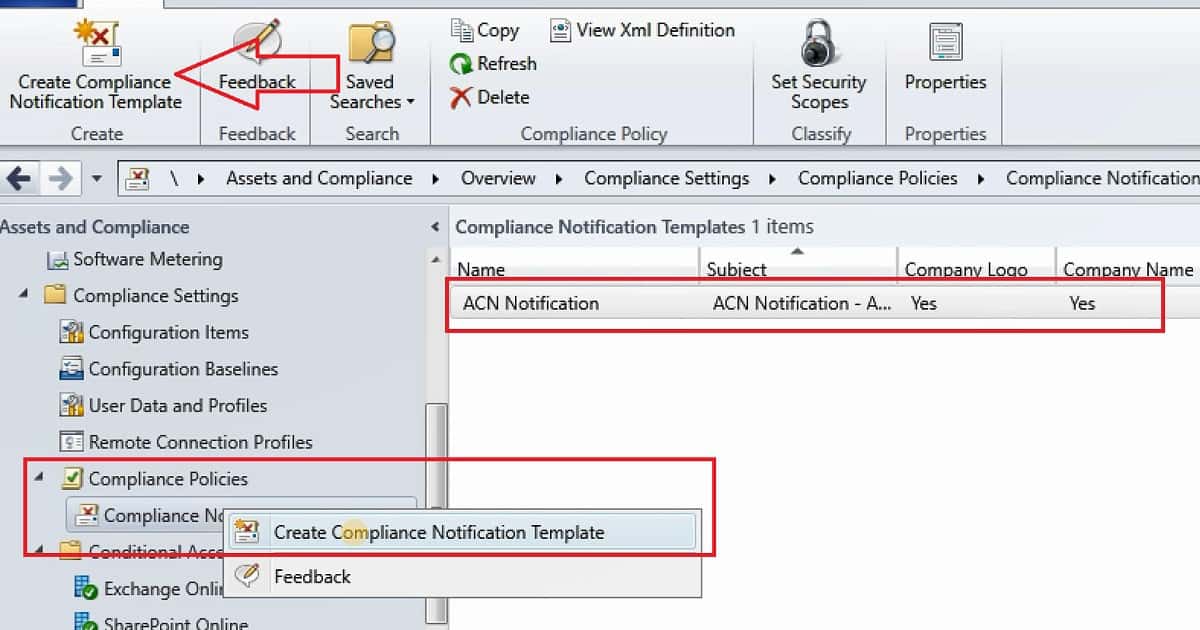
The device compliance policy has undergone some significant improvements. You can configure a time-ordered sequence of actions applied to devices that are out of compliance. For example, you can notify users of non-compliant devices via e-mail or mark those devices as non-compliant.
This can be done via \Assets and Compliance\Overview\Compliance Settings\Compliance Policies\Compliance Notification Templates.
| Name | Subject | Company Logo | Company Name |
|---|---|---|---|
| ACN Notification | ACN Notification | Yes | Yes |
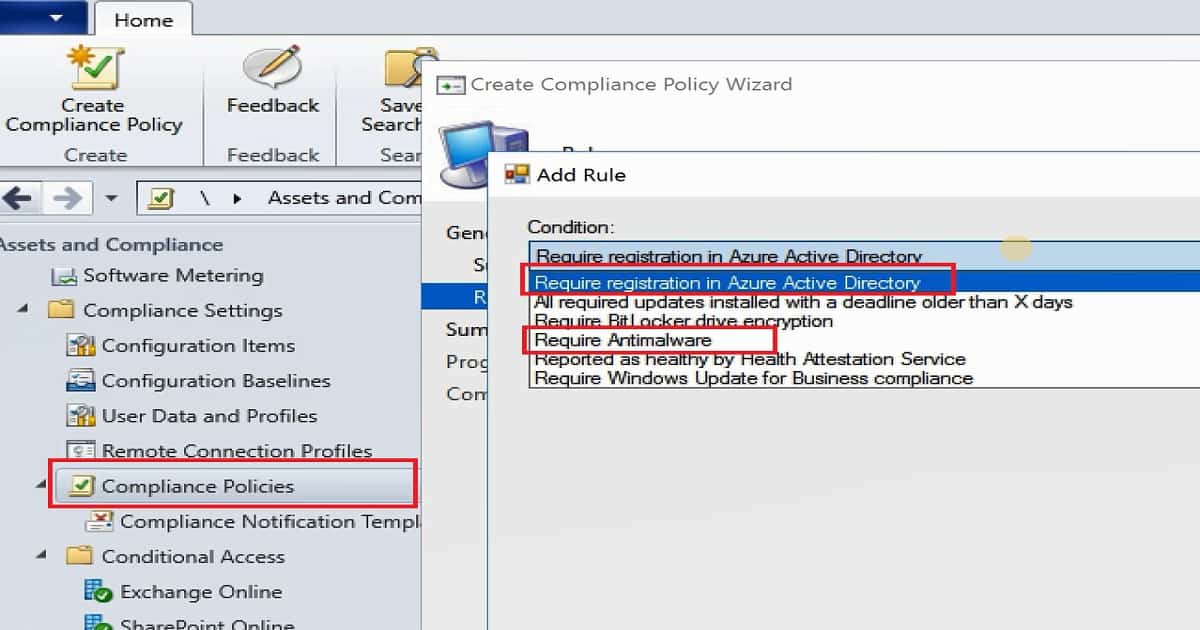
SCCM CB Compliance Policy Options for AAD Registration and Antimalware
Also, I could see the new compliance policies for full SCCM clients, which can be used in conjunction with Conditional Access for Managed PCs. Those compliance policies are Azure Active Directory Registration and Antimalware presence.
Android and iOS Enrollment Restrictions are Available in SCCM CB 1706
Admins can now specify that users can not enroll personal Android or iOS devices in their hybrid environment, limiting enrollment to pre-declared company-owned or DEP-enrolled devices. You can configure this from an Intune subscription under Cloud Services.
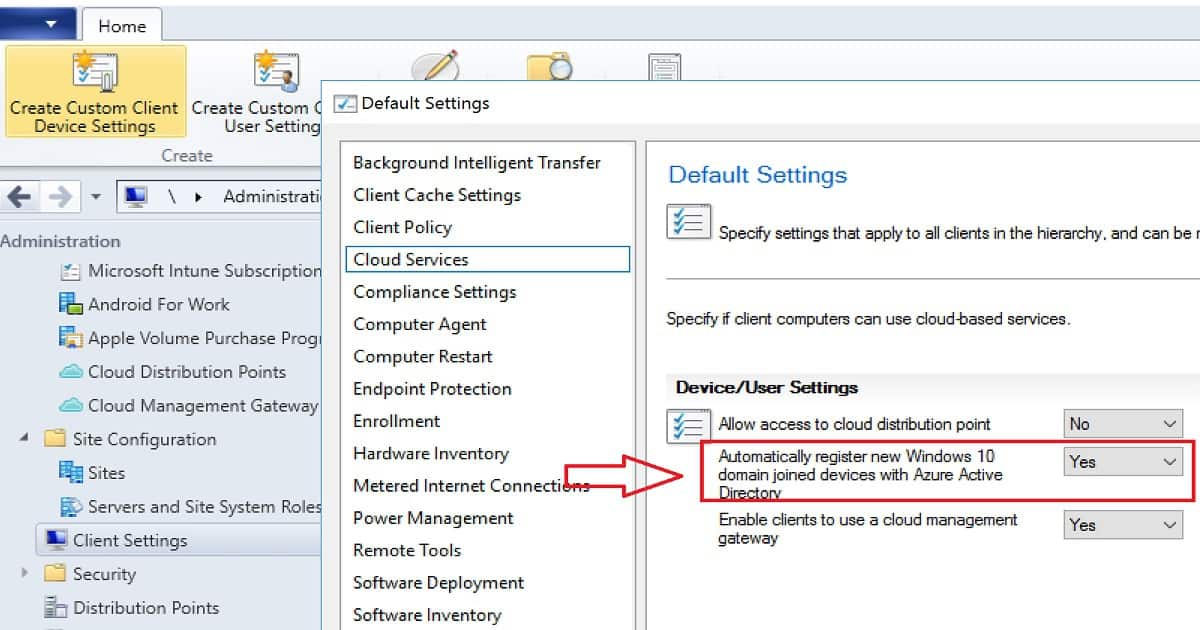
New Client settings for Automatically Register the Domain Joined Devices to Azure AD (Default Client Policies)
New client settings to Configuration Manager. You’ll find these in the Cloud Services section. These settings give you the following capabilities: Control which Configuration Manager clients can access a configured cloud management gateway. Automatically register Windows 10 domain-joined SCCM clients with Azure Active Directory.
Other Important Capabilities of SCCM CB 1706 PREVIEW Version
Let’s discuss the Other critical Capabilities of the SCCM CB 1706 PREVIEW version. The list below helps you show the Other critical Capabilities of the SCCM CB 1706 PREVIEW version.
- Create and Run Scripts – Create and run PowerShell scripts from the SCCM console.
- Device Health Attestation assessment for compliance policies for conditional access
- Android for Work application management policy for copy-paste
- Android and iOS enrollment restrictions
- New mobile application management policy settings
- New Windows configuration item settings
- Cisco (IPsec) support for macOS VPN profiles
- Support for Entrust certification authorities
- Configure Windows Update for Business deferral policies
- Manage Microsoft Surface driver updates
- PXE network boot support for IPv6
- Changes to the Azure Services Wizard to support Upgrade Readiness.
- SCCM console Accessibility improvements
- Specify a different content location for installing content and uninstalling content
- Hide task sequence progress
- Include trust for specific files and folders in a Device Guard policy
Resources
Capabilities in Technical Preview 1706 for SCCM CB
We are on WhatsApp now. To get the latest step-by-step guides, news, and updates, Join our Channel. Click here. HTMD WhatsApp.
Author
Anoop C Nair is Microsoft MVP! He is a Device Management Admin with more than 20 years of experience (calculation done in 2021) in IT. He is a Blogger, Speaker, and Local User Group HTMD Community leader. His main focus is on Device Management technologies like SCCM 2012, Current Branch, and Intune. He writes about ConfigMgr, Windows 11, Windows 10, Azure AD, Microsoft Intune, Windows 365, AVD, etc.




Thanks for sharing