






Configure Offline Caching in Microsoft 365 for Android using Intune App Protection Policy
The latest Intune update allows you to Configure offline caching in Microsoft 365 for Android devices. You can use a configuration key in an app configuration policy to enable or disable offline caching.
App configuration can be delivered either through the mobile device management on enrolled devices (Managed App Configuration channel for iOS or the Android in the Enterprise channel for Android) or through the Intune App Protection Policy.
Microsoft 365 for iOS and Android supports the configuration scenarios, allowing Only allow work or school accounts, General app configuration and Data protection settings you can decide whether the configuration scenario requires device enrollment.
When the Save As to Local Storage setting is set to blocked in an app protection policy, you can use a configuration key in an app configuration policy to enable or disable offline caching. This setting is only applicable to the Microsoft 365 (Office) app on Android.

Intune allows admins to configure Application Configuration policies that can be used to customize the application behaviour. You can create profiles in multiple ways, and one is for Managed Devices, these kinds of policies are applied to devices managed by Intune. The other is for Managed Applications that can be targeted to devices managed by third-party MDM solutions.
- Intune Best Guide To Enrol Corporate Android Devices With Work Profile
- Best Method To Block Access To M365 Apps Outside Android Work Profile Using Intune
Configure Offline Caching in Microsoft 365 for Android using Intune App Protection Policy
You can use App protection policies to prevent company data from saving to the local storage of the device. You can also restrict data movement to other apps that aren’t protected by App protection policies. App protection policy settings include how app protection policies protect app data.
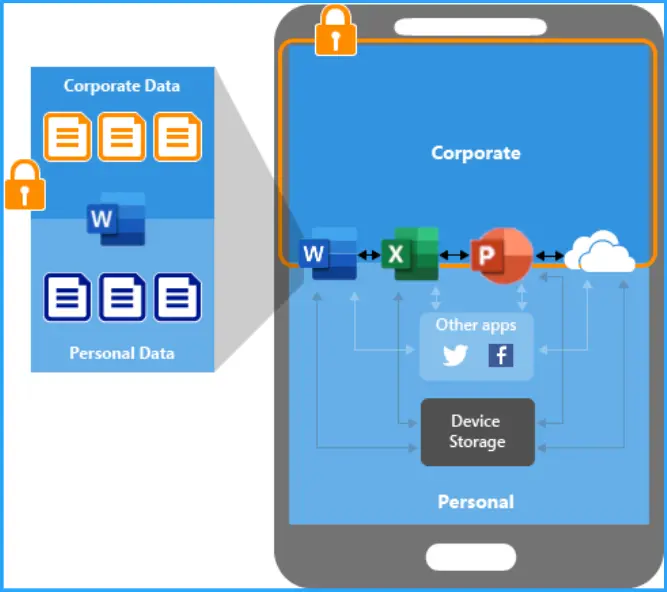
When the Save As to Local Storage setting is set to blocked in an app protection policy, you can use a configuration key in an app configuration policy to enable or disable offline caching. This setting is only applicable to the Microsoft 365 (Office) app on Android.
Refer to How to Create Application Configuration Policies for Managed Apps in Intune
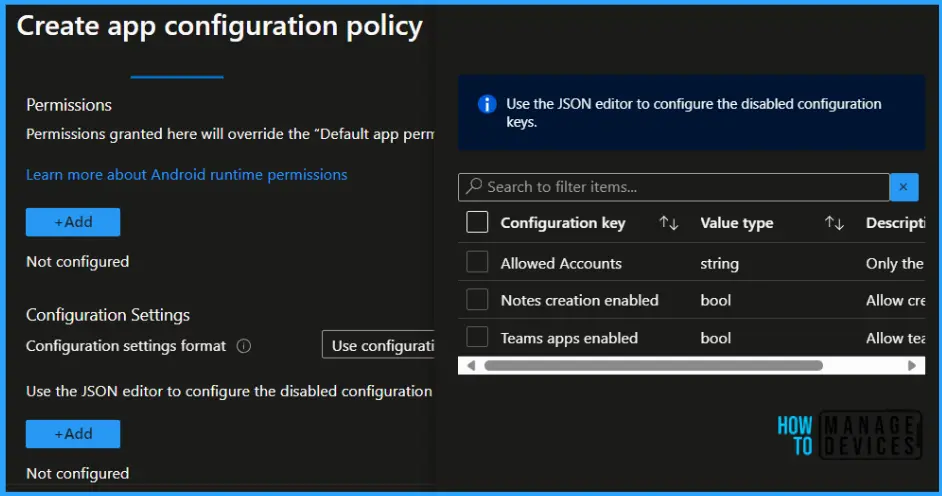
You can enable or disable offline caching when the app protection policy blocks Save As to Local Storage. The new Intune December update allows you to configure offline caching in Microsoft Office for Android devices. You can use a configuration key in an app configuration policy to enable or disable offline caching.
| Key | Value |
|---|---|
| com.microsoft.intune.mam.IntuneMAMOnly.AllowOfflineCachingWhenSaveAsBlocked | false (default) disables offline caching when Save As to local storage is blocked true enables offline caching when Save As to local storage is blocked |
Configuring offline caching in Microsoft 365 for Android allows users to access and work on documents without an internet connection, providing flexibility and productivity in various scenarios.
Once signed in, users can open the specific document they want to work on offline. The application may provide an option to enable offline mode or save the document locally. This offline caching in Microsoft 365 feature is particularly useful for users who need to work on their files while commuting, traveling, or in locations with limited or no internet connectivity.
We are on WhatsApp. To get the latest step-by-step guides and news updates, Join our Channel. Click here –HTMD WhatsApp.
Author
About Author – Jitesh, Microsoft MVP, has over six years of working experience in the IT Industry. He writes and shares his experiences related to Microsoft device management technologies and IT Infrastructure management. His primary focus is Windows 10/11 Deployment solution with Configuration Manager, Microsoft Deployment Toolkit (MDT), and Microsoft Intune.



Discussion