






Great News! Windows 11 Copilot Integrates with File Explorer Context Menu Copilot is the best AI companion for users. It serves as your everyday companion, assisting you with various tasks. Nowadays, many features are rolling out in Windows Copilot. We all know that Microsoft announced Copilot integration with Notepad and Paint a few days back.
Copilot is enlarging their features day by day now with the latest integration of Copilot into the Windows 11 File Explorer context menu. Microsoft has been working on integrating Copilot into Windows File Explorer for a while now. PhantomOfEarth first mentioned this feature on his Twitter in January 2024.
Microsoft enhances Windows 11 by integrating Copilot, significantly improving users’ productivity and creativity. Copilot offers many capabilities, from providing quick answers and inspiration to supporting creativity and collaboration tasks.
Copilot has already had many recent integrations with Microsoft 365, Notepad, and Paint. The new integration of Copilot in the File Explorer Context Menu will provide a new user-friendly experience while working on the File Explorer Context Menu.

- Pin or Unpin Copilot Side Pane on Desktop in Windows 11
- 16 New Copilot Actions Released by Microsoft
- Use Windows Copilot to Automate Tasks using Power Automate

Windows 11 Copilot Integrates with File Explorer Context Menu
Microsoft is now adding Copilot features to Notepad and other apps and bringing it to File Explorer. The integration of Microsoft Copilot into Windows 11 File Explorer, known as CopilotFEContextMenu (where ‘FE’ stands for ‘File Explorer’), has generated curiosity.
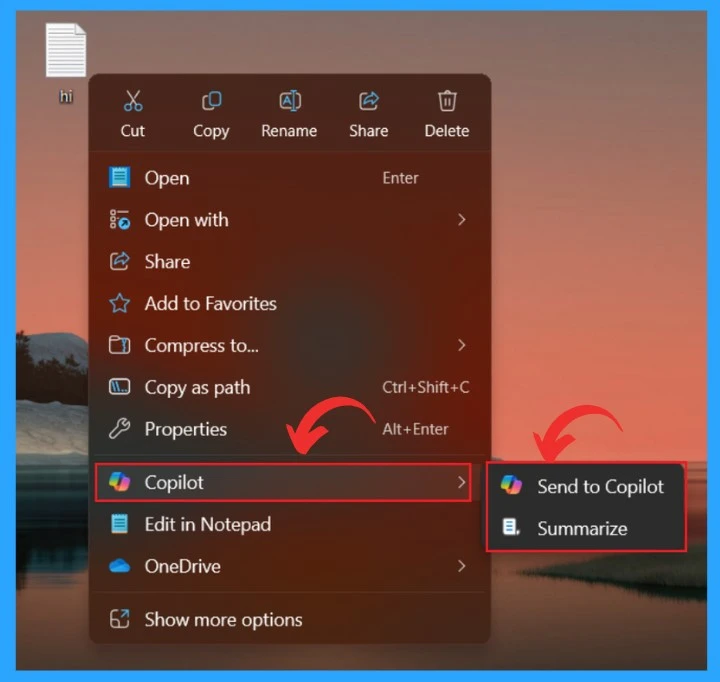
When you right-click any Windows 11 File Explorer file, you’ll see a new option called “Send to Copilot.” This feature allows you to send the selected file to Copilot for analysis.
Note: The feature is not fully functional yet; Microsoft is expected to expand Copilot integration in File Explorer.
| What We Can Expect from Copilot Integration into Windows 11 File Explorer Context Menu |
|---|
| This option allows you to send the selected file to the Copilot panel |
| You can ask AI questions about the uploaded document |
| You can send the file to Copilot with a prompt to quickly summarize the document |
- New Copilot Feature in Windows 11 to Connect Plugin
- 11 Microsoft Copilot Features of 2024
- Use Microsoft Copilot with any App on Android and iOS Devices
Once it’s opened in Copilot, you can ask questions or perform other actions related to the uploaded document. You can choose whether to send the document for summarization or to the Copilot. Microsoft Copilot’s integration with File Explorer won’t be limited to just these two actions.
- Microsoft may introduce other features in this integration, such as rewriting, upscaling, and removing background.
| Copilot options in File menu | info |
|---|---|
| Send to Copilot | You can send the file or document directly to Copilot and ask questions about it |
| Summarize | Copilot’s Summarization Assistance |
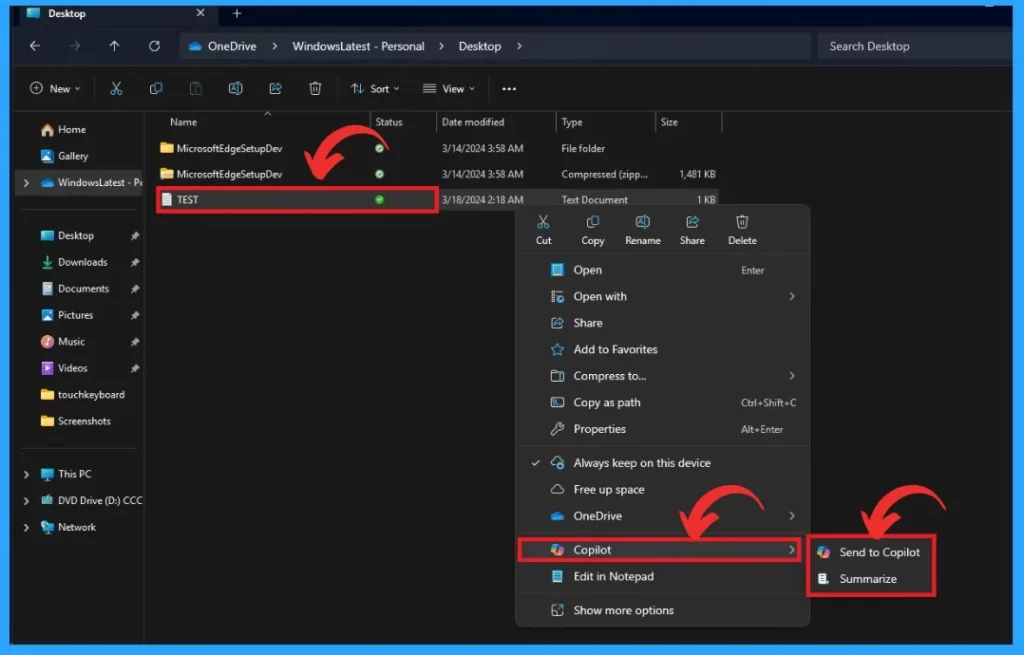
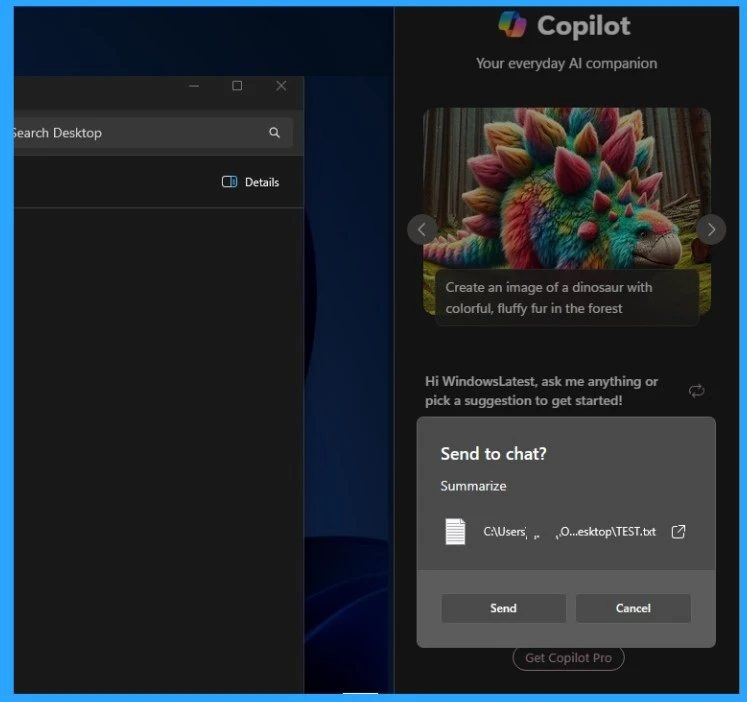
When you right-click on the document and select any options in that, the Copilot panel opens on your desktop and requests permission to obtain the document.
- The feature doesn’t seem to work perfectly yet
- Microsoft hasn’t confirmed Copilot integration in File Explorer yet
Latest News:
- New Capabilities in Microsoft Copilot for Security
- New Device Restriction Settings Available in macOS
- Copilot with Commercial Data Protection in Microsoft Edge for Business
- Turn Off Copilot in Windows Setting from Intune Settings Catalog
- Start Menu Stop Working in Windows 11 Insider Preview Build
Reference
Microsoft is integrating Copilot into Windows 11 File Explorer context menu
We are on WhatsApp. To get the latest step-by-step guides and news updates, Join our Channel. Click here –HTMD WhatsApp.
Author
Krishna. R is a computer enthusiast. She loves writing about Windows 11 and Intune-related technologies and sharing her knowledge, quick tips, and tricks about Windows 11 or 10 with the community.




Discussion