






Let’s discuss Security Enhancement with Named Locations in Entra ID. Conditional access is a powerful Microsoft Entra ID (Azure AD) feature. Entra ID is a cloud-based identity and access management service provided by Microsoft.
It allows organizations to manage user identities, control resource access, and enhance security. When you first start using Microsoft Entra ID, you have some basic settings, but these default settings might not be the best for keeping things secure.
So, organizations need to examine and adjust those settings to ensure they’re as secure as required. The conditional access policy allows organizations to define security and access policies based on specific factors.
Named Locations allow you to define locations used in conditional access policies that boost Security and Precision. These locations can also represent specific network ranges, such as your organization’s network or VPN ranges.

- EntraOps V0.7.0 Released With Improved Microsoft Entra Tenant Governance And Role Visibility
- Modernize MFA Authentication Policies in Entra ID
- What is Microsoft Entra ID?
- What is Face Check Feature in Entra
Security Enhancement with Named Locations in Entra ID
Organizations can define named locations to represent specific physical areas, such as offices or data centres. Named locations are coming under conditional access. Named network locations refer to specific areas within an organization’s network.
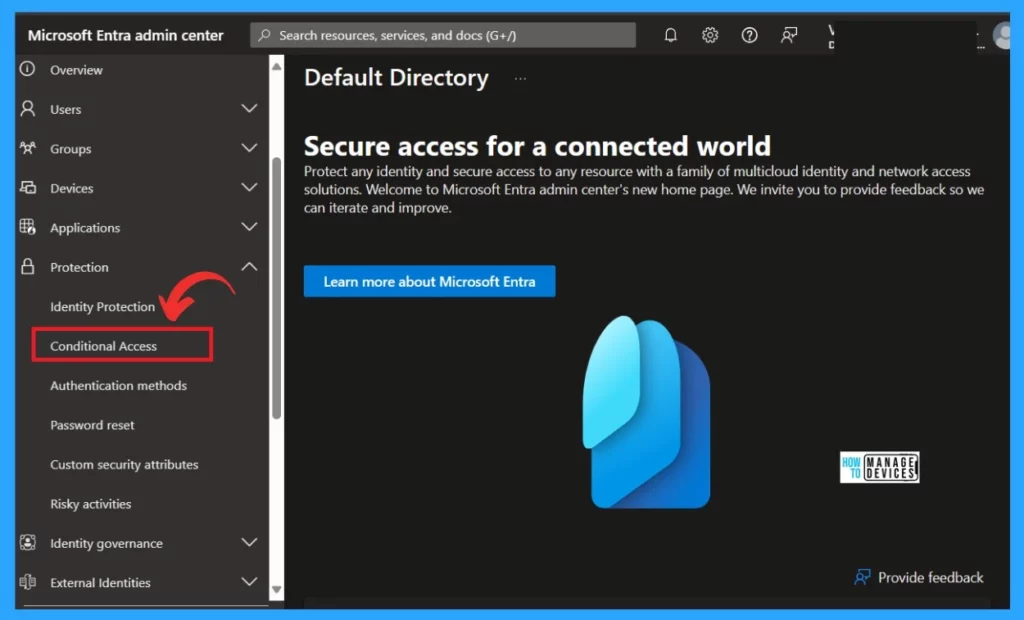
- Sign in to Microsoft Entra Admin Center
- Expand the Protection option
- Click on the Conditional Access
- Optimize Entra License with New Entra License Utilization Feature
- List of Entra ID Ignite 2023 Sessions
- Free Entra Training Videos | Start Learning Entra ID Azure AD
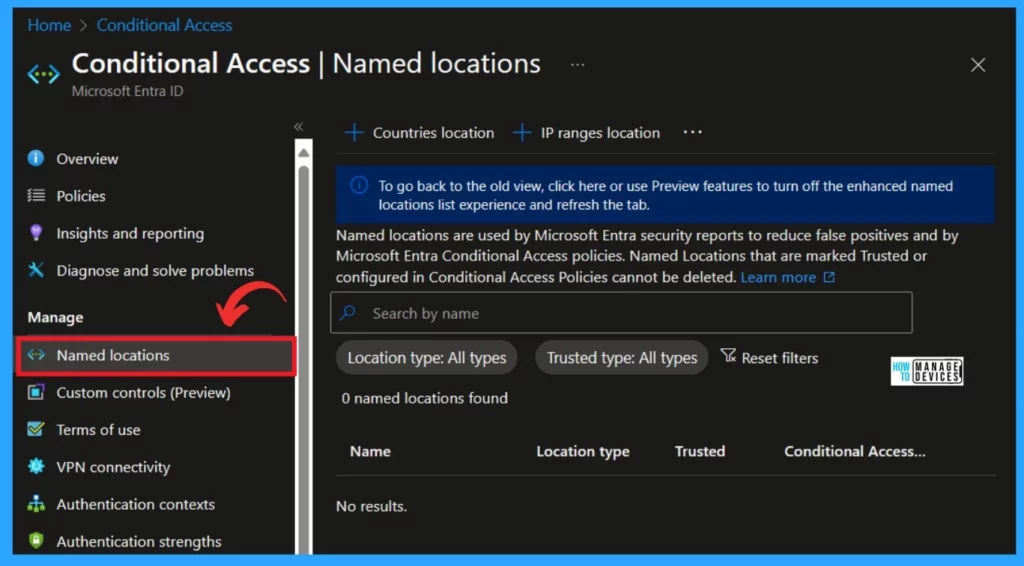
After clicking on conditional access, select Named location under the Manage option. Named locations are used by Microsoft Entra security reports to reduce false positives and by Microsoft Entra Conditional Access policies. Named Locations marked Trusted or configured in Conditional Access Policies cannot be deleted.
- Microsoft Entra ID is coming with IPv6 support.
- This change will make things smoother and help us move away from the limited supply of IPv4 addresses.
| Limitations of Named Locations Defined by IPv4/IPv6 Address Ranges |
|---|
| You can set up to 195 named locations, and these named locations help define specific areas or regions within your network. |
| Each named location can include up to 2000 IP ranges |
| Both IPv4 and IPv6 ranges are supported. |
| You can use CIDR masks greater than /8. This ensures that the range covers a substantial number of IP addresses |
You can create separate Named locations for specific physical areas, such as individual branches or data centres. This allows you to optimize your security policies and easily search through sign-in logs.
If you’re using IPv6, define IPv6 ranges for your named locations too. Microsoft Entra ID operates on IPv4 and IPv6, and users with IPv6 connectivity will likely access it primarily via IPv6.
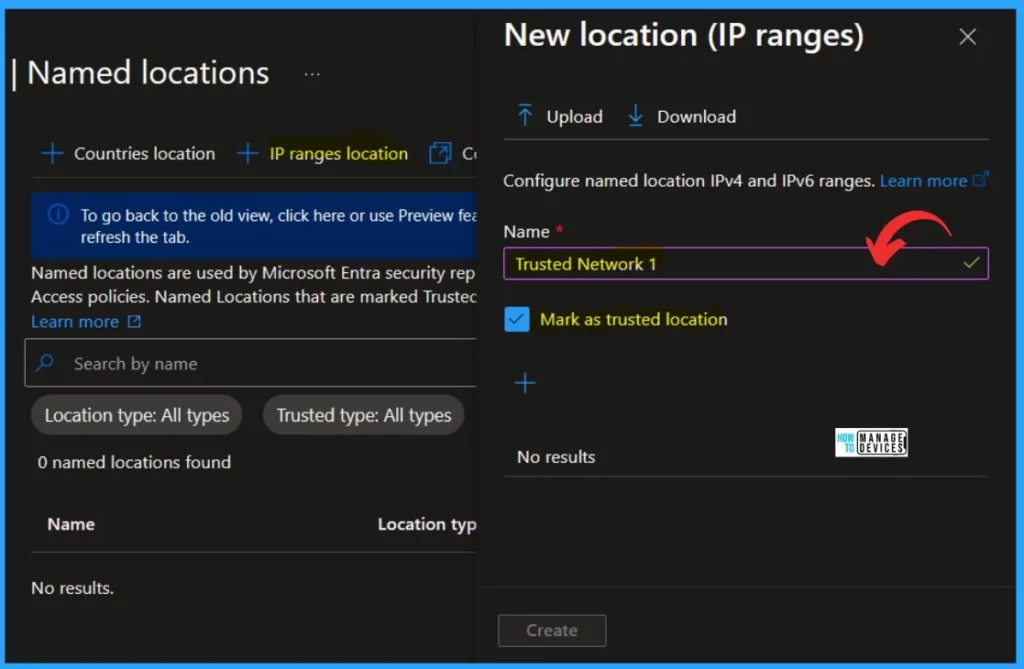
- You can define a named location by IPv4/IPv6 address ranges. For this, follow the steps.
- Name the Location– Choose an appropriate name for your named location.
- Specify IP Ranges -Specify one or more IP ranges linked to this location; you can add IPv4 and IPv6 ranges.
- Optionally Mark as a trusted location -mark specific locations, such as your organization’s public network ranges, as trusted.
- Trusted locations enhance security and risk in Microsoft Entra ID Protection.
Note: Don’t depend too much on the “trusted IPs” section in multifactor authentication settings. It only works with IPv4 addresses and should be used carefully for specific situations.
Reference
How to secure Microsoft Entra ID tenant
We are on WhatsApp. To get the latest step-by-step guides and news updates, Join our Channel. Click here –HTMD WhatsApp.
Author
Krishna. R is a computer enthusiast. She loves writing about Windows 11 and Intune-related technologies and sharing her knowledge, quick tips, and tricks about Windows 11 or 10 with the community.




Discussion