






Monitor Meltdown Spectre Vulnerabilities with SCCM Configuration Manager ConfigMgr
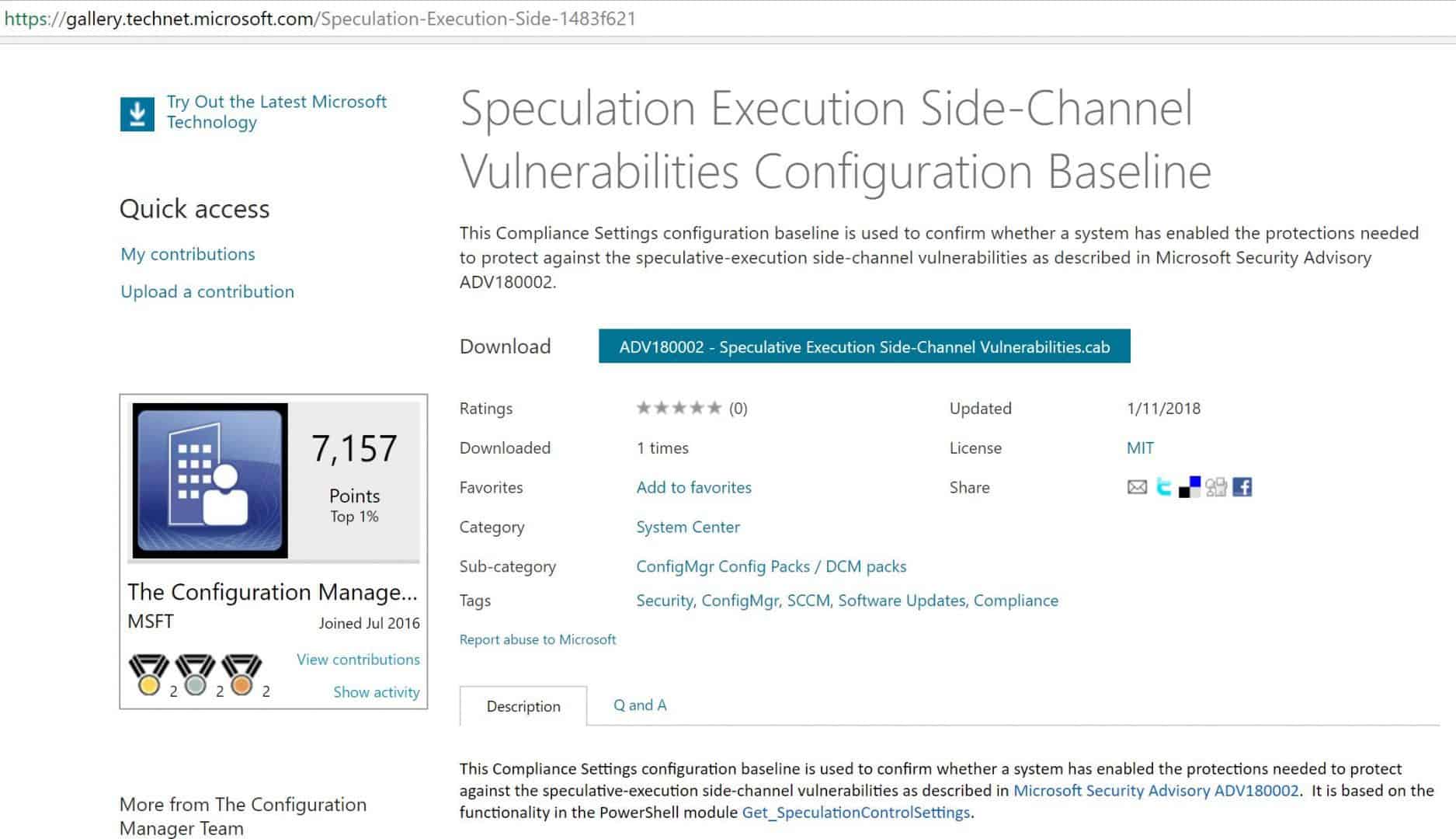
Monitor Meltdown Spectre Vulnerabilities with SCCM Configuration Manager ConfigMgr. Microsoft has released a Microsoft-signed CAB file here to check and monitor Meltdown Spectre Vulnerabilities.
In this post, we will see a video tutorial that explains how to download, Import, and deploy the configuration baseline for Microsoft Security Advisory ADV180002.
I tested the CAB file import process on the SCCM CB 1710 production version. However, I’m not sure whether this will work for the previous version of the SCCM (SCCM 2012 R2) environment.
It may not work as it has the latest OS versions selected as Supported platforms (Server 2016 etc..)

Table of Contents
Monitor Meltdown Spectre Vulnerabilities with SCCM Configuration Manager ConfigMgr
This Compliance Settings configuration baseline confirms whether Windows 10, Windows 7, Server 2008, Server 2012, and Server 2016 have enabled the protections needed to protect against the Meltdown Spectre Vulnerabilities.
Download the Microsoft signed CAB file
Subscribe YouTube Channel
- July 2024 Windows 11 KB5040442 KB5040431 Patches and 4 Zero-Day Vulnerabilities
- Updated Windows 11 End-of-Life Dates
- Windows 11 Version Numbers Build Numbers Major Minor Build Rev
Following are the High-Level Steps
Download the Microsoft Signed CAB file from the TechNet Gallery. Import a configuration Data CAB file to check whether SCCM-managed machines are safe from Meltdown and Spectre.
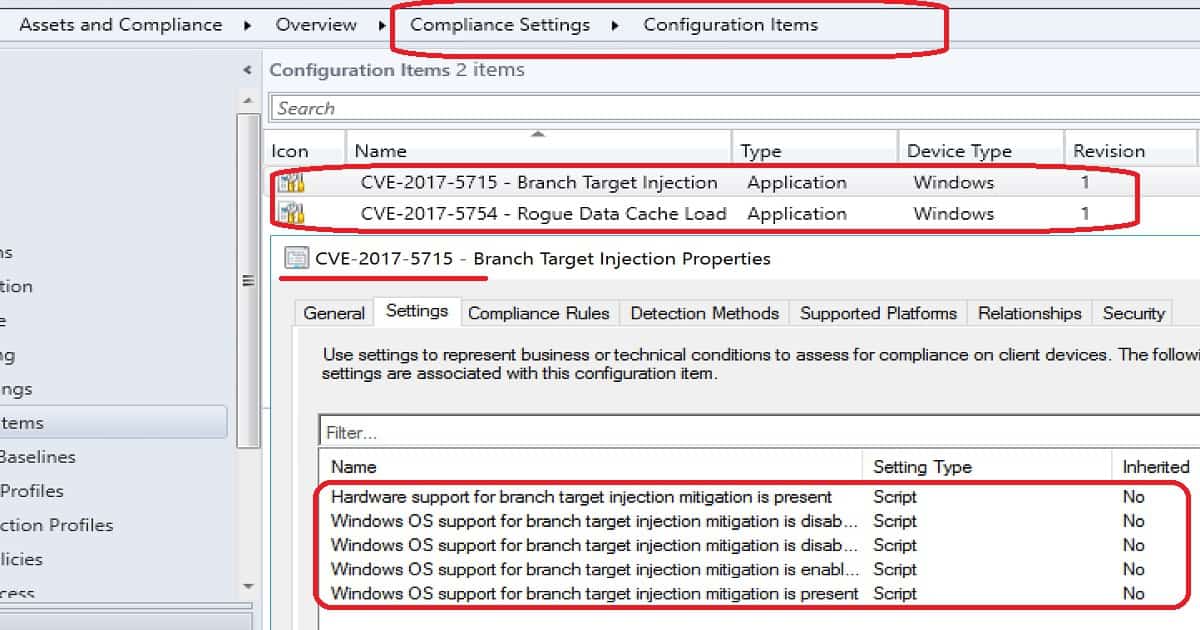
- Check Meltdown CI properties. The PowerShell script is used to confirm whether the systems are vulnerable or not.
- Check Spectre CI properties. The PowerShell script is used to confirm whether the system is vulnerable or not.
- Check and confirm the baseline properties before deploying it to devices.
- Monitor compliance report for Meltdown Spectre Vulnerabilities
| Name | Type | Device Type | Revision |
|---|---|---|---|
| CVE-2017-5715-Branch Target Injection | Application | Windows | 1 |
| CVE-2017-5754-Rogue Data Cache Load | Application | Windows | 1 |
Resources
Microsoft has released a Microsoft-signed CAB file here to check and monitor Meltdown Spectre Vulnerabilities. In this post, we will see a video tutorial that explains how to download, Import, and deploy the configuration baseline for Microsoft Security Advisory ADV180002.
- Understanding the performance impact of Spectre and Meltdown mitigation on Windows Systems
- Meltdown, Spectre, and the State of Technology
- Additional guidance to mitigate speculative execution side-channel vulnerabilities
We are on WhatsApp now. To get the latest step-by-step guides, news, and updates, Join our Channel. Click here. HTMD WhatsApp.
Author
Anoop C Nair is Microsoft MVP from 2015 onwards for consecutive 10 years! He is a Workplace Solution Architect with more than 22+ years of experience in Workplace technologies. He is a Blogger, Speaker, and Local User Group Community leader. His main focus is on Device Management technologies like SCCM and Intune. He writes about technologies like Intune, SCCM, Windows, Cloud PC, Windows, Entra, Microsoft Security, Career etc…




Thanks for the helpful post. I imported the cab into our ConfigMgr 1706 server running Server 2016 and i get the following when i try to open the properties of the Configuration Baseline.
ConfigMgr Error Object:
instance of __ExtendedStatus
{
Operation = “GetObject”;
ParameterInfo = “SMS_ConfigurationBaselineInfo.CI_ID=16839780”;
ProviderName = “WinMgmt”;
};
Error Code:
NotFound
——————————-
Microsoft.ConfigurationManagement.ManagementProvider.WqlQueryEngine.WqlQueryException
The SMS Provider reported an error.
Stack Trace:
at Microsoft.ConfigurationManagement.ManagementProvider.WqlQueryEngine.WqlResultObject.Get(ReportProgress progressReport)
at Microsoft.ConfigurationManagement.AdminConsole.UtilityClass.GetWithStatus(IResultObject selectedResultObject)
at Microsoft.ConfigurationManagement.AdminConsole.UtilityClass.RefreshForAction(ActionDescription actionItemDescription, IResultObject selectedResultObject)
at Microsoft.ConfigurationManagement.AdminConsole.SccmTaskHandlerBase.DoTask(IList
1 navigationNodes, NavigationModelNodeTask task)1 job, Object sender, ConsoleJobEventArgs args)at Microsoft.EnterpriseManagement.ConsoleFramework.WindowTaskHandler.WindowTaskOperation.ExecuteTaskJob(Object sender, ConsoleJobEventArgs jobArguments)
at Microsoft.ConfigurationManagement.AdminConsole.ConsoleJobExceptionHandler.ExecuteJob(IComponent component, EventHandler
——————————-
System.Management.ManagementException
Not found
Stack Trace:
at Microsoft.ConfigurationManagement.ManagementProvider.WqlQueryEngine.WqlResultObject.Get(ReportProgress progressReport)
at Microsoft.ConfigurationManagement.AdminConsole.UtilityClass.GetWithStatus(IResultObject selectedResultObject)
at Microsoft.ConfigurationManagement.AdminConsole.UtilityClass.RefreshForAction(ActionDescription actionItemDescription, IResultObject selectedResultObject)
at Microsoft.ConfigurationManagement.AdminConsole.SccmTaskHandlerBase.DoTask(IList
1 navigationNodes, NavigationModelNodeTask task)1 job, Object sender, ConsoleJobEventArgs args)at Microsoft.EnterpriseManagement.ConsoleFramework.WindowTaskHandler.WindowTaskOperation.ExecuteTaskJob(Object sender, ConsoleJobEventArgs jobArguments)
at Microsoft.ConfigurationManagement.AdminConsole.ConsoleJobExceptionHandler.ExecuteJob(IComponent component, EventHandler
StaffSo if I understand correctly, CAB file is getting imported without any issue. After the import you are not able to open the CI. Is that correct understanding? Have you tried to close the console and reopen it?
Yes, the CAB imports and i can work with the CIs, but i can’t open, deploy etc the Configuration Baseline. I also can’t delete it. I’m assuming that it has something to do with WMI because it says it can’t find
instance of __ExtendedStatus
{
Operation = “GetObject”;
ParameterInfo = “SMS_ConfigurationBaselineInfo.CI_ID=16839780”;
ProviderName = “WinMgmt”;
};
StaffI think Microsoft SCCM product is working to update the CAB file after the feedbacks from the community. Lets wait for the updated version.
StaffAlso, Please refer to the answer posted by
Kennedy_Shane
Just sharing what I’ve done to get this to import w/ SCCM 2012 R2 SP1.
* Extract .cab into .resx & .xml files.
* Remove this line “” from the “16777508_CVE-2017-5715 – Branch Target Injection.xml” and the “16777509_CVE-2017-5754 – Rogue Data Cache Load.xml” files.
* Recompile the extracted / edited files back into a cab via powershell.
(Example: https://stackoverflow.com/questions/19411440/makecab-create-a-cab-file-from-all-the-files-in-a-folder)
* Import new cab file into SCCM 2012 R2 SP1.
https://gallery.technet.microsoft.com/Speculation-Execution-Side-1483f621/view/Discussions