






Microsoft Intune Introduces Full Control Support for MacOS Devices
Exciting News for Intune users! Microsoft Intune Introduces Full Control Support for MacOS Devices. Microsoft updates always include various enhancements and improvements. This time, they introduce Full Control Support for MacOS Devices with remote help capability.
Do you know what remote help is in Microsoft Intune? Remote help empowers IT to provide secure helpdesk-to-user connections, mitigate security risks, improve efficiency, and provide support anywhere. With this connection, your support staff can remotely connect to a user’s device and view their display.
In this blog post, I will help you learn more about Full Control Support for MacOS Devices with remote help in Microsoft Intune. Providing efficient and secure remote assistance is very important for organizations that use macOS in their environment.
With this feature, IT help desks can view Mac devices, take full control of them, troubleshoot and reduce time to mitigation. The help desk can solve configuring settings, troubleshoot software glitches, or assist information workers.

Microsoft Intune Introduces Full Control Support for MacOS Devices
Help desk spoofing, the strong authentication built into Remote Help, and security controls are more important than ever. The help desk connection is very trustable and protected with complaint and conditional access policies, including the ability to support multi-factor authentication.
Steps for Access Remote Help with macOS Devices
You can easily access Remote Help with macOS Devices in Microsoft Intune. This is one of the newest features on Microsoft Intune.
| Steps for Access Remote Help with macOS Devices |
|---|
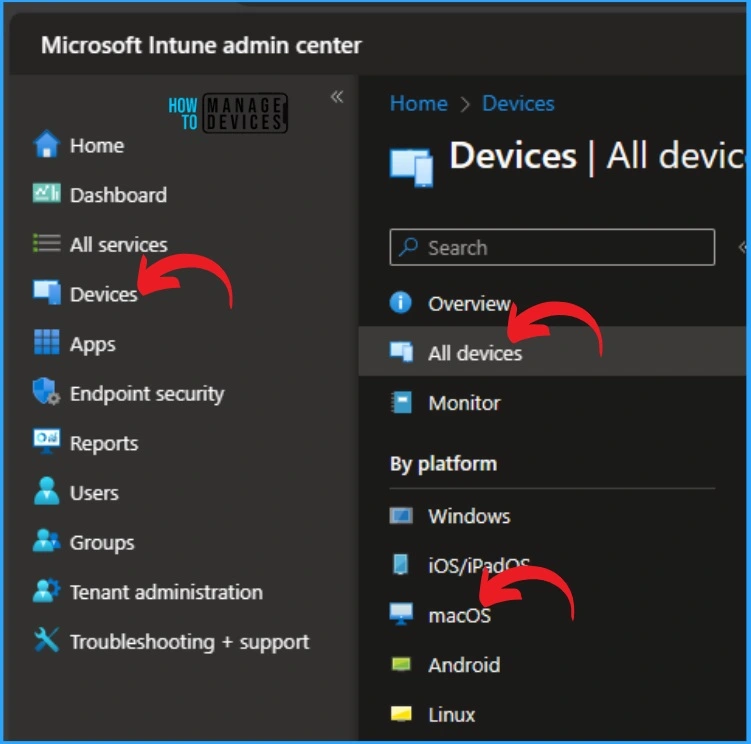
| Sign in to the Microsoft Intune admin center |
| Select Devices and then select All devices |
| Select macOS platform |
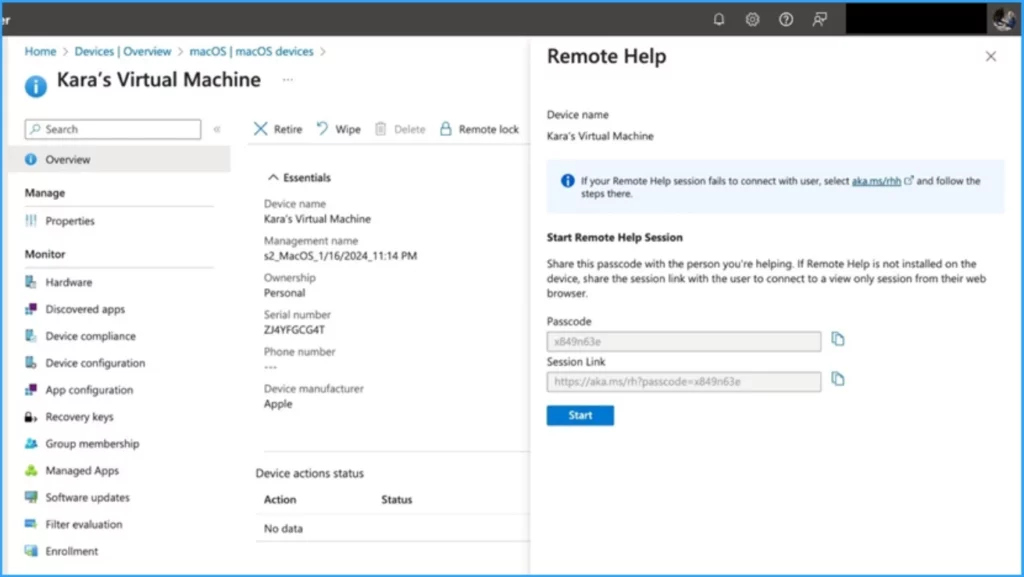
Afterwards, select any device in the macOS devices section on your Intune portal. Here, I will show you an example with a device(Kara’s Virtual Machine). You can see the various details of the selected device on the Essentials.
The right section shows the Remote help options. You can start the Remote Help Session by passcode and session link. Then click on the start option.
- Easiest Method to Configure iOS MacOS Devices Patching Schedule Using Intune
- Disable Guest Account on macOS using Intune
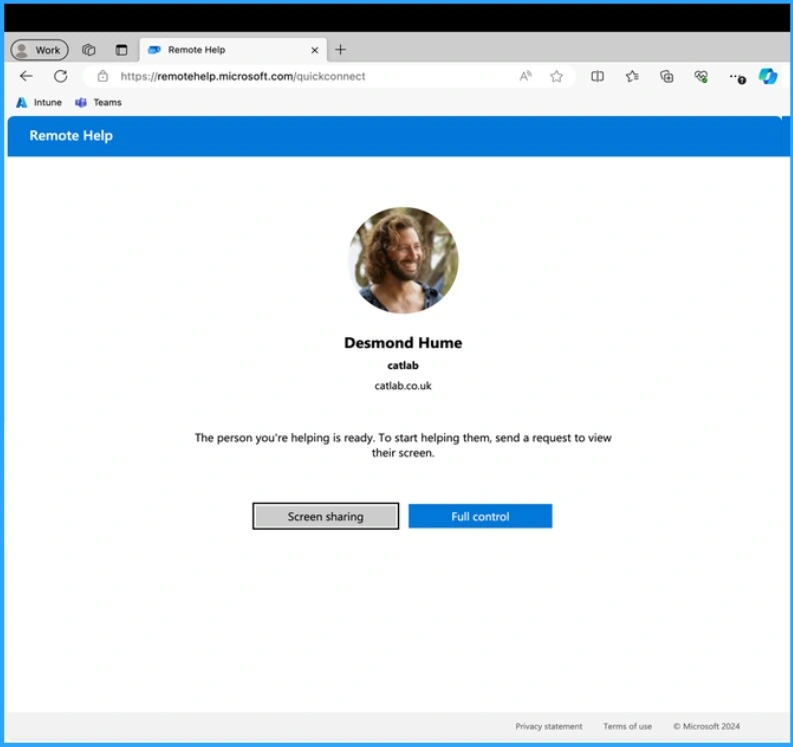
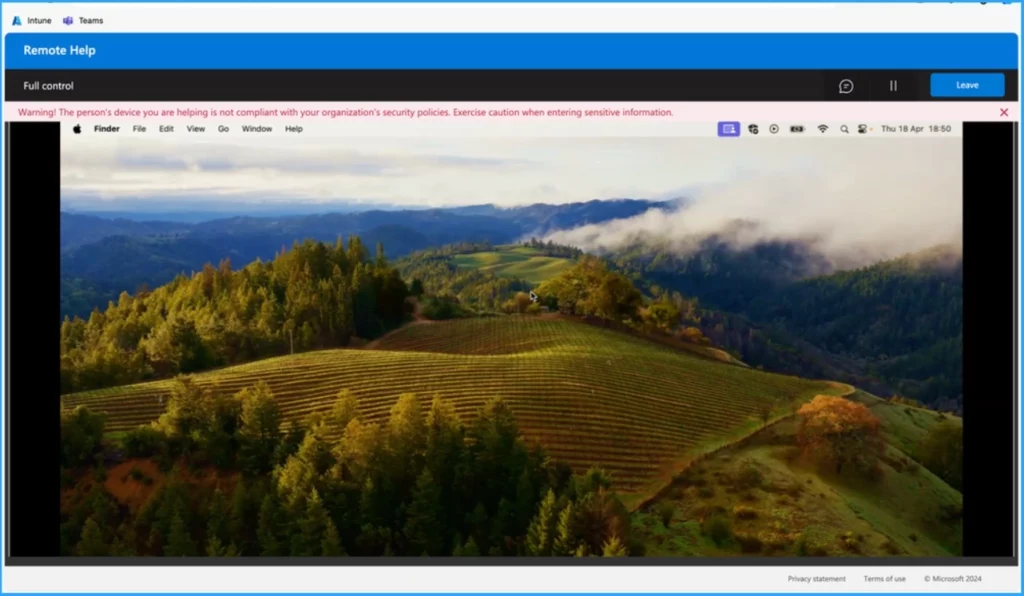
A new window will appear after clicking on the Start option from the above screenshot. When users begin, the helper now has the option of full control. This screenshot shows the person you are helping is ready. To start helping them, send a request to view their screen.
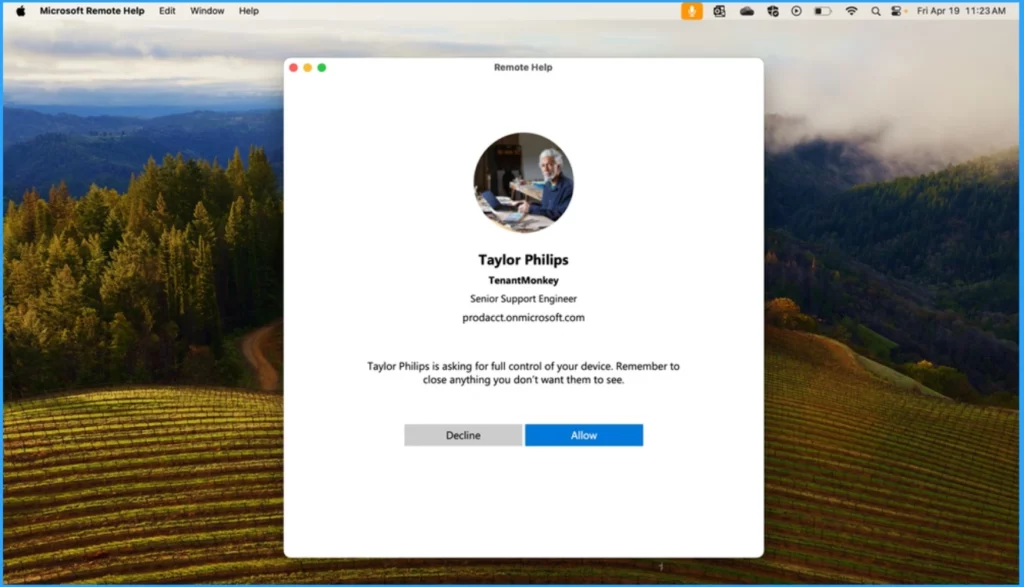
In the next window, you can see the employee, the help desk technician’s photo, name, job title, and domain verification through Entra ID, which creates confidence that the correct person is accessing their device. You can click on the Allow option to control your device fully.
Remote help checks whether the sharer’s device is compliant. Then, the session begins. When devices are not compliant, the helper will receive a warning but can still proceed with the session.
- Microsoft Introduced CrowdStrike Falcon as a Mobile Threat Defense Partner with Intune
- 2404 Microsoft Intune New Features April Update
Reference
Microsoft Intune Remote Help adds full control for Mac | Microsoft Intune Blog
We are on WhatsApp. To get the latest step-by-step guides and news updates, Join our Channel. Click here –HTMD WhatsApp.
Author
Gopika S Nair is a computer enthusiast. She loves writing on Windows 11 and related technologies. She is here to share quick tips and tricks with Windows 11 or Windows 10 users. She is Post Graduate Diploma Holder in Computer Science.


Discussion