






How to Learn SCCM Intune Azure
I still get many queries similar to “How to Learn SCCM Intune Azure,” “How to Learn Intune ”, “How to become an expert in SCCM,” or “What is the future of SCCM/ ConfigMgr?”
I didn’t do much research on these topics. So my opinions could be wrong. This post will provide some tips and tricks for learning SCCM Intune Azure. Free Intune Training videos are available for IT Pros to learn about MEM.
SCCM is great, and it will not die, as per Microsoft. But don’t abandon Intune learning. I strongly recommend going through the Intune learning process.
What to Learn Intune? Great Resource Around you! (1) LinkedIn Learning Courses for Microsoft Intune

Table of Contents
Before Start
In this section, I will try to answer questions that will crop up in your mind. What is the future of SCCM or any other IT Pro technologies?
All technologies are good, but your future is in your hands. You have to learn technologies with passion, and you should have some amount of luck; otherwise, you can’t reach anywhere.
Learning is a Continuous Process; Start Educating Yourself
I wanted to be a system admin in college because I didn’t want to learn after college. Soon, I realized that learning is a continuous process, whether you are a system admin or a developer.
You should learn new things every second! In this agile world, social media’s impact is vital. We can’t ignore social media and technology news.
Pillars of Learning – Learn SCCM Intune Azure
So there is NO “EASY WAY” to learn technology and become a technology expert. Following are some of the “pillars of learning” that may help you succeed in SCCM / Intune /Azure learning. Also, as better career opportunities.
- Get Rid of Initial Inertia – Take the Decision
- More Pros – Get Motivated looking at the future
- Listen and Watch – Start Engaging
- Start the Action – Practice
- Keep yourself updated – Virtual Networks/RSS Feeds
- Real Networking – In-person networking
- Start writing what you learned – Blogging/Vlogging.
Get Rid of “Initial Inertia”
This pillar is the first step in learning. You have to decide to move towards learning SCCM, Intune, Azure, and any other technologies. Overcoming the initial inertia that prevents many of us from starting learning is often the hardest step.
This inertia is the same feeling you feel when you want to change the TV channel, but the remote isn’t nearby. All you need is the smallest amount of force to get you started.
Once you overcome that initial inertia, you’ve taken an enormous step forward. Now, you need to keep walking towards learning SCCM Intune Azure.
More Pros – Get Motivated Looking at the Future
Think about more pros of learning and be positive. A firm decision to learn SCCM Intune or Azure is more important than thinking about the future of that particular technology. Don’t think about the future of technology and start worrying about it. These thoughts would create doubts in your mind.

Avoid Thinking About the Future of Technology
When it’s not “on-the-job” learning, you should feel passionate about the technology and genuinely interested in further exploring the teaching. Otherwise, you can’t complete the initial stage of your learning.
When learning a new skill, the first step is to determine what to learn and why. Why SCCM? Why Intune? Why not some other technology?
Every technology has its own merits. Your SCCM, Intune, or Azure career growth depends on your efforts, dedication, honesty, hard work, loyalty, etc. Read through this post to get more details – Learn SCCM Intune Azure.
Listen and Watch – Start Your Engagement with New Technology
Once you convince yourself about the technology you want to learn, you are ready to start reading about the technology you want to know.
Join your local user group communities and Facebook groups and watch or listen to the latest training videos, podcasts, webcasts, etc. As you delve deeper into the pool of knowledge, you will want to add other forms of information that come your way.
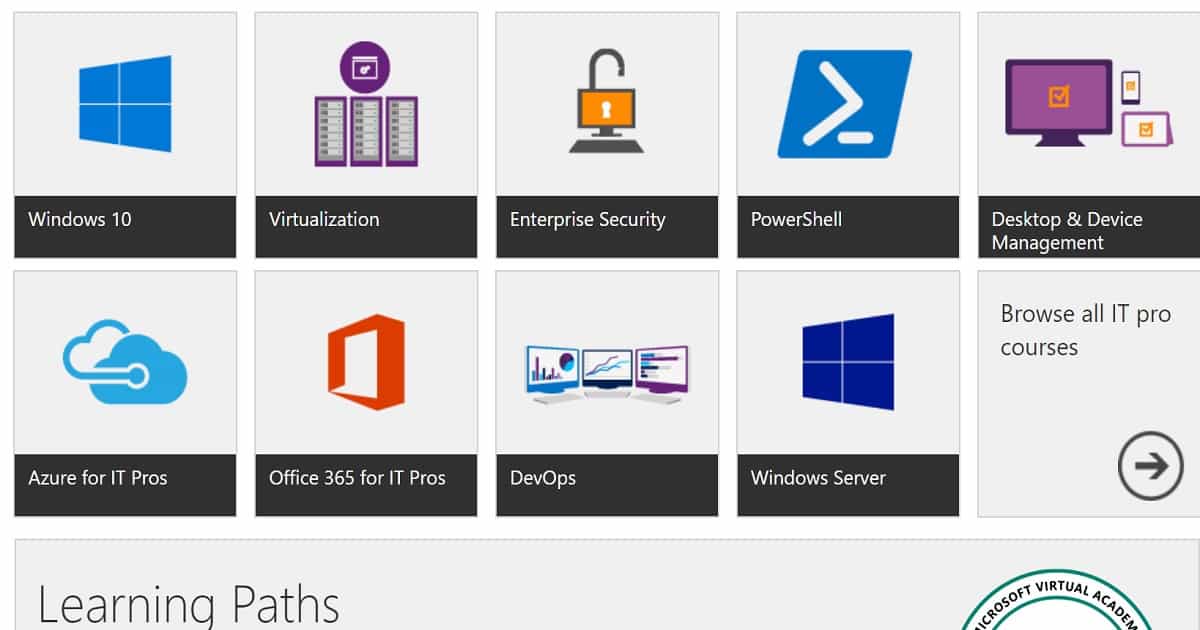
Start the Action – Practice
Practice makes perfect, and this is correct regarding learning SCCM Intune Azure. Find a machine (laptop or desktop) on which we can install Hyper-V. On the Hyper-V host, you can install the SCCM server, Domain Controller, and SCCM Client Machine.
Build an SCCM server (primary server – don’t build a CAS server for the first time), which is the best place to start learning SCCM. The same practice is good for starting Intune and Azure learning.
Check out the trial version of Azure and Intune and start practising. When you get stuck with installation problems, go back to any resources mentioned earlier and resolve them.
- Set up your SCCM lab a TechNet documentation
- Download the Trial version of Technologies
- Intune the Free Trial version
- Azure Free Trial version
Keep yourself updated – Virtual Networking / RSS Feeds
This stage is part of the above-mentioned point of continuous learning. In this agile world, we can’t keep away from social media and technology news to get updated about the new things in the technology world.
Keep yourself updated about the news among the technical communities via blogs, social media, etc. Subscribe to the blogs you feel are useful so you won’t miss any posts/news/updates.
We have four(4) very active Facebook groups, which will help you to keep updated. This group has more than 17000 IT Pros.
Create a Twitter account and use the following hashtags to keep updated about the new products, issues faced by ITPros, known issues of the products, etc
#MSAzure #AzureAD #SCCM #ConfigMgr #Intune #MSIntune
I don’t mind following me on Twitter @anoopmannur!
Subscribe YouTube Video channel
Like Facebook Page
Follow us on Twitter
Join Facebook Group - SCCM Professionals
Join Facebook Group - Intune Professionals
Join Facebook Group - Azure for IT Professionals
Join Facebook Group - Desktop Professionals
Follow us on LinkedIn
Follow us Google Plus

Real Networking – In-Person Networking
Real networking is the next stage of learning SCCM Intune Azure. It will help you interact with your technology peers. Meeting in person is always better than virtual (networking) meetings via social media.
Participate in Microsoft technical conferences and Local User Group meetings to build real in-person networking with your peers and industry experts. These are great places to share experiences and enrich your already growing skill set.
Best way to find out the User Group near your area – https://www.meetup.com/
Start writing what you learned – Blogging/Vlogging
I believe in sharing knowledge, and Knowledge is power, but only when shared. I’m sure blogging and video blogging(Vlogging) will keep you learning every day or second. These things will help you build a passion for learning and community sharing.
In this post, I have explained my passion for helping your technical community. I started this blog as my notebook or diary for technical issues/updates. In my experience, blogging allows you to build communication skills as important as the technology you are learning.
WISHING you A Great Learning Experience !!
We are on WhatsApp. To get the latest step-by-step guides and news updates, Join our Channel. Click here –HTMD WhatsApp.
Author
Anoop C Nair is Microsoft MVP! He is a Device Management Admin with more than 20 years of experience (calculation done in 2021) in IT. He is a Blogger, Speaker, and Local User Group HTMD Community leader. His primary focus is Device Management technologies like SCCM 2012, Current Branch, and Intune. He writes about ConfigMgr, Windows 11, Windows 10, Azure AD, Microsoft Intune, Windows 365, AVD, etc.




what certificate is connected with the exam?
I mean, after passed the exam, what certificate can try to get? like MCP, or MCSA, if yes, what is the rest exams which have to pass?
thanks,
after clicked “Set up your SCCM lab a TechNet documentation – here” above, got: https://docs.microsoft.com/en-au/sccm/core/get-started/set-up-your-lab
what made me confused was the SCCM version. Is SCCM 2012 R2 SP1 suitable for the 70-703? or need a higher one? As I already have key for SCCM 2012 R2 SP1, I prefer to use it.
thanks,
george
Staff70-703 certification is expired …. Can you please check this?
Hi Anoop,
thank you for your quick response!
I am still confused what SCCM version the 70-703 is suitable for. For exam, 70-696 is for System Center 2012 R2 explicitly below.
refer:
for 70-696:
Who should take this exam?
This exam is intended for IT professionals who manage and maintain PCs, devices, and applications across midsized to large enterprise organizations. A significant portion of this audience uses or intends to use System Center 2012 R2 Configuration Manager to manage and deploy PCs, devices, and applications. The Enterprise Desktop Administrator also supports either domain joined or non-domain joined Bring Your Own Device (BYOD) scenarios, mobile device management, and secure data access on common platforms, such as Windows 8.x, Windows Phone 8.x, iOS, and Android.
Much thank again!
George
for 70-703:
Who should take this exam?
Candidates for this exam are Enterprise Desktop Administrators who deploy, manage, and maintain PCs, devices, and applications across medium, large, and enterprise organizations.
Candidates for this exam should have at least one or two years of experience managing and deploying PCs, devices, and applications by using System Center Configuration Manager and Microsoft Intune. Candidates should have a strong understanding of networking, Active Directory Domain Services (AD DS), Windows operating systems, and mobile device platforms. Candidates should also understand public key infrastructure (PKI) security, Windows PowerShell, and Windows Server roles and services.
Staff70-703 is the latest and valid exam for SCCM Current Branch. No need to get confused 😉
OK, thanks,
Could you please give me your response for my first question above?
StaffIt’s always MCP for a cert.
Thank you so much!,
thank you so much!
Great post, thanks.. However, you misspelled Microsoft. You said: “…it’s not going to die as per Mcirosoft.”
Great Motivational post @Anoop.
Thanks a lot for this.. I think one should start following and reading your posts more often to be motivated always..