






Best 50 Apple iOS Device Management Interview Questions and Answers
Let’s discuss the Best 50 Apple iOS Device Management Interview Questions and Answers. iOS is one of the most popular operating systems on smartphones. In IT scenarios, iOS plays a significant role with its strong market presence, security features, innovation, revenue potential, and robust developer support.
As you know, iOS is known for its robust security features. It is widespread among mobile users and IT enthusiasts. To build the best career as a Desktop Admin, you should be aware of all areas related to the IT Industry. iOS is a prominent OS, and Desktop Admins are experts in it.
Also, new technologies are emerging daily, and users are switching to innovative ones. Admins must be versatile and knowledgeable about new technologies. They should also learn mobile device operations to support end users. However, cracking an Interview in the IT field is not easy.
HTMD Community is focused on providing comprehensive training and Interviews related to various topics, such as Intune, SCCM, Entra, Azure, etc. Would you like to build a better career as a Desktop Admin? This blog post will help you crack interviews with the best interview questions.

Best 50 Apple iOS Device Management Interview Questions and Answers
Let’s check the Best iOS Interview Questions and Answers. I hope the following interview questions and answers will guide you in cracking the interview. By learning these questions and answers, you can achieve significant heights in your Career.
Moreover, your achievements’ impact will reflect on your organization. In this post, I include answers to basic-level and high-level iOS interview questions for you.
- Learn New Skills And Unlock The Full Potential Of Microsoft Products With Step-by-Step Guidance
- Top 50+ Latest SCCM Interview Questions and Answers
- Top 46 Azure Virtual Desktop AVD Interview Questions
- Generic Windows 11 Product Keys to test | How to Retrieve Windows 11 Product keys
1. What is iOS?
The “i” in iPhone stands for “internet”. iOS also includes a built-in set of apps, such as Safari for web browsing, Mail for email, and Maps for navigation.
2. Your Favourite Features of iOS?
1. It offers multitasking capabilities.
2. You can easily switch between apps Using the multitasking feature or a multi-finger gesture.
3. Helps you easily integrate social network interactions with your app by displaying an activity stream and sharing content.
Apple’s iCloud service
4. It is available on all platforms and offers users additional services and materials, including digital items (iOS, iPad, macOS), subscriptions, and premium content.
5. On iOS, you can see all of your app alerts in the Notification Center. However, you can modify the notification settings.
6. It is a cloud system
7. Apple’s apps’ source code isn’t available for developers, and iPhone and iPad owners can’t modify the code on their devices. This makes iOS-powered devices harder to hack.
3. What is KeyChain?
1. KeyChain is a secure storage for users
2. It has password management that helps users manage their passwords by storing them securely and autofilling them when needed.
3. With iCloud Keychain, users can sync their stored information across all their Apple devices.
4. Keychain services allow developers to control which apps have access to the stored data, ensuring that only authorized apps can retrieve sensitive information
Keychain integrates seamlessly with other Apple services, providing a smooth and secure user experience across the Apple ecosystem
4. What do you mean by Property in iOS?
5. What do you Mean by the SpriteKit and SceneKit Framework in the Context of Game Development?
SceneKit is an iOS framework inherited from OS X that helps create 3D graphics. With SceneKit, you can build 3D animated scenes and effects for your iOS games and apps.
Do you still have doubts about what your career path in IT should be? Read more – IT Career Options IT Pros Vs. DevOps Vs. Developers Students Learning.
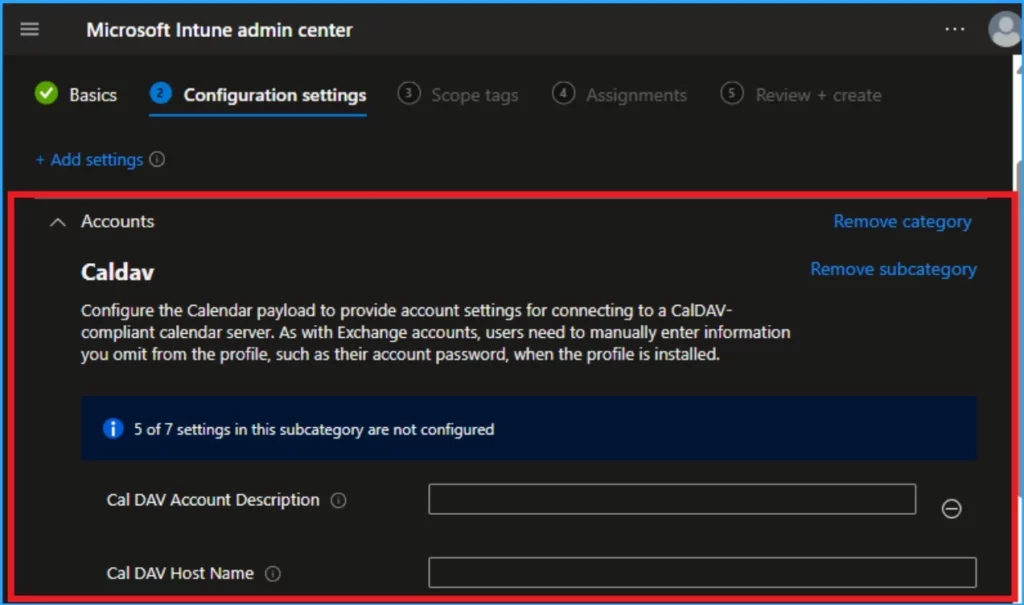
6. What is CalDAV Account in iOS?
CalDAV account is an internet standard that lets users access and manage calendar information on a remote server. CalDAV stands for Calendaring Extensions to WebDAV, and it uses the iCalendar format for data.
In Intune you can Configure the Calendar payload to provide account settings for connecting to a CalDAV-compliant calendar server. As with Exchange accounts, users need to manually enter information you omit from the profile, such as their account password, when the profile is installed.
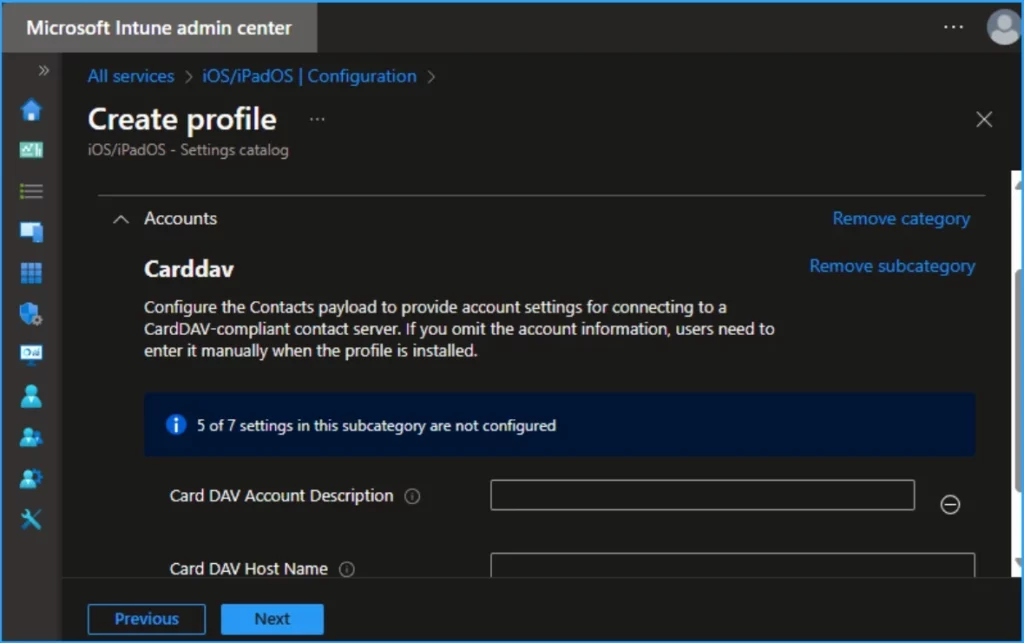
7. What is CarDAV Account in iOS?
A CardDAV account is a protocol that allows users to access and share contact data on a server. The protocol is based on WebDAV and uses vCard for contact data.
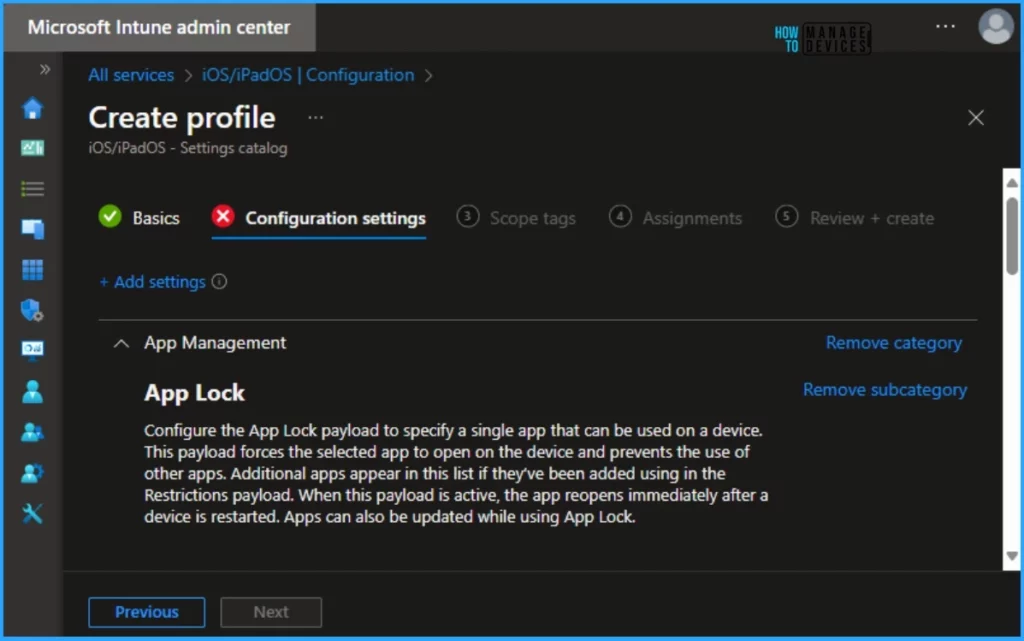
8. Explain iOS Apps Lock?
App lock is a feature in Microsoft Intune that allows admins to configure app protection policies for iOS and iPadOS devices. In Intune you can Configure the App Lock payload to specify a single app that can be used on a device. This payload forces the selected app to open on the device and prevents the use of other apps.
Additional apps appear in this list if they’ve been added using in the Restrictions payload. When this payload is active, the app reopens immediately after a device is restarted. Apps can also be updated while using App Lock.
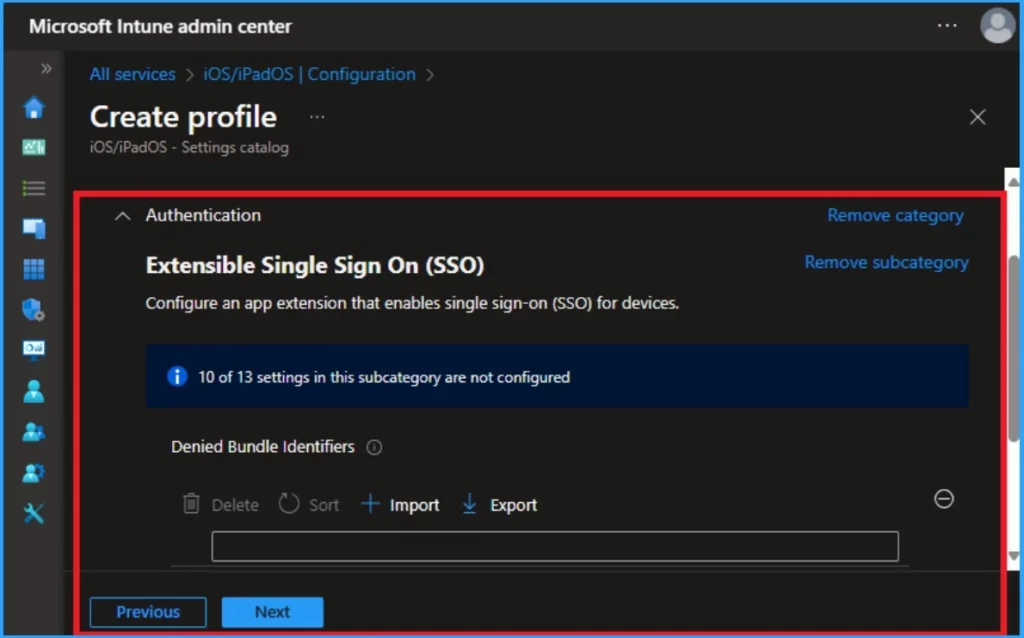
9. What is Denied Bundle Identifiers?
An array of bundle identifiers of apps that don’t use SSO provided by this extension. Available in iOS 15 and later and macOS 12 and later.
Read More :- Intune Fully Supports iOS iPadOS 18 and macOS 15 New Features and Enhancements
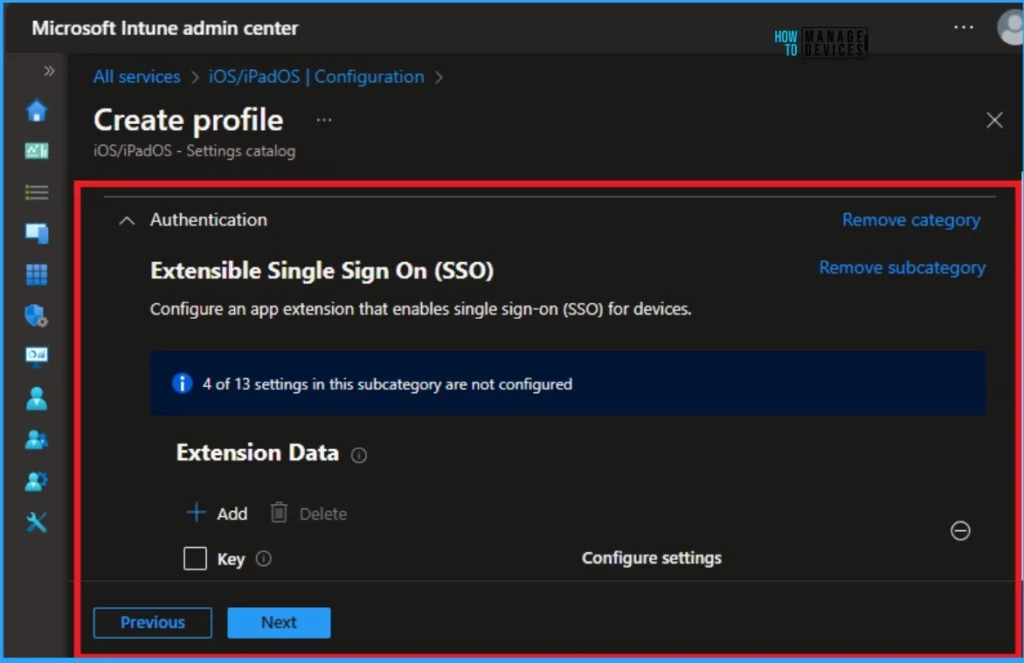
10. What is Extension Data in Intune?
Extension Data is a dictionary of arbitrary data passed through to the app extension. In Intune, you can Configure an app extension that enables single sign-on (SSO) for devices.
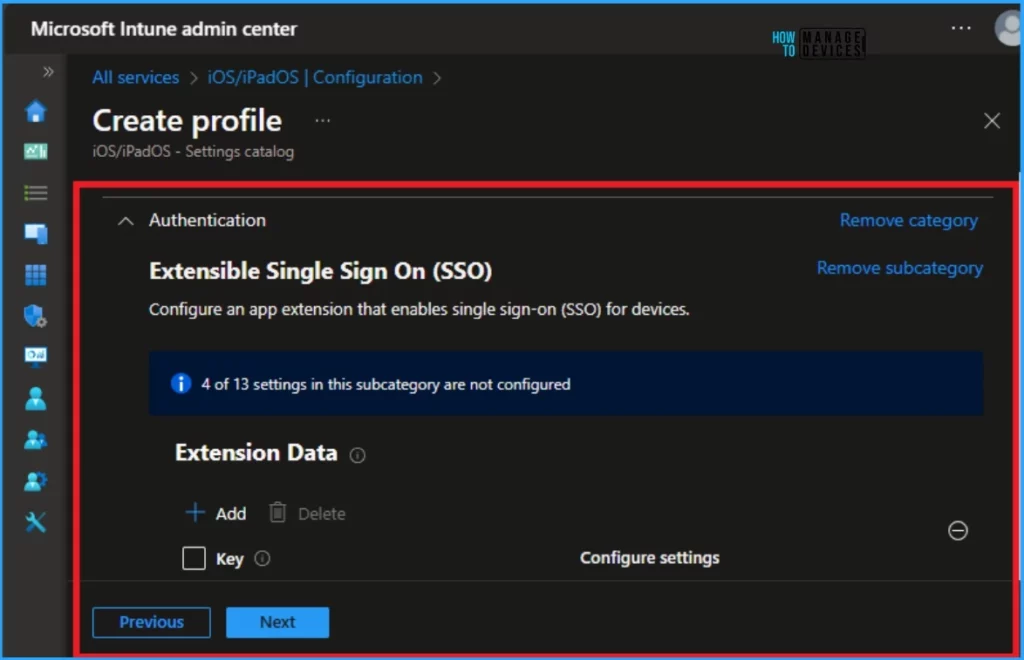
11. What is an Extension Identifier in Intune?
The bundle identifier of the app extension that performs SSO for the specified URLs. Configure an app extension that enables single sign-on (SSO) for devices.
12. What is Hosts in iOS?
Host or domain names are matched case-insensitively, and all the host/domain names of all installed Extensible SSO payloads must be unique. Hosts that begin with a “.” are wildcard suffixes and match all subdomains; otherwise the host must be an exact match.
13. What is Realm in Intune?
14. What is Screen Locked Behavior in iOS?
When set to Do Not Handle, the request continues without SSO. Available in iOS 15 and later and macOS 12 and later.
15. What is Type in iOS?
16. What are URls in iOS?
- Unsupported Versions of iOS iPadOS MacOS Devices for Intune | Minimum Supported Versions 16 and 13
- How to setup Microsoft Enterprise SSO plug-in for Apple macOS Devices using Intune
- iOS iPadOS Intune Enrollment Method is Based on Web Based
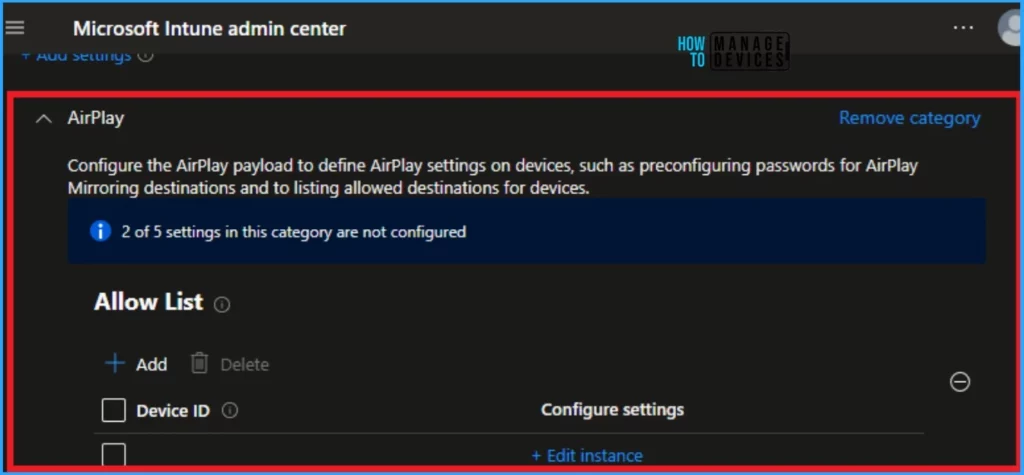
17. What is Device ID in iOS?
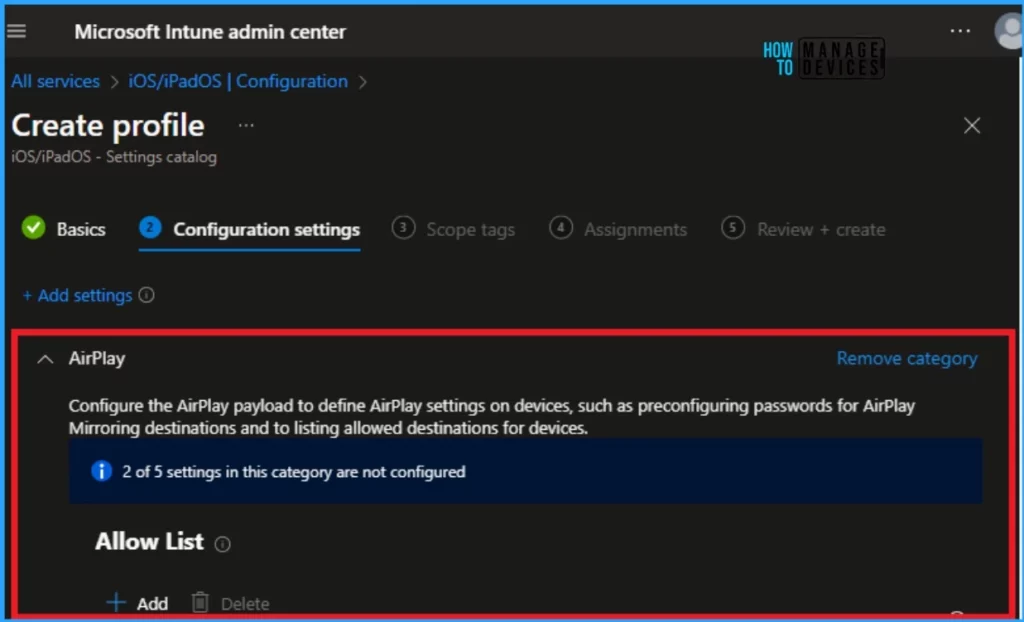
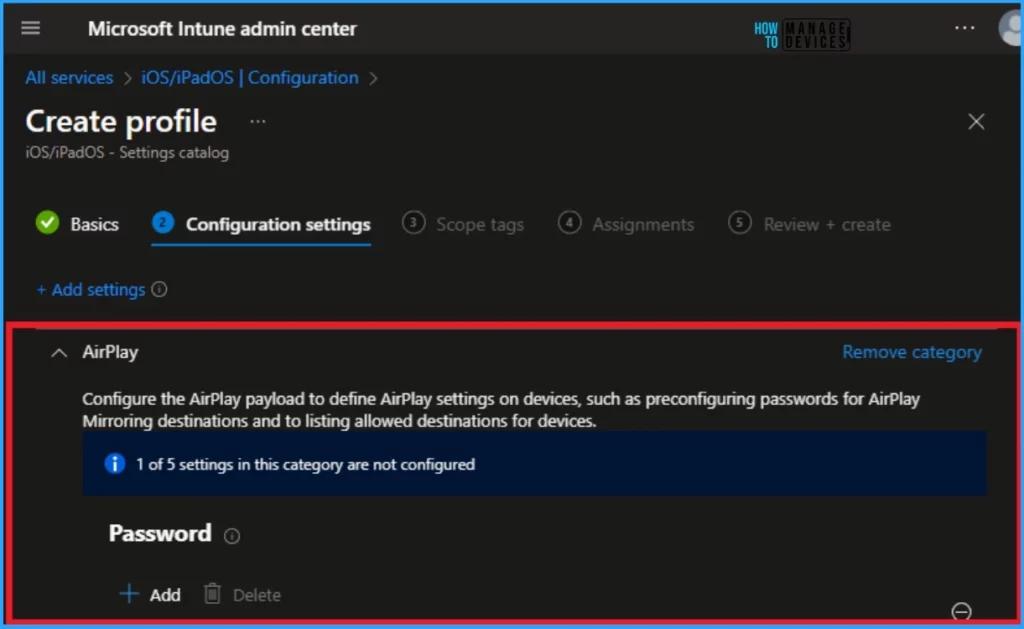
The unique identification number for iOS devices is device ID in the format xx:xx:xx:xx:xx:xx. This field isn’t case-sensitive. Configure the AirPlay payload to define AirPlay settings on devices, such as preconfiguring passwords for AirPlay Mirroring destinations and listing allowed destinations for devices.
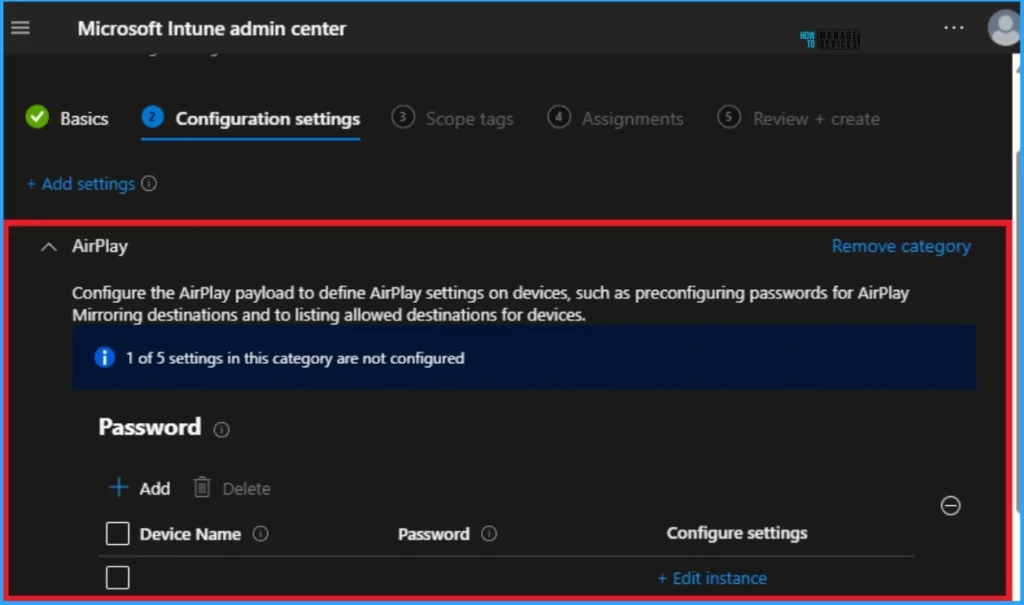
18. Device Name in Intune?
The name of the AirPlay destination; is used in iOS. Configure the AirPlay payload to define AirPlay settings on devices, such as preconfiguring passwords for AirPlay Mirroring destinations and listing allowed destinations for devices.
19 AirPlay Allow List
If present, only AirPlay destinations in this list are available to the device. This allow list applies to supervised devices. Configure the AirPlay payload to define AirPlay settings on devices, such as preconfiguring passwords for AirPlay Mirroring destinations and listing allowed destinations for devices.
20. AirPlay Password
The password for the AirPlay destination. Configure the AirPlay payload to define AirPlay settings on devices, such as preconfiguring passwords for AirPlay Mirroring destinations and to listing allowed destinations for devices.
21. What is Kerberos Extensible SSO in Intune?
The Kerberos Extensible SSO uses Apple’s built-in Kerberos extension. This option is a Kerberos-specific version of the Credential app extension.
22. What is Domain Realm Mapping for Kerberos?
23. What is Include Managed Apps In Bundle ID ACL?
24. What is the DDM Passcode in Apple?
25. What is Restriction Payload Intune?
For example, a restriction can be added that prevents an iPhone or iPad from using AirPrint. Another restriction can be added to prevent the sharing of passwords over AirDrop on an iPhone, iPad, and Mac. Certain restrictions on an iPhone may be mirrored on a paired Apple Watch.
26. What is the Difference between App ID and Bundle ID?
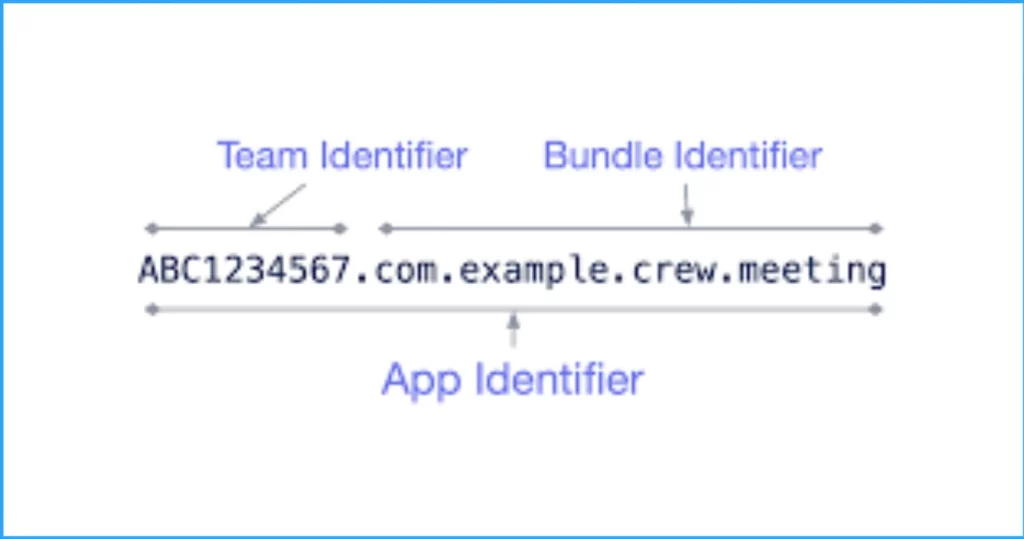
App ID is a unique ID number used to identify your apps. This string uniquely identifies one or more apps from the same development team. The string has 2 components, the Team ID and the Bundle ID, separated by a period (.). Apple supplies a Team ID to identify a specific development team, whereas developers supply Bundle IDs to identify a single app or a collection of apps.
Bundle IDs are unique identifiers of applications in Apple’s ecosystem. In other words, no two applications can have the same identifier. The bundling ID is used for both OS X and iOS apps and can be used to recognize app updates.
27. What is the Difference Between Android and iOS?
Android OS is a Linux-based mobile Operating System that primarily runs on smartphones and tablets. It is a modified version of the Linux kernel and other open-source software. Several programming languages were used in its development, including C, Java, C++, and others.
It is the operating system for Apple devices offered by Apple incorporation and it is considered the second most popular mobile operating system globally after Android. It is primarily designed for Apple mobile devices like the iPhone, iPod Touch, etc. Several programming languages were used in its development, including Objective-C, Swift, C++, and others.
| Android | iOS |
|---|---|
| It is the mobile operating system for Android devices offered by Google LLC (limited liability company). | It is an Operating System for Apple devices offered by Apple Incorporation. |
| Specially designed for smartphones, tablets and tablets | It is specially designed for Apple iPhones, iPods, and iPads. |
| On Android devices, Google Chrome is the default internet browser. However, any other browser can be installed. | Safari is the default Internet browser on iOS devices. However, any other browser can be installed. |
28. What is an iOS Developer, and What are His Responsibilities?
An iOS developer is a programmer or software engineer who designs and develops applications that run Apple’s iOS on iOS devices. Ideally, the iOS developer should be skilled in two programming languages, Objective-C and Swift.
- It helps with clean, efficient coding for iOS applications.
- It ensures clean and secure codes by troubleshooting and bug fixes for applications.
- The development and deployment of advanced app features and the maintenance and improvement of existing features.
- Develop innovative solutions to meet the business needs of customers.
- Assisting with all aspects of application development, including design, testing, release, and support.
- Exploring, evaluating, and implementing new technologies continuously to maximize development efficiency.
29. What are the Different Types of iOS Application States?
An iOS application goes through a series of states during its execution. Each of these states is referred to as an application’s lifecycle state. The following are the 5 possible states for an iOS app.
- Not running – In the Not Running state, an application has either not been launched or closed/shut down by the system.
- Inactive – A brief state of inactivity occurs while the app is leaving or entering its active state. Despite running in the foreground, it isn’t yet ready to accept user input or events, so the application remains inactive at this time.
- Active – The Active state indicates that the app is running in the foreground and receiving events. This is usually the normal mode for foreground apps, and the User Interface is accessible.
- Background – In this state, the application’s user interface is hidden, but it continues running in the iOS system’s background. Applications usually pass through this state before being suspended.
- Suspended – In this case, the application is in the background but is not running code. However, it stays in my memory. Under low memory conditions, the system can delete apps in the suspended state without warning.
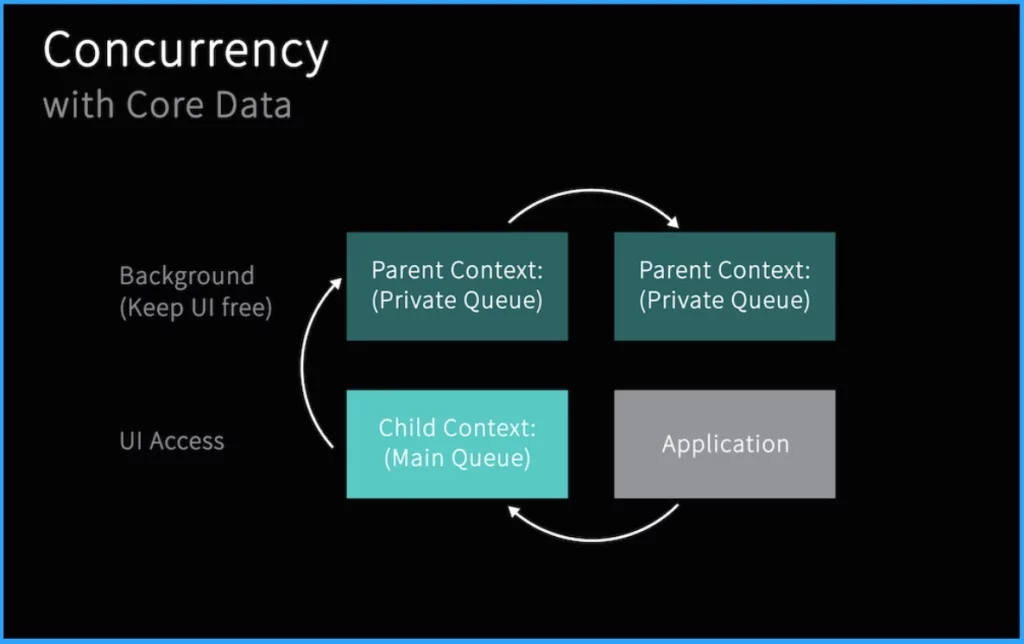
30. Write Different Ways to Achieve Concurrency in iOS?
Concurrency means “running multiple tasks simultaneously”. Concurrency allows iOS devices to handle background tasks (such as downloading or processing data) while maintaining a responsive user interface. In iOS, you can manage concurrent tasks using Grand Central Dispatch (or GCD), and Operations (NSOperation).
- Dispatch queues – They are used to manage tasks in first-in-first-out (FIFO) order and execute tasks sequentially or concurrently. This is an easy way to handle asynchronous (not occurring at the same time) and concurrent tasks in your application.
- Threads – An independent sequence of instructions can be executed separately from other code within a program. Through threads, one can execute multiple code paths simultaneously in a single application. Having a thread is especially useful when you need to perform a lengthy task without affecting the execution of the rest of the program.
- Operation Queues – Operation queue objects are invoked in accordance with their priority and readiness. Essentially, operation queues are high-level abstractions of queueing models, built on top of GCD (Grand Central Dispatch). It is possible, therefore, to execute tasks concurrently, just like GCD, but in an object-oriented manner.
31. Explain Objective-C in OS?
32. Explain Swift in iOS?
33. What are the Features of Swift?
Safety – Swift is an efficient way to write programs. It is very important to check code before it is used in production, and Apple Swift removes any unsafe code before it is used in production.
Simple syntax – Its syntax is simple and easy to use, just as developers would expect it. The syntax features of Swift enable you to write more expressive code.
Readability – Swift has a simple syntax, which is easier to read and write. Developers can write Swift code more easily since it is more similar to plain English, enabling them to look for problematic code less.
Multiplatform support – It is fully compatible with iOS, macOS, tvOS, watchOS, Linux, and many other platforms. This means you are able to develop software that is compatible with all operating systems.
Open-source – Swift is developed at swift.org, an open-source framework. For Swift to become a defining programming language, the technology had to be open to all. Swift supports all Apple platforms and makes programming easier, faster, and safer.
Compatible with Objective C: It has full compatibility with Objective-C. Swift enables programmers to import frameworks from Objective-C using the Swift syntax. Programmers can utilize Objective-C libraries and classes inside Swift code.
34. What is Enum or Enumerations in Swift?
35. What do you mean by Lazy Property in iOS?
This could be a great way to streamline your code and reduce unnecessary work. When a code is expensive and unlikely to be called consistently, a lazy variable can be a great solution.
36. What is the JSON Framework Supported by iOS?
- Use MTD to Protect iOS and Android Devices with Microsoft Defender for Endpoint
- How to Publish new iOS apps in Intune
- Cloud PC Support for FIDO Devices and Passkeys on macOS and iOS
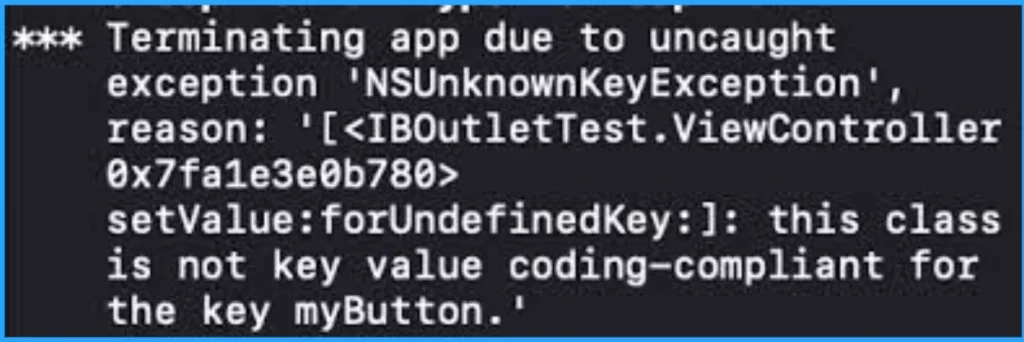
37. State the Difference between KVC and KVO in Swift?
KVC (Key-Value Coding) enables object properties to be accessed at runtime using strings rather than knowing the property names statically during development.
KVO (Key-Value Observing) is a method for observing program state changes in Objective-C and Swift. If an object has instance variables, KVO enables other objects to observe changes to those variables.
38.State the Difference between Cocoa and Cocoa Touch?
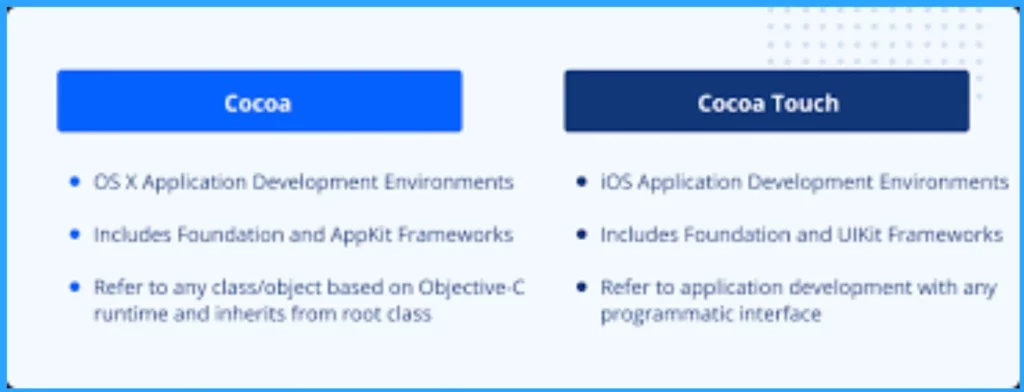
Cocoa and Cocoa Touch are two of Apple’s widely used application frameworks used for building applications. However, they differ in the following ways.
| Cocoa | Cocoa Touch |
|---|---|
| This application framework is for building applications that run on Mac OS X. | This application framework for building applications that run on devices like iPhones and iPad. |
| Frameworks such as Foundation and AppKit are incorporated into Cocoa. | Cocoa Touch is a combination of Frameworks such as Foundation and UIKit are incorporated into Cocoa Touch. |
39. Explain What GCD (Grand Central Dispatch) in iOS?
Grand Central Dispatch (GCD) is a low-level API that enables users to run concurrent tasks (occurring simultaneously) by managing threads in the background. Grand Central Dispatch is Apple’s solution to build concurrency and parallelism into iOS applications.
40. Explain the Function of the Completion Handler?
Completion handlers are just functions passed as parameters to other functions. They are used to dealing with the response of asynchronous tasks since we do not know when they will end. Completion handlers inform an application when an operation, such as an API call, has been completed. The program is informed that the next step needs to be executed.
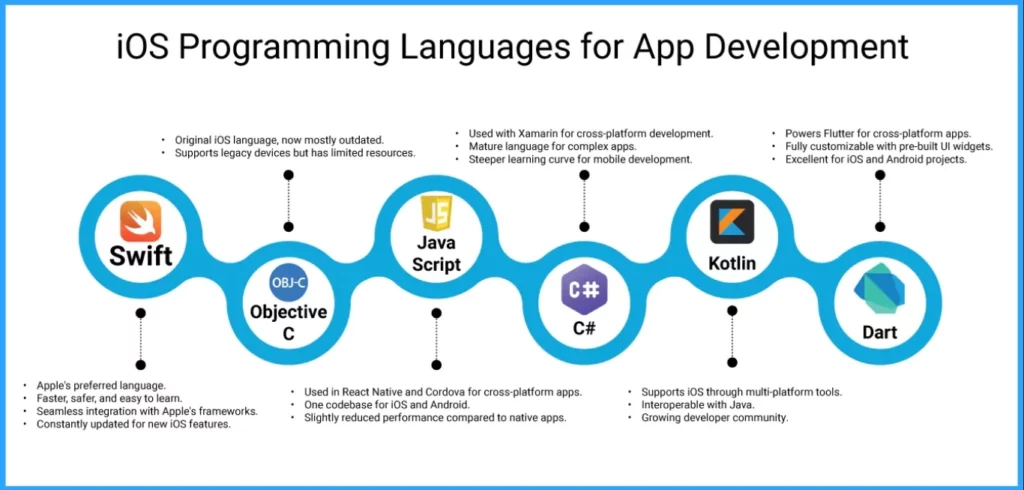
41. Which are the Programming Languages Used for iOS Development?
iOS Development is a huge process for creating apps for Apple’s mobile Operating System, iOS, which runs on iPhones, iPads, and iPod Touches. Different programming languages are used for it. The following list shows the different programming languages.
- HTML
- .NET
- C
- C++
- Swift
- Javascript
- Objective-C.
42. What do You Understand about the Memento Pattern?
43. What is the Difference between Retaining and Copy?
44. What is AirDrop in iOS?
45. What is iCloud in iOS?
46. What is MVC?
- Free Generic Windows 10 Product Keys from Microsoft
- Windows 11 Version Numbers Build Numbers Major Minor Build Rev
- Desktop Support Network Troubleshooting Tips for Beginners
47. What are the Advantages of iOS?
OS, the operating system for iPhones and iPads, offers several advantages, making it a popular choice among users. The following are the advantages of iOS.
| Advantages of iOS |
|---|
| It provides a Streamlined User Interface |
| Store App provides a vast selection of high-quality apps |
| It gives strong security measures |
| Apple designs both the hardware and software, ensuring seamless |
| Integration and optimal performance |
48 Explain Conditional Conformances in Swift?
In Swift, conditional conformances allow you to declare that a generic type conforms to a protocol only under certain conditions. This means a type will only conform to a protocol if some condition is met, such as the type’s generic parameter satisfying certain constraints.
49. What is Process Management in iOS?
Each thread in iOS serves as a single path of execution. Every application in IOS starts with a single thread that runs the application’s primary functions.
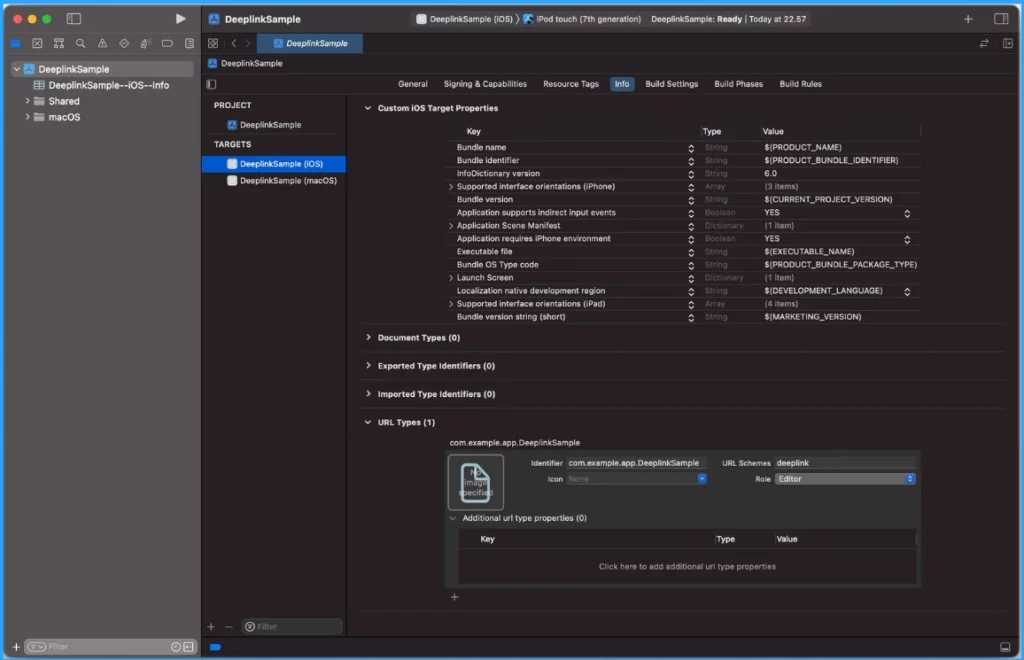
50. What is Deep Linking in iOS?
It directs users to an app instead of a website through URLs or universal links. Deep linking links to a specific piece of content within an app. The content could be a particular section of a page, a view, or a certain tab.
Join the LinkedIn Page and Telegram group to get the latest step-by-step guides and news updates. Join our Meetup Page to participate in User group meetings. Also, Join the WhatsApp Community to get the latest news on Microsoft Technologies. We are there on Reddit as well.
Author
Anoop C Nair has been Microsoft MVP from 2015 onwards for 10 consecutive years! He is a Workplace Solution Architect with more than 22+ years of experience in Workplace technologies. He is also a Blogger, Speaker, and leader of the Local User Group Community. His main focus is on Device Management technologies like SCCM and Intune. He writes about technologies like Intune, SCCM, Windows, Cloud PC, Windows, Entra, Microsoft Security, Career, etc.
Discussion