





Microsoft Intune Renames iOS/iPadOS to Apple Mobile After visionOS and tvOS Support
Key Takeaways
- Microsoft Intune renamed the iOS/iPadOS device blade to Apple Mobile.
- The new name now covers more Apple platforms, like:
- iOS
- iPadOS
- visionOS
- tvOS
- The old iOS/iPadOS label became outdated after support for Apple Vision Pro and Apple TV was added.
- Microsoft is using the new Apple mobile term across Intune, Microsoft Learn, and ADE enrollment experiences.
- The update is mostly a UI and terminology change, while backend references still use iOS/iPadOS in some places.
Microsoft Intune changed the iOS/iPadOS device blade name to Apple mobile in the April 2026 service release. The main reason for this change is that Intune now supports more Apple platforms, not just iPhones and iPads. With support for visionOS on Apple Vision Pro and tvOS on Apple TV, the old iOS/iPadOS name no longer matched all supported devices.
Microsoft Intune Renames iOS/iPadOS to Apple Mobile for Broader Apple Platform Support
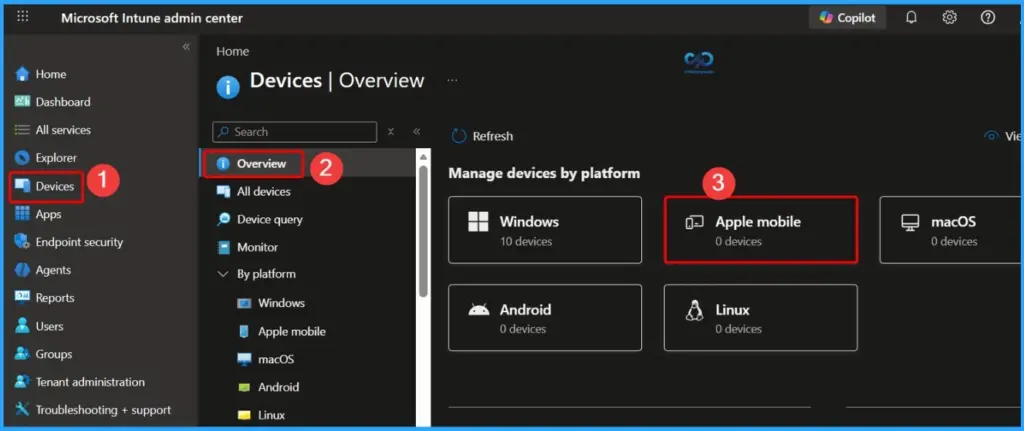
Microsoft now uses the broader Apple mobile name to group all Apple mobile platforms under one category, making the admin center and documentation simpler and more consistent. The tab previously called iOS/iPadOS in Microsoft Intune is now renamed to Apple mobile.
While the location and backend tokens remain the same, Microsoft has updated the label across the admin center and Microsoft Learn documentation, where “Select the Apple mobile tab” is now the standard wording.
| Change | Details |
|---|---|
| Previous Name | iOS/iPadOS |
| New Name | Apple mobile |
| Main Reason | Support now includes more Apple platforms |
| Newly Supported Platforms | visionOS and tvOS |
| Devices Included | iPhone, iPad, Apple Vision Pro, Apple TV |
- Update iOS Apps with MAM Policies for iOS/iPadOS 17 Upgrade
- Enroll iOS/iPadOS Devices in Intune Step by Step Guide
- Intune to Introduce Account Driven User Enrollment for iOS/iPadOS
Apple Vision Pro and Apple TV Support Drive Intune’s Apple Mobile Rename
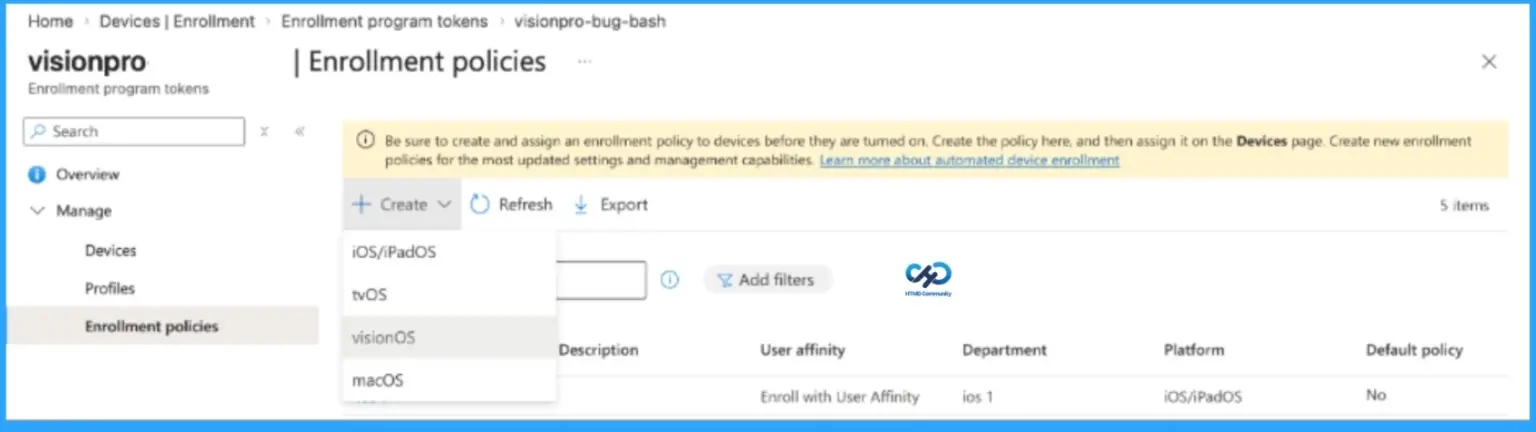
This change comes alongside the general availability (GA) of Automated Device Enrollment (ADE) support for visionOS and tvOS. Since Intune now manages Apple Vision Pro and Apple TV in addition to iPhones and iPads, the old iOS/iPadOS name no longer accurately represents all supported Apple platforms. Microsoft, therefore, consolidated them under the broader Apple mobile category for better consistency and future scalability.

Read More – Intune Now Supports visionOS and tvOS with Easier Device Enrollment
- Get Intune Environment Ready for iOS / Mac Devices Microsoft Endpoint Manager
- Enroll MacOS In Intune With Step By Step Guide
Need Further Assistance or Have Technical Questions?
Join the LinkedIn Page and Telegram group to get the latest step-by-step guides and news updates. Join our Meetup Page to participate in User group meetings. Also, join the WhatsApp Community and the Whatsapp channel to get the latest news on Microsoft Technologies. We are there on Reddit as well.
Resource
What’s new in Microsoft Intune – April
Author
Anoop C Nair is a Workplace Technology solution architect with 25+ years of experience. Microsoft Certified Trainer. Microsoft MVP from 2015 onwards for consecutive 11+ years! He is a blogger, Speaker, and Founder of HTMD Community and HTMD Conference. His main focus is on Device Management technologies like Intune, Windows, and Cloud PC. He writes about technologies like Intune, SCCM, Windows, Cloud PC, Entra, and Microsoft Security.


Discussion