






Microsoft Intune Integration with Apple New Intelligence to Disable Features Genmoji Math Notes Image Wand
Microsoft Intune Integration with Apple New Intelligence to Disable Features Genmoji, Math Notes, Image Wand, etc.. ! Microsoft Intune is a platform that helps businesses manage employees’ devices, such as phones, tablets, and computers. With Apple’s new AI tools, Microsoft Intune will soon allow IT teams to control and manage these new Apple features on company devices.
Apple has launched new tools under Apple Intelligence (AI) that simplify various tasks for users. These tools assist with features like creating custom emojis (Genmoji), generating images (Image Playground), Image Wand, and more.
Microsoft Intune has improved its mobile device management (MDM) and mobile app management (MAM) tools to support the new Apple Intelligence (AI) features. When iOS 18.1, iPadOS 18.1, and macOS Sequoia 15.1 are released, IT administrators can customize and control how these new features are used in their organizations.
This post provides all the details about how Microsoft Intune works with Apple’s new Intelligence features. This update will help businesses manage these AI tools effectively and ensure they are used according to their needs.

Table of Contents
What is Apple Intelligence (AI)?
Apple Intelligence is a suite of advanced features designed to enhance your writing and creative experience across various applications on Apple devices.
Which Apple Operating Systems will Support these New Features?
The Apple Intelligence features will be available in iOS 18.1, iPadOS 18.1, and macOS Sequoia 15.1.
What are Apple Intelligence Writing Tools?
Apple Intelligence Writing Tools are features designed to assist users in finding the right words and improving their writing experience across various applications.
What can the Writing Tools do?
The Writing Tools can help you for the following.
1. Summarize lengthy lectures in seconds.
2. Provide concise summaries of long group conversations.
3. Minimize distractions by prioritizing notifications.
Microsoft Intune Apple New Intelligence to Disable Features Genmoji
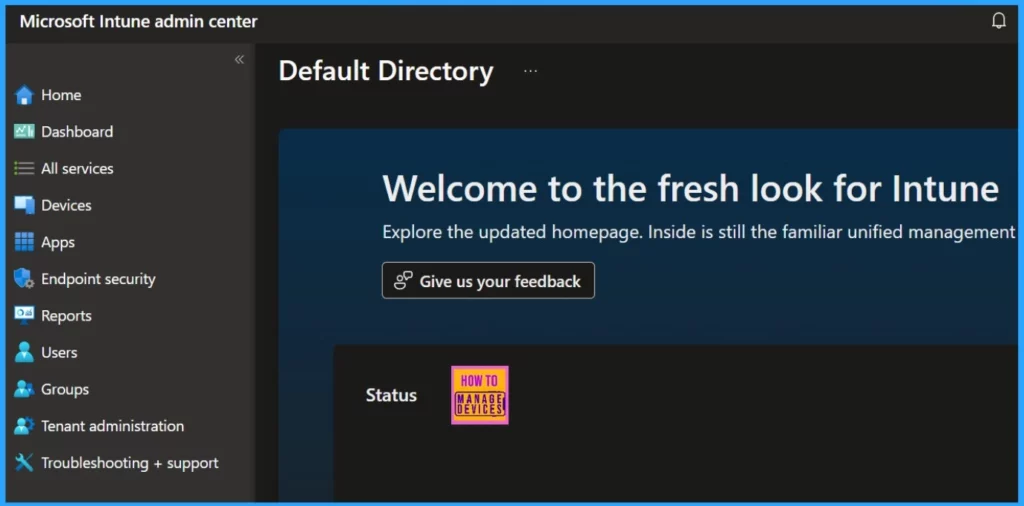
Microsoft Intune has updated its mobile device management (MDM) and mobile app management (MAM) controls to allow businesses to customize and manage Apple Intelligence features.
Microsoft’s ongoing goal is to enable you to balance productivity and security in your environment by making sure the proper policy controls are available regardless of your deployment model.
- Fix Intune is Unable to Uninstall Apps Installed from Apple App Store Issue
- Declarative Device Management A New Way of Managing Apple Devices
- Account-Driven Apple User Enrolment in Intune – Part 1
Intune MDM and MAM Controls for Supervised and BYO Apple Devices
Microsoft Intune will allow IT administrators to set new controls for fully managed iPhones, iPads, and Macs (company-owned devices enrolled in management through Apple’s Device Enrollment, also called ADE). These controls include settings for Apple’s new “Apple Intelligence” features and Math-related settings.
- These controls can only be applied to supervised devices, meaning they are under the organization’s complete control.
For Unsupervised Devices (Personal/BYO iOS/iPadOS) (which are not fully managed by the organization), there are no specific controls available through Intune’s Mobile Device Management (MDM) features. Intune still offers Mobile Application Management (MAM), which allows control over company apps and data on these personal devices without needing to manage the whole device.
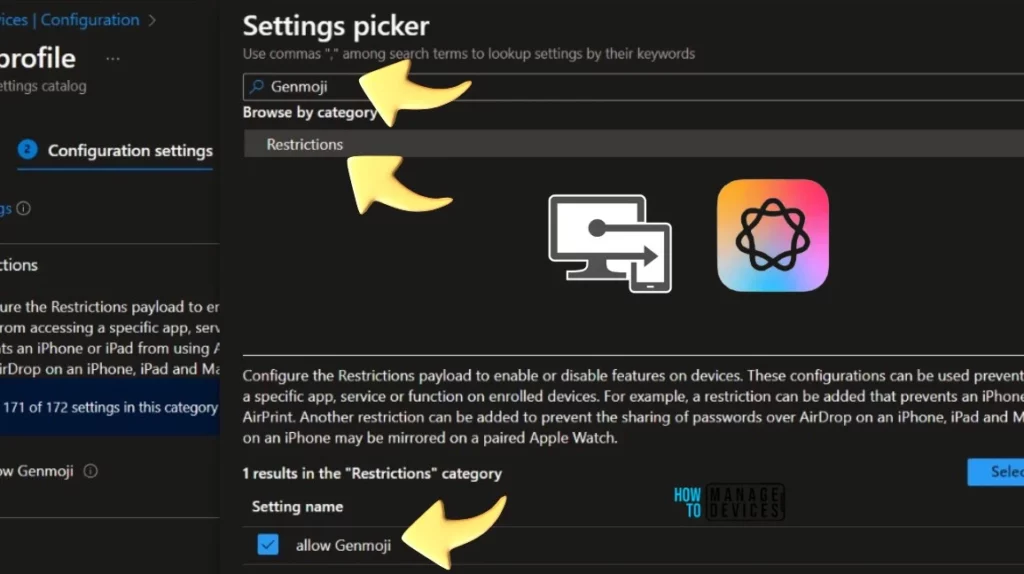
Starting in a future Intune update, these new settings for iPhones (iOS 18.1), iPads (iPadOS 18.1), and Macs (macOS Sequoia 15.1) will be available for administrators to use, but only on fully managed devices. The table below helps you show details such as the Apple intelligence feature, Available actions, OS version, Supported Requirements, and Intune service version.
| Apple Intelligence Feature | Available Actions | OS Version | Supervision Requirement | Intune Service Version |
|---|---|---|---|---|
| Genmoji | If ‘false’, it prohibits the creation of a new Genmoji. | iOS 18.1 and later. | Supervised device required. | 2408 |
| Image Playground | If ‘false’, prohibit the use of image generation. | iOS 18.1 and later and macOS Sequoia 15.1 and later. | Supervised device required | 2408 |
| Image Wand | If ‘false’, ban the use of Image Wand. | iOS 18.1 and later. | iOS 18.1 and later. Supervised device required. | 2408 |
| Personalized Handwriting Results | If false, it prevents the system from generating text in the user’s handwriting. | iOS 18.1 and later. | Supervised device required. | 2408 |
| Writing Tools | If ‘false’, disables Apple Intelligence writing tools. | iOS 18.1 and later and macOS Sequoia 15.1 and later. | Supervised device required. | 2408 |
| Intelligence (Skip Key) | The key to skip the Intelligence pane in Setup Assistant. | iOS 18.1 and later and macOS Sequoia 15.1 and later. | Supervised device required. | 2409 |
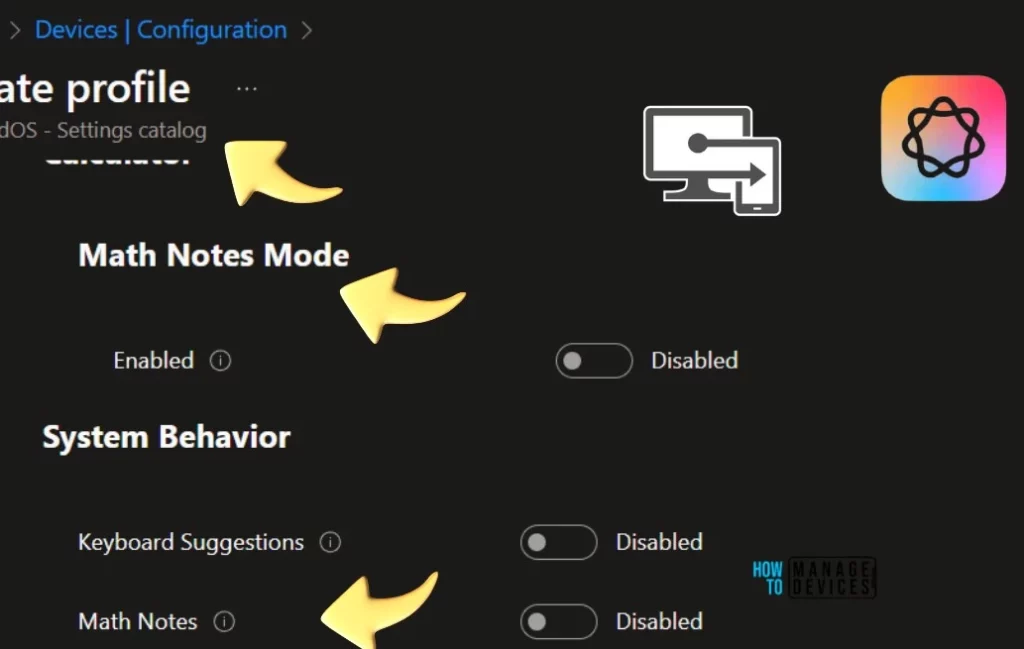
| Math Notes Mode | If present, configures the Math Notes mode of the calculator. If not present, math notes mode is enabled. | iOS 18.1 and later and macOS Sequoia 15.1 and later. | Supervised device required. | 2409 |
| System Behavior > Math Notes | Controls whether Math Notes is allowed in other apps such as Notes. | iOS 18.1 and later and macOS Sequoia 15.1 and later. | Supervised device required. | 2409 |
You can use Intune Settings Catalog policies to configure Apple’s New Intelligence features such as Genmoji, Math Notes, Image Wand, etc..
Math Notes Mode – These settings configure the declarations used by Apple’s declarative device management feature. These settings are separate from older MDM settings and only apply to a device enabled for declarative management. Learn more about declarative management at developer.apple.com Math Settings.
Intune MAM Management for Apple Intelligence Features
Intune will manage access to new Apple Intelligence features in apps protected by Intune MAM on iOS 18.1 and later. As of September 2024, the only feature available in these protected apps is the Writing Tools. Other features can only be used in system applications like Notes and Calculator, which do not work with Intune MAM.
- Any app that uses the required version of the Intune App SDK can manage the new Apple Intelligence features.
- Apple Intelligence feature – Writing Tools
- App protection policy setting – Send Org Data to other apps
- Available Actions – Allow Writing Tools if the value is “All Apps” and Block Writing Tools if any other value
- App SDK version – 19.6.0 and later
Join the LinkedIn Page and Telegram group to get the latest step-by-step guides and news updates. Join our Meetup Page to participate in User group meetings. Also, Join the WhatsApp Community to get the latest news on Microsoft Technologies. We are there on Reddit as well.
Author
Anoop C Nair has been Microsoft MVP from 2015 onwards for 10 consecutive years! He is a Workplace Solution Architect with more than 22+ years of experience in Workplace technologies. He is also a Blogger, Speaker, and Local User Group Community leader. His primary focus is on Device Management technologies like SCCM and Intune. He writes about technologies like Intune, SCCM, Windows, Cloud PC, Windows, Entra, Microsoft Security, Career, etc.


Discussion