






Microsoft Copilot is Now Available on WhatsApp | Chat Naturally by Smooth and Intuitive Conversations
Let’s discuss Microsoft Copilot is Now Available on WhatsApp. Chat naturally with Smooth and Intuitive Conversations. Finally, Microsoft introduced Copilot on WhatsApp, based on frequent feedback from Copilot users. With Copilot, users get instant help anytime.
As you know, What does Meta own a free, multi-platform messaging app. Meta already brought Metal AI to WhatsApp. It is an advanced AI-powered assistant integrated into the messaging platform. It helps with casual conversations, Answering Questions, Image Generation, etc.
However, Copilot in WhatsApp is very different from Meta AI. It is always on your side, and you cannot fall alone. You can easily access Copilot on WhatsApp via Mobile by Scanning the QR code. Many features can be accessed with Copilot on WhatsApp.
You can chat naturally and have smooth and intuitive conversations, whether prepping for interviews or having casual chats. This blog post will explain more about Copilot on WhatsApp and its available features.

Table of Contents
Get the Details – Microsoft Copilot is Now Available on WhatsApp
As mentioned above, Copilot on WhatsApp provides many features for users. You can now chat naturally and create images. You can Describe your vision and watch it transform into stunning art, memes, or logos. Talking with Copilot is easy to learn, grow, and gain confidence.
- Microsoft Introducing Copilot+ PCs
- Classic Outlook for Windows Now Improved with Copilot
- How to Prepare Microsoft Copilot with Zero Trust
How to Access Copilot on WhatsApp?
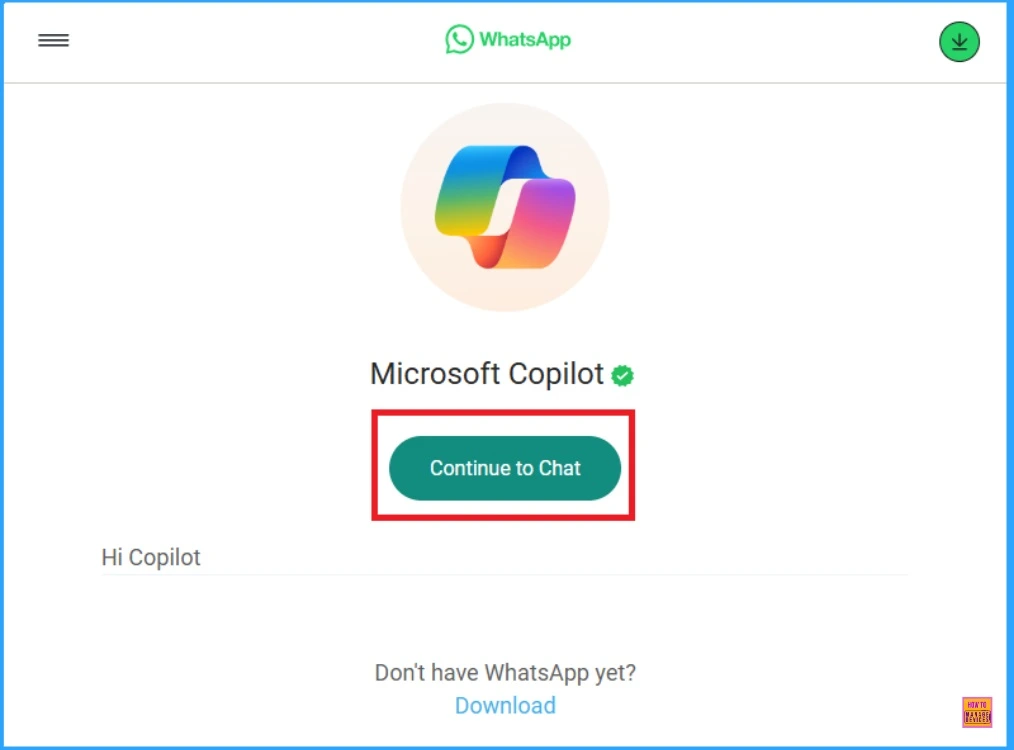
Users can access Copilot on WhatsApp through their Mobile devices by scanning the QR code. You can also open Copilot on your WhatsApp with the link. In this post, I will show you how to access Copilot on WhatsApp using the link on your Mobile Device.
- Open Copilot on WhatsApp
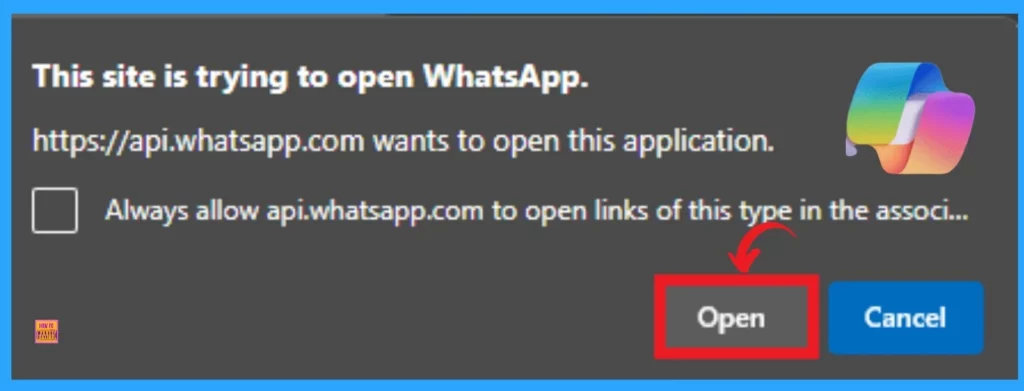
- Click on the Open button from the Pop up window
Chat Naturally with Copilot on WhatsApp
Chatting with Copilot is very easy for you. You can chat with Copilot with relevant questions, and Copilot will answer your questions within seconds. Copilot in WhatsApp chat lets you get accurate information, prepare for interviews, or have casual conversations.
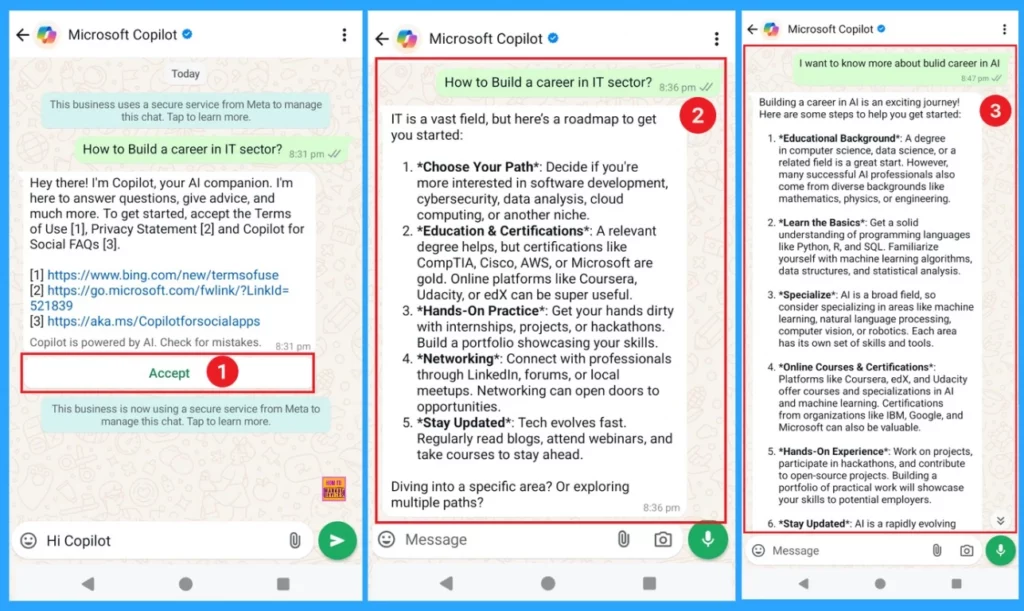
- After Opening the Microsoft Copilot on your WhatsApp chat from the above link, you can start chatting
- Before starting chat, users should accept the terms of Use, Privacy Statement and Copilot on Social FAQs
- Click on the Accept button as shown in the below window
After accepting the permission, you can start chatting with Copilot. In this example, I start chatting with the question, “How to Build a career in the IT sector?“. Copilot replayed me in detail within seconds. If you have more doubts, you can continue chatting and ask more questions about the topic.
- 16 New Copilot Actions Released by Microsoft
- Copilot is in All Microsoft 365 Apps
- Microsoft Copilot Now Available to All Users on Telegram for Free
Create Images on WhatsApp with Copilot
Creating Images is very quick with Copilot. You can create any image with your creativity by Describing your vision. According to your vision, Copilot will create the Image. In the below example, I asked Copilot to create an image of a “Persian cat for pup cups.” Copilot created the Image according to my question.
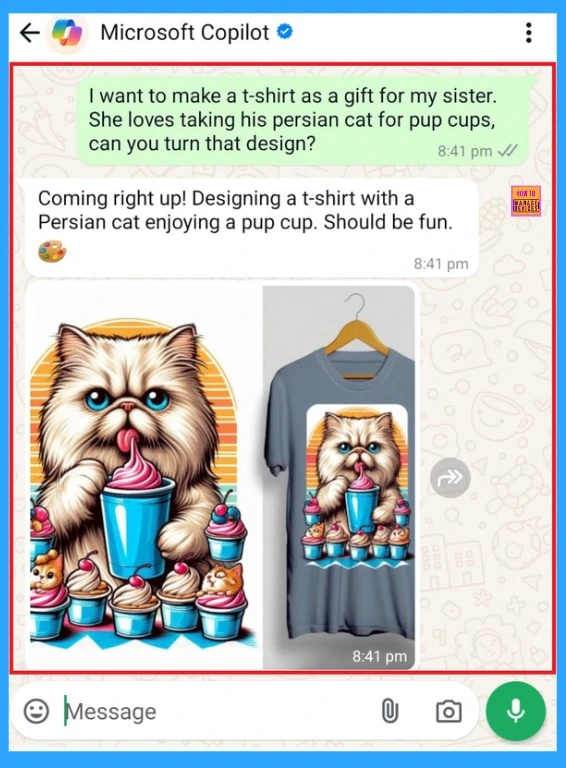
Clear Answers on Copilot with WhatsApp
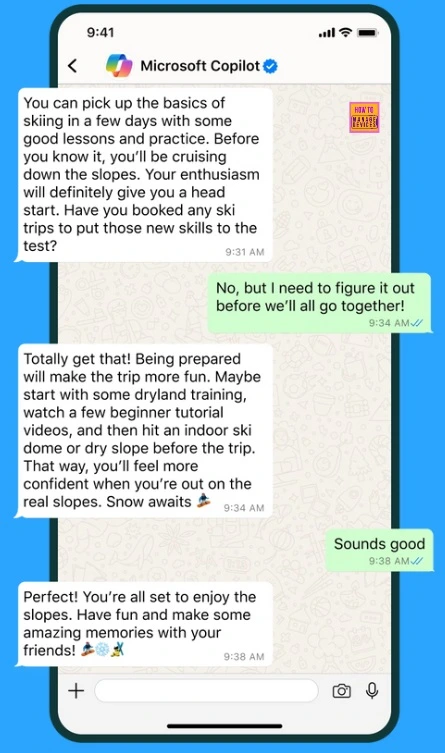
Talking with Copilot is easy to learn, grow, and gain confidence. You can ask Copilot questions, and it will answer them.
| Features of Copilot on WhatsApp |
|---|
| It allows Natural Conversation |
| Helps to create Image |
| Copilot can help automate routine task |
| It can assist in crafting effective messages |
| It provides real-time support |
Join the LinkedIn Page and Telegram group to get the latest step-by-step guides and news updates. Join our Meetup Page to participate in User group meetings. Also, Join the WhatsApp Community to get the latest news on Microsoft Technologies. We are there on Reddit as well.
Author
Anoop C Nair has been Microsoft MVP from 2015 onwards for 10 consecutive years! He is a Workplace Solution Architect with more than 22+ years of experience in Workplace technologies. He is also a Blogger, Speaker, and Local User Group Community leader. His primary focus is on Device Management technologies like SCCM and Intune. He writes about technologies like Intune, SCCM, Windows, Cloud PC, Windows, Entra, Microsoft Security, Career, etc.



Discussion