






How to Check Windows 11 24H2 Feature Update Readiness from Microsoft Intune
This post discusses checking Windows 11 24H2 Feature Update Readiness from Microsoft Intune. As you know, checking Feature Update Readiness is very important. The release of Windows 11 version 24H2 introduces many new features and improvements to improve the user experience and system performance.
As you know, organizations need to ensure devices are prepared for this update to avoid any issues. A perfect update makes many differences in system performance. Smooth upgrades are also key to maintaining productivity.
Microsoft Intune, a cloud-based service, is the best way for administrators to manage devices for organizations. Windows 11 24H2 is one of the best updates released recently. This update offers improvements to make the system better, safer, and faster.
In Intune we can now check Windows 11 24H2 Feature Update Readiness from Microsoft Intune. These readiness reports always help the admins identify issues. So, in this post, we will look at an overview of Windows 11 24H2 Feature Update Readiness.

Table of Contents
What Does it Mean to Generate a Report in Intune?
Check Windows 11 24H2 Feature Update Readiness from Microsoft Intune
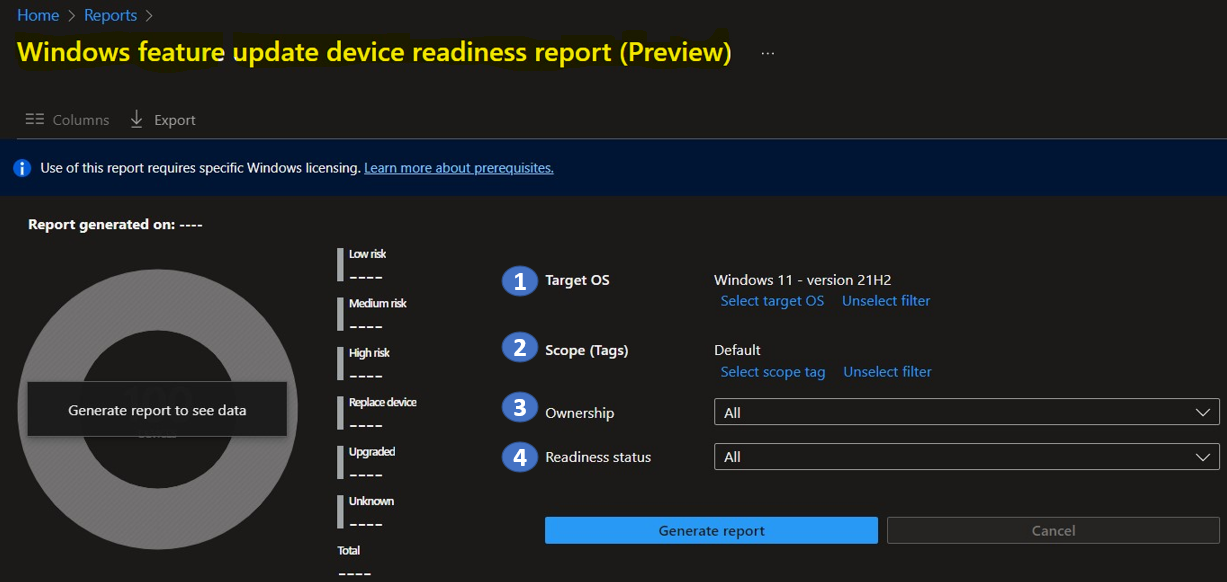
The above discussed the overall topic of this Windows 11 24H2 Feature Update Readiness from Microsoft Intune. The Windows feature update device readiness report gives a device-level view of compatibility risks with devices when upgrading or updating to a selected version of Windows.
- We also have a post of Windows 11 21H2- Windows Feature Update Device Readiness Intune Report.
See More: Windows Feature Update Device Readiness Intune Report.
- Upgrade to Windows 11 using Intune Feature Update Deployment Policy
- Best Way for Windows 11 24H2 Upgrade using Intune and Windows Update for Business WUfB Deployment
- Check Windows 11 Hardware Readiness Insights from Intune Endpoint Analytics
How to check Windows 11 24H2 Feature Update Readiness
This is a very easy step to check the recent updates in the Feature Update Readiness report. This report is based on the specific version of Windows you chose when creating it. Arnab MitraArnab Mitra recently shared this news on his social media platform. To check Windows 11 24H2 Feature Update Readiness, follow these steps.
| Steps for Checking Windows 11 24H2 Feature Update Readiness in Intune |
|---|
| Go to the Intune Admin Center portal |
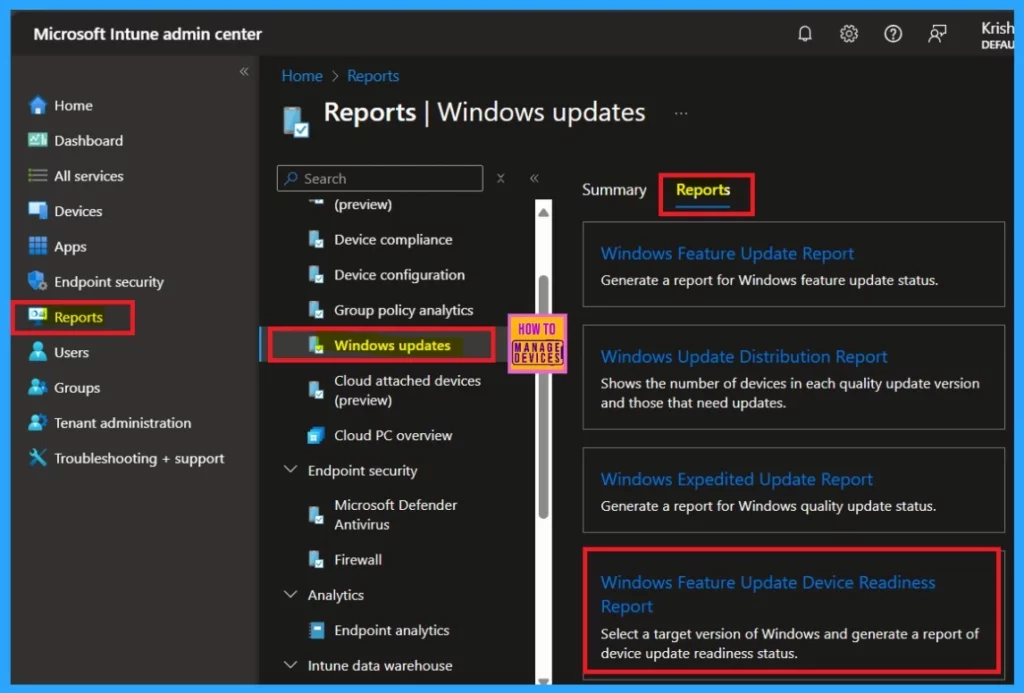
| Navigate through the Reports > Windows updates > select the Reports tab > select Windows Feature Update Device Readiness Report. |
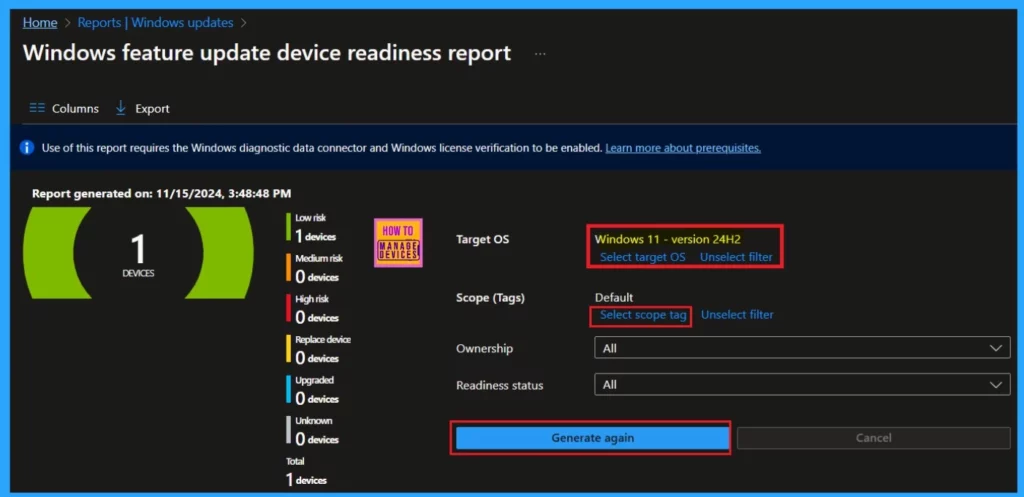
We will get the report-generating page after clicking on the Windows Feature Update Device Readiness Report. Here, you can add the target OS through the select target OS option; in that list, you can choose Windows 11 version 24H2.
- In the scope tag option, you can select which devices should be in scope for this report.
- For example, I selected as default; you can choose All Windows.
- Set ownership and readiness Status as All
- Then Select Generate report.
Need Further Assistance or Have Technical Questions?
Join the LinkedIn Page and Telegram group to get the latest step-by-step guides and news updates. Join our Meetup Page to participate in User group meetings. Also, Join the WhatsApp Community to get the latest news on Microsoft Technologies. We are there on Reddit as well.
Author
Anoop C Nair has been Microsoft MVP from 2015 onwards for 10 consecutive years! He is a Workplace Solution Architect with more than 22+ years of experience in Workplace technologies. He is also a Blogger, Speaker, and Local User Group Community leader. His primary focus is on Device Management technologies like SCCM and Intune. He writes about technologies like Intune, SCCM, Windows, Cloud PC, Windows, Entra, Microsoft Security, Career, etc.


Discussion